Close Menu
  • Gaming
    • Game Guides
    • Codes
    • Game News
    • Game Previews
    • Game Reviews
    • Game Features
    • Game Lists
    • Platforms
      • Nintendo
      • PC
      • PlayStation
      • Xbox
      • Mobile
  • Entertainment
    • Movies
    • Movie Features
    • Movie Reviews
    • TV
    • Reality TV
    • Royals
  • Celebrity
    • Hollywood
  • Human Interest
  • Astrology
  • Videos
  • More
    • Anime
    • Lists
    • Podcasts
    • Reviews
Facebook X (Twitter) Instagram LinkedIn YouTube
  • About Us
  • Join Our Team
  • Meet the Team
  • Privacy Policy
  • DMCA Policy
  • Contact Us
  • Terms of Use
  • Sitemap
  • Editorial Guidelines
  • Advertising Policy
The Nerd Stash
  • Gaming
  • Celebrity
    • Hollywood
  • Human Interest
  • Videos
The Nerd Stash
Home»Game News»Counter-Strike 2 Sep. 29 Update Patch Notes Fix Mirage & Overpass Issues

Counter-Strike 2 Sep. 29 Update Patch Notes Fix Mirage & Overpass Issues

Don’t forget to grab the September 29 update for Counter-Strike 2.

Tunahan KarakisBy Tunahan KarakisSeptember 29, 20232 Mins Read
Patch Notes for the Counter-Strike 2 September 30 Update - Gameplay Footage
Image Source: Valve
This article is over 2 years old and may contain outdated information.

Valve has just rolled out the September 29 update patch notes for Counter-Strike 2. Like the September 27 patch, the latest patch includes many bug fixes and adjustments for the recently released game. Folks can expect valuable changes from this release, such as resolving issues in Mirage and Overpass. All players are recommended to take a few minutes to review the changes brought by this patch before continuing their matches. Let’s examine the Counter-Strike 2 September 29 update patch notes.

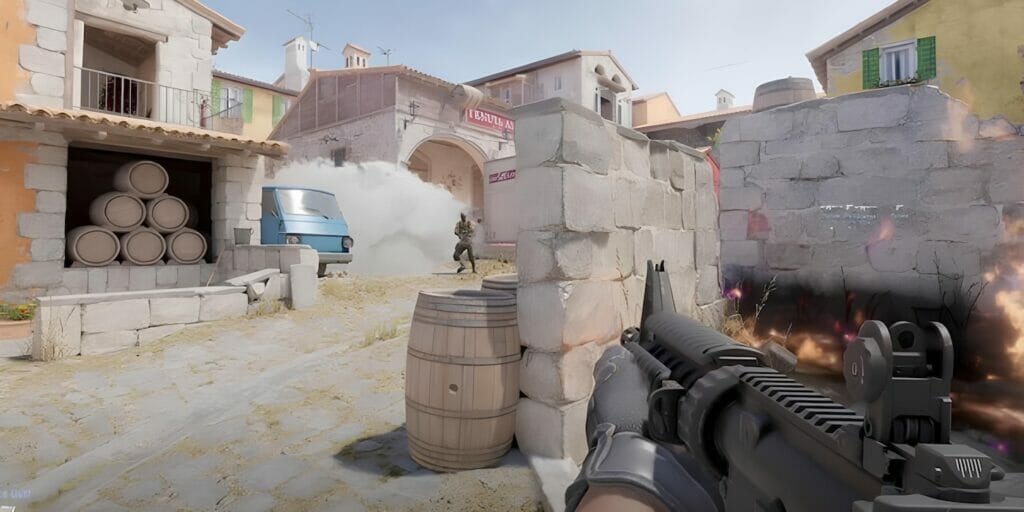
Patch Notes for the Counter-Strike 2 September 29 Update

Patch Notes for the Counter-Strike 2 September 29 Update - Gameplay Footage
Image Source: Valve

Sound

  • Fixed missing win/loss/MVP music in Casual

Graphics

  • Put range clamps on r_fullscreen_gamma, r_texture_stream_max_resolution, and r_character_decal_resolution
  • Fixed smokes were not rendering correctly on AMD GPUs on Linux.

Animation

  • Adjusted grenade throw animations to reduce view obstruction.
  • Fixed a case where players would float a few inches off the ground after spawning

Maps

  • Various bug fixes and tweaks to Mirage and Overpass

Cosmetics

  • Various bug fixes and tweaks to weapon finishes and stickers
  • Updated Phoenix Soldier balaclava from green to original red color
  • Fixed missing pouches on certain SWAT agents

Misc

  • Fixed a bug where loadout shuffle would never happen
  • Increased clickable area of sell-back buttons in the buy menu
  • Fixed a case where the death panel would stay on-screen after respawning quickly
  • Disabled CSTV and demo recording temporarily to increase server availability so more people can play

The recent changes brought by the September 29 patch for Counter-Strike 2 are detailed above. It includes significant touches like fixing smoke not being rendered correctly on AMD GPUs on Linux and adjusting grenade throw animations to reduce view obstruction.

Counter-Strike 2 players can access the in-game content of the September 29 update via Steam on PC.

Related Topics
Counter-Strike 2 Patch Notes
Share. Facebook Twitter LinkedIn Reddit Email
Tunahan Karakis
  • Website

Game nerd

SUGGESTED READS

Destiny 2 Shadow and Order Delay
Game News

‘At This Point, I Don’t Think It’s Enough to Save the Game,’ Destiny 2 Players Heartbroken After Shadow and Order Delay

How to Spectate a Trade in Adopt Me on Roblox
Game Guides

How to Spectate a Trade in Adopt Me on Roblox

People of Note Release Date
Game News

Musical RPG, People of Note, Announces Its Release Date and Launches Public Demo

People of Note Demo Hands-on Impressions
Game Previews

People of Note Demo Hands-On Impressions – Embrace the Beat

Blender Bee Swarm Simulator
Game Guides

Where Is the Blender in Bee Swarm Simulator on Roblox? Answered

How to Get Blue Extract in Bee Swarm Simulator on Roblox
Game Guides

How to Get Blue Extract in Bee Swarm Simulator on Roblox

The Nerd Stash
Facebook X (Twitter) Instagram YouTube LinkedIn
  • About Us
  • Join Our Team
  • Meet the Team
  • Privacy Policy
  • DMCA Policy
  • Contact Us
  • Terms of Use
  • Sitemap
  • Editorial Guidelines
  • Advertising Policy
© 2026 The Nerd Stash. All Rights Reserved.

Type above and press Enter to search. Press Esc to cancel.