
Close Menu
  • Gaming
    • Game Guides
    • Codes
    • Game News
    • Game Previews
    • Game Reviews
    • Game Features
    • Game Lists
    • Platforms
      • Nintendo
      • PC
      • PlayStation
      • Xbox
      • Mobile
  • Entertainment
    • Movies
    • Movie Features
    • Movie Reviews
    • TV
    • Reality TV
    • Royals
  • Celebrity
    • Hollywood
  • Human Interest
  • Astrology
  • Videos
  • More
    • Anime
    • Lists
    • Podcasts
    • Reviews
Facebook X (Twitter) Instagram LinkedIn YouTube
  • About Us
  • Join Our Team
  • Meet the Team
  • Privacy Policy
  • DMCA Policy
  • Contact Us
  • Terms of Use
  • Sitemap
  • Editorial Guidelines
  • Advertising Policy
The Nerd Stash
  • Gaming
  • Celebrity
    • Hollywood
  • Human Interest
  • Videos
The Nerd Stash
Home»Game Guides»How To Export Water in Cities: Skylines 2

How To Export Water in Cities: Skylines 2

Sharing is caring

Nikola PajticBy Nikola PajticOctober 28, 20233 Mins Read
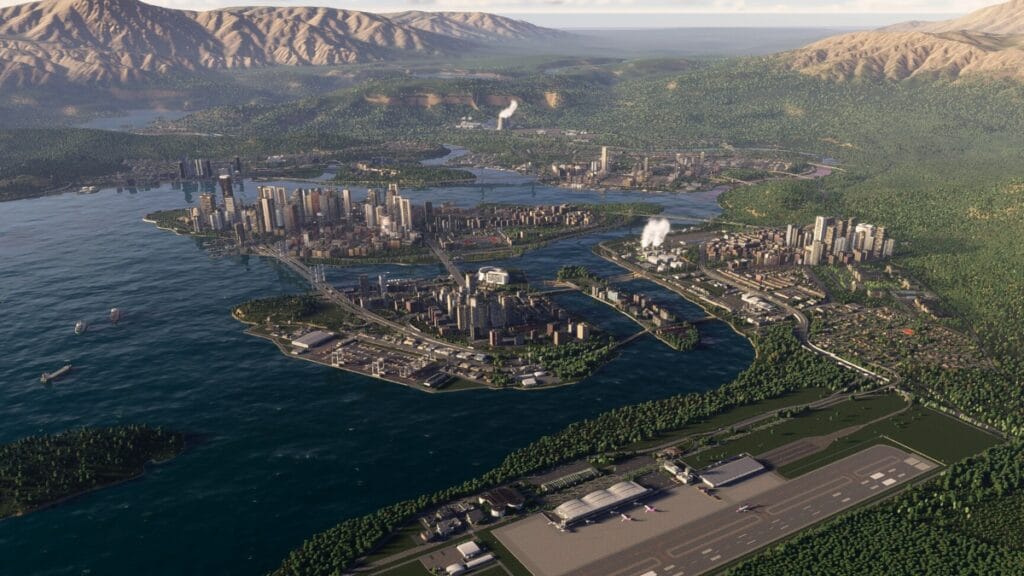
How To Export Water in Cities Skylines 2 Featured Image
Image Source: Paradox Interactive
This article is over 2 years old and may contain outdated information.

If you just starting to play Cities: Skylines 2, you will notice that this much-anticipated sequel to the beloved city-building simulation introduces several new and unique features. One of these features in Cities: Skyline 2 is exporting water. However, like many games, this one doesn’t provide an in-depth explanation of these exciting additions. Nevertheless, exporting water in Cities: Skyline 2 is a straightforward process once you know the right steps to do it.
Export-Water-Cities-Skyline-2
Image Source: Paradox Interactive via MySpaceGuide YouTube Screenshot

Follow these simple steps to export water in Cities: Skylines 2:

  1. Start Your City:
    Begin by developing your city in Cities: Skylines 2, focusing on your water infrastructure. Ensure that you have a functioning water supply to meet your city’s needs.
  2. Expand Your Territory:
    To enable water exporting, you must extend your city’s territory by purchasing additional map tiles. This can be done by achieving milestones in the game that unlock expansion permits.
  3. Reach the Map’s Edge:
    Keep expanding your city until you reach the edge of the map. This is a critical step in establishing an outside connection for water export.
  4. Establish Water Pipes:
    With your city’s territory now extended to the map’s edge, connect water pipes to your road network in the area where you want to export water. These pipes should cross your city’s boundary to make the necessary outside connection.
  5. Automatic Water Export:
    Once the water pipes are connected to the edge of the map, the game will automatically initiate water export. Any excess water produced in your city will be sold to neighboring areas in need.
  6. Monitor Your Export:
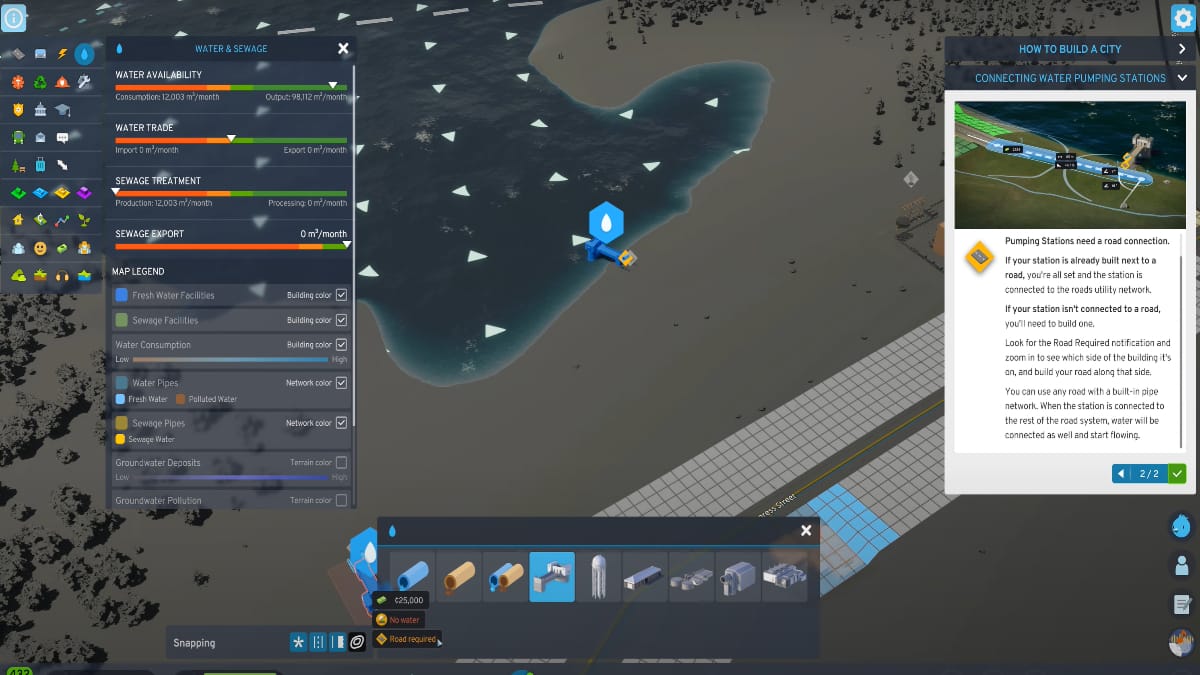
    Keep an eye on your water export status by clicking on the Water & Sewage icon. Here, you can track how much water your city is exporting, helping you to measure the success of this feature.

Benefits of Exporting Water in Cities: Skyline 2

If you are wondering why should you start exporting water in the latest installment, here are some benefits:

  1. Generate Income:
    Exporting water can significantly boost your city’s income. Any excess water your city produces can be sold to neighboring areas, adding a steady stream of funds to your budget.
  2. Aid Neighboring Cities:
    Exported water can be a lifeline for neighboring cities facing water shortages. By providing this essential resource, you can improve your relationships with these areas, potentially leading to beneficial trade deals or mutual assistance in times of crisis.
  3. Resource Exchange:
    If your city has an abundance of water but is struggling with shortages of other critical resources like electricity or food, exporting water can be a strategic solution. You can use the income from water exports to obtain the resources your city needs. This will improve its overall stability.
Related Topics
Cities: Skylines 2 Guide
Share. Facebook Twitter LinkedIn Reddit Email
Nikola Pajtic
  • Website

Nikola has been a gamer his whole life, and you can find him playing AAA titles but also unknown indie games.

SUGGESTED READS

Destiny 2 Renegades Equilibrium Dungeon Loot Table
Game Guides

Destiny 2: Renegades – Equilibrium Dungeon Loot Table Full Armor, Weapons, and Perks

Battlefield 6 Winter Offensive Challenges Guide
Game Guides

Battlefield 6 Season 1 – Winter Offensive Challenges Guide

Druid Starter Guide Path of Exile 2
Game Guides

Ultimate Druid Starter Guide for Path of Exile 2

Paladin Starter Guide for Diablo 4
Game Guides

Ultimate Paladin Starter Guide for Diablo 4

The First Half of 2026 is Packed With Amazing Titles Running Scared of Grand Theft Auto 6
Game Features

The First Half of 2026 is Packed With Amazing Titles Running Scared of Grand Theft Auto 6

Best Trailers Game Awards 2025
Game Features

Top Ten Best Trailers at the Game Awards 2025

Trending
Destiny 2 Renegades Equilibrium Dungeon Loot Table

Destiny 2: Renegades – Equilibrium Dungeon Loot Table Full Armor, Weapons, and Perks

Battlefield 6 Winter Offensive Challenges Guide

Battlefield 6 Season 1 – Winter Offensive Challenges Guide

Druid Starter Guide Path of Exile 2

Ultimate Druid Starter Guide for Path of Exile 2

Paladin Starter Guide for Diablo 4

Ultimate Paladin Starter Guide for Diablo 4

The Nerd Stash
Facebook X (Twitter) Instagram YouTube LinkedIn
  • About Us
  • Join Our Team
  • Meet the Team
  • Privacy Policy
  • DMCA Policy
  • Contact Us
  • Terms of Use
  • Sitemap
  • Editorial Guidelines
  • Advertising Policy
© 2025 The Nerd Stash. All Rights Reserved.

Type above and press Enter to search. Press Esc to cancel.





