Close Menu
  • Gaming
    • Platforms
      • Nintendo
      • PC
      • PlayStation
      • Xbox
  • Entertainment
    • Movies
    • TV
    • Royals
  • Celebrity
    • Hollywood
  • Human Interest
  • Astrology
  • More
    • Anime
    • Reviews
Facebook X (Twitter) Instagram LinkedIn YouTube
  • About Us
  • Join Our Team
  • Meet the Team
  • Privacy Policy
  • DMCA Policy
  • Contact Us
  • Terms of Use
  • Sitemap
  • Editorial Guidelines
  • Advertising Policy
The Nerd Stash
  • Gaming
  • Celebrity
  • Hollywood
  • Human Interest
The Nerd Stash
Home»Gaming»All New Backpack Changes in Adopt Me, Explained

All New Backpack Changes in Adopt Me, Explained

Dig into your backpack easier!

Nat CollazoBy Nat CollazoNovember 6, 20233 Mins Read
All New Backpack Changes in Adopt Me, Explained
Image Source: Roblox via Cookie Cutter YouTube Channel
This article is over 2 years old and may contain outdated information.

The Backpack is one of the items that you’ll most commonly use when playing Adopt Me! in Roblox. It’s where all of your pets and other items are stored in order for you to go through and pick the ones you need for different situations. Unfortunately, its layout isn’t really the best for when it comes to actually organizing your pets, so an update was made to upgrade this feature. Now, players will be able to easily and efficiently find the pets that they need without having to scroll through them all for a long time.

All New Backpack Changes in Adopt Me
All New Backpack Changes in Adopt Me, Explained
Image Source: Roblox

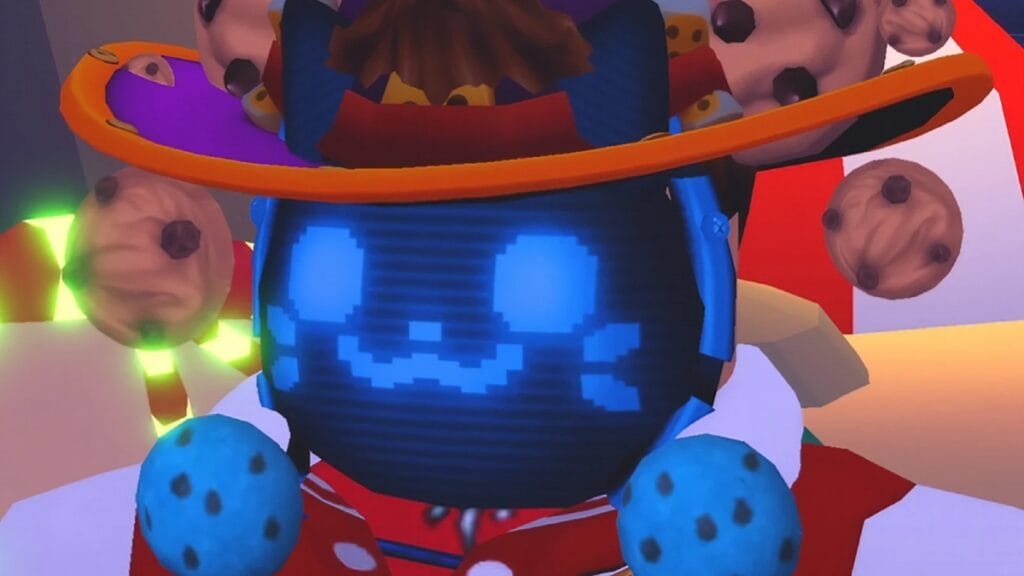
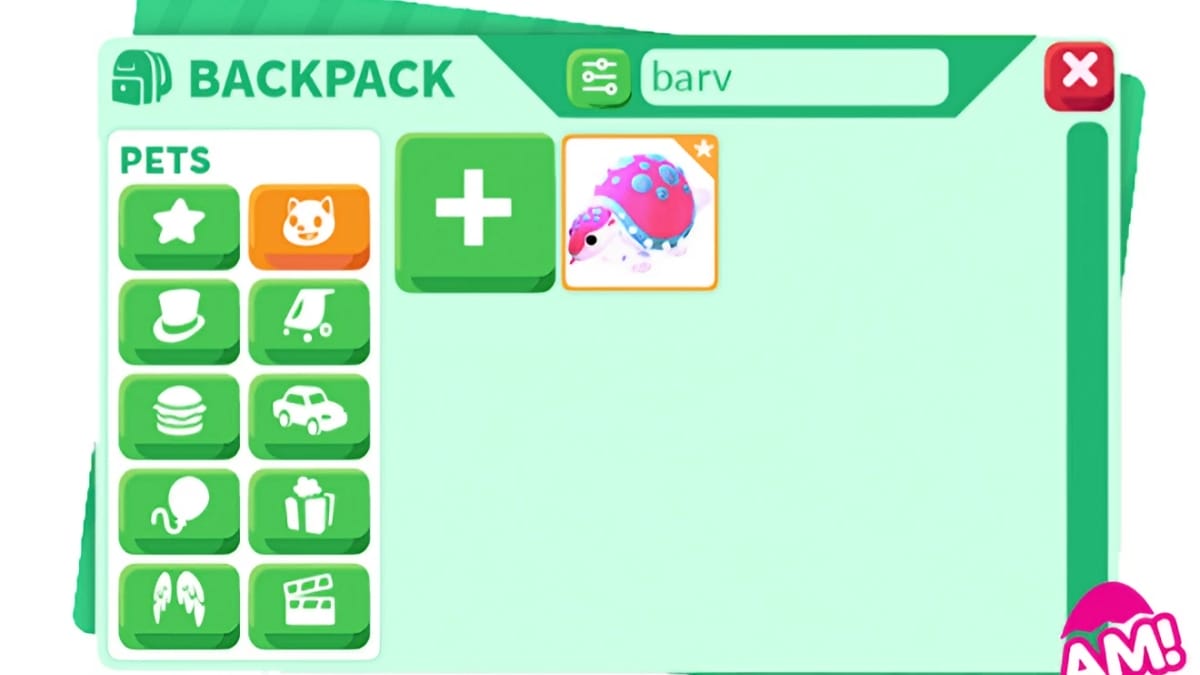
There are several new changes being brought to the Backpack in the latest update to Adopt Me! These changes are as follows:

  • Press the B button on your keyboard to open the new Backpack shortcut.
  • Lock your pets to avoid accidentally trading them away. You can also unlock them.
  • Backpack icons will replace text to better organize the categories and remove the second page.
  • You can search for your pet’s Roleplay name in the search bar.
    • Roleplay names will also no longer be visible in the Trade window.
  • Keep your settings for next time by toggling the Retain Backpack Filter option.
  • New Sort and Filter options help you find your pets by age, rarity, etc.
  • All equipped items remain at the top of each category.
  • Going through another section of the Backpack will save your scroll progress when you return.

As a result of this update., the Werewolf pet is being moved to the Pet Shop until after the Halloween event ends.

Related:

How To Get Giant Cheetah Mount in Adopt Me (& What It’s Worth)

All New Farm Animal Pets

With the new changes to the Backpack in Adopt Me! comes new farm animal pets as well! The pets that you’re able to obtain are:

  • Canada Goose – Uncommon
    • 600 Bucks
  • English Sheepdog – Rare
    • 1,300 Bucks
  • Caterpillar – Ultra Rare
    • 200 Robux

We know that the Caterpillar isn’t a farm animal, but we believe that it was added to sort of make sense of all of the butterflies that you can have in the game. With the newest update that we outlined above, it will make it easier to organize these pets once you obtain them alongside any current and future pets that you’ll store.

You can also check out this video by Cookie Cutter on YouTube for a different perspective on the update:

How To Use The NEW Adopt Me Backpack Update!

Related:

How To Get the Toy Delivery Truck Vehicle in Adopt Me

Roblox is available now for PC, iOS, Android, PlayStation, and Xbox One.

Related Topics
Guide Roblox
Share. Facebook Twitter LinkedIn Reddit Email
Nat Collazo
  • Website
  • X (Twitter)
  • Instagram

I am a game journalist and guide writer with ten years of experience as well as the CEO/ Founder of Frowns Marketing, a marketing company that caters to indie games, tabletop games, and board games to help developers get more wishlists, backers, and players!

SUGGESTED READS

MindsEye Layoffs 2026
Gaming

Studio Behind GTA-like Game, MindsEye, Hit With More Layoffs, and Nobody is Surprised: ‘Shocked There’s Even a Janitor Working There’

Princess Peach Spin-Off Movie May Already Be in Development, Job Listing Suggests
Gaming

Princess Peach Spin-Off Movie May Already Be in Development, Job Listing Suggests

Xbox's New CEO Wants to Reconnect With the 'Community,' Yet Brings In More CoreAI Leaders
Gaming

Xbox’s New CEO Wants to Reconnect With the ‘Community,’ Yet Brings In More CoreAI Leaders

Diablo 4 Season 13 Tier List
Gaming

Class Tier List for Diablo 4 Season 13 (Best Classes for Endgame & Leveling)

Take-Two Boss Finally Explains Why GTA 6 Is Skipping PC at Launch: 'We'll See How It Works Out'
Gaming

Take-Two Boss Finally Explains Why GTA 6 Is Skipping PC at Launch: ‘We’ll See How It Works Out’

Rockstar Employee Review Claims 'Unrealistic' Crunch as GTA 6 Development Intensifies: 'Had to Work Till 3AM'
Gaming

Rockstar Employee Review Claims ‘Unrealistic’ Crunch as GTA 6 Development Intensifies: ‘Had to Work Till 3AM’

The Nerd Stash
Facebook X (Twitter) Instagram YouTube LinkedIn
  • About Us
  • Join Our Team
  • Meet the Team
  • Privacy Policy
  • DMCA Policy
  • Contact Us
  • Terms of Use
  • Sitemap
  • Editorial Guidelines
  • Advertising Policy
© 2026 The Nerd Stash. All Rights Reserved.

Type above and press Enter to search. Press Esc to cancel.