
Close Menu
  • Gaming
    • Game Guides
    • Codes
    • Game News
    • Game Previews
    • Game Reviews
    • Game Features
    • Game Lists
    • Platforms
      • Nintendo
      • PC
      • PlayStation
      • Xbox
      • Mobile
  • Entertainment
    • Movies
    • Movie Features
    • Movie Reviews
    • TV
    • Reality TV
    • Royals
  • Celebrity
    • Hollywood
  • Human Interest
  • Astrology
  • Videos
  • More
    • Anime
    • Lists
    • Podcasts
    • Reviews
Facebook X (Twitter) Instagram LinkedIn YouTube
  • About Us
  • Join Our Team
  • Meet the Team
  • Privacy Policy
  • DMCA Policy
  • Contact Us
  • Terms of Use
  • Sitemap
  • Editorial Guidelines
  • Advertising Policy
The Nerd Stash
  • Gaming
  • Celebrity
    • Hollywood
  • Human Interest
  • Videos
The Nerd Stash
Home»Game Guides»How To Fix “You Are Not Allowed To Speak in Local Chat” in Diablo 4

How To Fix “You Are Not Allowed To Speak in Local Chat” in Diablo 4

Start speaking to others again.

Victor TanBy Victor TanNovember 26, 20232 Mins Read
Diablo 4 How To Fix Local Chat Error
Image Source: Blizzard Entertainment Diablo 4 Press Center
This article is over 2 years old and may contain outdated information.

If you get the “You Are Not Allowed To Speak in Local Chat” message in Diablo 4, it could set off some alarm bells. You won’t be able to communicate with your teammates which hampers your participation in events. It’s also difficult to talk to others or make friends on a server when you can’t speak to them. Here’s how you fix the local chat problem in Diablo 4 and start communicating with other players.

Local Chat Fix for Diablo 4 Communication Problem

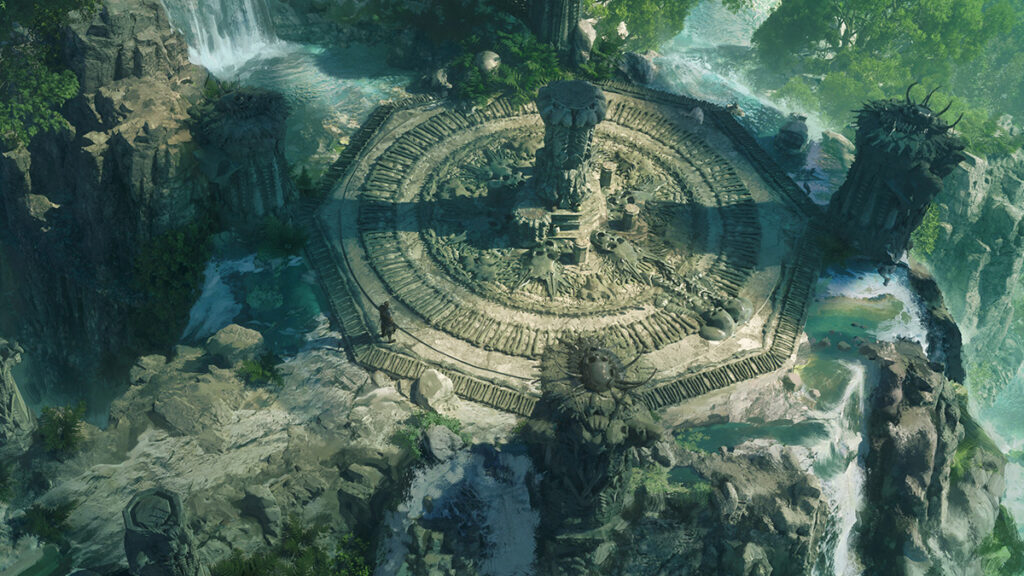
Diablo 4 Entrance Portal
Image Source: Blizzard Entertainment Diablo 4 Press Center

There are two ways to fix the local chat problem in Diablo 4. The first is to buy the full version of the game if you are on a trial version. The trial version won’t give you full access to the game’s capabilities until you buy the full version. If you are enjoying your time with the game, it’s worth purchasing the full version. You will fix your local chat problem and start communicating with players as well as exploring the full world.

If you have purchased the full version and are still running into the problem, you may have to reset your settings. This does not impact your save data and will fix your local chat problems. Here are the steps:

  • Log out after receiving the error
  • Select “Options” while on the character select screen
  • Select “Social”, then uncheck Cross-Network Play, Cross-Network Communication, Join Local Chat Channel, and the Join Trade Chat Channel options.
  • Save the changes and exit Diablo 4
  • Launch the game again and turn on the settings you previously disabled
  • Enter a server and try chatting again

These steps should fix your problem. If you are still unable to fix your problem, message the support team and follow their instructions. They will figure out what is happening and work with you to restore communications.


Related Topics
Diablo 4 Guide
Share. Facebook Twitter LinkedIn Reddit Email
Victor Tan
  • Website

Victor enjoys helping players succeed when video games are too difficult. He knows what it's like to get stuck in tricky situations and he wants to make sure other players don't suffer the same fate.

SUGGESTED READS

Destiny 2 Renegades PS5 Review
8.5
Features

Destiny 2: Renegades Review – The Shooter Strikes Back

Clair Obscur: Expedition 33 Loses GOTY, Other Award from Indie Game Awards Over Generative AI: 'Some Weird Performative BS'
Game News

GOTY Stripped Over AI?: Clair Obscur: Expedition 33 Loses Awards at Indie Game Awards, ‘Some Weird Performative BS’

Sony Patents Real-time AI Game Censorship Tech That Could Even Make GTA 6 Kid-Friendly
Game News

Sony Patents Real-Time AI Game Censorship Tech That Could Even Make GTA 6 Kid-Friendly

Zenless Zone Zero Version 2.5 Announcement
Game News

Zenless Zone Zero Version 2.5 Is Ready To Wrap Up the Year With Two New Agents and a Free Outfit

PC Gamers Can't Catch a Break as Nvidia Plans 40% GeForce GPU Production Cuts, Report: 'Who Needs a PC Anyways'
Game News

PC Gamers Can’t Catch a Break as Nvidia Reportedly Plans 40% GeForce GPU Production Cuts: ‘Who Needs a PC Anyways’

Destiny 2 How to Get the Praxic Blade
Game Guides

How to Get the Praxic Blade in Destiny 2: Renegades

Trending
Destiny 2 Renegades PS5 Review
8.5

Destiny 2: Renegades Review – The Shooter Strikes Back

Clair Obscur: Expedition 33 Loses GOTY, Other Award from Indie Game Awards Over Generative AI: 'Some Weird Performative BS'

GOTY Stripped Over AI?: Clair Obscur: Expedition 33 Loses Awards at Indie Game Awards, ‘Some Weird Performative BS’

Sony Patents Real-time AI Game Censorship Tech That Could Even Make GTA 6 Kid-Friendly

Sony Patents Real-Time AI Game Censorship Tech That Could Even Make GTA 6 Kid-Friendly

Zenless Zone Zero Version 2.5 Announcement

Zenless Zone Zero Version 2.5 Is Ready To Wrap Up the Year With Two New Agents and a Free Outfit

The Nerd Stash
Facebook X (Twitter) Instagram YouTube LinkedIn
  • About Us
  • Join Our Team
  • Meet the Team
  • Privacy Policy
  • DMCA Policy
  • Contact Us
  • Terms of Use
  • Sitemap
  • Editorial Guidelines
  • Advertising Policy
© 2025 The Nerd Stash. All Rights Reserved.

Type above and press Enter to search. Press Esc to cancel.




