Close Menu
  • Gaming
    • Platforms
      • Nintendo
      • PC
      • PlayStation
      • Xbox
  • Entertainment
    • Movies
    • TV
    • Royals
  • Celebrity
    • Hollywood
  • Human Interest
  • Astrology
  • More
    • Reviews
Facebook X (Twitter) Instagram LinkedIn YouTube
  • About Us
  • Join Our Team
  • Meet the Team
  • Privacy Policy
  • DMCA Policy
  • Contact Us
  • Terms of Use
  • Sitemap
  • Editorial Guidelines
  • Advertising Policy
The Nerd Stash
  • Gaming
  • Celebrity
  • Hollywood
  • Human Interest
The Nerd Stash
Home»Gaming»GTA Online Server Status – Is GTA Online Down?

GTA Online Server Status – Is GTA Online Down?

We can’t stay away from Los Santos.

Julio La PineBy Julio La PineNovember 28, 20232 Mins Read
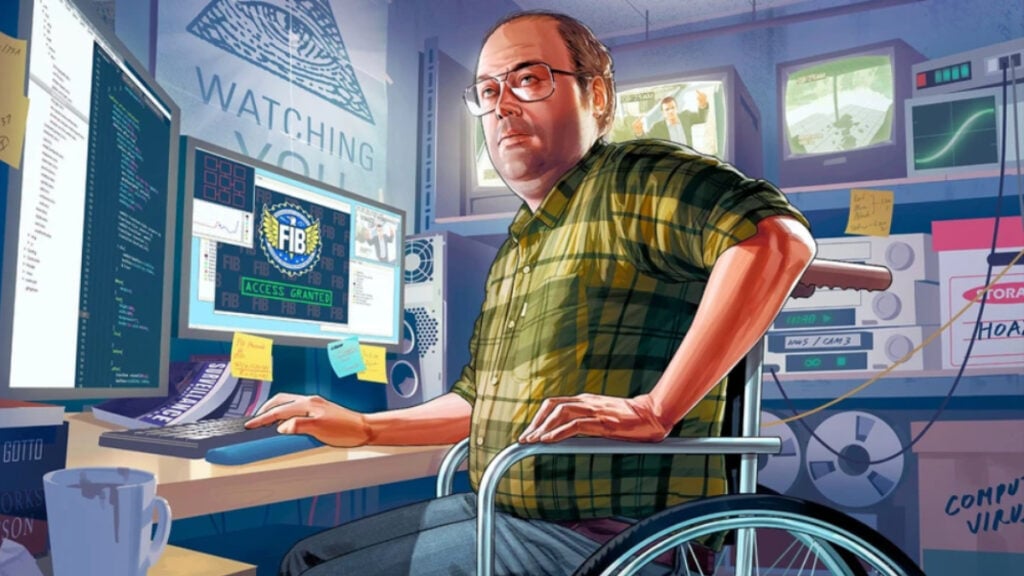
GTA Online Server Status 2023
Image Source: Rockstar Games
This article is over 2 years old and may contain outdated information.

Believe it or not, after 10 years, GTA Online is still standing strong, meaning when some players can’t jump into the game, they attribute this to the server status. Thankfully, it is quite rare when GTA Online is down, but it’s still a good idea to know how to check it. Since the game has some limited-time bonuses and events, missing some of them due to connection issues can cost you a lot, literally. But, contrary to the game’s many heists, checking its server status is easier than robbing a casino.

How To Check GTA Online’s Server Status

Often, a game doesn’t tell you how to check its server status, so it’s up to the player to figure it out. For GTA Online, it’s no exception, and you need to do a bit of searching. To check if GTA Online is down, you must head to the Rockstar Games Customer Support website and check the Server Status. It often looks like the image below.

GTA Online Server Status Website
Image Source: Rockstar Games

There, you can see the status for other games, such as Red Dead Online and other platforms like the Social Club and Rockstar Games Launcher, which are often required to launch GTA Online.

Contrary to other games, GTA Online doesn’t have a lot of issues, and most of the time, it relies on the player’s connection. However, many might encounter troubles with Social Club accounts and other services; these are more common. Thankfully, Rockstar Games has a useful troubleshooting page to help you with any problems that might arise.

Related:

5 Things to Buy First in GTA Online (November 2023)

Another thing to keep in mind when playing is the release of new updates. While the servers are mostly stable, big updates tend to bring more players back, and you might encounter some lag. For this, we recommend waiting for a bit until the craze of a new update dies down. Overall, though, the game’s quite stable, and it’s the least we could expect after a decade.

Related Topics
GTA Online Guide
Share. Facebook Twitter LinkedIn Reddit Email
Julio La Pine
  • Website

News/Guide Writer for The Nerd Stash. When not working, you'll find him playing Final Fantasy 14, any good JRPG, and modding Project Zomboid.

SUGGESTED READS

Beast of Reincarnation Game Previews
Gaming

Beast of Reincarnation Previews Just Made It One of the Most Anticipated Games of 2026

Palworld 1.0 Patched the Tower Boss Glitch, but You Can Recruit Them Instead
Gaming

Palworld 1.0 Patched the Tower Boss Glitch, but You Can Recruit Them Instead

Sony’s President Sees No Issues With PS5 Pro’s $700 Price Tag: ‘Hardcore Users Are the Target'
Gaming

PlayStation Store’s Massive Summer Sale Starts Tomorrow: Here’s The Full List of Games Getting Massive Discounts

How to get to the World Tree in Palworld 1.0
Gaming

How to get to the World Tree in Palworld 1.0

How To Keep Pals in Good Working Condition in Palworld 1.0
Gaming

How To Keep Pals in Good Working Condition in Palworld 1.0

How To Get High Quality Pal Oil in Palworld
Gaming

How to Get High Quality Pal Oil in Palworld

The Nerd Stash
Facebook X (Twitter) Instagram YouTube LinkedIn
  • About Us
  • Join Our Team
  • Meet the Team
  • Privacy Policy
  • DMCA Policy
  • Contact Us
  • Terms of Use
  • Sitemap
  • Editorial Guidelines
  • Advertising Policy
© 2026 The Nerd Stash. All Rights Reserved.

Type above and press Enter to search. Press Esc to cancel.