Close Menu
  • Gaming
    • Game Guides
    • Codes
    • Game News
    • Game Previews
    • Game Reviews
    • Game Features
    • Game Lists
    • Platforms
      • Nintendo
      • PC
      • PlayStation
      • Xbox
      • Mobile
  • Entertainment
    • Movies
    • Movie Features
    • Movie Reviews
    • TV
    • Reality TV
    • Royals
  • Celebrity
    • Hollywood
  • Human Interest
  • Astrology
  • Videos
  • More
    • Anime
    • Lists
    • Podcasts
    • Reviews
Facebook X (Twitter) Instagram LinkedIn YouTube
  • About Us
  • Join Our Team
  • Meet the Team
  • Privacy Policy
  • DMCA Policy
  • Contact Us
  • Terms of Use
  • Sitemap
  • Editorial Guidelines
  • Advertising Policy
The Nerd Stash
  • Gaming
  • Celebrity
    • Hollywood
  • Human Interest
  • Videos
The Nerd Stash
Home»Game Guides»How To Turn On Auto-Run In Fortnite

How To Turn On Auto-Run In Fortnite

Auto-run is your new best friend, but don’t let it sprint you into trouble!

Asanga WijeratneBy Asanga WijeratneDecember 6, 20232 Mins Read
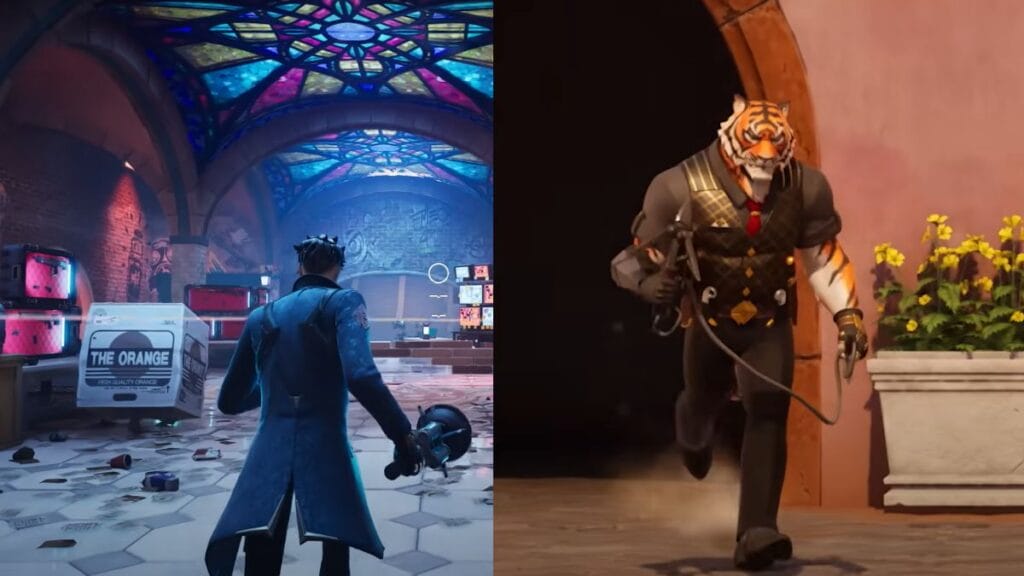
How To Turn On Auto Run In Fortnite
Image Source: Epic Games via The Nerd Stash
This article is over 2 years old and may contain outdated information.

Auto-Run in Fortnite is a simple yet impactful movement feature that lets your character sprint continuously across Fortnite’s map, leaving your hands free for strategic planning and quick reactions. While it may seem easy to turn on Auto-Run, some players may have trouble finding the setting or even knowing it exists. You might have missed this feature among many settings in the game. So, let’s walk through the steps to turn on Auto-Run in Fortnite.
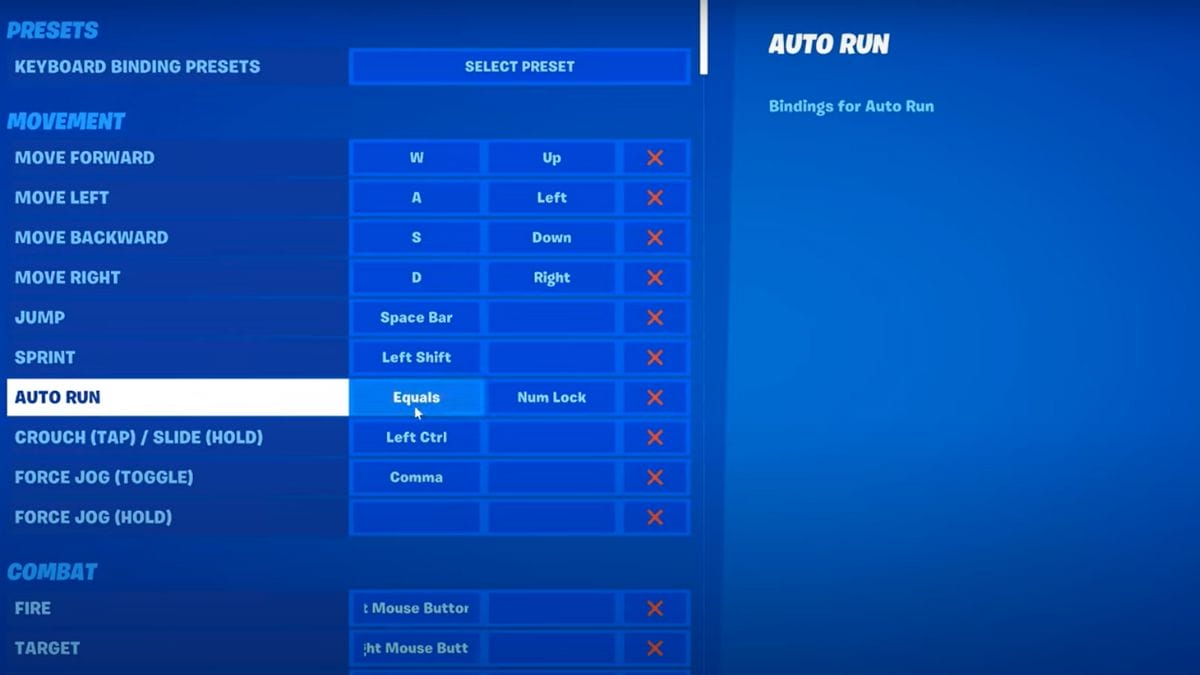
Image Source: Epic Games via YourSixGaming Screenshot

You can turn on the Auto-Run feature in Fortnite from Key Binds in Settings. Below are the steps you need to follow.

  1.  First, log in to the Fortnite.
  2. Once you are in the game lobby, open the settings menu.
  3. Select “Settings” from there and navigate to the “Key Board Settings” tab.
  4. Select Auto Run under the Movement and activate the Key Binds. Generally, Fortnite Auto-Run is assigned to the “=” key.

For console players, this feature is automatically assigned to the left button. When you double-click the button or press “=”on the keyboard, you can turn on the Auto-Run Feature in Fortnite. When you Auto Run, you can see the running symbol to the right of the health bar. Remember, by default, this feature is activated. So, you do not have to worry about enabling unless you have changed the settings.

Auto-Run Feature is not a new one. Most console players, including mine, did not use this feature much. Of course, sometimes it wasn’t enjoyable since a double-click accidentally activated the Auto-Run Feature in Fortnite. So, some of you might have turned it off in previous Chapters to have smooth gameplay.

But, after Chapter 5 was launched, new movement changes made the running much slower. So, the Auto-Run feature can be helpful on this new Island. But keep your finger on the running button to avoid sneaky enemy attacks.


Related Topics
Fortnite Guide
Share. Facebook Twitter LinkedIn Reddit Email
Asanga Wijeratne
  • Website

SUGGESTED READS

FFXIV Starlight Celebration 2025 Event
Game Guides

FFXIV Starlight Celebration 2025 Event Guide

guild wars 2 wintersday
Game Guides

Guild Wars 2 Wintersday 2025 Guide

warframe tauron strikes
Game Guides

Warframe Focus School Expansion Explained (Tauron Strike Guide)

Overwatch 2 Winter Wonderland Event 2025
Game Guides

Overwatch 2: Winter Wonderland 2025 Guide

Warfarme Uriel
Game Guides

How to Get Uriel in Warframe (Maphica Resource Farm Guide)

Day of the Devs 2025 TGA Edition
Game Features

Days of the Devs 2025 (The Game Awards Edition): All Reveals and Announcements

Trending
FFXIV Starlight Celebration 2025 Event

FFXIV Starlight Celebration 2025 Event Guide

guild wars 2 wintersday

Guild Wars 2 Wintersday 2025 Guide

warframe tauron strikes

Warframe Focus School Expansion Explained (Tauron Strike Guide)

Overwatch 2 Winter Wonderland Event 2025

Overwatch 2: Winter Wonderland 2025 Guide

The Nerd Stash
Facebook X (Twitter) Instagram YouTube LinkedIn
  • About Us
  • Join Our Team
  • Meet the Team
  • Privacy Policy
  • DMCA Policy
  • Contact Us
  • Terms of Use
  • Sitemap
  • Editorial Guidelines
  • Advertising Policy
© 2025 The Nerd Stash. All Rights Reserved.

Type above and press Enter to search. Press Esc to cancel.