Close Menu
  • Gaming
    • Game Guides
    • Codes
    • Game News
    • Game Previews
    • Game Reviews
    • Game Features
    • Game Lists
    • Platforms
      • Nintendo
      • PC
      • PlayStation
      • Xbox
      • Mobile
  • Entertainment
    • Movies
    • Movie Features
    • Movie Reviews
    • TV
    • Reality TV
    • Royals
  • Celebrity
    • Hollywood
  • Human Interest
  • Astrology
  • Videos
  • More
    • Anime
    • Lists
    • Podcasts
    • Reviews
Facebook X (Twitter) Instagram LinkedIn YouTube
  • About Us
  • Join Our Team
  • Meet the Team
  • Privacy Policy
  • DMCA Policy
  • Contact Us
  • Terms of Use
  • Sitemap
  • Editorial Guidelines
  • Advertising Policy
The Nerd Stash
  • Gaming
  • Celebrity
    • Hollywood
  • Human Interest
  • Videos
The Nerd Stash
Home»Game Guides»How To Fix Fortnite Error Code 19007

How To Fix Fortnite Error Code 19007

Don’t let Error Code 19007 ruin your game night. Fight back with these simple fixes!

Asanga WijeratneBy Asanga WijeratneDecember 26, 20232 Mins Read
How To Fix Fortnite Error Code 19007
Image Source: Epic Games
This article is over 2 years old and may contain outdated information.

Error Code 19007 in Fortnite generally pops up when you’re about to redeem a gift card. As it turns out, the issue usually lies with the gift code and not Epic Games. You’ll have to troubleshoot the gift code to resolve this error. The methods to fix the Error Code 19007 in Fortnite are more straightforward than most gaming error codes.

Troubleshooting Steps for Fortnite Error Code 19007
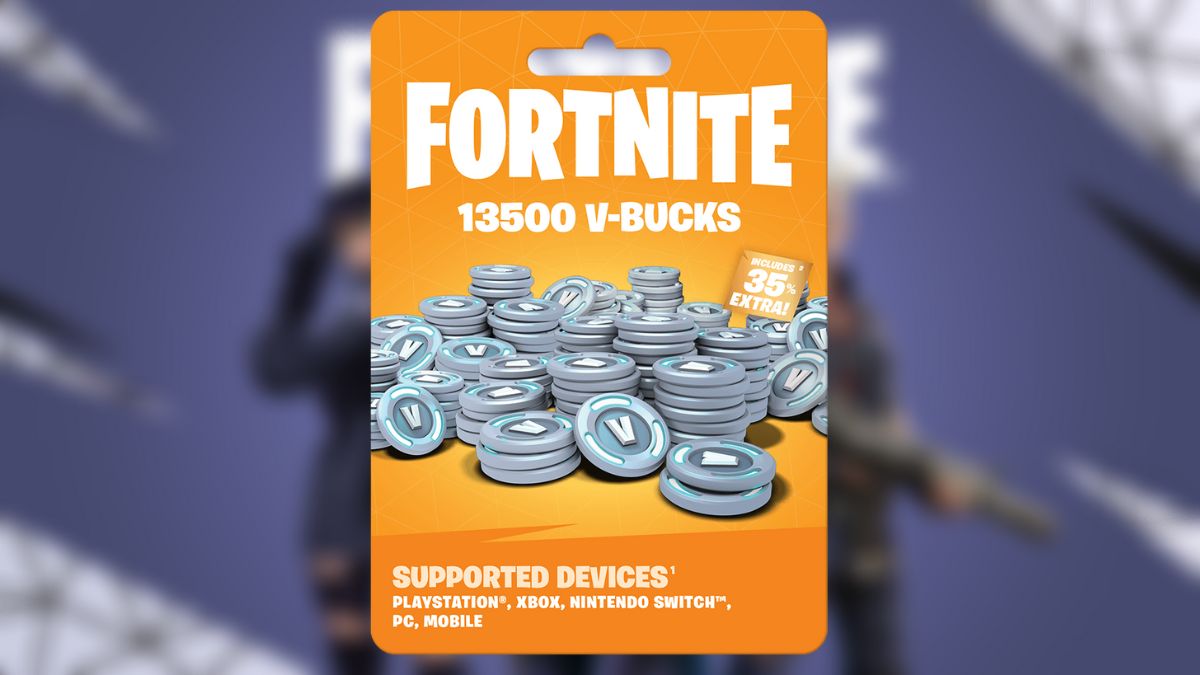
Image Source: Epic Games

Double-check the gift code you’re trying to redeem to resolve this error code. Ensure you have entered it correctly, with no typos or missing characters. If you’re redeeming the code through a website, try copying and pasting it instead of typing it manually. Then only you must try with other fixes. Below are the steps to fix Fortnite Error Code 19007.

1. Check the Gift Code

As mentioned earlier, the first step is double-checking the gift code you’re trying to redeem. Make sure it’s still valid and has not expired.

2. Use a Different Device

Sometimes, Fortnite Error Code 19007 can pop up due to the issues of the device. So, trying with a different device may resolve the problem.

Related:

All Kickstart Quests in Fortnite Chapter 5 Season 1

3. Restart Your Device

Restarting the device always helps resolve any minor technical glitches. So, try restarting your device and then attempt to redeem the gift code again.

4. Update Fortnite

Make sure you have the latest version of Fortnite installed. If not, update the game, try redeeming the code again, and check that you get the Fortnite Error Code 19007.

5. Contact Epic Games Support

Contact the Epic Games support team if none of the above methods works. However, some players in relevant threads complained that they were asked to keep trying since the code was correct. Still, we recommend contacting the support team, as they might have more specific solutions for your case.

Some standard solutions they might suggest are clearing the cache and data of the game, checking your internet connection, or trying to redeem the code on a different platform. It’s also important to note that this error code can sometimes be triggered by server issues on Epic Games’ end. In such cases, you cannot do much to fix the Fortnite Error Code 19007 but wait for them to resolve the issue.


Related Topics
Fortnite Guide
Share. Facebook Twitter LinkedIn Reddit Email
Asanga Wijeratne
  • Website

SUGGESTED READS

Sony Closes Bluepoint Games
Game News

‘Canceling Projects and Closing Teams Is Not Strategy, It Is Chaos’: Gamers Outraged After Sony Shuts Down Bluepoint Games

Inner voice key art
Game News

Inner Voice Brings Grief-Soaked Psychological Horror to Steam With New PC Demo

Nightmare Geese Gameplay
Game Previews

Fatal Fury: Nightmare Geese Hands-On Impressions – The Boss Is Here

Destiny 2 Shadow and Order Delay
Game News

‘At This Point, I Don’t Think It’s Enough to Save the Game,’ Destiny 2 Players Heartbroken After Shadow and Order Delay

How to Spectate a Trade in Adopt Me on Roblox
Game Guides

How to Spectate a Trade in Adopt Me on Roblox

People of Note Release Date
Game News

Musical RPG, People of Note, Announces Its Release Date and Launches Public Demo

The Nerd Stash
Facebook X (Twitter) Instagram YouTube LinkedIn
  • About Us
  • Join Our Team
  • Meet the Team
  • Privacy Policy
  • DMCA Policy
  • Contact Us
  • Terms of Use
  • Sitemap
  • Editorial Guidelines
  • Advertising Policy
© 2026 The Nerd Stash. All Rights Reserved.

Type above and press Enter to search. Press Esc to cancel.