

Close Menu
  • Gaming
    • Game Guides
    • Codes
    • Game News
    • Game Previews
    • Game Reviews
    • Game Features
    • Game Lists
    • Platforms
      • Nintendo
      • PC
      • PlayStation
      • Xbox
      • Mobile
  • Entertainment
    • Movies
    • Movie Features
    • Movie Reviews
    • TV
    • Reality TV
    • Royals
  • Celebrity
    • Hollywood
  • Human Interest
  • Astrology
  • More
    • Anime
    • Lists
    • Podcasts
    • Reviews
Facebook X (Twitter) Instagram LinkedIn YouTube
  • About Us
  • Join Our Team
  • Meet the Team
  • Privacy Policy
  • DMCA Policy
  • Contact Us
  • Terms of Use
  • Sitemap
  • Editorial Guidelines
  • Advertising Policy
The Nerd Stash
  • Gaming
  • Celebrity
  • Hollywood
  • Human Interest
The Nerd Stash
Home»Game Guides»What To Do With The Locked Diary in MW3 Zombies

What To Do With The Locked Diary in MW3 Zombies

The Locked Diary that opens a lock.

Amir NaseriBy Amir NaseriDecember 28, 20233 Mins Read
Locked Diary in MW3 Zombies
Image Source: Activision via The Nerd Stash
This article is over 2 years old and may contain outdated information.

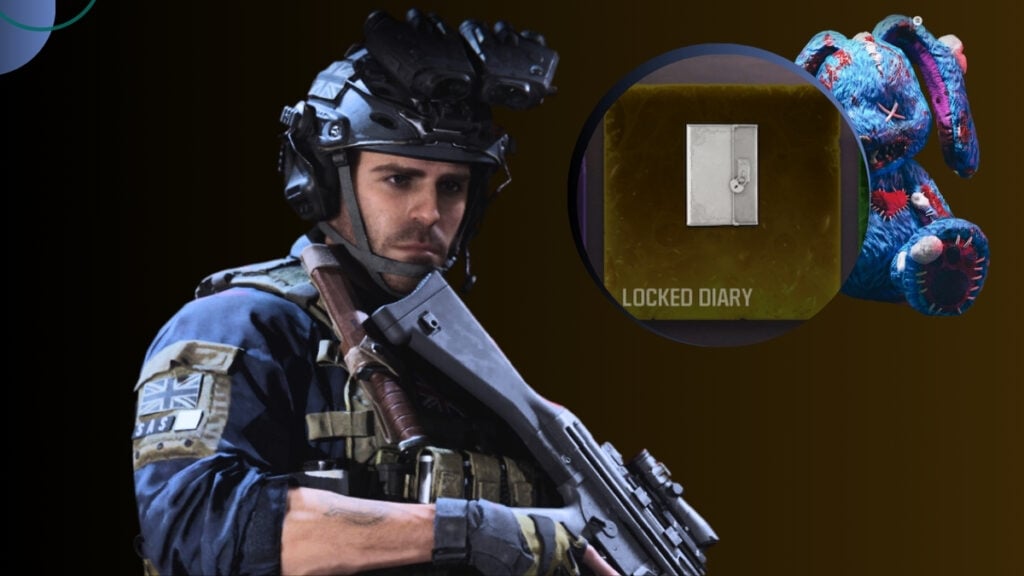
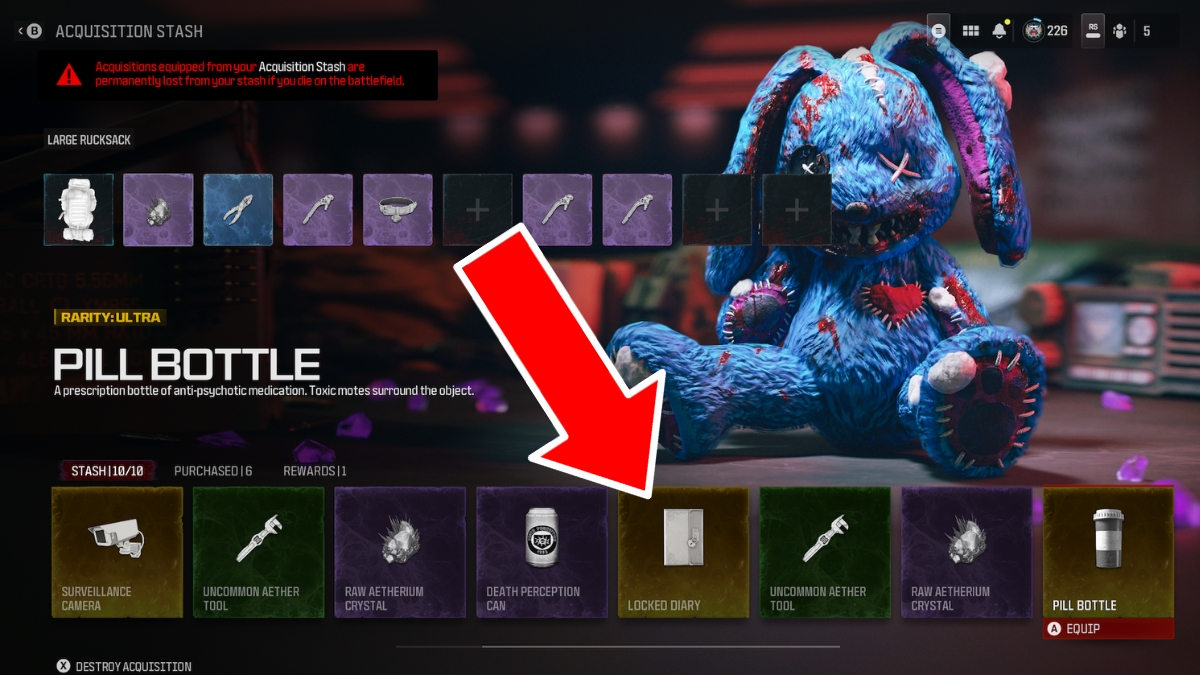
There are four ultra-rarity items in the Modern Warfare 3 Zombies that come with no description of how to use them. These are the Locked Diary, Surveillance Camera, Dog Collar, and Pill Bottle. The Locked Diary is the first of these items that you obtain by completing an Act IV mission in MW3 Zombies – MWZ. And you can use it to do an easter egg and enter another realm!

Where To Find The Locked Diary in MWZ
Locked Diary in MW3 Zombies - MWZ
Image Source: Activision via The Nerd Stash

The Locked Diary is your ultimate reward for completing the Bad Signal mission in MW3 Zombies. Once you kill the giant worm and finish the boss fight, a reward rift appears, giving you the Locked Diary.

How To Use The Locked Diary in MW3 Zombies

Locked Diary in MW3 Zombies Podium MWZ
Image Source: Activision via The Nerd Stash

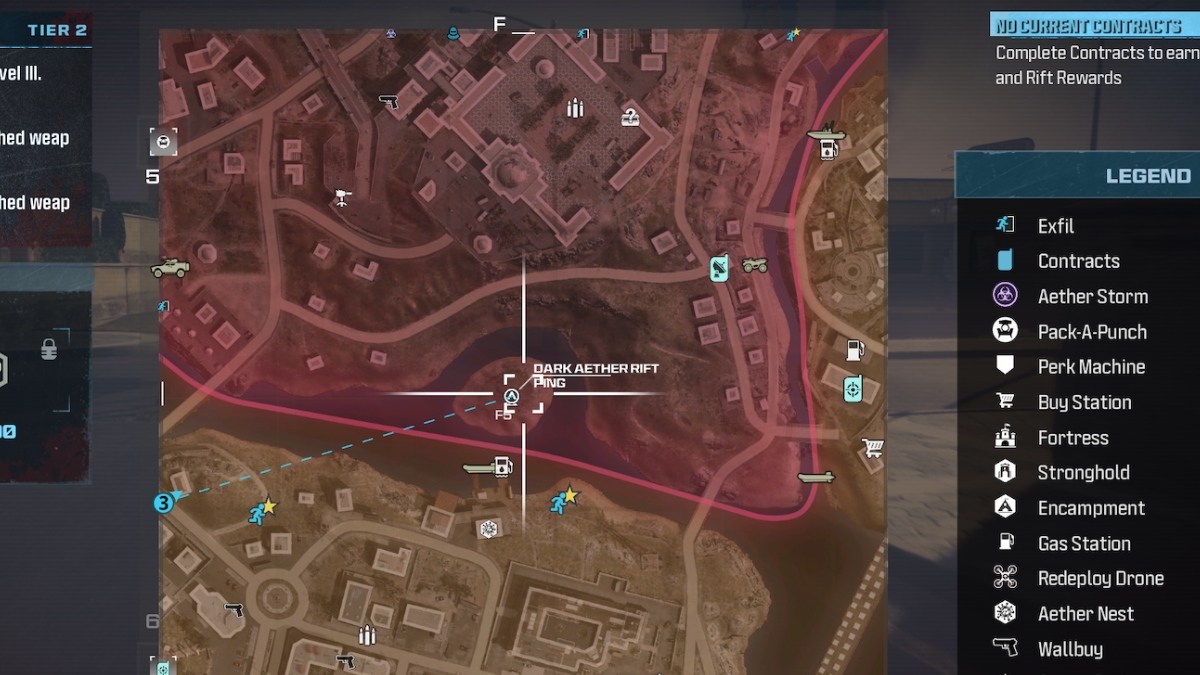
The Locked Diary is for opening the Dark Aether Rift in MW3 Zombies. However, you can not use this item separately for anything. You need four other items mentioned below to open the Dark Aether Rift:

  • Locked Diary
  • Surveillance Camera
  • Dog Collar
  • Pill Bottle

If you go to the Dark Aether Rift location in MWZ, you’ll find four podiums carved with four signs. Each one of the mentioned items is attachable to one of these podiums, and once you put them all in place, the Dark Aether Rift opens.
Dark Aether Rift Location
Image Source: Activision via The Nerd Stash

Now remember, to obtain all of these items, you’d need to complete an easter egg. To get your ducks in a row, read the full guide about the Dark Aether Rift easter egg from the article below.

Related:

How To Open Dark Aether Rift Easter Egg in MWZ

Once you’ve placed all four items, including the Locked Diary, you can open the Aether Rift permanently in MW3 Zombies. But if you lose any of the ingredients, you’d need to redo the whole steps. Opening the Dark Aether Rift only once, however, will keep the portal for you in your next matches.

It’s worth mentioning that you can store the Locked Diary when you exfil. So, if you don’t want to risk losing this valuable item in any random situation, it’s best to keep it in your stash. Also, this easter egg for opening the Dark Aether portal works with teammates as well. If you have two other teammates and you all have the Locked Diary, only one of them is needed to complete the easter egg. The same rule goes for all the other three ultra-rare items on the list, too.

Related:

MW3 Zombies Tombstone Glitch Full Solo Guide

Call of Duty: Modern Warfare 3 is currently available to play on PS5, PS4, Xbox Series X|S, Xbox One, and PC.

Related Topics
Guide Modern Warfare 3
Share. Facebook Twitter LinkedIn Reddit Email
Amir Naseri
  • Website

Amir is an absolute Call of Duty nerd, preferring shooter games more than everything. However, he does like to do uppercuts in Mortal Kombat and feel the NOS going through the engines in Need For Speed games.

SUGGESTED READS

How to Subscribe & Cancel Adopt Me Pet Plus Subscription
Game Guides

How to Subscribe & Cancel Adopt Me Pet Plus Subscription

Saros Outlets Previews
Game Features

Saros Previews Round-Up: Refining What Was Already Flawless

Crimson Desert Community Tips and Tricks
Game Guides

I Played Crimson Desert for 90 Hours and STILL Learned These 10 Tricks From Social Media

Doom Co-creator and Wife Say The Current Game Industry Is 'Crashier' Than the '80s Crash: 'It Can't Stay Like This Forever'
Game News

Doom Co-Creator and Wife Say the Current Game Industry Is ‘Crashier’ Than the ’80s Crash: ‘It Can’t Stay Like This Forever’

Marathon PC Review
9.5
Game Features

Marathon Review – Bungie’s Finest

XBox Partner Preview November 2025 Announcements
Game Features

Every Major Announcement at the Xbox Partner Preview (March 2026)

The Nerd Stash
Facebook X (Twitter) Instagram YouTube LinkedIn
  • About Us
  • Join Our Team
  • Meet the Team
  • Privacy Policy
  • DMCA Policy
  • Contact Us
  • Terms of Use
  • Sitemap
  • Editorial Guidelines
  • Advertising Policy
© 2026 The Nerd Stash. All Rights Reserved.

Type above and press Enter to search. Press Esc to cancel.




