

Close Menu
  • Gaming
    • Game Guides
    • Codes
    • Game News
    • Game Previews
    • Game Reviews
    • Game Features
    • Game Lists
    • Platforms
      • Nintendo
      • PC
      • PlayStation
      • Xbox
      • Mobile
  • Entertainment
    • Movies
    • Movie Features
    • Movie Reviews
    • TV
    • Reality TV
    • Royals
  • Celebrity
    • Hollywood
  • Human Interest
  • Astrology
  • Videos
  • More
    • Anime
    • Lists
    • Podcasts
    • Reviews
Facebook X (Twitter) Instagram LinkedIn YouTube
  • About Us
  • Join Our Team
  • Meet the Team
  • Privacy Policy
  • DMCA Policy
  • Contact Us
  • Terms of Use
  • Sitemap
  • Editorial Guidelines
  • Advertising Policy
The Nerd Stash
  • Gaming
  • Celebrity
    • Hollywood
  • Human Interest
  • Videos
The Nerd Stash
Home»Game Guides»How To Register as a Boss in GTA Online

How To Register as a Boss in GTA Online

Becoming a CEO has its perks.

Julio La PineBy Julio La PineJanuary 9, 20242 Mins Read
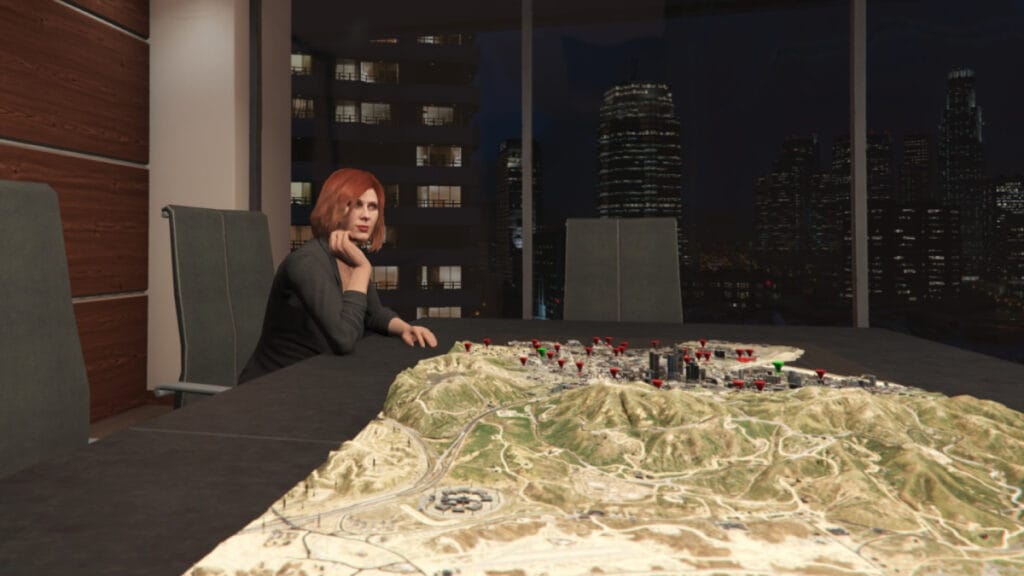
GTA Online Register as a CEO/Boss
Image Source: Rockstar Games via The Nerd Stash
This article is over 1 years old and may contain outdated information.

One of the things GTA Online players can do while roaming Los Santos is register as a boss. While it might only seem like a roleplay thing, it has different benefits for the CEO and the associates they decide to hire. Besides, being a boss is the only way you can execute certain activities in the game, which are quite profitable even for those joining this crime-riddled city for the first time. Thankfully, getting this status in the game is a few clicks away.

How To Become a Boss in GTA Online

Interaction Menu
Image Source: Rockstar Games via The Nerd Stash

Like many more functions in the game, you’ll find the option to register as a boss in GTA Online in your Interaction Menu. Here are the steps you must follow:

  • Open the Interaction Menu by holding M on PC, the touchpad on PS4/PS5, and the view button on Xbox One/Xbox Series X|S.
  • After that, head to SecuroServ and select it.
  • Inside the submenu, choose “Register as a CEO.”

If you are inside your office, you can sit down on your CEO terminal to register automatically.

After a short second, a message will pop up saying you’ve become the CEO of your company. If you don’t know how to name it, we have a guide to show you how to become a company owner and change its name.

After you register as a boss in GTA Online, you can start doing several activities. Remember that MC Presidents and CEOs have different missions. The ones for CEO owners are the following:

  • Special Cargo Missions
  • Vehicle Warehouse Missions
  • Special Vehicle Missions

Besides that, both MC Presidents and CEOs can tackle any of the following activities:

  • Gunrunning Missions (Bunker)
  • Hangar Missions
  • Agency Contracts
  • Auto Shop Contracts
  • Scrap Yard Robberies
  • Acid Lab Work
  • Nightclub Missions

Related:

Can You Sell Properties in GTA Online? Answered

The big difference between MC President and CEO is the type of activities. The latter has more of an active approach to missions, and you’ll need to source most things before you can sell them, whereas the MC President just supplies its businesses and waits for them to accrue product. So, if you want a more hands-on playstyle, get that Executive Office started and prepare to rule the streets of Los Santos.


Related Topics
GTA Online Guide
Share. Facebook Twitter LinkedIn Reddit Email
Julio La Pine
  • Website

Been gaming since '99! I am a huge JRPG fan and my favorite franchise is Final Fantasy. I love writing about games and I hope I can do it for the rest of my days!

SUGGESTED READS

Minecraft Accused of Mocking Lonely Kids, Sparking Mental Health Backlash: 'One of the Ickiest Things I've Seen'
Features

Minecraft Accused of Mocking Lonely Kids, Sparking Mental Health Backlash: ‘One of the Ickiest Things I’ve Seen’

Destiny 2 Renegades PS5 Review
8.5
Features

Destiny 2: Renegades Review – The Shooter Strikes Back

Clair Obscur: Expedition 33 Loses GOTY, Other Award from Indie Game Awards Over Generative AI: 'Some Weird Performative BS'
Game News

GOTY Stripped Over AI?: Clair Obscur: Expedition 33 Loses Awards at Indie Game Awards, ‘Some Weird Performative BS’

Sony Patents Real-time AI Game Censorship Tech That Could Even Make GTA 6 Kid-Friendly
Game News

Sony Patents Real-Time AI Game Censorship Tech That Could Even Make GTA 6 Kid-Friendly

Zenless Zone Zero Version 2.5 Announcement
Game News

Zenless Zone Zero Version 2.5 Is Ready To Wrap Up the Year With Two New Agents and a Free Outfit

PC Gamers Can't Catch a Break as Nvidia Plans 40% GeForce GPU Production Cuts, Report: 'Who Needs a PC Anyways'
Game News

PC Gamers Can’t Catch a Break as Nvidia Reportedly Plans 40% GeForce GPU Production Cuts: ‘Who Needs a PC Anyways’

Trending
Minecraft Accused of Mocking Lonely Kids, Sparking Mental Health Backlash: 'One of the Ickiest Things I've Seen'

Minecraft Accused of Mocking Lonely Kids, Sparking Mental Health Backlash: ‘One of the Ickiest Things I’ve Seen’

Destiny 2 Renegades PS5 Review
8.5

Destiny 2: Renegades Review – The Shooter Strikes Back

Clair Obscur: Expedition 33 Loses GOTY, Other Award from Indie Game Awards Over Generative AI: 'Some Weird Performative BS'

GOTY Stripped Over AI?: Clair Obscur: Expedition 33 Loses Awards at Indie Game Awards, ‘Some Weird Performative BS’

Sony Patents Real-time AI Game Censorship Tech That Could Even Make GTA 6 Kid-Friendly

Sony Patents Real-Time AI Game Censorship Tech That Could Even Make GTA 6 Kid-Friendly

The Nerd Stash
Facebook X (Twitter) Instagram YouTube LinkedIn
  • About Us
  • Join Our Team
  • Meet the Team
  • Privacy Policy
  • DMCA Policy
  • Contact Us
  • Terms of Use
  • Sitemap
  • Editorial Guidelines
  • Advertising Policy
© 2025 The Nerd Stash. All Rights Reserved.

Type above and press Enter to search. Press Esc to cancel.



