

Close Menu
  • Gaming
    • Platforms
      • Nintendo
      • PC
      • PlayStation
      • Xbox
  • Entertainment
    • Movies
    • TV
    • Royals
  • Celebrity
    • Hollywood
  • Human Interest
  • Astrology
  • More
    • Anime
    • Reviews
Facebook X (Twitter) Instagram LinkedIn YouTube
  • About Us
  • Join Our Team
  • Meet the Team
  • Privacy Policy
  • DMCA Policy
  • Contact Us
  • Terms of Use
  • Sitemap
  • Editorial Guidelines
  • Advertising Policy
The Nerd Stash
  • Gaming
  • Celebrity
  • Hollywood
  • Human Interest
The Nerd Stash
Home»Gaming»Tomb Raider I-III Remastered: Photo Mode Guide

Tomb Raider I-III Remastered: Photo Mode Guide

How to capture the Croft moments.

Amir NaseriBy Amir NaseriFebruary 17, 20242 Mins Read
Tomb Raider I-III Remastered Photo Mode Guide
Image Source: Aspyr via The Nerd Stash
This article is over 2 years old and may contain outdated information.

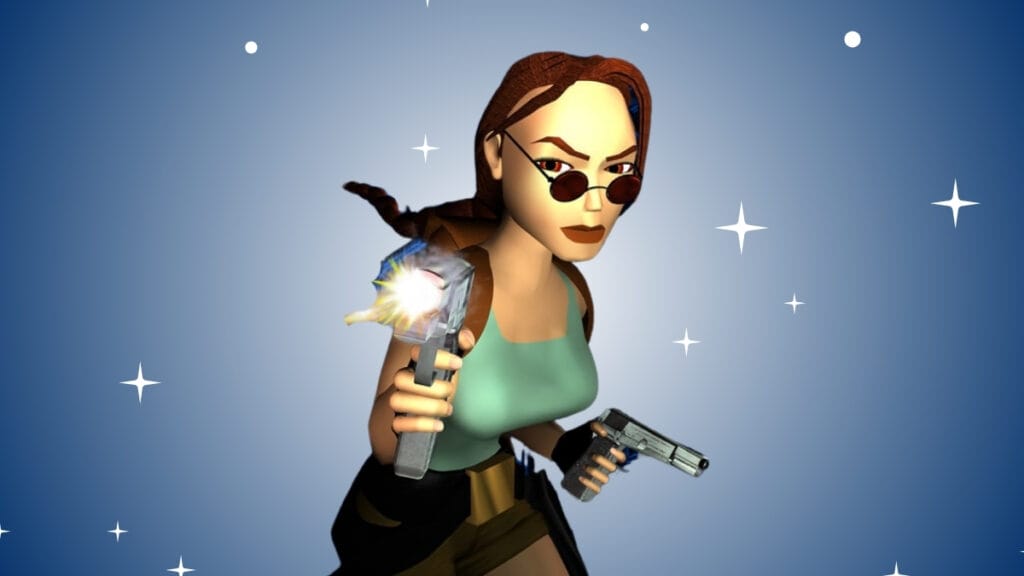
Tomb Raider I-III Remastered brings us back to 1996, with a taste of refresh on the visual quality. The game features all that the original trilogy had included, plus a set of new features that make hunting for sports even more joyful. For example, you can now put Lara in a Max Payne-style diving pose and then use the new photo mode to capture unique screenshots in Tomb Raider I-III Remastered. However, the game doesn’t explicitly tell you how to do that.

How To Use Photo Mode in Tomb Raider I-III Remastered

Lara Croft in Photo Mode
Image Source: Aspyr via GamingTrend YT Channel

To use the photo mode in Tomb Raider I-III Remastered, all you have to do is press the two left and right stick buttons at the same time. These are the L3/R3 buttons on PlayStation consoles and LS/RS buttons on Xbox controllers. Once triggered, the game stops to enter the photo mode.

The photo mode in Tomb Raider I-III Remastered allows you to manually change the camera’s angle. Free roam around and find the best angle for capturing the screenshot. Then, you can use the shoulder buttons on your controller to swap the customization menu. Here, you can change the field of view and roll the camera to create an ultra-action scene.

Tomb Raider Remastered Photo Mode
Image Source: Aspyr via GamingTrend YT Channel

On the second tab, you can change Lara’s pose, outfit, and weapons she’s holding. Let Ms. Croft sit on a couch or have her diving while shooting dual-wield pistols in an action sequence. Once you’ve prepared the setting, use the capture button on your PS or Xbox controller to save the screenshot.

Tomb Raider I-III Remastered features some other new changes besides the photo mode. You can now use the new modern control buttons for less struggle to escape the death traps and jump onto the surfaces. And there’s a button that allows you to switch between the modern and old graphics modes!

Tomb Raider I-III Remastered is available now on PS5, PS4, Xbox Series X|S, Xbox One, Nintendo Switch, and PC.

Related Topics
Tomb Raider
Share. Facebook Twitter LinkedIn Reddit Email
Amir Naseri
  • Website

Amir is an absolute Call of Duty nerd, preferring shooter games more than everything. However, he does like to do uppercuts in Mortal Kombat and feel the NOS going through the engines in Need For Speed games.

SUGGESTED READS

Diablo 4 Season 13 Tier List
Gaming

Class Tier List for Diablo 4 Season 13 (Best Classes for Endgame & Leveling)

Take-Two Boss Finally Explains Why GTA 6 Is Skipping PC at Launch: 'We'll See How It Works Out'
Gaming

Take-Two Boss Finally Explains Why GTA 6 Is Skipping PC at Launch: ‘We’ll See How It Works Out’

Rockstar Employee Review Claims 'Unrealistic' Crunch as GTA 6 Development Intensifies: 'Had to Work Till 3AM'
Gaming

Rockstar Employee Review Claims ‘Unrealistic’ Crunch as GTA 6 Development Intensifies: ‘Had to Work Till 3AM’

All Rewards from Admin Abuse Eggs & Box in Roblox Adopt Me
Gaming

All Rewards from Admin Abuse Eggs & Box in Roblox Adopt Me

Gaming

World Heroes Perfect Reminds Me of the Golden Age of Fighting Games

Fatal Fury City of the Wolves Mr Karate Reveal
Gaming

Fatal Fury: City of the Wolves Unveils Its Next Season 2 Fighter, and It’s a Classic

The Nerd Stash
Facebook X (Twitter) Instagram YouTube LinkedIn
  • About Us
  • Join Our Team
  • Meet the Team
  • Privacy Policy
  • DMCA Policy
  • Contact Us
  • Terms of Use
  • Sitemap
  • Editorial Guidelines
  • Advertising Policy
© 2026 The Nerd Stash. All Rights Reserved.

Type above and press Enter to search. Press Esc to cancel.




