

While most survival-crafting games fresh out of the oven are ready to be played, tweaking a few things never hurts. For those wanting to customize their experience, Soulmask offers many server settings for players to play with. Whether you want weaker enemies or faster building, you can do that. However, since a few of these settings might be overwhelming, knowing which ones to tweak first will make the process easier for you and your friends.
Best Server Settings for Solo Players in Soulmask
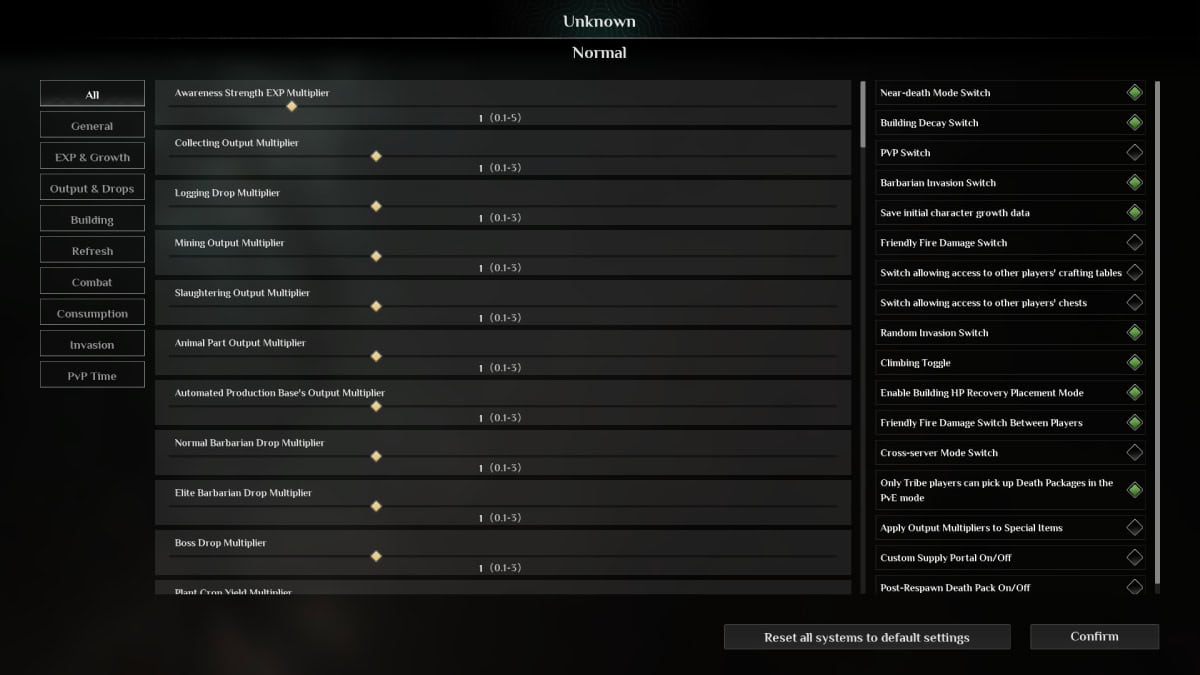
Let’s start with the lone wolves. If you want to play Soulmask alone, which is totally fine, you should know what to enable and disable to make this possible. Thankfully, Soulmask already has a menu ready for Solo and Friends, so finding this option isn’t complicated. Still, once you get to the first screen, uncheck the ‘Allow Other Players to Join’ option. With that, you can play alone. Furthermore, if you want a balanced experience, we recommend a few modified settings. Also, we’ll only list the ones you should change. If you don’t see an option, that means we didn’t tweak it, and you shouldn’t either unless you really want to.
- General
- Barbarian Taming Speed: 2
- Tribe Recruitment Limit: 100
- Tribe Animals Quantity Limit: 70
- Output & Drops
- Collecting Output Multiplier: 2
- Logging Drop Multiplier: 2
- Mining Output Multiplier: 2
- Automated Production Base’s Output Multiplier: 2
- Crop Growth Speed Multiplier: 5
- Crafting Speed Multiplier: 3
- Building
- Building Decay Coefficient: 0
- Consumption
- Time Multiplier Required for Items to Decay: 5
Overall, we feel the default settings are great. However, making the decay time longer and increasing certain drops will make playing solo less grindy.
Best Settings For Co-Op Play
The same rule applies to co-op server settings in Soulmask. If you don’t see the option, that means you shouldn’t tinker with it.
- General
- Barbarian Taming Speed Multiplier: 5
- Tribe Animals Quantity Limit: 100
- Outputs & Drops
- Crafting Speed Multiplier: 3
- Animal Growth Speed: 5
- Hatching Speed: 5
- Building
- Building Decay Coefficient: 0.5
- Multiplier of Building Construction and Repair Speed: 2
- Refresh
- Vegetation Respawn Speed: 3
For multiplayer servers, we don’t think a lot of tweaking is in order. Why? Because most things are already set to go. However, we increased the value of certain activities that tend to get tedious in multiplayer environments, such as crafting and hatching. Since you’ll have other people to tackle certain objectives faster, speeding up other processes will work in everyone’s favor.
Ultimately, you can modify Soulmask‘s server settings until you find the right ones for you. If you want to remove the durability of everything, you can do so. Are you tired of constant invasions? Tweak that as well. This world is yours to mold, so don’t be afraid of playing with every setting before jumping into the game.





