
Close Menu
  • Gaming
    • Platforms
      • Nintendo
      • PC
      • PlayStation
      • Xbox
  • Entertainment
    • Movies
    • TV
    • Royals
  • Celebrity
    • Hollywood
  • Human Interest
  • Astrology
  • More
    • Anime
    • Reviews
Facebook X (Twitter) Instagram LinkedIn YouTube
  • About Us
  • Join Our Team
  • Meet the Team
  • Privacy Policy
  • DMCA Policy
  • Contact Us
  • Terms of Use
  • Sitemap
  • Editorial Guidelines
  • Advertising Policy
The Nerd Stash
  • Gaming
  • Celebrity
  • Hollywood
  • Human Interest
The Nerd Stash
Home»Gaming»How To Equip Attachments to Forge the Perfect Gun in Stalker 2

How To Equip Attachments to Forge the Perfect Gun in Stalker 2

Mod the world

Patrick ArmstrongBy Patrick ArmstrongNovember 27, 20242 Mins Read
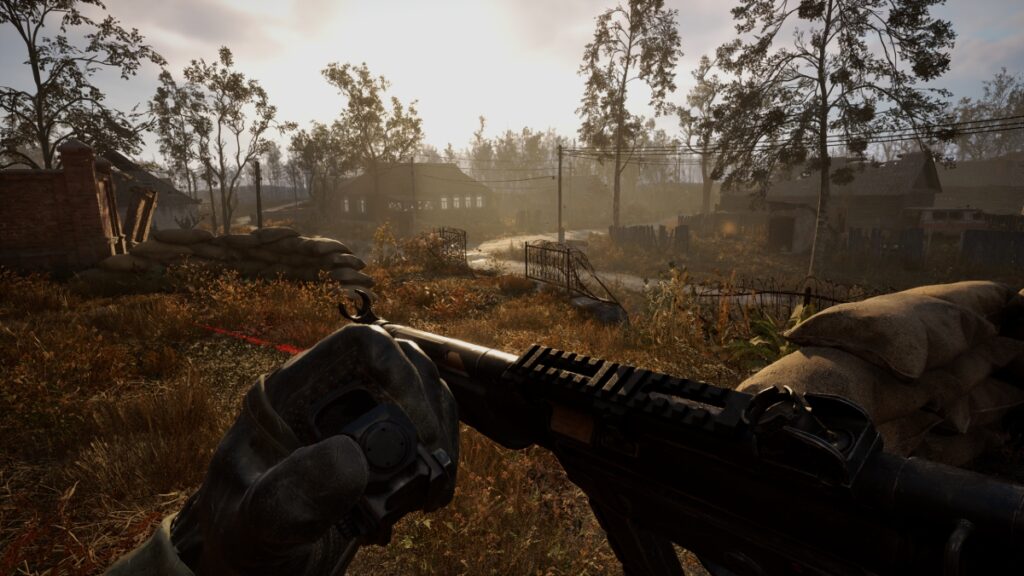
The player attaches a sight to their gun outdoors
Image Source: GSC Game World via The Nerd Stash
This article is over 1 years old and may contain outdated information.

Cold steel and a handful of bullets are all that stand between you and the other side in Stalker 2. Amassing an arsenal is only step one of your survival journey, however. You can upgrade weapons at Techs in settlements, but you can also install your own attachments. Having the perfect scope for a sniper ambush? Adding an extended mag just in time for a Bloodsucker fight? That’s better news than a free Artifact. Here’s how to equip attachments and make your guns all they can be in Stalker 2.

Stalker 2 Attachments Guide
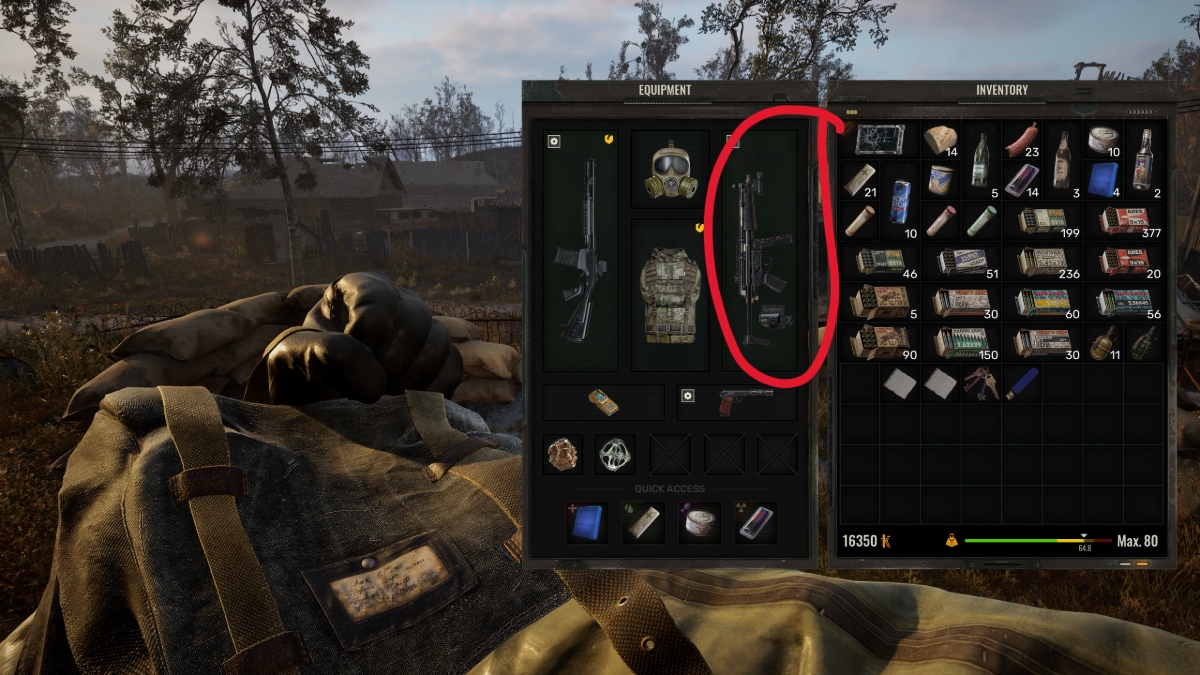
The player attaches a holo sight to their rifle in their inventory
Image Source: GSC Game World via The Nerd Stash

Even the best guns in the game need help reaching their full potential. That’s where attachments come in. There are two ways to equip attachments in Stalker 2, and one is more dangerous than the other. Inventory management usually isn’t a threat to your life, but since opening your inventory doesn’t pause the game, you leave yourself open to ambush. Here’s what you need to do:

  1. Method One: Open your inventory
  2. Left-click and drag your chosen attachment onto a compatible gun
  3. Method Two: Draw the gun you wish to mod
  4. Hold “T” (or D-pad Up) to open the Attachments menu
  5. Select the mod you wish to add
  6. Wait for the attachment animation to finish
Best Artifacts for Lethal Loot Goblins in Stalker 2 (& How To Get Them)
Related: Best Artifacts for Lethal Loot Goblins in Stalker 2 (& How To Get Them)

To remove an attachment from a gun in your inventory, right-click on the gun and select the name of the attachment you wish to remove. To remove one via the Attachments menu, simply open it again and select the attachment to remove. Doing so takes a few seconds, so it’s not wise to do so while under fire or fending off a mutant’s claws. On-the-fly modding through the Attachments menu still beats opening the inventory, however. Sometimes it’s the little things that keep a Stalker’s head attached.


Related Topics
Guide STALKER 2 Heart of Chernobyl
Share. Facebook Twitter LinkedIn Reddit Email
Patrick Armstrong
  • Website

Artist and writer with a lifelong love of video games. Their favorite games include Dead by Daylight, Meet Your Maker, and Project Zomboid.

SUGGESTED READS

Hideo Kojima Teams Up With Prada for an AI Film, And Fans Aren't Happy: 'Beyond Incredibly Disappointing'
Gaming

Hideo Kojima Teams Up With Prada for an AI Film, And Fans Aren’t Happy: ‘Beyond Incredibly Disappointing’

The Witcher 3 Songs of the Past expansion
Gaming

A Witcher 3 Leak Just Forced CD Projekt Red to Announce a Brand-New Expansion: Songs of the Past

CDPR Announces The Witcher 3 'Special Anniversary Stream' Amid New Massive DLC Rumor
Gaming

CDPR Announces The Witcher 3 ‘Special Anniversary Stream’ Amid New Massive DLC Expansion Rumor

How Long to Beat 007 First Light
Gaming

How Long to Beat 007 First Light (Full Chapters List)

007 First Lict Tactical Sim Mode
Gaming

How To Unlock Tactical Sim Mode in 007 First Light

007 First Light All Challenges
Gaming

All Challenges in 007 First Light

The Nerd Stash
Facebook X (Twitter) Instagram YouTube LinkedIn
  • About Us
  • Join Our Team
  • Meet the Team
  • Privacy Policy
  • DMCA Policy
  • Contact Us
  • Terms of Use
  • Sitemap
  • Editorial Guidelines
  • Advertising Policy
© 2026 The Nerd Stash. All Rights Reserved.

Type above and press Enter to search. Press Esc to cancel.




