
Close Menu
  • Gaming
    • Game Guides
    • Codes
    • Game News
    • Game Previews
    • Game Reviews
    • Game Features
    • Game Lists
    • Platforms
      • Nintendo
      • PC
      • PlayStation
      • Xbox
      • Mobile
  • Entertainment
    • Movies
    • Movie Features
    • Movie Reviews
    • TV
    • Reality TV
    • Royals
  • Celebrity
    • Hollywood
  • Human Interest
  • Astrology
  • Videos
  • More
    • Anime
    • Lists
    • Podcasts
    • Reviews
Facebook X (Twitter) Instagram LinkedIn YouTube
  • About Us
  • Join Our Team
  • Meet the Team
  • Privacy Policy
  • DMCA Policy
  • Contact Us
  • Terms of Use
  • Sitemap
  • Editorial Guidelines
  • Advertising Policy
The Nerd Stash
  • Gaming
  • Celebrity
    • Hollywood
  • Human Interest
  • Videos
The Nerd Stash
Home»Game Guides»How To Use Item Filter in Path of Exile 2

How To Use Item Filter in Path of Exile 2

Ignore the trash

Gabriela JessicaBy Gabriela JessicaDecember 7, 20243 Mins Read
How To Use Item Filter in Path of Exile 2
Image Source: Grinding Gear Games via The Nerd Stash

As you progress through Path of Exile 2, you will obtain all sorts of loot. As a new player, you can expect to constantly upgrade your gear, and various objects have potential uses. However, once you reach the end game, you will discover you are surrounded by a sea of lousy loot. One way to avoid manually filtering through this mess is to install an item filter in PoE 2. Veteran players should already be familiar with this feature, but new players may need some guidance on how to get this thing working.

How To Activate Item Filter in PoE 2
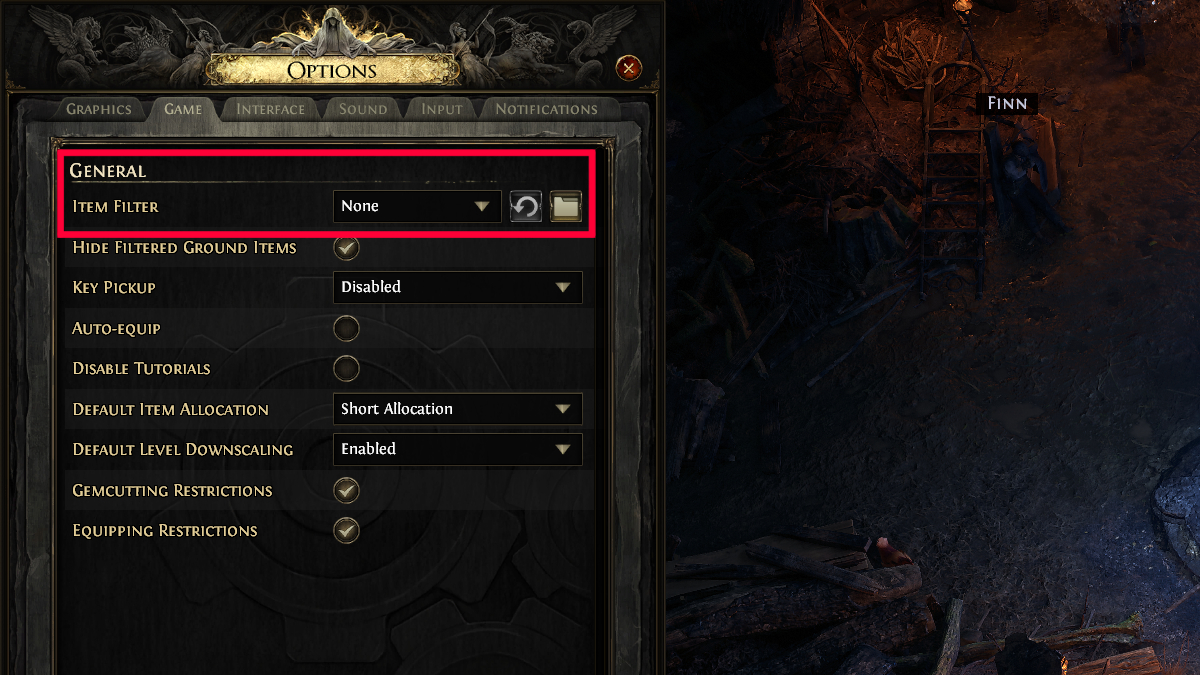
Item Filter setting in Path of Exile 2
Image Source: Grinding Gear Games via The Nerd Stash

You can consider an item filter as a mod or third-party tool that lets you easily sort through all the loot you encounter in Path of Exile 2. Don’t worry; the developer is aware of this, and they even encourage its use. There are numerous item filters that you can use, but for new players, I recommend using FilterBlade. It’s the most popular, and the installation process is easy.

Here’s what you need to do:

  1. Visit FilterBlade on your browser and log in to your Path of Exile account.
  2. In the Overview tab, you can select the NeverSink SC option.
  3. Set the strictness to regular or semi-strict.
  4. Click the Style option if you want to change the item filter visual.
  5. Go to the Export to POE tab when you are done.
  6. Select Save and Sync to add the filter to the game automatically.
  7. Launch the Path of Exile 2 game and find the Item Filter option in General settings.

These are only the basic steps for new players trying out item filters in PoE 2. Once you’ve familiarized yourself with this feature, you can tinker with the settings so it will suit your specific needs.

If you want to see how the item filter will look in the game, you can go to the Simulate tab. Besides generating loot, you can even set the zone level so you can see the type of items you will encounter during the end game.
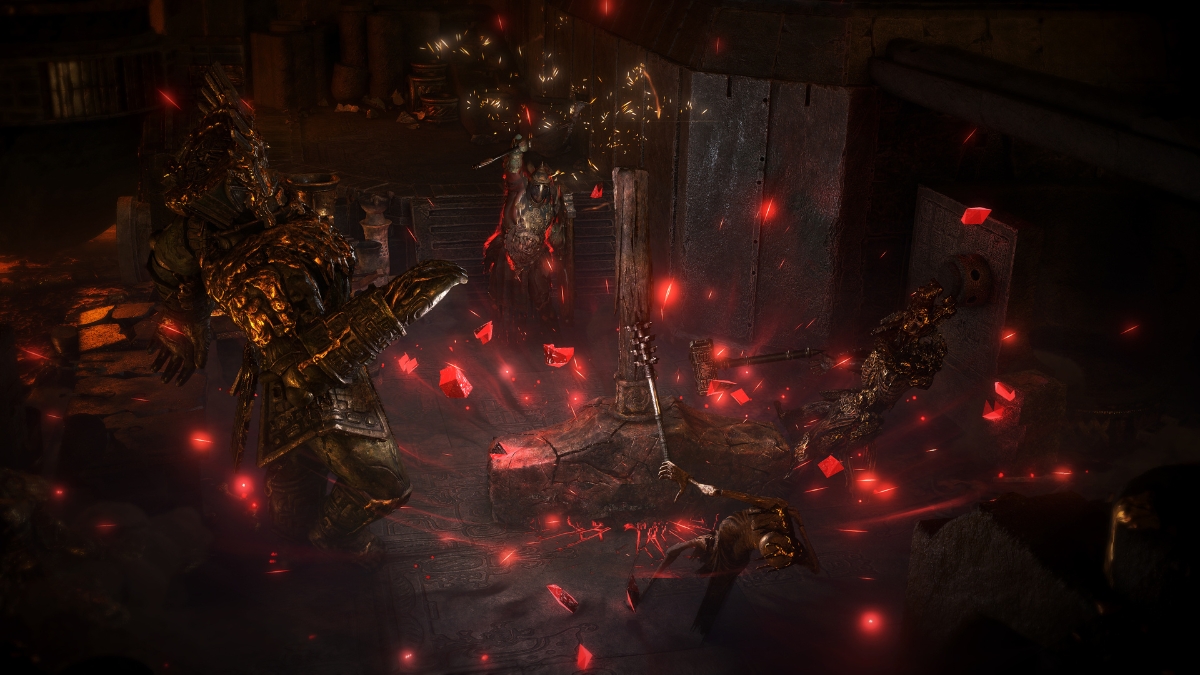
Path of Exile 2 Early Access Preview: The Next Generation Action RPG Has Arrived
Related: Path of Exile 2 Early Access Preview: The Next Generation Action RPG Has Arrived

Note that the item filter will hide low-value items. When you are still completing the main story, there is no harm in not using this mod since you will need all sorts of low-level resources as you progress. Once you hit the end game, you will be a lot more picky. An item filter is also handy when you are grinding for a specific item since you can make it stand out more than other loot.


Related Topics
Guide Path of Exile 2
Share. Facebook Twitter LinkedIn Reddit Email
Gabriela Jessica
  • Website

Gabriela has been a game guide writer since 2023. She mainly covers Genshin Impact and HSR but also enjoys trying out new games. Her favorites are TOTK, P5R, Stardew Valley, RDR2, The Witcher 3, and RE4 Remake.

SUGGESTED READS

Destiny 2 Renegades PS5 Review
8.5
Features

Destiny 2: Renegades Review – The Shooter Strikes Back

Clair Obscur: Expedition 33 Loses GOTY, Other Award from Indie Game Awards Over Generative AI: 'Some Weird Performative BS'
Game News

GOTY Stripped Over AI?: Clair Obscur: Expedition 33 Loses Awards at Indie Game Awards, ‘Some Weird Performative BS’

Sony Patents Real-time AI Game Censorship Tech That Could Even Make GTA 6 Kid-Friendly
Game News

Sony Patents Real-Time AI Game Censorship Tech That Could Even Make GTA 6 Kid-Friendly

Zenless Zone Zero Version 2.5 Announcement
Game News

Zenless Zone Zero Version 2.5 Is Ready To Wrap Up the Year With Two New Agents and a Free Outfit

PC Gamers Can't Catch a Break as Nvidia Plans 40% GeForce GPU Production Cuts, Report: 'Who Needs a PC Anyways'
Game News

PC Gamers Can’t Catch a Break as Nvidia Reportedly Plans 40% GeForce GPU Production Cuts: ‘Who Needs a PC Anyways’

Destiny 2 How to Get the Praxic Blade
Game Guides

How to Get the Praxic Blade in Destiny 2: Renegades

Trending
Destiny 2 Renegades PS5 Review
8.5

Destiny 2: Renegades Review – The Shooter Strikes Back

Clair Obscur: Expedition 33 Loses GOTY, Other Award from Indie Game Awards Over Generative AI: 'Some Weird Performative BS'

GOTY Stripped Over AI?: Clair Obscur: Expedition 33 Loses Awards at Indie Game Awards, ‘Some Weird Performative BS’

Sony Patents Real-time AI Game Censorship Tech That Could Even Make GTA 6 Kid-Friendly

Sony Patents Real-Time AI Game Censorship Tech That Could Even Make GTA 6 Kid-Friendly

Zenless Zone Zero Version 2.5 Announcement

Zenless Zone Zero Version 2.5 Is Ready To Wrap Up the Year With Two New Agents and a Free Outfit

The Nerd Stash
Facebook X (Twitter) Instagram YouTube LinkedIn
  • About Us
  • Join Our Team
  • Meet the Team
  • Privacy Policy
  • DMCA Policy
  • Contact Us
  • Terms of Use
  • Sitemap
  • Editorial Guidelines
  • Advertising Policy
© 2025 The Nerd Stash. All Rights Reserved.

Type above and press Enter to search. Press Esc to cancel.




