Close Menu
  • Gaming
    • Platforms
      • Nintendo
      • PC
      • PlayStation
      • Xbox
  • Entertainment
    • Movies
    • TV
    • Royals
  • Celebrity
    • Hollywood
  • Human Interest
  • Astrology
  • More
    • Reviews
Facebook X (Twitter) Instagram LinkedIn YouTube
  • About Us
  • Join Our Team
  • Meet the Team
  • Privacy Policy
  • DMCA Policy
  • Contact Us
  • Terms of Use
  • Sitemap
  • Editorial Guidelines
  • Advertising Policy
The Nerd Stash
  • Gaming
  • Celebrity
  • Hollywood
  • Human Interest
The Nerd Stash
Home»Gaming»Can You Remove the Shower Blur in inZOI?

Can You Remove the Shower Blur in inZOI?

No peeking

Giovanna La PineBy Giovanna La PineMarch 31, 20252 Mins Read
inZOI remove blur
Image Source: KRAFTON via The Nerd Stash

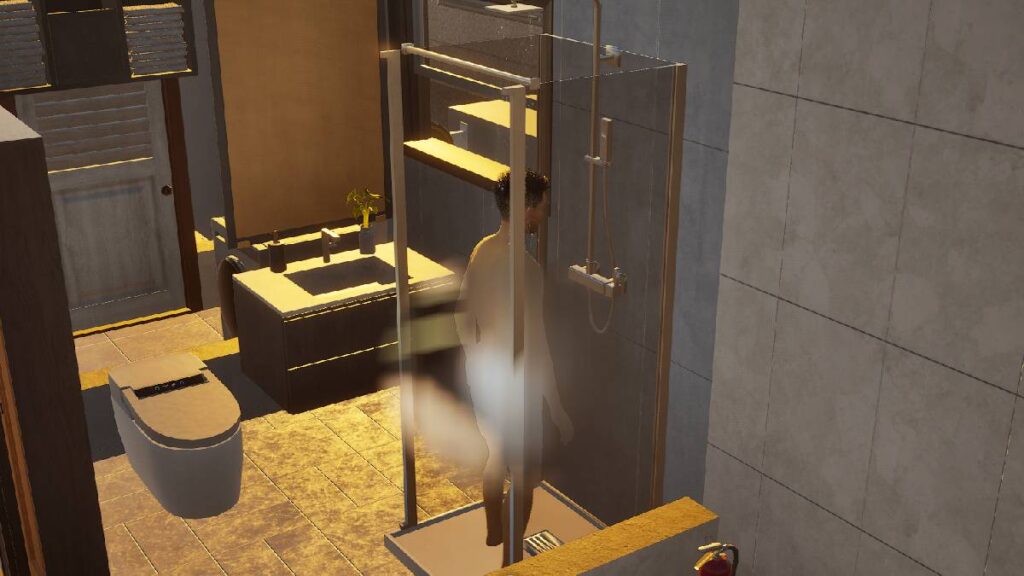
inZOI, being a teen-rated game, has some censorship to keep sensitive topics in check. For example, to keep the violence down and to make the fights more comical. However, many of the players do not agree with some of these censorship measures. One of the first aspects that some Creators want to remove is the blur in inZOI, specifically the blur that appears when the Zoi take a shower. This is why many players have searched through all the settings, cheat codes, or any way to remove that annoying blur from their screens.

Can You Remove the Blur With the inZOI Adjustments?

To be short, inZOI does not have a native option to remove the blur to censor while your Zoi takes a shower. However, this hasn’t stopped the Creators, who, with incredible speed, have started to work on doing some mods. Within a couple of days, some modes archived to make a mod to somewhat “limit” the blur. That’s right, there is still no mod to avoid censorship, although some managed to change the blur to a semi-transparent sheer texture. Sadly, inZOI mods still don’t reach the level of The Sims 4 mods like the well-known Wicked Whims, but they are on the right track.
How Does the Flea Market Work in InZOI?
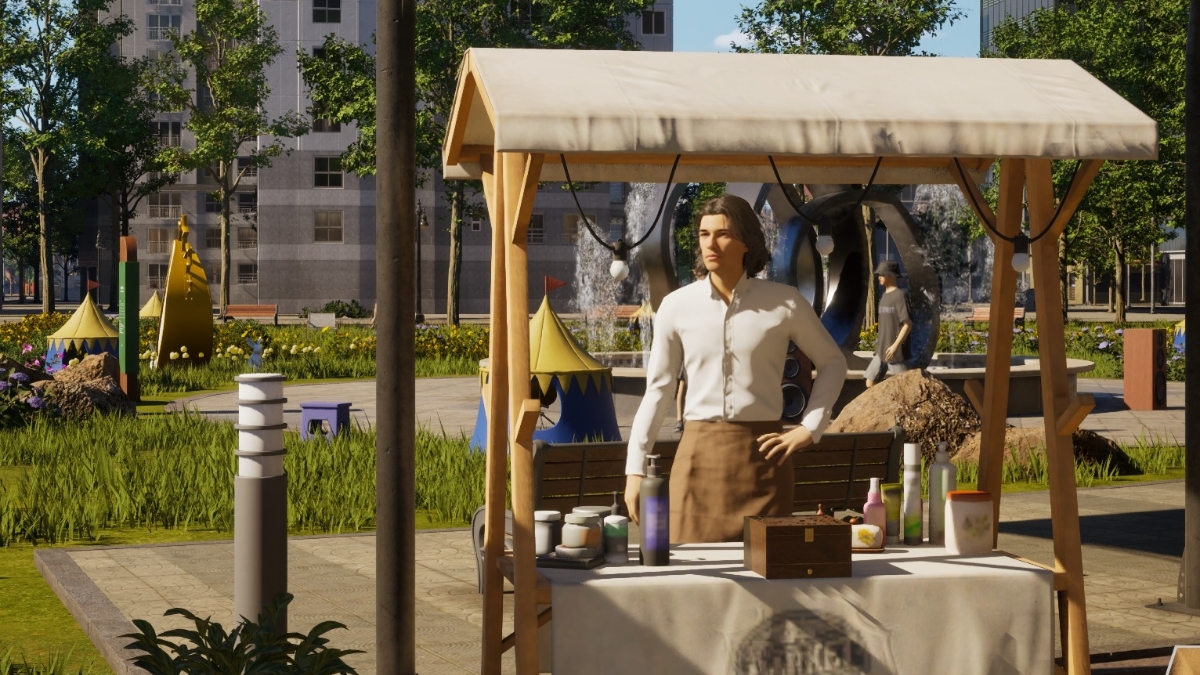
Related: How Does the Flea Market Work in InZOI?

As we mentioned, inZOI is still a very new game, and new and better mods will come as time goes by. Besides, the inZOI dev team announced that they will stop using the Denuvo Anti-Tamper software and that they are also working to make the game more friendly to the mods that fans create. This includes the compatibility of inZOI with third-party programs, so it is only a matter of time before more mods and custom content come to the game. We must be patient, although the advances are going at light speed.


Related Topics
Guide inZOI
Share. Facebook Twitter LinkedIn Reddit Email
Giovanna La Pine
  • Website

Giovanna is a fan of every single game HoYoverse has launched. When she's not covering videogames, she writes her daily horoscopes and tarot readings for the astrology vertical in The Nerd Stash.

SUGGESTED READS

PSN Region Ban Claims Another Victim as Marvel Tokon is Blocked in 132 Countries
Gaming

PSN Region Ban Claims Another Victim as Marvel Tokon is Blocked in 132 Countries

PlayStation PS Plus subscription cancel
Gaming

Angry PlayStation Users Threaten to Cancel PS Plus After Sony Cancels Physical Media: ‘They’re Already on Thin Ice’

Sony Just Put Another Nail in Physical Games' Coffin by Repurposing Its Disc Factory: 'A Direct Impact on Production'
Gaming

Sony Just Put Another Nail in Physical Games’ Coffin by Repurposing Its Disc Factory: ‘A Direct Impact on Production’

Star Fox Nintendo Switch 2 Review
9
Gaming

Star Fox Review – The Crew Is Back

PlayStation Physical Discs Gone
Gaming

The End of an Era: PlayStation to End Physical Disc Production in 2028

$99 Price Tag Isn't Scaring Gamers as GTA 6 Preorders Top PlayStation Store Charts Worldwide
Gaming

$99 Price Tag Isn’t Scaring Gamers as GTA 6 Preorders Top PlayStation Store Charts Worldwide

The Nerd Stash
Facebook X (Twitter) Instagram YouTube LinkedIn
  • About Us
  • Join Our Team
  • Meet the Team
  • Privacy Policy
  • DMCA Policy
  • Contact Us
  • Terms of Use
  • Sitemap
  • Editorial Guidelines
  • Advertising Policy
© 2026 The Nerd Stash. All Rights Reserved.

Type above and press Enter to search. Press Esc to cancel.