Close Menu
  • Gaming
    • Game Guides
    • Codes
    • Game News
    • Game Previews
    • Game Reviews
    • Game Features
    • Game Lists
    • Platforms
      • Nintendo
      • PC
      • PlayStation
      • Xbox
      • Mobile
  • Entertainment
    • Movies
    • Movie Features
    • Movie Reviews
    • TV
    • Reality TV
    • Royals
  • Celebrity
    • Hollywood
  • Human Interest
  • Astrology
  • Videos
  • More
    • Anime
    • Lists
    • Podcasts
    • Reviews
Facebook X (Twitter) Instagram LinkedIn YouTube
  • About Us
  • Join Our Team
  • Meet the Team
  • Privacy Policy
  • DMCA Policy
  • Contact Us
  • Terms of Use
  • Sitemap
  • Editorial Guidelines
  • Advertising Policy
The Nerd Stash
  • Gaming
  • Celebrity
    • Hollywood
  • Human Interest
  • Videos
The Nerd Stash
Home»Game Guides»How To Fix the ‘Email Not Sending’ Error in Hytale

How To Fix the ‘Email Not Sending’ Error in Hytale

404 Not Found

Giovanna De ItaBy Giovanna De ItaJanuary 13, 20262 Mins Read
Hytale Email Not Sending error
Image source: Hypixel Studios

A lot of gamers have been desperately trying to get into Hytale, yet they are facing one unexpected enemy: the email system. As you may know, this new voxel survival-crafting game that was expecting over one million players to jump in has been having some issues with its email verification system, halting the entrance of several gamers. If you’re one of the few or many experiencing this problem, we’ll tell you how to fix the “email not sending” error in Hytale.

‘Email Verification Not Sending’ Hytale Error Explained

While many other errors in many other games are easily fixed by restarting your PC, router, or something else, the truth is that there isn’t a specific solution for this one. See, the thing about this problem is that it comes from the game’s email system, meaning that it isn’t something players can control per se. In this scenario, all you can do is wait for the email to eventually arrive in your account.

During this chaotic launch day, some users have reported that they have received the email after waiting between 15 and 20 minutes. A few others have said that they have not received anything yet. So, it might be a matter of luck and waiting for the system to get through all the email requests, which, judging by the number of players trying to jump in, are quite a lot.

Another thing you could do, but we can’t confirm if it helps or not, as it only comes from other users, is to create an account with a different email and see if that skips the email queue somehow. The downside is that you might be waiting for two emails now, so we don’t recommend it a lot.
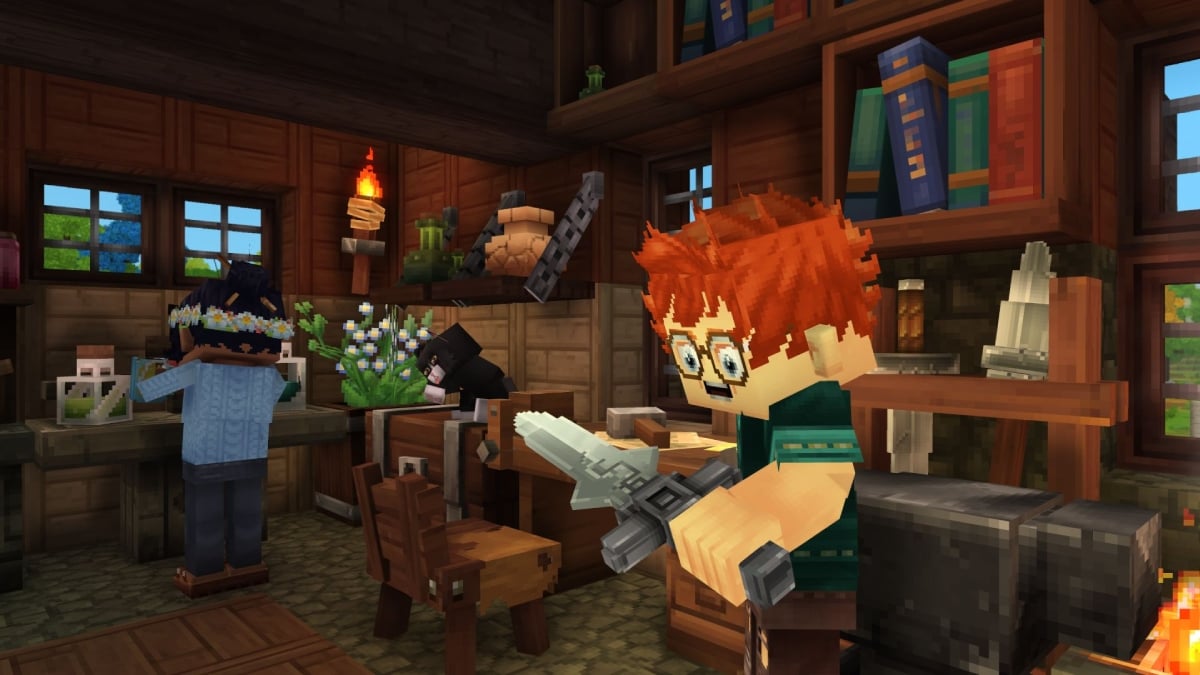
All Content in the Early Access of Hytale, Explained
Related: All Content in the Early Access of Hytale, Explained

In this particular case, it seems that the only real solution is being patient and waiting. Also, it is important to remember that the developers clearly stated that players should register and pre-purchase the game before the early access launch date, as that would help immensely in terms of server and system load. So, if you didn’t prepare for this beforehand, all you can do is wait a bit and keep refreshing that inbox tab until you get your verification email.

Related Topics
Hypixel Studios Hytale
Share. Facebook Twitter LinkedIn Reddit Email
Giovanna De Ita
  • Website

Giovanna is a fan of every single game HoYoverse has launched. When she's not covering videogames, she writes her daily horoscopes and tarot readings for the astrology vertical in The Nerd Stash.

SUGGESTED READS

Blender Bee Swarm Simulator
Game Guides

Where Is the Blender in Bee Swarm Simulator on Roblox? Answered

How to Get Blue Extract in Bee Swarm Simulator on Roblox
Game Guides

How to Get Blue Extract in Bee Swarm Simulator on Roblox

Norse Oath of Blood PC Review
7
Game Reviews

NORSE: Oath of Blood Review – Not Ready for Valhalla

Secret Lucky Block Steal a Brainrot
Game Guides

How To Easily Get Secret Lucky Blocks in Steal a Brainrot in Roblox

Roblox Adopt Me! Players Scramble as Dire Wolf Arrives and Giant Panda Leaves: 'NOOO I Dont Have One'
Game News

Roblox Adopt Me! Players Scramble as Dire Wolf Arrives and Giant Panda Leaves: ‘NOOO I Dont Have One’

Battlefield 6 Season 2 Contaminated Map Preview
Game Previews

Battlefield 6 Season 2 Contaminated Map Preview – Masks Up

The Nerd Stash
Facebook X (Twitter) Instagram YouTube LinkedIn
  • About Us
  • Join Our Team
  • Meet the Team
  • Privacy Policy
  • DMCA Policy
  • Contact Us
  • Terms of Use
  • Sitemap
  • Editorial Guidelines
  • Advertising Policy
© 2026 The Nerd Stash. All Rights Reserved.

Type above and press Enter to search. Press Esc to cancel.