

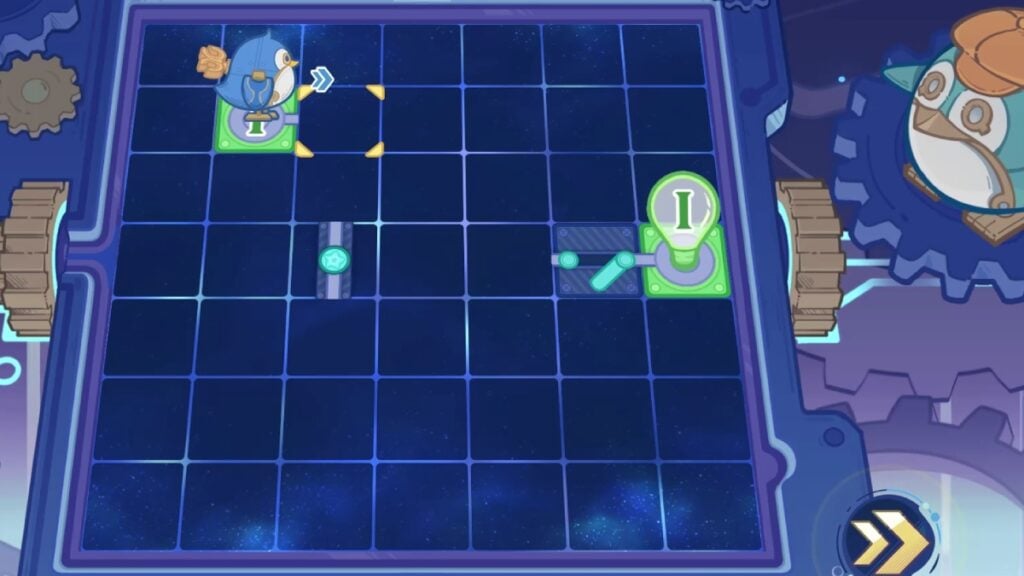
Version 4.2 of Genshin Impact added Thelxie’s Fantastic Adventures Event on November 23, 2023. In this event, Freminet is the main character, and the Traveler must help him in the creation of a mechanical penguin named Thelxie. But before taking Thelxie into the water, they must solve all the puzzles in the Debug Motherboard Troubleshooting mini-game in Genshin Impact. In this event stage, players must connect hardware circuits to get Thelxie to function correctly as a companion toy.
Genshin Impact: All Debug Motherboard Troubleshooting Puzzle Solutions
As in other events, Genshin Impact is adding a stage of the event for each day, and Debug Motherboard Troubleshooting released eight different ones. The last part is available on November 27, 2023. Each Stage represents a problem for Thelxie’s programming, and each puzzle has different solutions.
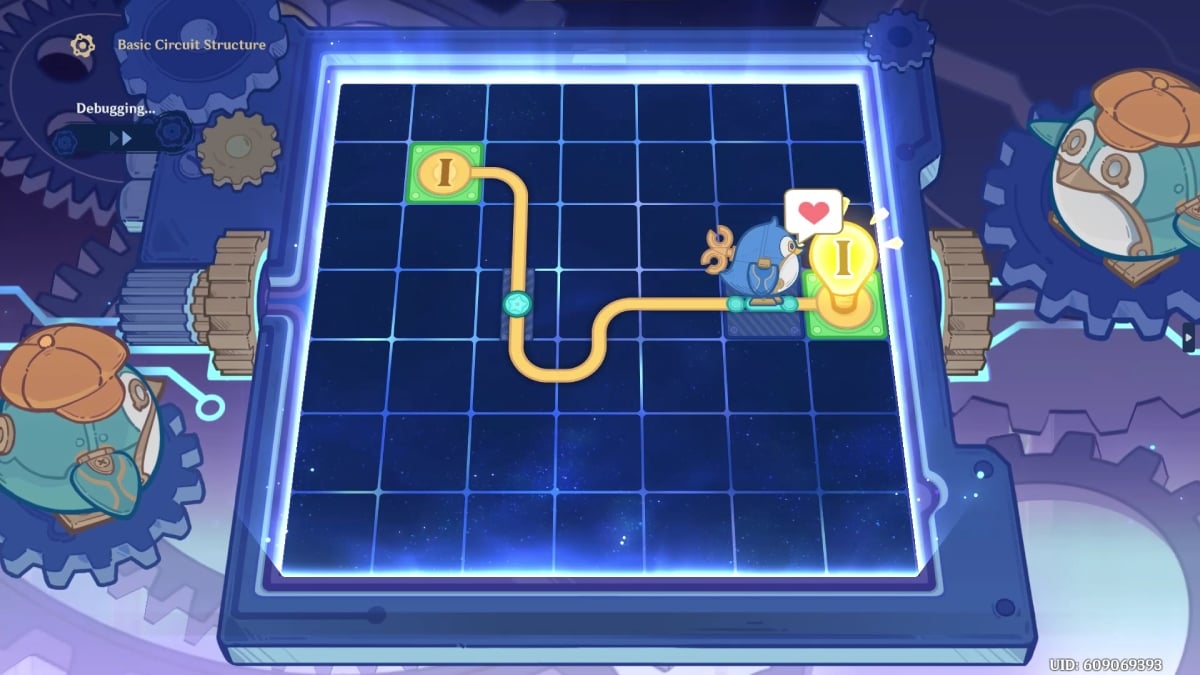
- Stage 1: Basic Circuit Structure
Connect the Green Platform to the Inductive Green Switch to activate the Green Circuit. This will allow the penguin to reach the Green Spotlight. To create the curves in the Path, you must keep clicking on the button, and then the shape will change.
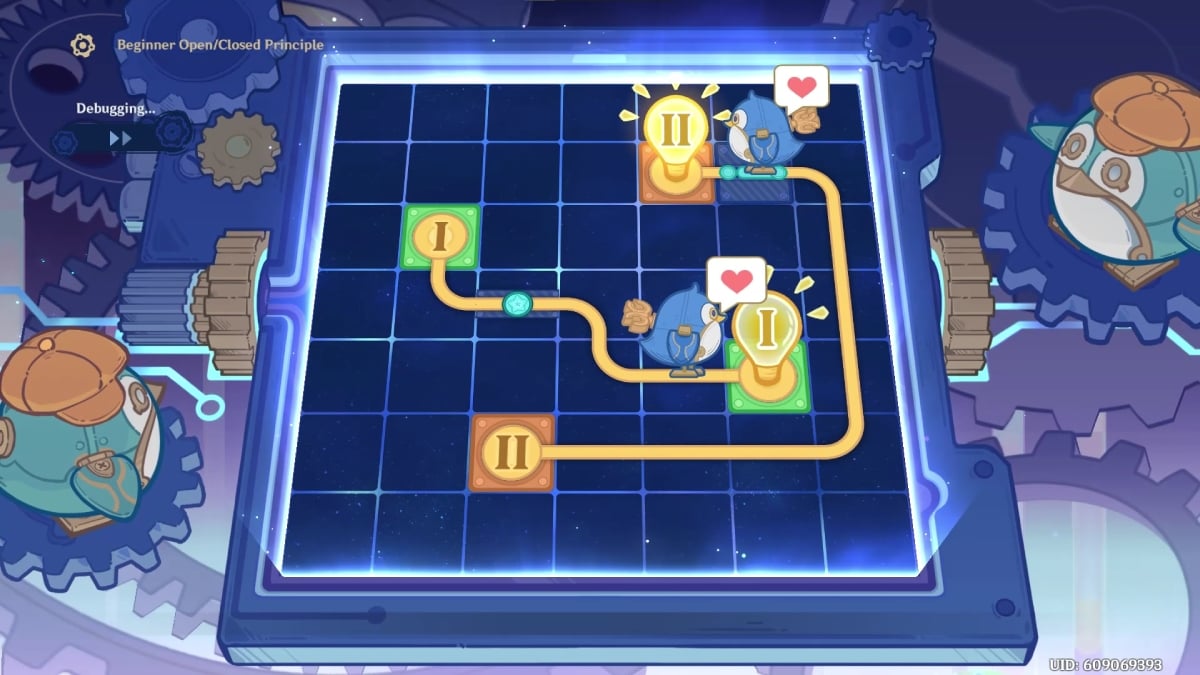
- Stage 2: Beginner Open/Closed Principle
Connect the Green Platform to the Inductive Green Switch and then to the Green Spotlight. This will activate the Green Circuit for the Path Orange, which will go around the right side of the board.
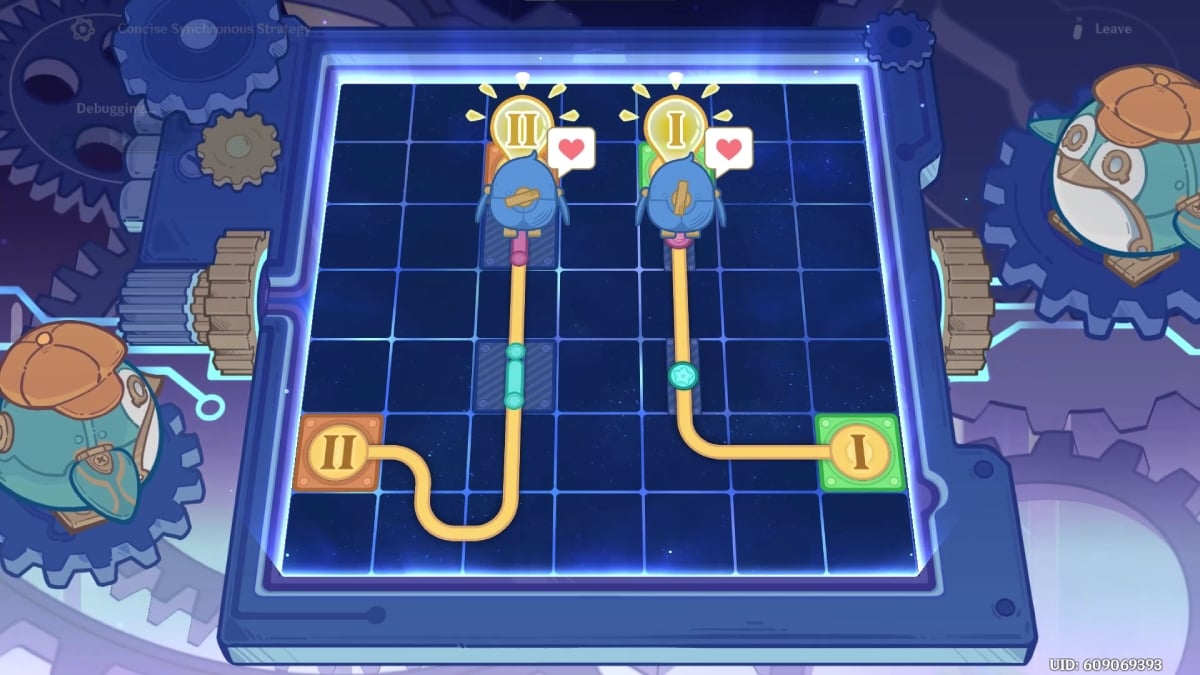
- Stage 3: Concise Synchronous Strategy
Connect the Green Platform to the Green Switch and then to the Red Switch. The Orange Platform should be connected first to the Green Circuit and then to the Red Circuit.
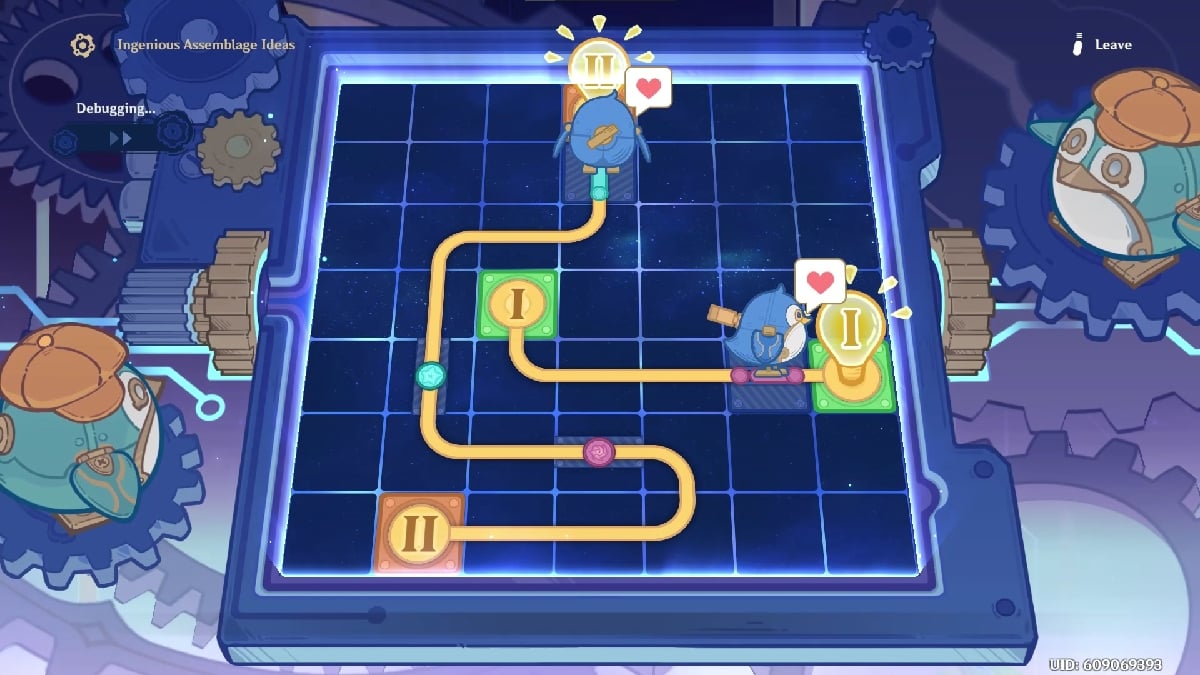
- Stage 4: Ingenious Assemblage Ideas
Connect the Green Platform to the Red Switch. Then, connect the Orange Platform to the Red Circuit from the right and the Green Circuit to the Orange Spotlight.
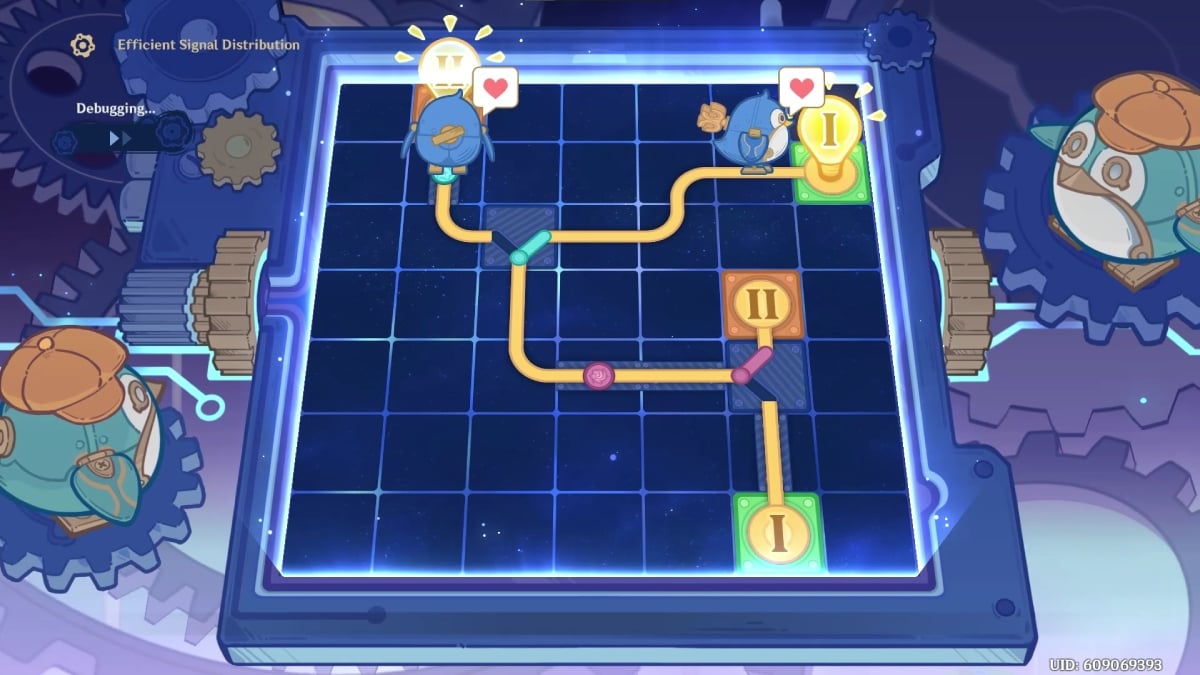
- Stage 5: Efficient Signal Distribution
Connect the Green Platform to the Red Branching, then to the Red Switch, and then to the Green Branching before reaching the Green Spotlight. The Orange Platform should be connected in the same way. At the end, you have to finish the Path to the Orange Spotlight.
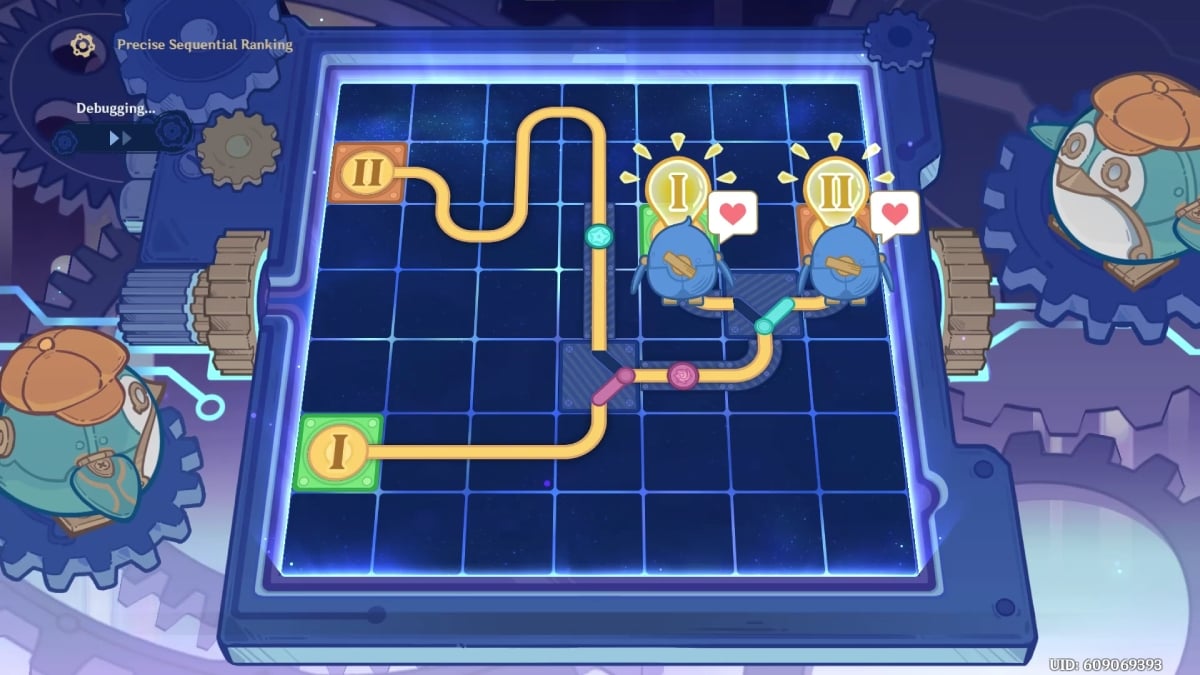
- Stage 6: Precise Sequential Ranking
Connect the Green Platform to the Red Branching and then to the Green Branching to end at the Green Focus. For the Orange Platform, you need to place a little more Pathing before connecting to Green Switch, then to Red Branching and Green Branching.
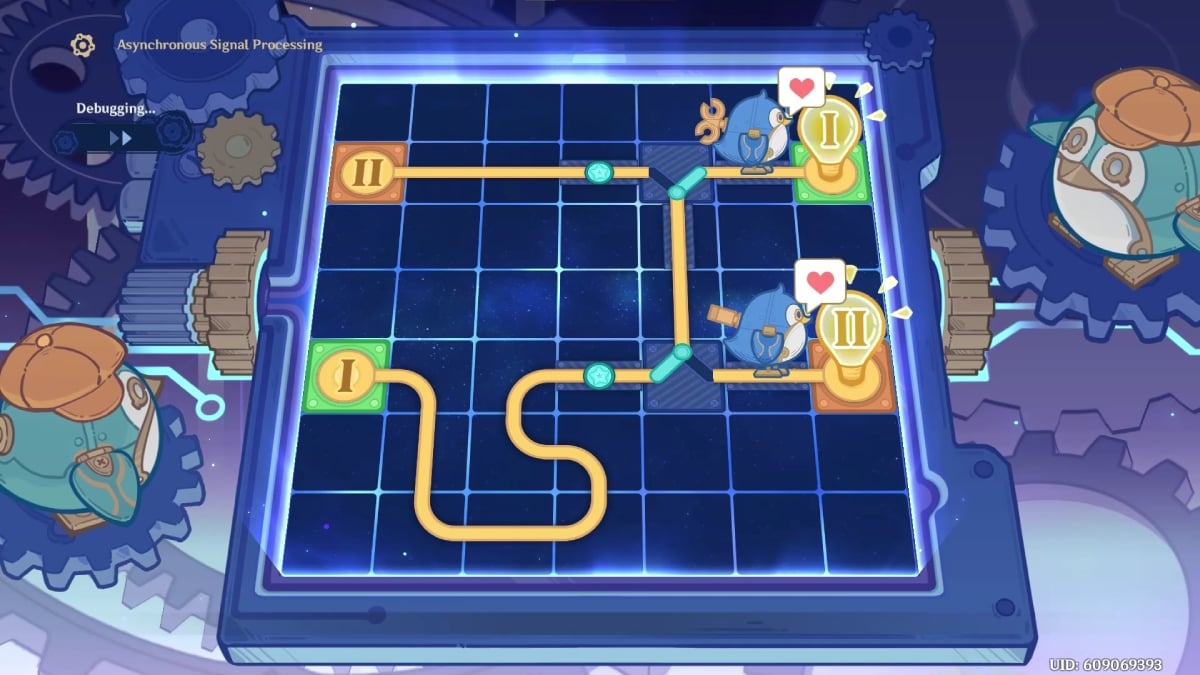
- Stage 7: Asynchronous Signal Processing
Lengthen the Path at the beginning of the Green Platform before connecting to the Green Switch and Green Branching. The Orange Platform must also be connected first to the Green Switch and then to Green Branching. Both Green Branching must be connected to eachother.
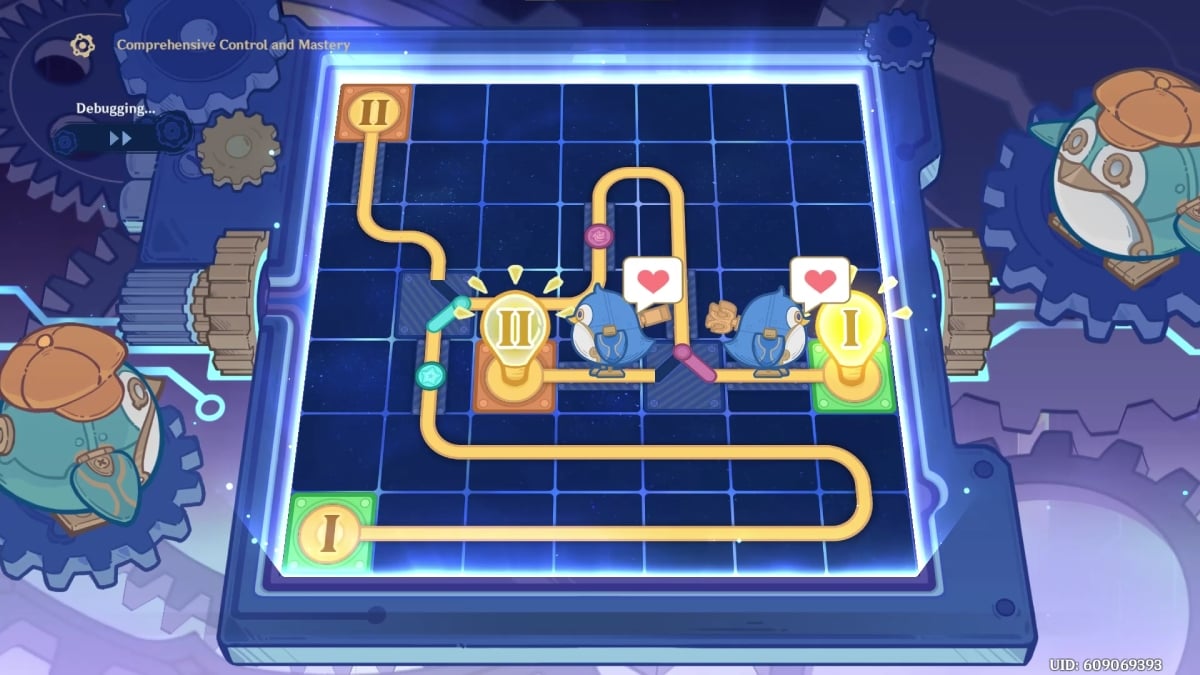
- Stage 8: Comprehensive Control and Mastery
The penguin on the Orange Platform must finish its Path first, so connect it to the Green Branching, then to the Red Switch, and finally to the Red Branching. For the Green Platform, you must create a longer Path at the beginning before connecting it to the Green Switch and then to the Green Branching. From there, draw the Path to the Red Switch and finally to the Red Branching, to end at the Green Path.
Each Stage will reward Primogems, 50,000 Mora, 4 Gem Fragments, and 4 Thelxie’s Badge. These badges will be used in Thelxie’s Fantastic Adventures event to buy rewards and exchange them for a Free Freminet.






