Close Menu
  • Gaming
    • Game Guides
    • Codes
    • Game News
    • Game Previews
    • Game Reviews
    • Game Features
    • Game Lists
    • Platforms
      • Nintendo
      • PC
      • PlayStation
      • Xbox
      • Mobile
  • Entertainment
    • Movies
    • Movie Features
    • Movie Reviews
    • TV
    • Reality TV
    • Royals
  • Celebrity
    • Hollywood
  • Human Interest
  • Astrology
  • Videos
  • More
    • Anime
    • Lists
    • Podcasts
    • Reviews
Facebook X (Twitter) Instagram LinkedIn YouTube
  • About Us
  • Join Our Team
  • Meet the Team
  • Privacy Policy
  • DMCA Policy
  • Contact Us
  • Terms of Use
  • Sitemap
  • Editorial Guidelines
  • Advertising Policy
The Nerd Stash
  • Gaming
  • Celebrity
    • Hollywood
  • Human Interest
  • Videos
The Nerd Stash
Home»Gaming»Batman: Arkham Knight Receives Photo Mode

Batman: Arkham Knight Receives Photo Mode

A new update to Batman: Arkham Knight has been released on the PS4 and Xbox One that adds a photo mode to Rocksteady’s game. Along…

Brian LoylessBy Brian LoylessAugust 4, 20152 Mins Read
This article is over 10 years old and may contain outdated information.

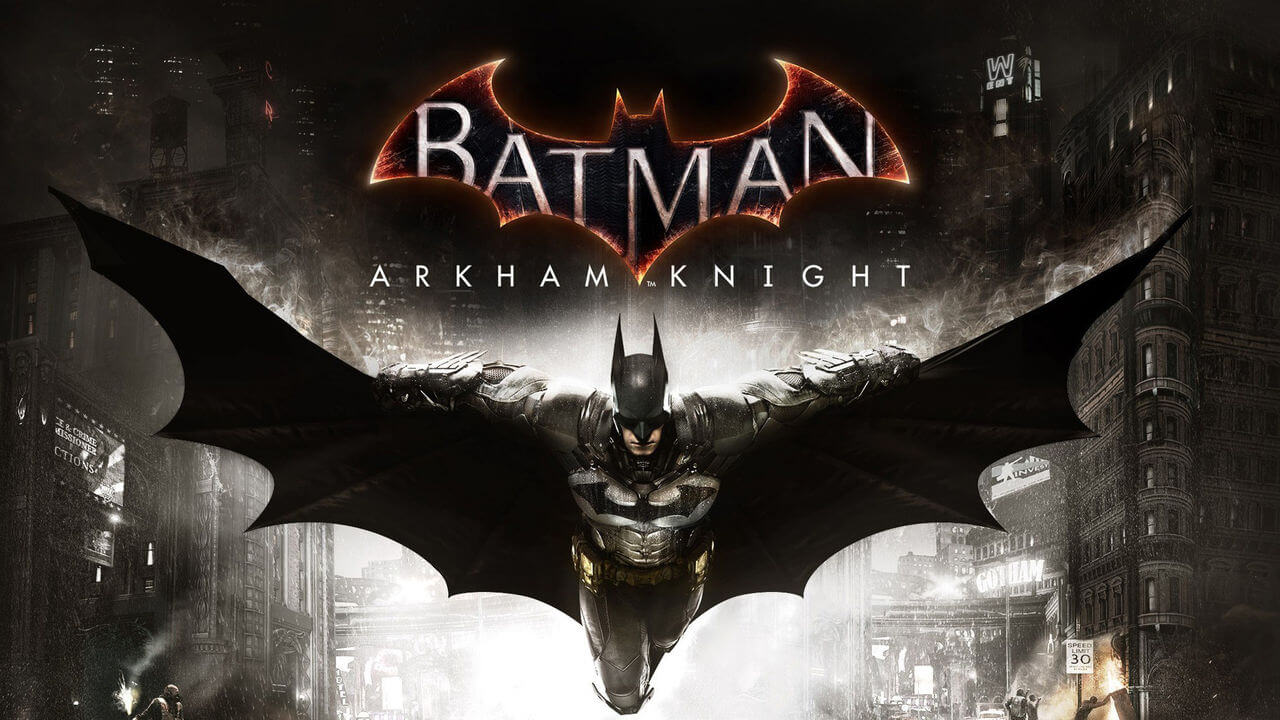
A new update to Batman: Arkham Knight has been released on the PS4 and Xbox One that adds a photo mode to Rocksteady’s game.

Along with the photo mode, this update adds several bug fixes and support for the upcoming August DLC. The August DLC for Batman: Arkham Knight will kick off with the 1989 Movie Batmobile Pack. This pack will include the Batman and Batmobile skin from the 1989 Batman film, as well as two tracks inspired by the film’s sequel. This pack will be followed by the The Bat-family Skin Pack, which adds sic character skins. This pack includes 1990s Catwoman, One Year Later Robin, Arkham Origins Batman, Iconic Grey & Black Batman, 1970s Batman, and the Original Arkham Nightwing.
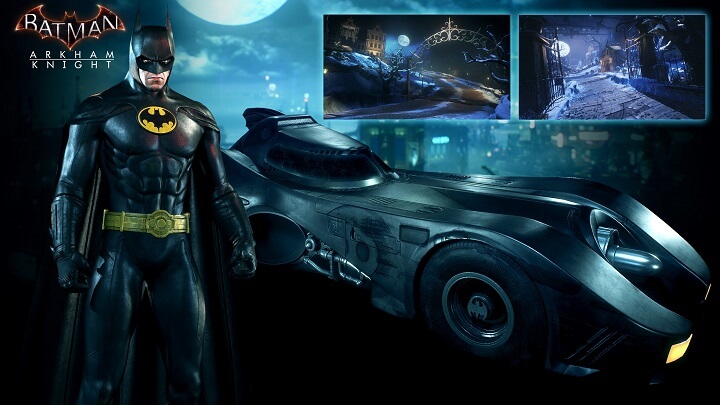
Batman: Arkham Knight pays homage to the 1989 Batman film with the 1989 Skin Pack
Batman: Arkham Knight pays homage to the 1989 Batman film with the 1989 Skin Pack.

The step-by-step instructions on how to use Photo Mode in Batman: Arkham Knight can be found here on the official WB Games community forum.

Batman: Arkham Knight is the last in the game series made by Rocksteady Games that started with the release of Batman: Arkham Asylum. After several delay, the game finally released in June of this year to good reviews. The PC version of the game wasn’t so lucky as the game was plagued with several game breaking glitches. Valve removed the game from Steam and has yet to put back up for sale.


Related Topics
Arkham Knight Batman DLC
Share. Facebook Twitter LinkedIn Reddit Email
Brian Loyless
  • Website
  • Facebook
  • X (Twitter)

I am an aspiring journalist with dreams to make it to the conventions and play with the big boys of the game industry. When I'm not writing about games, I'm playing and enjoying them. Some say that I have an obsession, but I don't. I have a really expensive hobby.

SUGGESTED READS

Game Guides

How to Get the Darksaber-Inspired Dark Matter Crystal in Destiny 2: Renegades

Destiny 2 The Dawning 2025 Guide
Game Guides

Destiny 2 – The Dawning 2025 Guide

Winter's Jest Event Guide
Game Guides

Phasmophobia – Winter’s Jest Guide

Pokemon Go Winter Holiday Part 1
Game Guides

Pokemon Go Winter Holiday Part 1 Guide

FFXIV Starlight Celebration 2025 Event
Game Guides

FFXIV Starlight Celebration 2025 Event Guide

guild wars 2 wintersday
Game Guides

Guild Wars 2 Wintersday 2025 Guide

Trending

How to Get the Darksaber-Inspired Dark Matter Crystal in Destiny 2: Renegades

Destiny 2 The Dawning 2025 Guide

Destiny 2 – The Dawning 2025 Guide

Winter's Jest Event Guide

Phasmophobia – Winter’s Jest Guide

Pokemon Go Winter Holiday Part 1

Pokemon Go Winter Holiday Part 1 Guide

The Nerd Stash
Facebook X (Twitter) Instagram YouTube LinkedIn
  • About Us
  • Join Our Team
  • Meet the Team
  • Privacy Policy
  • DMCA Policy
  • Contact Us
  • Terms of Use
  • Sitemap
  • Editorial Guidelines
  • Advertising Policy
© 2025 The Nerd Stash. All Rights Reserved.

Type above and press Enter to search. Press Esc to cancel.