Close Menu
  • Gaming
    • Game Guides
    • Codes
    • Game News
    • Game Previews
    • Game Reviews
    • Game Features
    • Game Lists
    • Platforms
      • Nintendo
      • PC
      • PlayStation
      • Xbox
      • Mobile
  • Entertainment
    • Movies
    • Movie Features
    • Movie Reviews
    • TV
    • Reality TV
    • Royals
  • Celebrity
  • Human Interest
  • Astrology
  • Videos
  • More
    • Anime
    • Lists
    • Podcasts
    • Reviews
Facebook X (Twitter) Instagram LinkedIn YouTube
  • About Us
  • Join Our Team
  • Meet the Team
  • Privacy Policy
  • DMCA Policy
  • Contact Us
  • Terms of Use
  • Sitemap
  • Editorial Guidelines
  • Advertising Policy
The Nerd Stash
  • Gaming
  • Celebrity
  • Human Interest
  • Videos
The Nerd Stash
Home»Game Guides»Best Controller Settings for Modern Warfare 3

Best Controller Settings for Modern Warfare 3

What’s your preference?

Nat CollazoBy Nat CollazoNovember 13, 20233 Mins Read
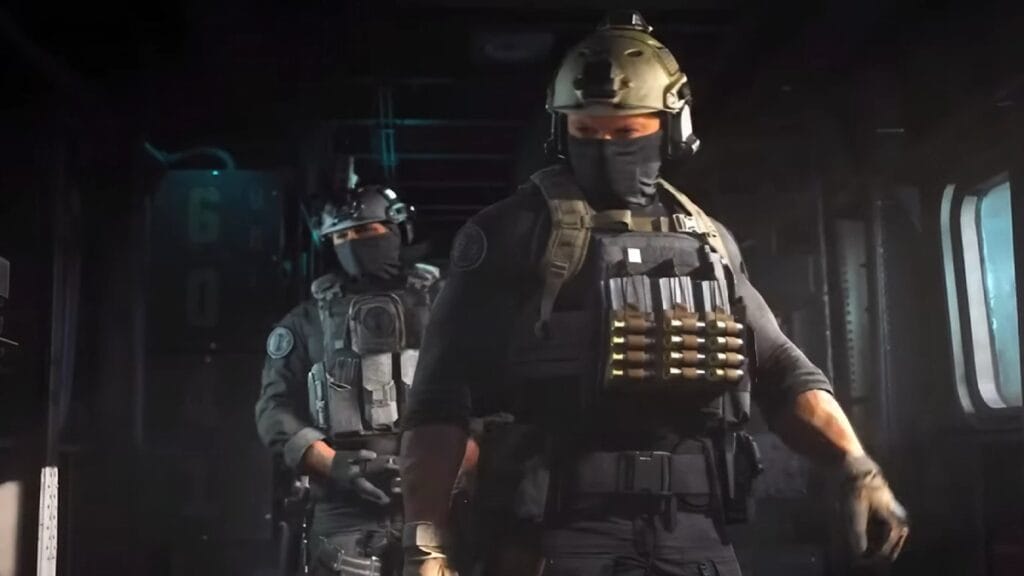
Best Controller Settings for Modern Warfare 3
Image Source: Activision
This article is over 2 years old and may contain outdated information.

With Modern Warfare 3 being out in the world, there’s a ton of new content for players new and old to enjoy. This includes a wide range of new maps and weapons for the newest version of MW3. To really enjoy all that there is, however, you need to customize your controller settings in Modern Warfare 3 to the best settings. These will affect gameplay aspects such as moving around and aiming in a completely new and innovative way than how the game is naturally set up. You can always figure it out yourself, but we wrote out the best controller settings for MW3 below.

Preferred Controller Settings for MW3

Best Controller Settings for Modern Warfare 3
Image Source: Activision

The best controller settings for Modern Warfare 3 include the following:

  • Button Layout Preset: Tactical
  • L1 / LB Button Ping: Off
  • Flip L1/R1 with L2/R2 (Flip LB/RB with LT/RT): If you want faster button press time or play with claw grip, you could turn this on
  • Stick Layout Preset: Default
  • Controller Vibration: Off
  • Trigger Effect: Off

Aiming

  • Horizontal Stick Sensitivity: 6
  • Vertical Stick Sensitivity: 6
  • ADS Sensitivity Multiplier: 0.90
  • Sensitivity Multiplier:
    • Ground Vehicles: 1.00
    • Tablet: 1.00
  • Verticle Aim Axis:
    • On Foot: Standard
    • Ground Vehicles: Standard
  • Tac-Stance Sensitivity Multiplier: 0.90
  • Aim Response Curve Type: Dynamic
  • ADS Sensitivity Multiplier (Focus): 0.90
  • ADS Sensitivity Transition Timing: Instant
  • Custom Sensitivity Per Zoom: Off

Aim Assist

  • Target Aim Assist: On
  • Aim Assist Type: Black Ops

Motion Sensor Aiming

  • Motion Sensor Behavior: Off

Gameplay

Movement Behaviors

  • Automatic Sprint: Off
  • Sprint/Tactical Sprint Behavior: Toggle
  • Auto Move Forward: Off
  • Tactical Sprint Behavior: Double Tap
  • Grounded Mantle: On
  • Automatic Airborne Mantle: Partial
  • Automatic Ground Mantle/Hang: Off
  • Slide/Dive Behavior: Tap to Slide
  • Plunging Underwater: Free
  • Parachute Auto-Deploy: Off
  • Sprinting Door Bash: On
  • Ledge Climb Behavior: Mantle Only
  • Slide Cancel Sprint: On

Combat Behaviors

  • Aim Down Sight Behavior: Hold
  • Change Zoom Activation: Off
  • Equipment Behavior: Hold
  • Weapon Mount Activation: ADS + Melee
  • Weapon Mount Exit Delay: Medium
  • Tactical Stance Activation: ADS + Melee
  • Tactical Stance Behavior: On Toggle
  • Interact/Reload Behavior: Tap to Reload
  • Armor Plate Behavior: Apply All
  • ADS Stick Swap: Off
  • Backpack Control: Directional Buttons
  • Depleted Ammo Weapon Switch: On
  • Quick C4 Detonation: Grouped
  • Manual Fire Behavior: Press

Vehicle Behaviors

  • Vehicle Camera Recenter: Short Delay
  • Camera Initial Position: Free Look
  • Lean-Out Activation: Melee

Overlays Behavior

  • Ping Wheel Delay: Moderate
  • Double Tap Danger Ping Delay: Moderate
  • Killstreak Wheel Behavior: Hold

Related:

Top 5 Best Guns in Modern Warfare 3, Ranked

Call of Duty: Modern Warfare 3 is currently available on PlayStation, Xbox, and PC.

Related Topics
Call of Duty Modern Warfare 3 Guide
Share. Facebook Twitter LinkedIn Reddit Email
Nat Collazo
  • Website
  • X (Twitter)
  • Instagram

I am a game journalist and guide writer with ten years of experience as well as the CEO/ Founder of Frowns Marketing, a marketing company that caters to indie games, tabletop games, and board games to help developers get more wishlists, backers, and players!

SUGGESTED READS

All Steps in the Destiny 2 Renegades Campaign
Game Guides

How To Complete the Renegades Campaign in Destiny 2

Octopath Traveler 0 PS5 Review
9
Features

Octopath Traveler 0 Review – A Tale of Revenge and Restoration

Destiny 2 Renegades Eververse Store Items
Game Guides

All Destiny 2: Renegades Eververse Cosmetics

Destiny 2 Renegades All Season Pass Rewards
Game Guides

All Destiny 2: Renegades Season Pass Rewards

Destiny 2 Renegades All Exotic Weapons and Armor
Game Guides

All New Destiny 2: Renegades Exotic Weapons and Armor and How to Get Them

How To Unlock All Relics In Ashes of the Damned Zombies
Game Guides

Black Ops 7 Zombies Ashes of the Damned All Relics Location And Guide

Trending
All Steps in the Destiny 2 Renegades Campaign

How To Complete the Renegades Campaign in Destiny 2

Octopath Traveler 0 PS5 Review
9

Octopath Traveler 0 Review – A Tale of Revenge and Restoration

Destiny 2 Renegades Eververse Store Items

All Destiny 2: Renegades Eververse Cosmetics

Destiny 2 Renegades All Season Pass Rewards

All Destiny 2: Renegades Season Pass Rewards

The Nerd Stash
Facebook X (Twitter) Instagram YouTube LinkedIn
  • About Us
  • Join Our Team
  • Meet the Team
  • Privacy Policy
  • DMCA Policy
  • Contact Us
  • Terms of Use
  • Sitemap
  • Editorial Guidelines
  • Advertising Policy
© 2025 The Nerd Stash. All Rights Reserved.

Type above and press Enter to search. Press Esc to cancel.