Close Menu
  • Gaming
    • Platforms
      • Nintendo
      • PC
      • PlayStation
      • Xbox
  • Entertainment
    • Movies
    • TV
    • Royals
  • Celebrity
    • Hollywood
  • Human Interest
  • Astrology
  • More
    • Reviews
Facebook X (Twitter) Instagram LinkedIn YouTube
  • About Us
  • Join Our Team
  • Meet the Team
  • Privacy Policy
  • DMCA Policy
  • Contact Us
  • Terms of Use
  • Sitemap
  • Editorial Guidelines
  • Advertising Policy
The Nerd Stash
  • Gaming
  • Celebrity
  • Hollywood
  • Human Interest
The Nerd Stash
Home»Gaming»Can You Turn Off Spiders in Hogwarts Legacy? Answered

Can You Turn Off Spiders in Hogwarts Legacy? Answered

Do you want to know if you can turn off spiders in Hogwarts Legacy? Hogwarts Legacy is an open-world action role-playing video game set in…

Nerd Stash StaffAsanga WijeratneBy Nerd Stash Staff and Asanga WijeratneMay 8, 20232 Mins Read
Hogwarts Legacy spiders
This article is over 3 years old and may contain outdated information.

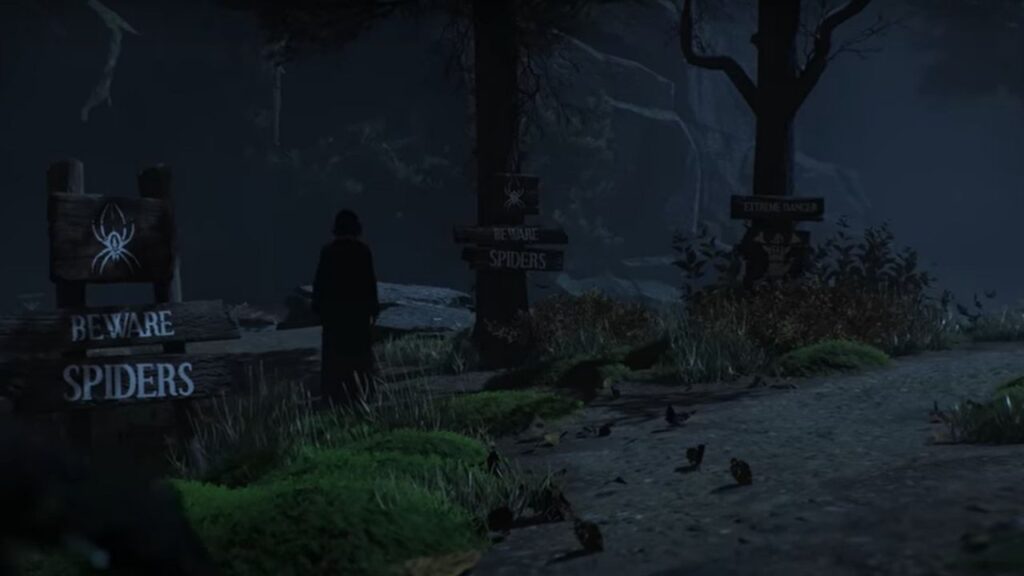
Do you want to know if you can turn off spiders in Hogwarts Legacy? Hogwarts Legacy is an open-world action role-playing video game set in the Harry Potter universe. You can enter Hogwarts and explore it or venture out into the Forest. Spiders are a dangerous enemy found in this area, but not everyone wants to see so many of them. Here’s what you need to know about whether you can turn off spiders in Hogwarts Legacy.

How to Switch on Arachnophobia Mode & Turn Off Spiders in Hogwarts Legacy

(Updated on September 30, 2024 – updated links and format)

turning off spiders in Hogwarts Legacy
Image source: WB

Originally, there was no way to turn off spiders in Hogwarts Legacy, but that has since changed. There is now an Arachnophobia Mode thanks to a recent update. This makes the following changes to the game once activated:

  • Changes all enemy spider appearances
  • Reduces and removes spider skitters and screeches
  • Removes small spider ground effect spawners
  • Makes static spider corpses in the world invisible
  • Collision is still active to prevent players from getting stuck when toggling this setting
  • Note that spider images in the Field Guide remain unchanged

Switching on the mode is simple. All you need to do is start your game, then hit Pause > Settings > Accessibility Options, then locate the Arachnophobia Mode option at the bottom and switch it on.

Related:

How to Use Hogwarts Legacy Name Generator

What Are Spiders in Hogwarts Legacy?

If you are a fan of the Harry Potter series, you know that spiders are one of the creatures found in the Forbidden Forrest. In Hogwarts Legacy, they appear as giant spiders. They can be dangerous and sometimes annoying, even if they do not attack you.

Including spiders in some video games can be a scary experience for gamers suffering from arachnophobia. As such, many game developers have introduced the No Arachnophobia mode to their gameplay. This mode allows players to bypass any spider-based scenarios, creating a more enjoyable gaming experience free of fear and anxiety.

It also allows those with arachnophobia to join the conversation with friends around these games without missing out on any essential elements due to their phobia. No Arachnophobia Mode is an excellent example of how far game development has come for all types of gamers, regardless of whatever phobias or fears they may possess.


Related Topics
Guide Hogwarts Legacy
Share. Facebook Twitter LinkedIn Reddit Email
Nerd Stash Staff, Asanga Wijeratne
  • Website

Nerd Stash Staff, Asanga Wijeratne
  • Website

SUGGESTED READS

COD Modern Warfare 4 Free Open Beta Starts This August, Nintendo Switch 2 Included
Gaming

COD Modern Warfare 4 Free Open Beta Starts This August, Nintendo Switch 2 Included

All Wandering Merchant Locations in Palworld
Gaming

All Wandering Merchant Locations in Palworld

How to find Pure Quartz in Palworld 1.0
Gaming

Where To Find Pure Quartz in Palworld

Sicario Writer's Call of Duty Movie To Adapt 'Modern Warfare' Universe, Confirmed Paramount
Gaming

Sicario Writer’s Call of Duty Movie To Adapt ‘Modern Warfare’ Universe, Confirmed Paramount

Fatal Fury City of the Wolves Rick Strowd Hands-on Impressions
Gaming

Fatal Fury: City of the Wolves Rick Strowd Hands-On Impressions – A Strong Start

Zenless Zone Zero Version 3.1 Anniversary
Gaming

Zenless Zone Zero Celebrates Its 2-Year Milestone With Free S-Rank Agents and a Crossover Announcement

The Nerd Stash
Facebook X (Twitter) Instagram YouTube LinkedIn
  • About Us
  • Join Our Team
  • Meet the Team
  • Privacy Policy
  • DMCA Policy
  • Contact Us
  • Terms of Use
  • Sitemap
  • Editorial Guidelines
  • Advertising Policy
© 2026 The Nerd Stash. All Rights Reserved.

Type above and press Enter to search. Press Esc to cancel.