Close Menu
  • Gaming
    • Game Guides
    • Codes
    • Game News
    • Game Previews
    • Game Reviews
    • Game Features
    • Game Lists
    • Platforms
      • Nintendo
      • PC
      • PlayStation
      • Xbox
      • Mobile
  • Entertainment
    • Movies
    • Movie Features
    • Movie Reviews
    • TV
    • Reality TV
    • Royals
  • Celebrity
    • Hollywood
  • Human Interest
  • Astrology
  • Videos
  • More
    • Anime
    • Lists
    • Podcasts
    • Reviews
Facebook X (Twitter) Instagram LinkedIn YouTube
  • About Us
  • Join Our Team
  • Meet the Team
  • Privacy Policy
  • DMCA Policy
  • Contact Us
  • Terms of Use
  • Sitemap
  • Editorial Guidelines
  • Advertising Policy
The Nerd Stash
  • Gaming
  • Celebrity
    • Hollywood
  • Human Interest
  • Videos
The Nerd Stash
Home»Game Guides»Can You Use a Controller on Delta Force Mobile? Explained

Can You Use a Controller on Delta Force Mobile? Explained

A worthy successor to CODM, but one thing’s still missing

Sidharta F. RasidiBy Sidharta F. RasidiApril 24, 20252 Mins Read
Can You Use a Controller on Delta Force Mobile? Explained
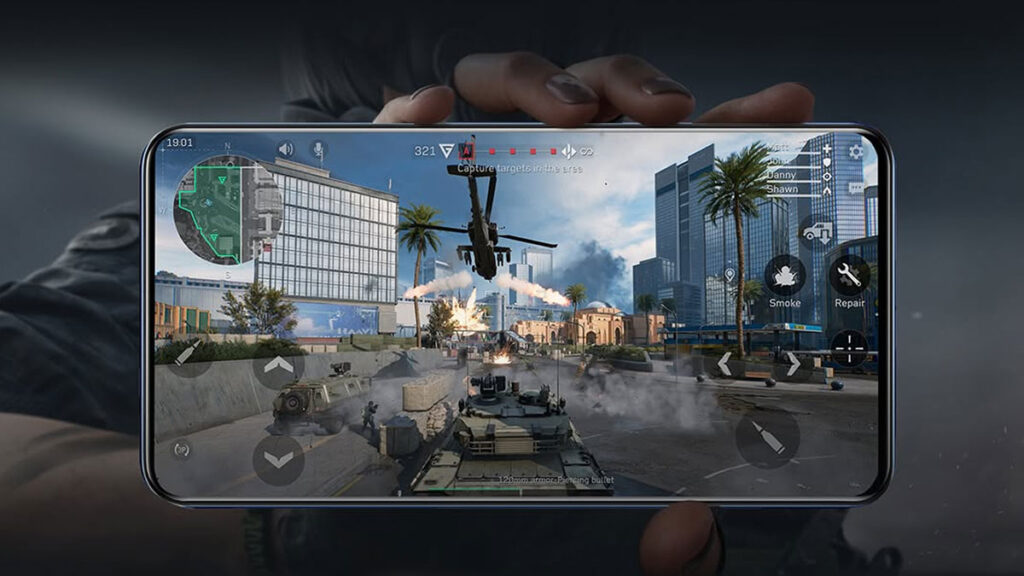
Image source: TiMi Studio, Level Infinite

Skip To...

  • Delta Force Mobile Controller Support, Answered
  • Can We Expect a Controller Update for Delta Force Mobile?

Delta Force has quickly gained attention as a solid alternative to popular mobile shooters like PUBG Mobile and Call of Duty: Mobile. Its fast-paced gameplay, responsive controls, and competitive modes make it a hit among fans of tactical action-shooters. However, as players aim to improve accuracy and comfort, one question keeps popping up. Can you actually play Delta Force Mobile with a Bluetooth controller? We have the answer.

Delta Force Mobile Controller Support, Answered
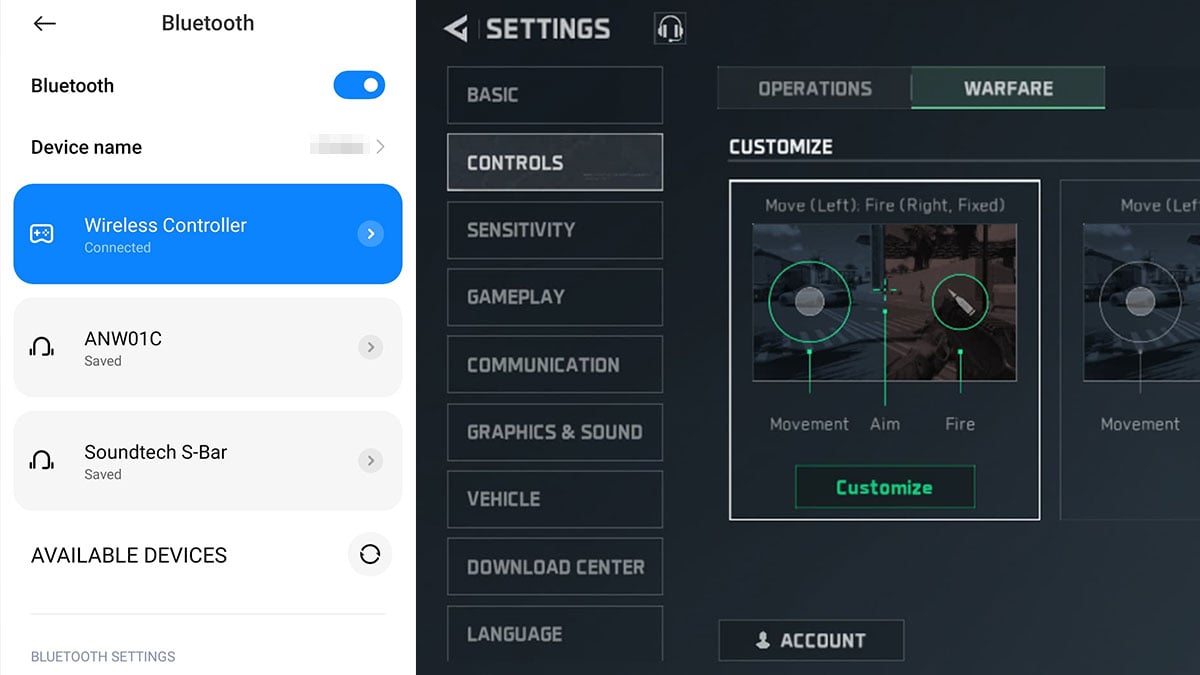
Delta Force Mobile Controller Support, Answered
Image source: TiMi Studio, Level Infinite via The Nerd Stash

Unfortunately, the short answer is no; Delta Force Mobile does not support controllers at this time. If you try to connect a Bluetooth controller — Xbox, DualShock, or third-party — the game won’t register and respond to the input. This applies to both iOS and Android devices, leaving mobile players relying on touchscreen controls.

While many mobile games are designed for tap-and-swipe gameplay, competitive shooters often benefit from physical inputs. Controllers offer greater precision and better aim than flicks and taps, especially in high-stakes PvP matches. It’s no surprise that players are hoping for controller support in Delta Force Mobile. Still, aim assist is available on the mobile app.
How To Use Controller on Warzone Mobile
Related: How To Use Controller on Warzone Mobile

There’s a bit of hope, though. TiMi Studio recently added controller compatibility with robust personalization options to the PC version of Delta Force. It supports Bluetooth, wired, and 2.4G connection gamepads. In terms of input customization, players can tweak almost all buttons and sensitivity to their liking. From stick deadzone, ADS speed, to on-foot and vehicle controls as seen below.

Can We Expect a Controller Update for Delta Force Mobile?
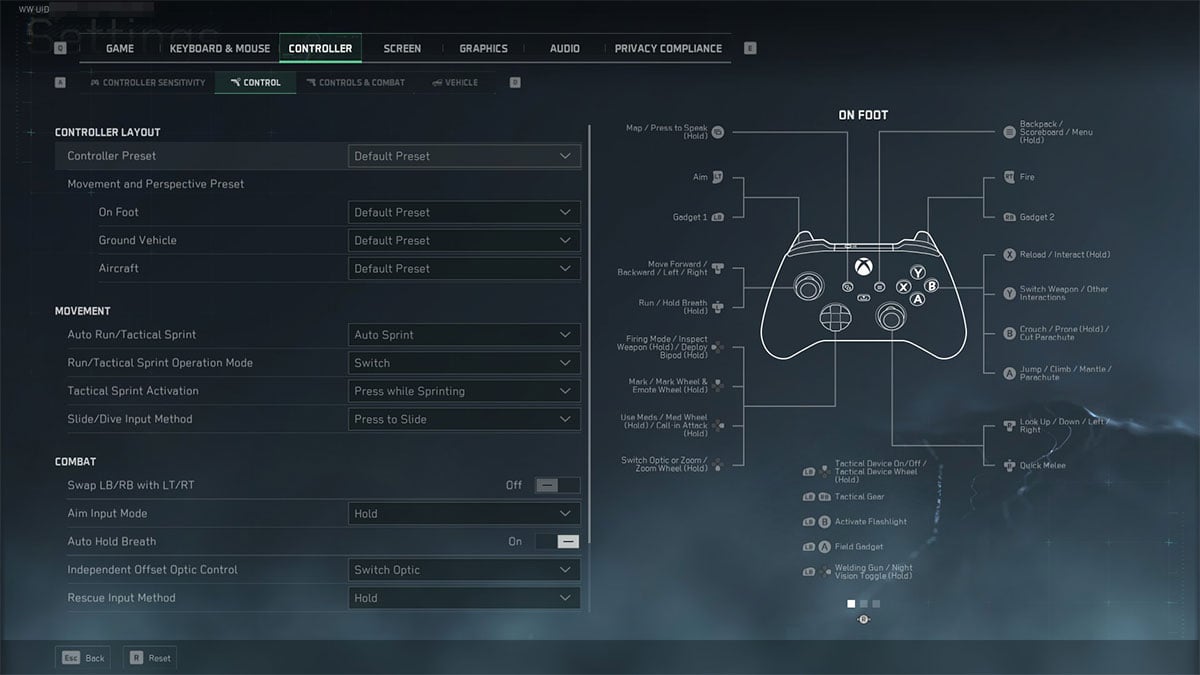
Can We Expect a Controller Update for Delta Force Mobile?
Image source: TiMi Studio, Level Infinite via The Nerd Stash

The fact that controller support made it to Delta Force PC gives fans hope that a mobile update may follow. However, nothing official has been announced by TiMi Studio for iOS or Android platforms.

So, for now, Delta Force Mobile players are limited to touchscreen input. Adaptive triggers and third-party setups might help, but full controller integration remains missing. We’ll be watching closely for any updates and will inform you when the controller support finally drops.


Related Topics
Delta Force Hawk Ops Guide
Share. Facebook Twitter LinkedIn Reddit Email
Sidharta F. Rasidi
  • Website

An ordinary Indonesian who enjoys playing and talking about video games. His favorite games are Monster Hunter: World, Space Invader Extreme 2, THE iDOLM@STER SP, Road Trip Adventure, Halo series, and KOEI Tecmo's Warriors series.

SUGGESTED READS

Destiny 2 Renegades PS5 Review
8.5
Features

Destiny 2: Renegades Review – The Shooter Strikes Back

Clair Obscur: Expedition 33 Loses GOTY, Other Award from Indie Game Awards Over Generative AI: 'Some Weird Performative BS'
Game News

GOTY Stripped Over AI?: Clair Obscur: Expedition 33 Loses Awards at Indie Game Awards, ‘Some Weird Performative BS’

Sony Patents Real-time AI Game Censorship Tech That Could Even Make GTA 6 Kid-Friendly
Game News

Sony Patents Real-Time AI Game Censorship Tech That Could Even Make GTA 6 Kid-Friendly

Zenless Zone Zero Version 2.5 Announcement
Game News

Zenless Zone Zero Version 2.5 Is Ready To Wrap Up the Year With Two New Agents and a Free Outfit

PC Gamers Can't Catch a Break as Nvidia Plans 40% GeForce GPU Production Cuts, Report: 'Who Needs a PC Anyways'
Game News

PC Gamers Can’t Catch a Break as Nvidia Reportedly Plans 40% GeForce GPU Production Cuts: ‘Who Needs a PC Anyways’

Destiny 2 How to Get the Praxic Blade
Game Guides

How to Get the Praxic Blade in Destiny 2: Renegades

Trending
Destiny 2 Renegades PS5 Review
8.5

Destiny 2: Renegades Review – The Shooter Strikes Back

Clair Obscur: Expedition 33 Loses GOTY, Other Award from Indie Game Awards Over Generative AI: 'Some Weird Performative BS'

GOTY Stripped Over AI?: Clair Obscur: Expedition 33 Loses Awards at Indie Game Awards, ‘Some Weird Performative BS’

Sony Patents Real-time AI Game Censorship Tech That Could Even Make GTA 6 Kid-Friendly

Sony Patents Real-Time AI Game Censorship Tech That Could Even Make GTA 6 Kid-Friendly

Zenless Zone Zero Version 2.5 Announcement

Zenless Zone Zero Version 2.5 Is Ready To Wrap Up the Year With Two New Agents and a Free Outfit

The Nerd Stash
Facebook X (Twitter) Instagram YouTube LinkedIn
  • About Us
  • Join Our Team
  • Meet the Team
  • Privacy Policy
  • DMCA Policy
  • Contact Us
  • Terms of Use
  • Sitemap
  • Editorial Guidelines
  • Advertising Policy
© 2025 The Nerd Stash. All Rights Reserved.

Type above and press Enter to search. Press Esc to cancel.