
Close Menu
  • Gaming
    • Game Guides
    • Codes
    • Game News
    • Game Previews
    • Game Reviews
    • Game Features
    • Game Lists
    • Platforms
      • Nintendo
      • PC
      • PlayStation
      • Xbox
      • Mobile
  • Entertainment
    • Movies
    • Movie Features
    • Movie Reviews
    • TV
    • Reality TV
    • Royals
  • Celebrity
    • Hollywood
  • Human Interest
  • Astrology
  • Videos
  • More
    • Anime
    • Lists
    • Podcasts
    • Reviews
Facebook X (Twitter) Instagram LinkedIn YouTube
  • About Us
  • Join Our Team
  • Meet the Team
  • Privacy Policy
  • DMCA Policy
  • Contact Us
  • Terms of Use
  • Sitemap
  • Editorial Guidelines
  • Advertising Policy
The Nerd Stash
  • Gaming
  • Celebrity
    • Hollywood
  • Human Interest
  • Videos
The Nerd Stash
Home»Features»Destiny 2: How to Get the Ukraine Emblem

Destiny 2: How to Get the Ukraine Emblem

To help stop the ongoing conflict happening in Ukraine, Bungie has released a blog post and given Destiny 2 players the option to show their…

Preston FusciBy Preston FusciMarch 14, 20223 Mins Read
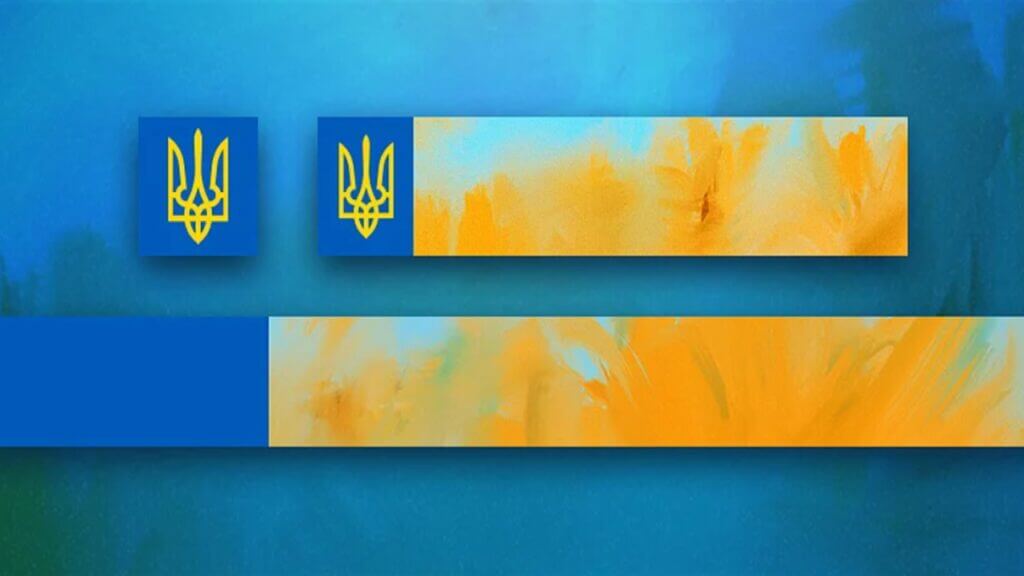
Destiny 2 Ukraine Banner, Ukraine Sunflower Emblem
This article is over 3 years old and may contain outdated information.

To help stop the ongoing conflict happening in Ukraine, Bungie has released a blog post and given Destiny 2 players the option to show their solidarity for people in need through the Destiny 2 Ukraine emblem. Titled the “Cоняшник emblem” gamers can redeem this free Destiny 2 emblem through the store and equip it immediately. The look for the symbol is inspired by Ukraine’s coat of arms and a banner based on Ukraine’s national flower. So for gamers who want to support the courage of the Ukrainian people, here is how to redeem the Ukraine Sunflower Emblem.

How to download the Destiny 2 Ukraine Emblem

Games Like Halo Infinite

To start, sign in to players’ Destiny 2 account and enter the code redemption page on Bungie.net/redeem. Then, enter the code JVGVNTGGG into the box below. After that, click the gold redeem button, and a message should pop up that the emblem has been added to fans’ Flair Collections. Once it’s collected, relaunch the game and go into the Flair tab in Collections. Next, click the “General” button under the flair tab, and the Destiny 2 Ukraine Emblem should be towards the bottom marked with a yellow trident.

Aside from the Ukraine Sunflower emblem, Bungie has made other moves to show the companies support. Just recently, Bungie has ceased trading in Russia and Belarus alongside other partner companies such as Nintendo. This means that players in these regions can still play Destiny 2 if they have already purchased it. However, they can not buy new content or Silver in-game currency. On top of that, Bungie has donated 100% of the proceeds from Game2Give charity to humanitarian efforts in Ukraine, which amassed $120,000.

Bungie also matches employee donations to any U.S.-based 501(c)(3) charitable organization, with a maximum limit set to $800. The company stated that it mainly supports two prominent relief organizations: Direct Relief and International Rescue Committee. Direct Relief gives emergency response packets to Ukraine’s vulnerable communities, and International Rescue Committee helps house Ukrainian refugees.

Bungie ends the post by saying that there is more that both the company and everyone, in general, can do to show support outside of the Destiny 2 Ukraine Emblem. Bungie encourages everyone to keep helping in whatever way they can and even offers three different charitable organizations: Razom, Sunflower for Peace, and the International Committee of the Red Cross. Hopefully, more companies will follow Bungie’s example and give opportunities for both themselves and the people in different ways to help Ukraine.

Destiny 2 is available on PC, Xbox One, Xbox Series X|S, PlayStation 4, and PlayStation 5.

Source: Bungie

Related Topics
Destiny 2 Guide
Share. Facebook Twitter LinkedIn Reddit Email
Preston Fusci
  • Website
  • Instagram

Preston's gaming journey started on the GameBoy Advance with games such as Kirby, Final Fantasy, and Pokemon. He is now a UCLA graduate with a degree in Communications and a Minor in Theater.

SUGGESTED READS

Minecraft Accused of Mocking Lonely Kids, Sparking Mental Health Backlash: 'One of the Ickiest Things I've Seen'
Features

Minecraft Accused of Mocking Lonely Kids, Sparking Mental Health Backlash: ‘One of the Ickiest Things I’ve Seen’

Destiny 2 Renegades PS5 Review
8.5
Features

Destiny 2: Renegades Review – The Shooter Strikes Back

Clair Obscur: Expedition 33 Loses GOTY, Other Award from Indie Game Awards Over Generative AI: 'Some Weird Performative BS'
Game News

GOTY Stripped Over AI?: Clair Obscur: Expedition 33 Loses Awards at Indie Game Awards, ‘Some Weird Performative BS’

The NeverEnding Story Dragon
Features

This ’80s Classic Movie Is Way Darker Than You Remember

Sony Patents Real-time AI Game Censorship Tech That Could Even Make GTA 6 Kid-Friendly
Game News

Sony Patents Real-Time AI Game Censorship Tech That Could Even Make GTA 6 Kid-Friendly

Zenless Zone Zero Version 2.5 Announcement
Game News

Zenless Zone Zero Version 2.5 Is Ready To Wrap Up the Year With Two New Agents and a Free Outfit

Trending
Minecraft Accused of Mocking Lonely Kids, Sparking Mental Health Backlash: 'One of the Ickiest Things I've Seen'

Minecraft Accused of Mocking Lonely Kids, Sparking Mental Health Backlash: ‘One of the Ickiest Things I’ve Seen’

Destiny 2 Renegades PS5 Review
8.5

Destiny 2: Renegades Review – The Shooter Strikes Back

Clair Obscur: Expedition 33 Loses GOTY, Other Award from Indie Game Awards Over Generative AI: 'Some Weird Performative BS'

GOTY Stripped Over AI?: Clair Obscur: Expedition 33 Loses Awards at Indie Game Awards, ‘Some Weird Performative BS’

The NeverEnding Story Dragon

This ’80s Classic Movie Is Way Darker Than You Remember

The Nerd Stash
Facebook X (Twitter) Instagram YouTube LinkedIn
  • About Us
  • Join Our Team
  • Meet the Team
  • Privacy Policy
  • DMCA Policy
  • Contact Us
  • Terms of Use
  • Sitemap
  • Editorial Guidelines
  • Advertising Policy
© 2025 The Nerd Stash. All Rights Reserved.

Type above and press Enter to search. Press Esc to cancel.





