Close Menu
  • Gaming
    • Game Guides
    • Codes
    • Game News
    • Game Previews
    • Game Reviews
    • Game Features
    • Game Lists
    • Platforms
      • Nintendo
      • PC
      • PlayStation
      • Xbox
      • Mobile
  • Entertainment
    • Movies
    • Movie Features
    • Movie Reviews
    • TV
    • Reality TV
    • Royals
  • Celebrity
    • Hollywood
  • Human Interest
  • Astrology
  • Videos
  • More
    • Anime
    • Lists
    • Podcasts
    • Reviews
Facebook X (Twitter) Instagram LinkedIn YouTube
  • About Us
  • Join Our Team
  • Meet the Team
  • Privacy Policy
  • DMCA Policy
  • Contact Us
  • Terms of Use
  • Sitemap
  • Editorial Guidelines
  • Advertising Policy
The Nerd Stash
  • Gaming
  • Celebrity
    • Hollywood
  • Human Interest
  • Videos
The Nerd Stash
Home»Features»Diablo 4: How to Fix Error Code 316703

Diablo 4: How to Fix Error Code 316703

Do you want to know how to fix Diablo 4 Error Code 316703? Diablo 4 is a role-playing action game developed by Blizzard Entertainment. It…

Asanga WijeratneBy Asanga WijeratneMarch 24, 20233 Mins Read
Diablo 4: How to Fix Error Code 316703

Skip To...

  • What is Diablo 4 Error Code 316703?
  • How to Fix Diablo 4 Error Code 316703?
This article is over 2 years old and may contain outdated information.

Do you want to know how to fix Diablo 4 Error Code 316703? Diablo 4 is a role-playing action game developed by Blizzard Entertainment. It is the fifth installment in the Diablo franchise and is available for Microsoft Windows, PlayStation, and Xbox One. Unfortunately, many players have been experiencing error codes while playing Diablo 4. One of the most common is Error Code 316703, which prevents players from playing the co-op mode. This guide will show you how to fix Diablo 4 Error Code 316703.

What is Diablo 4 Error Code 316703?

When playing a game with others, the last thing you want is to get disconnected and not be able to rejoin. But, unfortunately, that’s precisely what the error code 316703 means when it pops up on your screen in cop mode. This error message indicates that one of your party members could not connect to the game server, leaving you unable to play together. It’s frustrating.

Error code 316703 is a reasonably standard error in Diablo 4. Several factors, such as a slow connection, firewall settings, or an outdated game version, can cause it.

Related:

How to get Diablo 4 Limited Collector”s Box and what’s included

How to Fix Diablo 4 Error Code 316703?
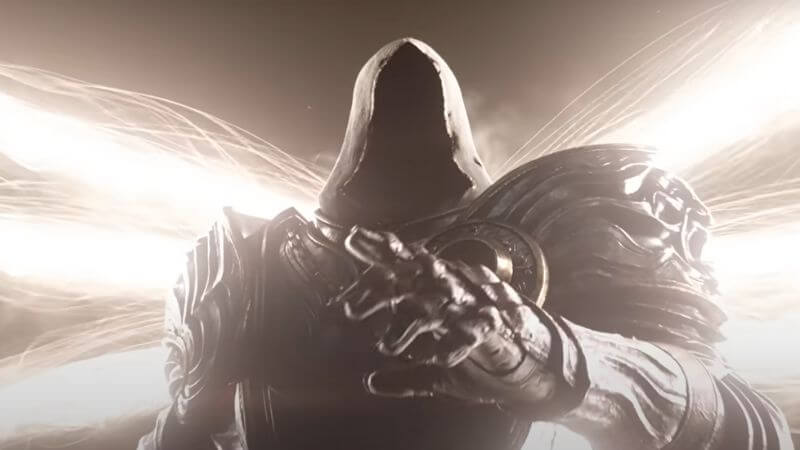
Diablo 4: How to Fix Error Code 316703

Unfortunately, there is no permanent solution for  Diablo 4 Error Code 316703. However, Relogin to the game always fixes this error according to the Reddit thread related to the topic. However, most players had to wait around 30 minutes before rejoining due to long queues in the peak hours.

If the problem persists, there are some other solutions you can try to fix this error.

  1.  Ensure your firewall settings allow Diablo 4 to connect to the game server.
  2. Check your network connection is stable and fast enough to play the game. If not, try switching to a faster connection.
  3.  Ensure that your game is up-to-date and all your files are correctly installed.
  4. Finally, if none of these solutions resolve the issue, you can try uninstalling and reinstalling the game.
  5. If you continue to experience error code 316703 after trying all of these solutions, it is likely a server-related issue. In this case, you should contact Blizzard support for further assistance.

We hope this guide has helped you fix Diablo 4 Error Code 316703. If you have any further questions or feedback, please comment below. Good luck, and happy gaming!

Diablo 4 is available on Windows, PlayStation 4, PlayStation 5, Xbox One, and Xbox Series.
Sources:Diablo, Prima Games

Share. Facebook Twitter LinkedIn Reddit Email
Asanga Wijeratne
  • Website

SUGGESTED READS

PC Gamers Can't Catch a Break as Nvidia Plans 40% GeForce GPU Production Cuts, Report: 'Who Needs a PC Anyways'
Game News

PC Gamers Can’t Catch a Break as Nvidia Reportedly Plans 40% GeForce GPU Production Cuts: ‘Who Needs a PC Anyways’

Jeremy Renner
Features

You Won’t Believe the Shocking Details of This Iconic Hollywood Star’s Near-Fatal Accident

Features

10 Beloved Celebrities Who Left Hollywood Behind

Destiny 2 How to Get the Praxic Blade
Game Guides

How to Get the Praxic Blade in Destiny 2: Renegades

Marathon Arrives March 2026 at $40 Without 'FOMO Passes': 'Concord 3 Release Date Confirmed'
Features

Marathon Arrives March 2026 at $40 Without ‘FOMO Passes’: ‘Concord 3 Release Date Confirmed’

Destiny 2 Renegades Equilibrium Dungeon Loot Table
Game Guides

Destiny 2: Renegades – Equilibrium Dungeon Loot Table Full Armor, Weapons, and Perks

Trending
PC Gamers Can't Catch a Break as Nvidia Plans 40% GeForce GPU Production Cuts, Report: 'Who Needs a PC Anyways'

PC Gamers Can’t Catch a Break as Nvidia Reportedly Plans 40% GeForce GPU Production Cuts: ‘Who Needs a PC Anyways’

Jeremy Renner

You Won’t Believe the Shocking Details of This Iconic Hollywood Star’s Near-Fatal Accident

10 Beloved Celebrities Who Left Hollywood Behind

Destiny 2 How to Get the Praxic Blade

How to Get the Praxic Blade in Destiny 2: Renegades

The Nerd Stash
Facebook X (Twitter) Instagram YouTube LinkedIn
  • About Us
  • Join Our Team
  • Meet the Team
  • Privacy Policy
  • DMCA Policy
  • Contact Us
  • Terms of Use
  • Sitemap
  • Editorial Guidelines
  • Advertising Policy
© 2025 The Nerd Stash. All Rights Reserved.

Type above and press Enter to search. Press Esc to cancel.