
Close Menu
  • Gaming
    • Game Guides
    • Codes
    • Game News
    • Game Previews
    • Game Reviews
    • Game Features
    • Game Lists
    • Platforms
      • Nintendo
      • PC
      • PlayStation
      • Xbox
      • Mobile
  • Entertainment
    • Movies
    • Movie Features
    • Movie Reviews
    • TV
    • Reality TV
    • Royals
  • Celebrity
  • Human Interest
  • Astrology
  • Videos
  • More
    • Anime
    • Lists
    • Podcasts
    • Reviews
Facebook X (Twitter) Instagram LinkedIn YouTube
  • About Us
  • Join Our Team
  • Meet the Team
  • Privacy Policy
  • DMCA Policy
  • Contact Us
  • Terms of Use
  • Sitemap
  • Editorial Guidelines
  • Advertising Policy
The Nerd Stash
  • Gaming
  • Celebrity
  • Human Interest
  • Videos
The Nerd Stash
Home»Game Guides»Does Nightingale have DLSS and Frame Generation? Answered

Does Nightingale have DLSS and Frame Generation? Answered

DLSS is your portal to greater visual heights in Nightingale!

J.R. WaughBy J.R. WaughFebruary 20, 20242 Mins Read
Nightingale DLSS Frame Generation
Image Source: Inflexion Games via The Nerd Stash

Skip To...

  • Where to Find Nightingale DLSS and Frame Generation Settings
  • How to Check if DLSS is Available
  • What is TSR in Nightingale?
This article is over 1 years old and may contain outdated information.

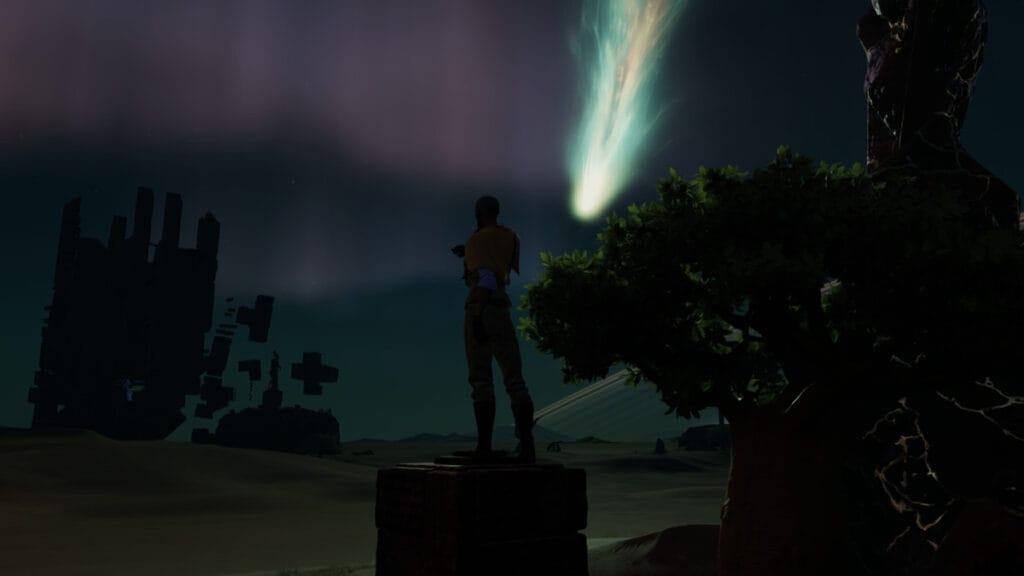
It’s hard to ignore the beauty of Inflexion Games’ Nightingale as it entered early access. Few survival games enter their early stages of release with their level of grace, especially considering how often the genre features more basic graphics. But for players wanting to push Nightingale to greater visual heights, they’ll want to know whether DLSS and Frame Generation are available.

Where to Find Nightingale DLSS and Frame Generation Settings

Nightingale DLSS Frame Generation Settings
Image Source: Inflexion Games via The Nerd Stash

Take the following steps to enable DLSS Frame Generation in Nightingale:

  • Open the main menu (‘Esc’ key or ‘Menu’ button on the gamepad.)
  • Hit the ‘Settings’ menu.
  • Select ‘Video’ from the secondary menu.
  • Scroll past the ‘Graphics’ section to the bottom; Performance Boost’s dropdown has a DLSS option you can select.

Related:

How to Exit Through the First Portal in Nightingale

DLSS is a performance boost that unlocks upscaled images while using less hardware power. Once enabled, you can tailor its intensity for your hardware, along with its rendering sharpness.

How to Check if DLSS is Available

If DLSS isn’t available in the above menu, you must check your driver for updates. This is usually done such as through your GeForce Experience menu, or by checking your GPU’s corresponding website for the latest driver based on your graphics card model.

Nightingale DLSS Frame Generation Performance
Image Source: Inflexion Games via The Nerd Stash

If you aren’t using an NVIDIA graphics card, check for options such as FSR or Intel XESS for a similar process. The results speak for themselves, creating impressive image fidelity without pushing you to upgrade your hardware just yet.

What is TSR in Nightingale?

Temporal Super Resolution, or TSR, is a setting below the Performance Boost menu. Customizing this either for performance or quality results in upscaled rendering of your session in Nightingale, either prioritizing visual fidelity over frame rate, or vice versa.

Powerful enough graphics cards can still benefit from cranking these settings, as you can stabilize the game even when rendering impressive visuals. That being said, for an early access title, it looks pretty nice, so log in with a friend and start hunting!


Related Topics
Guide Nightingale
Share. Facebook Twitter LinkedIn Reddit Email
J.R. Waugh
  • Website
  • X (Twitter)

J.R. has been a passionate gamer and overall nerd for nearly 30 years. His prolific work can be found at The Nerd Stash as well as at Attack of the Fanboy and PC Invasion. When not writing, expect to find him begrudgingly accept another delayed chapter of Berserk and waxing poetic about why Ichiban Kasuga is the best recent protagonist in modern gaming.

SUGGESTED READS

Avatar TLA Fans Are Finally Getting the Open-World Game They've Been Waiting For: 'We Got Avatar's Creed Before GTA 6'
Game News

Avatar TLA Fans Are Finally Getting the Open-World Game They’ve Been Waiting For: ‘We Got Avatar’s Creed Before GTA 6’

Best Augments in Black Ops 7 Zombies
Game Guides

Best Augments You Need To Fully Research In Call of Duty: Black Ops 7 Zombies

All Steps in the Destiny 2 Renegades Campaign
Game Guides

How To Complete the Renegades Campaign in Destiny 2

Octopath Traveler 0 PS5 Review
9
Features

Octopath Traveler 0 Review – A Tale of Revenge and Restoration

Destiny 2 Renegades Eververse Store Items
Game Guides

All Destiny 2: Renegades Eververse Cosmetics

Destiny 2 Renegades All Season Pass Rewards
Game Guides

All Destiny 2: Renegades Season Pass Rewards

Trending
Avatar TLA Fans Are Finally Getting the Open-World Game They've Been Waiting For: 'We Got Avatar's Creed Before GTA 6'

Avatar TLA Fans Are Finally Getting the Open-World Game They’ve Been Waiting For: ‘We Got Avatar’s Creed Before GTA 6’

Best Augments in Black Ops 7 Zombies

Best Augments You Need To Fully Research In Call of Duty: Black Ops 7 Zombies

All Steps in the Destiny 2 Renegades Campaign

How To Complete the Renegades Campaign in Destiny 2

Octopath Traveler 0 PS5 Review
9

Octopath Traveler 0 Review – A Tale of Revenge and Restoration

The Nerd Stash
Facebook X (Twitter) Instagram YouTube LinkedIn
  • About Us
  • Join Our Team
  • Meet the Team
  • Privacy Policy
  • DMCA Policy
  • Contact Us
  • Terms of Use
  • Sitemap
  • Editorial Guidelines
  • Advertising Policy
© 2025 The Nerd Stash. All Rights Reserved.

Type above and press Enter to search. Press Esc to cancel.




