


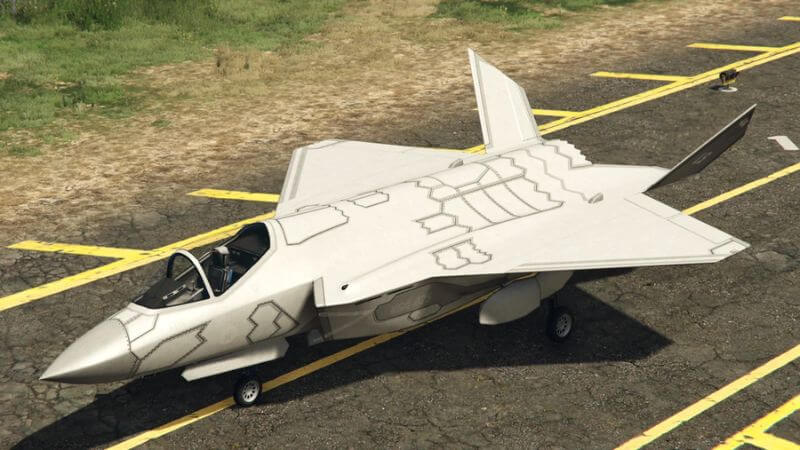
We have a guide on how to complete the On Parade mission in GTA Online. Recently, a new update for GTA Online was released, and all fans were delighted to get more interesting missions and journeys, especially in the sky. You can compete against the Merryweather Security private army, so much fun is guaranteed. And we will tell you about one of the missions of the new DLC. The On Parade mission in GTA 5 is complex and requires a good understanding of some mechanics, such as how to fly using the F-160 Raiju. Follow all the instructions below to understand how to reach the goal.
How to Start GTA Online On Parade Mission
On Parade is the third mission available in the new GTA Online DLC. In it, you will have to learn how to fly and maneuver and test the F-160 weapons systems. As a reward for completing the task, you will unlock the plane’s trade price, saving you $1.7 million. If you have completed the previous two missions and access On Parade, proceed to Fort Zancudo, where you can start the quest by getting in the F-160 Raiju.
GTA Online On Parade Mission Walkthrough
Now let’s take a closer look at how to complete the On Parade mission in GTA Online. When you take off, one of your first tasks will be to fly through Raton Canyon in Blaine County. You will learn that the canyon is filled with Merryweather anti-air devices. Luckily, you can fly undetected and stay alive. All you have to do is turn on the stealth mode that the F-160 Raiju is equipped with and fly as low as possible over the canyon.
When you fly further, the next step is to learn how to maneuver the aircraft. All the necessary keyboard shortcuts to perform tricks can be seen in the upper left corner of the screen. Just follow the instructions in the game to complete the current task and move on to the next one.
The last stage of training will be to test the F-160 weapon system. All you have to do is destroy targets of different colors that will be in the sky. Depending on the target’s color, you will receive a certain number of points from 1 to 10. When you have destroyed enough targets, Charlie will ask you to return to Fort Zancudo. Now you’re done with this part and can move to the final stage of the On Parade mission in GTA Online.
How to Destroy Merryweather Mammoth Avengers
The last step to complete the On Parade mission in GTA Online is to fight two Merryweather Mammoth Avengers. The battle can be long, so we recommend first destroying all the secondary planes and proceeding to the two helicopters.
This tactic will be helpful because helicopters have a lot of health, and it won’t be easy to concentrate on destroying them if other flying objects are in the air. The best method for destroying helicopters is using the F-160’s VTOL mode, which allows you to hover in the air and damage enemies. When you destroy them, the mission will end, and you will receive the long-awaited reward. So, now you know how to complete the On Parade mission in GTA 5.
GTA Online is available on PlayStation 4, PlayStation 5,






