Close Menu
  • Gaming
    • Game Guides
    • Codes
    • Game News
    • Game Previews
    • Game Reviews
    • Game Features
    • Game Lists
    • Platforms
      • Nintendo
      • PC
      • PlayStation
      • Xbox
      • Mobile
  • Entertainment
    • Movies
    • Movie Features
    • Movie Reviews
    • TV
    • Reality TV
    • Royals
  • Celebrity
    • Hollywood
  • Human Interest
  • Astrology
  • Videos
  • More
    • Anime
    • Lists
    • Podcasts
    • Reviews
Facebook X (Twitter) Instagram LinkedIn YouTube
  • About Us
  • Join Our Team
  • Meet the Team
  • Privacy Policy
  • DMCA Policy
  • Contact Us
  • Terms of Use
  • Sitemap
  • Editorial Guidelines
  • Advertising Policy
The Nerd Stash
  • Gaming
  • Celebrity
    • Hollywood
  • Human Interest
  • Videos
The Nerd Stash
Home»Game Guides»How Big Is Pikmin 4? File Size Explained

How Big Is Pikmin 4? File Size Explained

What kind of file size should fans expect for Pikmin 4? Games come in all types of data and space, with the data often collected as…

Misael DuranBy Misael DuranJuly 6, 20233 Mins Read
Pikmin 4 from Nintendo
Image Source: Nintendo

Skip To...

  • Pikmin 4 File Size – How Much Space Will It Take?
  • How to Free Up Space On Your Switch For the Pikmin 4 File Size?
This article is over 2 years old and may contain outdated information.

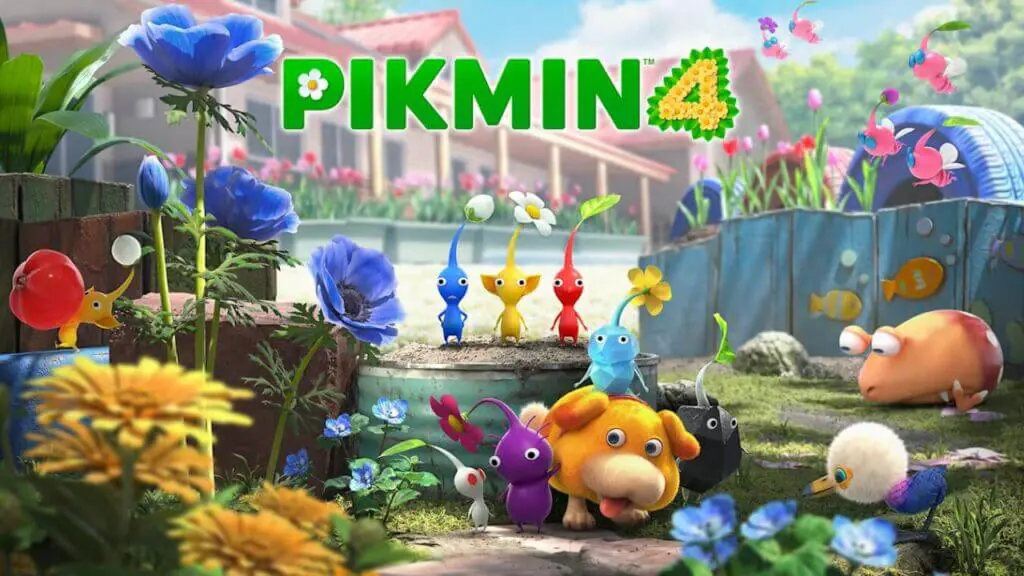
What kind of file size should fans expect for Pikmin 4? Games come in all types of data and space, with the data often collected as file sizes. The file sizes determine how much space you need on your hardware to play the game. Every console and platform has limited storage space, so it’s best to learn the game’s file size before downloading the title onto your platform of choice. The Switch has less space than most other platforms, but fortunately, Nintendo games tend to have small files. Pikmin 4’s file size will not eat up much space on your Nintendo Switch.

Pikmin 4 File Size – How Much Space Will It Take?
How Big is Pikmin 4? File Size Explained
Image Source: Nintendo

The official Pikmin 4 eShop homepage confirms the game’s file size will be 10.4 GB. For comparison, Pikmin 3 Deluxe is only 6.5 GB, meaning Pikmin 4 will be a more sizable game. Pikmin 4 can be pre-ordered on the Nintendo eShop right now.

The normal Nintendo Switch only has around 32 GB of open space. Pikmin 4 would take up around a third of the available on a Switch. Players can expand storage space by using microSDHC or microSDXC cards. The Nintendo Switch OLED has double the storage, with around 64 GB of storage space.

You can only download the game if you have the space for it on your Switch. Even if you have a physical copy of Pikmin 4, you would still need extra storage space to download the game on your console. You need to delete other game files on your Switch to make room.

How to Free Up Space On Your Switch For the Pikmin 4 File Size?

Castaways seem to be a central mechanic of the new Pikmin game on the Nintendo Switch.
Image Source: Nintendo

You can find your other files on the Data Management option within the settings in the Main Menu. When your Switch doesn’t have the space to download a title, the console automatically requests you to free up space and leads you to the Data Management screen.

Deleting game files will not delete your saved files for a game; it will just remove the game files on your console. You can redownload games on your Switch after deleting them at any time, but again, you will need free space to have room to download games.

For those unfamiliar with the series, the tiny astronaut known as Captain Olimar returns for Pikmin 4. Olimar has gone missing, and it is up to the Rescue Corps to locate him after he crashed on another mysterious planet. Fans create a player avatar who has to find Olimar and the rest of the Rescue Corps by using Pikmin. The only pre-order bonuses for the game are the exclusive Pikmin water bottle at Walmart and a tote bag at Best Buy.

Related:

New Pikmin 4 Trailer Tees Up An Epic Story & Tease New Customization

Pikmin 4 will release exclusively for the Nintendo Switch. The game will launch on July 21.

Related Topics
Guide Pikmin 4
Share. Facebook Twitter LinkedIn Reddit Email
Misael Duran
  • Website
  • Instagram

With over seven years of experience, I've worked on some of the biggest websites on the internet, including IGN, Comic Book Resource, and TheGamer.

SUGGESTED READS

Hytale Reddit Moderator Clarifies 2.8 Million Player Count: 'How the Table Turns…'
Game News

Hytale Reddit Moderator Clarifies the Mindboggling 2.8 Million Player Count Situation: ‘How the Table Turns…’

Hytale Reaches 2.8 Million Active Players on Release Day, Says Developer: 'Eat Your Heart Out'
Game News

Hytale Reaches 2.8 Million Active Players on Release Day, Says Developer: ‘Eat Your Heart Out’

All Hytale Creative Mode and Server Console Commands
Game Guides

All Hytale Creative Mode and Server Console Commands

Hytale Email Not Sending error
Game Guides

How To Fix the ‘Email Not Sending’ Error in Hytale

Hytale How To Install Mods
Game Guides

How To Install Mods in Hytale

Is Hytale Free to Play? Editions and Available Platforms, Explained
Game Guides

Is Hytale Free to Play? Editions and Available Platforms, Explained

Trending
Hytale Reddit Moderator Clarifies 2.8 Million Player Count: 'How the Table Turns…'

Hytale Reddit Moderator Clarifies the Mindboggling 2.8 Million Player Count Situation: ‘How the Table Turns…’

Hytale Reaches 2.8 Million Active Players on Release Day, Says Developer: 'Eat Your Heart Out'

Hytale Reaches 2.8 Million Active Players on Release Day, Says Developer: ‘Eat Your Heart Out’

All Hytale Creative Mode and Server Console Commands

All Hytale Creative Mode and Server Console Commands

Hytale Email Not Sending error

How To Fix the ‘Email Not Sending’ Error in Hytale

The Nerd Stash
Facebook X (Twitter) Instagram YouTube LinkedIn
  • About Us
  • Join Our Team
  • Meet the Team
  • Privacy Policy
  • DMCA Policy
  • Contact Us
  • Terms of Use
  • Sitemap
  • Editorial Guidelines
  • Advertising Policy
© 2026 The Nerd Stash. All Rights Reserved.

Type above and press Enter to search. Press Esc to cancel.