

Close Menu
  • Gaming
    • Game Guides
    • Codes
    • Game News
    • Game Previews
    • Game Reviews
    • Game Features
    • Game Lists
    • Platforms
      • Nintendo
      • PC
      • PlayStation
      • Xbox
      • Mobile
  • Entertainment
    • Movies
    • Movie Features
    • Movie Reviews
    • TV
    • Reality TV
    • Royals
  • Celebrity
    • Hollywood
  • Human Interest
  • Astrology
  • Videos
  • More
    • Anime
    • Lists
    • Podcasts
    • Reviews
Facebook X (Twitter) Instagram LinkedIn YouTube
  • About Us
  • Join Our Team
  • Meet the Team
  • Privacy Policy
  • DMCA Policy
  • Contact Us
  • Terms of Use
  • Sitemap
  • Editorial Guidelines
  • Advertising Policy
The Nerd Stash
  • Gaming
  • Celebrity
    • Hollywood
  • Human Interest
  • Videos
The Nerd Stash
Home»Game Guides»How Does Multiplayer Work on Hytale?

How Does Multiplayer Work on Hytale?

Into a new world

Julio La PineBy Julio La PineJanuary 13, 20263 Mins Read
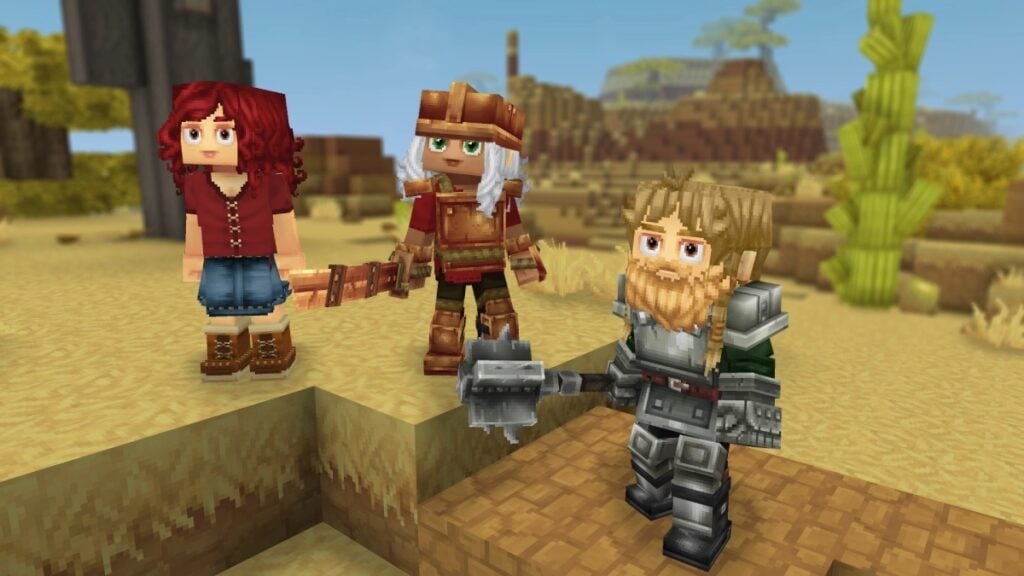
Hytale Multiplayer Explained
Image Source: Hypixel Studios

Skip To...

  • Multiplayer Mode in Hytale, Explained
  • How To Enable Multiplayer in Hytale

The sandbox sensation of 2026 has finally arrived, and we’re talking about Hytale. This game has a nail-biting development cycle, and while many thought it would never happen, well, they were all proven wrong. Since many gamers are jumping into this voxel adventure, some might want to bring friends along for the ride so they can battle, explore, craft, or build a home together. Here we’ll tell you how multiplayer works in Hytale, so you can start planning ahead with your community or your close friends.

Multiplayer Mode in Hytale, Explained

For starters, let’s break down the game modes coming to Hytale during early access and which ones feature multiplayer components.

When you open your launcher and log in, you’ll notice that you’ll have Exploration and Creative modes. Both of these game modes support multiplayer. You can create your world and invite your friends to join you. Think of them like a client-based server that you’re hosting when you’re online, pretty much like how it works in other games of this genre.

Then, you’ll have Hytale servers, which you can already find out there, and most of them offer different experiences. To join these servers, you’ll need the IP and whatever requirements the server asks for, such as mods and whatnot.

How To Enable Multiplayer in Hytale
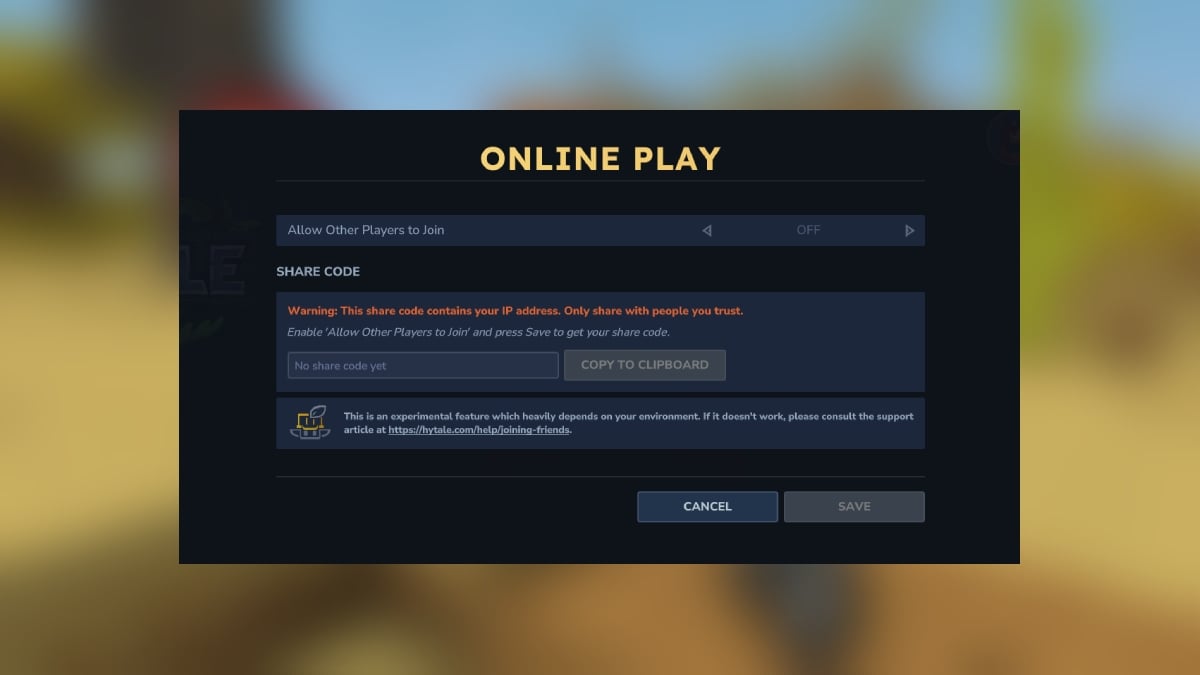
Hytale Enable Online Mode
Image Source: Hypixel Studios via The Nerd Stash

To enable multiplayer on your Hytale world, regardless of the game mode you’re playing, you must press “ESC” and then go to Online Play. Here, you’ll get a few options, with the first being “Allow Other Players To Join.” You’ll want to change this one to Yes, and then configure everything properly.

You can set up a password for your world, and even have Share Code include that password to facilitate things. One thing to keep in mind, however, and the game also warns you about it, is that your share code will include your IP, so be careful with whom you share it.
StarRupture Early Access Impressions – The Most Cohesive Base-Builder
Related: StarRupture Early Access Impressions – The Most Cohesive Base-Builder

If you want to join a public server, you need to go to the game’s main menu, head to the Servers tab, and either click on Direct Connect to add the server’s IP or join via code. Once you input the right information, you’ll be able to see the server on your list, and you’ll be able to jump into it with other players, assuming the server is online, of course.

Since Hytale is launching on early access, we will update this guide once more multiplayer functions become available. For now, you’re free to either invite your friends, join their world, or adventure together with dozens of other players in a server. The choice is yours.


Related Topics
Guide Hytale
Share. Facebook Twitter LinkedIn Reddit Email
Julio La Pine
  • Website

Been gaming since '99! I am a huge JRPG fan and my favorite franchise is Final Fantasy. I love writing about games and I hope I can do it for the rest of my days!

SUGGESTED READS

Stellar Blade Studio CEO Says AI Is Necessary to Compete With China's Ever-Growing Gaming Industry: 'One Person Can Do the Work of 100'
Features

Stellar Blade Studio CEO Says AI Is Necessary to Compete With China’s Ever-Growing Gaming Industry: ‘One Person Should Do the Work of 100’

The Expanse Osiris Reborn Romance
Game News

The Expanse: Osiris Reborn Is Not Forgetting Its Sci-Fi Drama Roots With Romance and Tough Choices

Avowed, Grounded 2, and Towerborne Updates
Game News

Xbox Kicks Off 2026 By Announcing Huge Updates to 3 Of Its Games

The Blood of the Dawnwalker New Game Plus Show
Game News

The Blood of Dawnwalker Unveils More Gameplay and Lore Details

Warner Bros. Games Lays Off Team Behind Free-to-Play Projects Amid Netflix Acquisition
Game News

Warner Bros Games Lays Off Team Behind Free-to-Play Projects Amid Netflix Acquisition

Persona 4 Revival Announcements
Game News

Persona Producer Just Confirmed Persona 4 Revival Is Progressing Steadily, and Teased New Announcements for The Series’ 30th Anniversary

Trending
Stellar Blade Studio CEO Says AI Is Necessary to Compete With China's Ever-Growing Gaming Industry: 'One Person Can Do the Work of 100'

Stellar Blade Studio CEO Says AI Is Necessary to Compete With China’s Ever-Growing Gaming Industry: ‘One Person Should Do the Work of 100’

The Expanse Osiris Reborn Romance

The Expanse: Osiris Reborn Is Not Forgetting Its Sci-Fi Drama Roots With Romance and Tough Choices

Avowed, Grounded 2, and Towerborne Updates

Xbox Kicks Off 2026 By Announcing Huge Updates to 3 Of Its Games

The Blood of the Dawnwalker New Game Plus Show

The Blood of Dawnwalker Unveils More Gameplay and Lore Details

The Nerd Stash
Facebook X (Twitter) Instagram YouTube LinkedIn
  • About Us
  • Join Our Team
  • Meet the Team
  • Privacy Policy
  • DMCA Policy
  • Contact Us
  • Terms of Use
  • Sitemap
  • Editorial Guidelines
  • Advertising Policy
© 2026 The Nerd Stash. All Rights Reserved.

Type above and press Enter to search. Press Esc to cancel.



