Close Menu
  • Gaming
    • Platforms
      • Nintendo
      • PC
      • PlayStation
      • Xbox
  • Entertainment
    • Movies
    • TV
    • Royals
  • Celebrity
    • Hollywood
  • Human Interest
  • Astrology
  • More
    • Reviews
Facebook X (Twitter) Instagram LinkedIn YouTube
  • About Us
  • Join Our Team
  • Meet the Team
  • Privacy Policy
  • DMCA Policy
  • Contact Us
  • Terms of Use
  • Sitemap
  • Editorial Guidelines
  • Advertising Policy
The Nerd Stash
  • Gaming
  • Celebrity
  • Hollywood
  • Human Interest
The Nerd Stash
Home»Gaming»How Does Strength Level Work in Sons of the Forest, Explained

How Does Strength Level Work in Sons of the Forest, Explained

Apparently, just being “strong” won’t be enough to survive the island.

Sidharta F. RasidiBy Sidharta F. RasidiFebruary 25, 20243 Mins Read
How Does Strength Level Work in Sons of the Forest, Explained
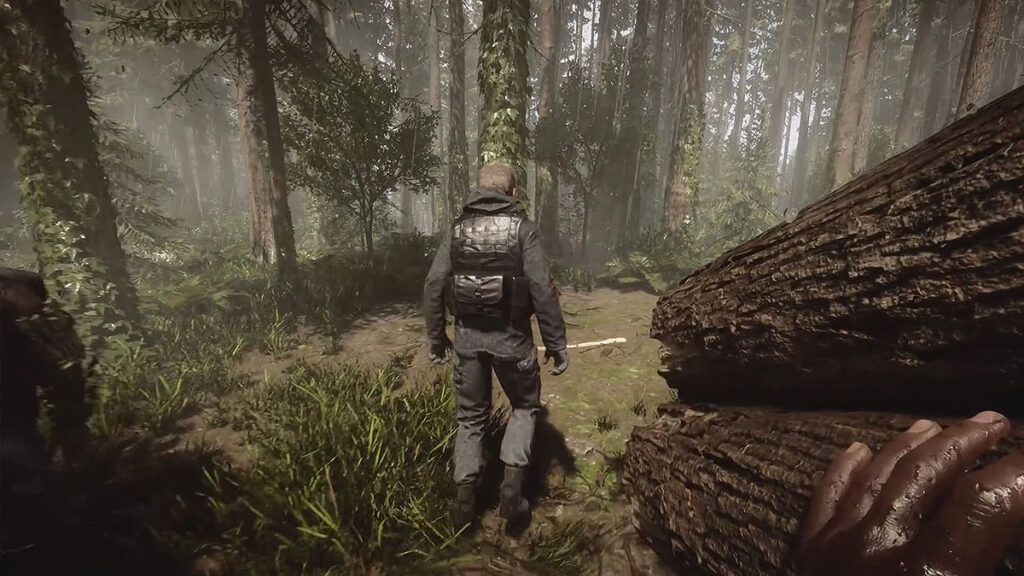
Image source: Endnight Games
This article is over 2 years old and may contain outdated information.

To survive long on the island, you need to always keep an eye on your stats. Aside from Health, Armor, and Stamina bars, the Strength, Fullness, Hydration, and Energy are also shown on your HUD. The latter three stats are pretty explanatory; you just need to eat, drink, and sleep to manage them. But how can you raise the Strength level in Sons of the Forest, and what does the stat do?

Strength Stat Explanation

Strength Stat Explanation in Sons of the Forest
Image source: Endnight Games via Ramir Dalgamor screenshot

In Sons of the Forest, the Strength level only dictates how much Health you have. It does not reset after sleeping and won’t affect your stamina or vitality, melee damage, speed, or carrying capacity. The number of enemies you encounter is also only affected by how long you have survived. You start the game at Strength Level 1 and can increase it to up to Level 50 by performing specific actions.

You can check your Sons of the Forest character’s Strength by looking at the flexing arm icon on the right side of your screen. The stat’s progress is stated through the red bar surrounding the icon. The Strength level number is shown on top of the flexing arm icon, as seen in the image above.

Related:

Top 10 Best Weapons in Sons of the Forest, Ranked
Strength LevelHealth Bar
Level 1 / Default4 Health Bars
Level 155 Health Bars
Level 306 Health Bars
Level 407 Health Bars
Level 50 / Maximum8 Health Bars

Even so, as you have noticed, enemies hit hard in this game. With additional health bars, you can only tank two or three more hits than usual at best. Because of that, Strength level grinding should not be your priority in Sons of the Forest. Instead, getting the best armor and weapon is the best way to support you in combat.

Related:

All Armor in Sons of the Forest, Ranked

How to Increase Strength Level in Sons of the Forest

How to Increase Strength
Image source: Endnight Games via Royal Gaming screenshot

As mentioned before, not all actions in Sons of the Forest can increase your Strength level. Only two of them can give Strength XP, to be precise:

  • Swinging weapons and tools.
    • This includes using Chainsaw’s secondary swing attack.
    • Charged attacks do not give extra Strength XP.
    • For some reason, chopping the tips of Log Walls does not increase your Strength as well.
  • Picking up a Log from the ground.
    • Carrying around and dropping Logs will not increase your Strength’s XP.

Related:

10 Best Items To Get First in Sons of the Forest

It’s not known how much Strength XP swinging weapons and picking up Logs actually give. Nevertheless, it seems Log picking yields faster results than swinging a weapon. You need to swing a Knife 100 times to raise your Strength from Level 1 to 2. Meanwhile, you only need to pick Logs 50 times to get to Level 2.

But do keep in mind that the actions needed between levels will be increased exponentially. For example, it takes 360 weapon swings from Level 6 to 7. Thankfully, there is no diminishing return on actions, letting you grind the same action over and over.

Related:

Difficulty Levels in Sons of the Forest, Explained

Sons of The Forest is available on PC via Steam.
Related Topics
Guide Sons of The Forest
Share. Facebook Twitter LinkedIn Reddit Email
Sidharta F. Rasidi
  • Website

Since middle school, Sidharta has used his video game blog as a handy excuse to avoid studying. After graduating with a degree in Management Information Systems from Bina Nusantara University, he spent years honing his skills as a games journalist, working as an editor for a local gaming site and freelancing elsewhere. Nowadays, when he’s not busy crafting outrageous plots for his serialized comic, Sidharta covers niche games on his personal blog, StoPlayinGame.com. His favorite game series includes Monster Hunter, Earth Defense Force, THE iDOLM@STER, Road Trip Adventure, and KOEI Tecmo's Warriors.

SUGGESTED READS

Zenless Zone Zero Version 3.1 Anniversary
Gaming

Zenless Zone Zero Celebrates Its 2-Year Milestone With Free S-Rank Agents and a Crossover Announcement

All Black Marketeer Locations in Palworld
Gaming

All Black Marketeer Locations in Palworld

Gaming

A New Wolverine Trailer Playing in Front of the Odyssey is Getting Obliterated by PlayStation Fans: ‘Can’t wait for my PHYSICAL COPY’

Pal Awakening Guide - Palworld
Gaming

Complete Palworld Pal Awakening Guide

How to get Radiant Gems In Palworld 1.0
Gaming

How to get Radiant Gems In Palworld 1.0

gamescom dev 2026 Adds Subnautica 2 Creative Director as Keynote Speaker, Reveals New Awards
Gaming

gamescom dev 2026 Adds Subnautica 2 Creative Director as Keynote Speaker, Reveals New Awards

The Nerd Stash
Facebook X (Twitter) Instagram YouTube LinkedIn
  • About Us
  • Join Our Team
  • Meet the Team
  • Privacy Policy
  • DMCA Policy
  • Contact Us
  • Terms of Use
  • Sitemap
  • Editorial Guidelines
  • Advertising Policy
© 2026 The Nerd Stash. All Rights Reserved.

Type above and press Enter to search. Press Esc to cancel.