Close Menu
  • Gaming
    • Game Guides
    • Codes
    • Game News
    • Game Previews
    • Game Reviews
    • Game Features
    • Game Lists
    • Platforms
      • Nintendo
      • PC
      • PlayStation
      • Xbox
      • Mobile
  • Entertainment
    • Movies
    • Movie Features
    • TV
    • Reality TV
    • Royals
  • Celebrity
    • Hollywood
  • Human Interest
  • Astrology
  • More
    • Anime
    • Lists
    • Podcasts
    • Reviews
Facebook X (Twitter) Instagram LinkedIn YouTube
  • About Us
  • Join Our Team
  • Meet the Team
  • Privacy Policy
  • DMCA Policy
  • Contact Us
  • Terms of Use
  • Sitemap
  • Editorial Guidelines
  • Advertising Policy
The Nerd Stash
  • Gaming
  • Celebrity
  • Hollywood
  • Human Interest
The Nerd Stash
Home»Game Guides»How To Change Appearance in Pikmin 4

How To Change Appearance in Pikmin 4

Give your Pikmin Leader a new style!

Alina NovichenkoBy Alina NovichenkoJuly 22, 20232 Mins Read
How To Change Appearance in Pikmin 4
Image Source: Nintendo via MonkeyKingHero Screenshot
This article is over 2 years old and may contain outdated information.

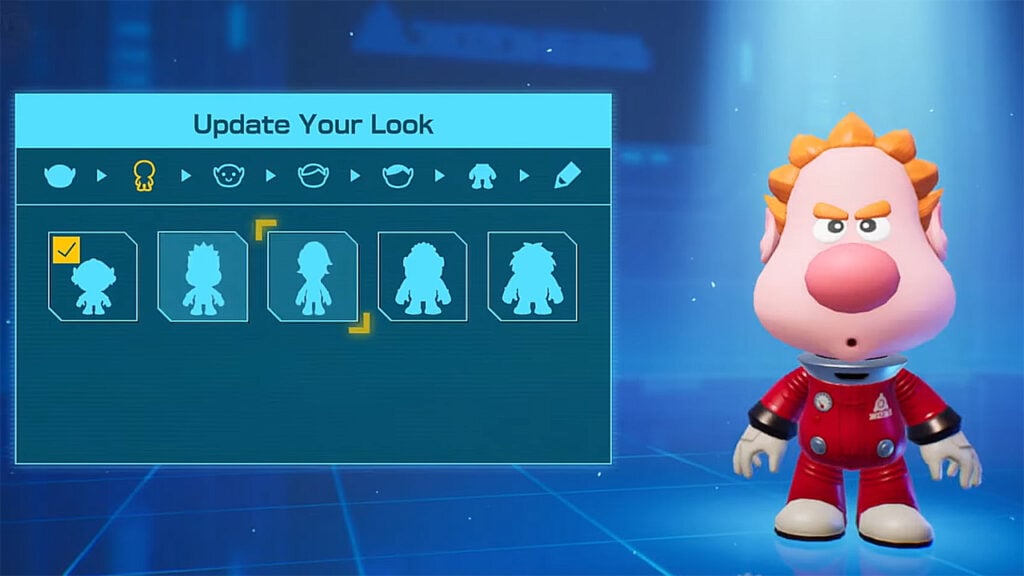
Want to know how to change your appearance in Pikmin 4? At the beginning of the game, you can create a unique character with a handy character creator. However, after exploring a few areas, you may want to change your appearance or perhaps the color of your outfit. Fortunately, there is an NPC, who will help you with this. But like other useful NPCs, you will have to save them first before they will change your character’s appearance. Moreover, you can unlock a new look for completing the side quest. So, read on to learn how to unlock Leafling Look in Pikmin 4.

How To Change Your Appearance in Pikmin 4
Puddle in Pikmin 4
Image Source: Nintendo via MonkeyKingHero Screenshot

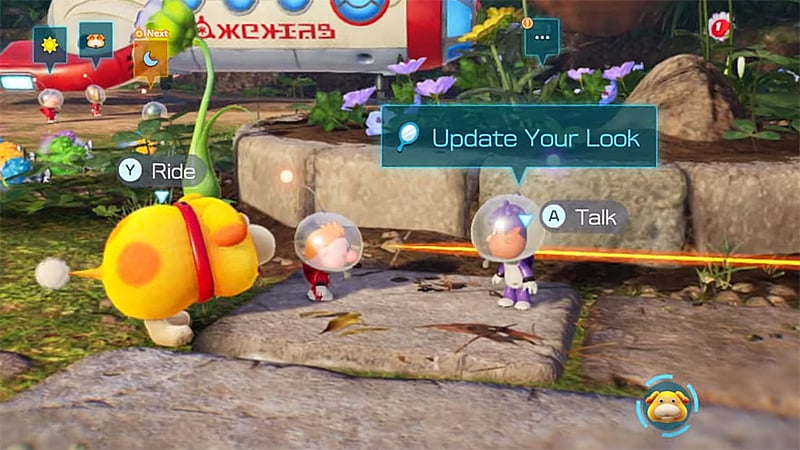
As we said, you need to find the right NPC before you can start customizing your character. Luckily, one of the civilians on this planet, Puddle, is an excellent stylist. 

To unlock Puddle in Pikmin 4, you have to explore the caves and rescue all the NPCs you can find. You will unlock all NPCs in a particular order, no matter which caves you explore. Therefore, you have to save 9 NPCs for Puddle to appear in the base camp.

After that, you just need to approach Puddle and interact with him. Select the “Update My Look” option to open the character designer. Then choose from the available options and create the character you like best. In the end, press the Confirm button to save the appearance changes in Pikmin 4.

How To Unlock Leafling Look in Pikmin 4
How To Unlock Leafling Look in Pikmin 4
Image Source: Nintendo via MonkeyKingHero Screenshot

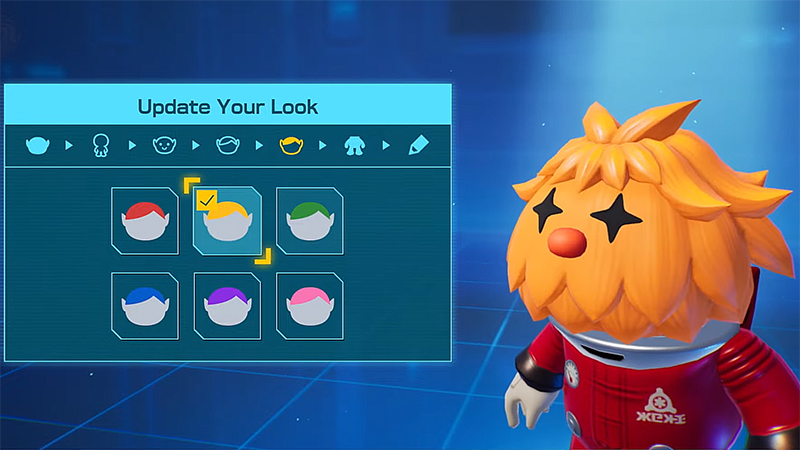
You can start a side quest called Leafling Meet and Greet by interacting with Puddle. It is not required for progression but will reward you with the Leafling Look. Fortunately, this quest is not very difficult. You only need to rescue 10 Leaflings to receive your reward.

Related:

Pikmin 4: How to Rescue the Recruit in Hectic Hollow

After completing the quest, you need to return to Puddle at the base camp. Talk to him and open the character constructor. There will be a brand new Leafling Look that you can customize. You can’t change your hairstyle, but you can change the color of your skin, or rather the leaves, as you like. It is also worth noting that Leafling Look does not provide any bonuses. Instead, it simply looks very cute.


Related Topics
Guide Pikmin 4
Share. Facebook Twitter LinkedIn Reddit Email
Alina Novichenko
  • Website

Alina is a professional freelance game guides writer, with 2 years experience in this industry. She joined TheNerdStash in 2022 and is glad to be part of a friendly team of writers.

SUGGESTED READS

LEGO Batman Legacy of the Dark Knight Batcave
Game News

LEGO Batman: Legacy of the Dark Knight Could Oddly Be the Most Faithful Love Letter to the Caped Crusader

New York City Recording Artist Lana Del Rey Announced as Singer for 007 First Light Title Song
Gaming

New York City Recording Artist Lana Del Rey Announced as Singer for 007 First Light Title Song

Marvel Rivals Season 7.5 Preview
Game Previews

Marvel Rivals Season 7.5 Hands-On Preview – The Good, the Bad, and the Ugly

Leaked GTA Online Sales Suggest It Recoups GTA 6's $1B Budget in Just 2 Years, Skyrockets Take-Two Stock
Game News

Leaked GTA Online Sales Suggest It Recoups GTA 6’s $1B Budget in Just 2 Years, Skyrockets Take-Two Stock

Pragmata Solar Power Plant Mini Cabin Figures Locations
Game Guides

All Solar Power Plant Mini Cabin Locations in Pragmata

Pragmata Mass Production Array Mini Cabin Figures
Game Guides

All Mass Production Array Mini Cabin Figure Locations in Pragmata

The Nerd Stash
Facebook X (Twitter) Instagram YouTube LinkedIn
  • About Us
  • Join Our Team
  • Meet the Team
  • Privacy Policy
  • DMCA Policy
  • Contact Us
  • Terms of Use
  • Sitemap
  • Editorial Guidelines
  • Advertising Policy
© 2026 The Nerd Stash. All Rights Reserved.

Type above and press Enter to search. Press Esc to cancel.