Close Menu
  • Gaming
    • Platforms
      • Nintendo
      • PC
      • PlayStation
      • Xbox
  • Entertainment
    • Movies
    • TV
    • Royals
  • Celebrity
    • Hollywood
  • Human Interest
  • Astrology
  • More
    • Reviews
Facebook X (Twitter) Instagram LinkedIn YouTube
  • About Us
  • Join Our Team
  • Meet the Team
  • Privacy Policy
  • DMCA Policy
  • Contact Us
  • Terms of Use
  • Sitemap
  • Editorial Guidelines
  • Advertising Policy
The Nerd Stash
  • Gaming
  • Celebrity
  • Hollywood
  • Human Interest
The Nerd Stash
Home»Gaming»How to Change Difficulty in Baldur’s Gate 3

How to Change Difficulty in Baldur’s Gate 3

Do you want it the easy way or the hard way? The choice is yours

Tristan ZeldenBy Tristan ZeldenAugust 3, 20232 Mins Read
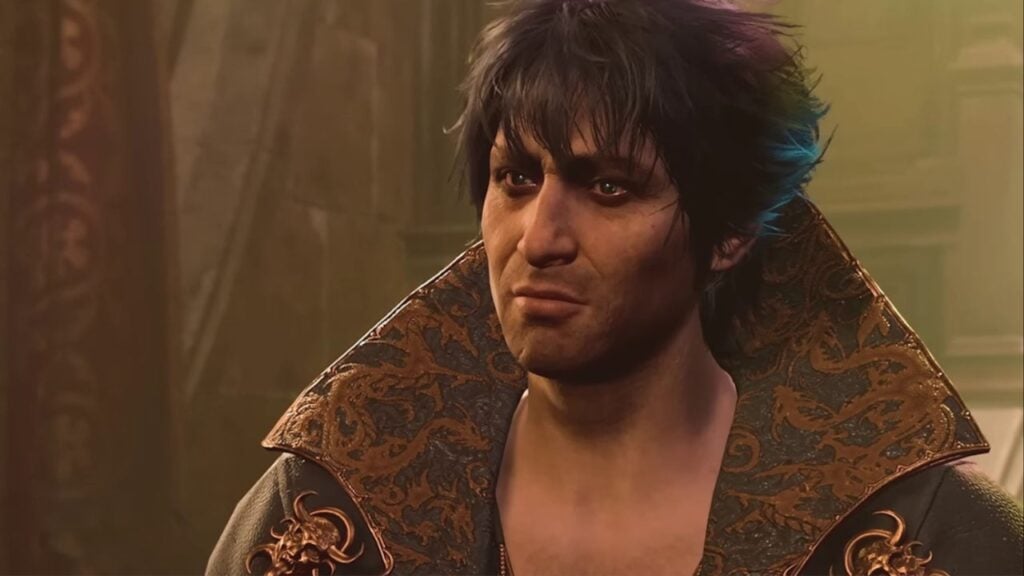
Baldur's Gate 3 change difficulty
Image Source: Larian Studios
This article is over 2 years old and may contain outdated information.

Larian Studios know how to make a great and difficult RPG. Just like a campaign from a DM in Dungeons & Dragons, Baldur’s Gate 3 can be easy or challenging depending on the difficulty setting, which you may want to change. Combat difficulty can ramp up on you, which can be surprising early on for people who never played Divinity: Original Sin or its sequel.  If you are finding it too easy or too hard, we will guide you to switch to a different experience that better suits your needs.

Difficulty options were not available in Early Access, but on August 3 for PC players and September 6 for PS5 players, you will be able to change the difficulty in Baldur’s Gate 3. Once you start the game, you will naturally be led to select your difficulty. If you want to change it later, pause and select “Difficulty.” From there, make your selection and continue playing.

No matter what difficulty setting you choose, you should know what the options are. As we said, Baldur’s Gate 3 can be quite challenging, so the right difficulty setting can make greatly boost your enjoyment. Below we have a simple explanation of the three options:

Balanced mode

Balanced mode is the default option, essentially making it normal if you want to put it in classic video game terms. It will blend challenging encounters and easier moments so you do not feel overwhelmed and can enjoy the story. It will still deliver the intended vision of the combat, which is meant to be puzzle-like as you strategize through each encounter.

Explorer mode

Explorer mode allows people to embrace the narrative without worrying too much about combat. Selecting this will not only make enemies easier, but buying items from merchants is cheaper, and you will gain +2 proficiency.

Tactician mode

Tactician mode is for anyone wanting a challenging experience. To make combat require more strategy than brute force, enemies will have a higher Armor Class (AC), increased hit points, and more damage to deliver to your party. The environment will be deadlier with more hazards at play.

    Related Topics
    Baldur's Gate 3 Guide
    Share. Facebook Twitter LinkedIn Reddit Email
    Tristan Zelden
    • Website
    • X (Twitter)

    Tristan Zelden is an entertainment journalist. You can see his work across multiple outlets covering the latest in movies, TV, and video games. Outside of work and enjoying entertainment, he thinks about corgis and loves getting tattoos.

    SUGGESTED READS

    COD Modern Warfare 4 Free Open Beta Starts This August, Nintendo Switch 2 Included
    Gaming

    COD Modern Warfare 4 Free Open Beta Starts This August, Nintendo Switch 2 Included

    All Wandering Merchant Locations in Palworld
    Gaming

    All Wandering Merchant Locations in Palworld

    How to find Pure Quartz in Palworld 1.0
    Gaming

    Where To Find Pure Quartz in Palworld

    Sicario Writer's Call of Duty Movie To Adapt 'Modern Warfare' Universe, Confirmed Paramount
    Gaming

    Sicario Writer’s Call of Duty Movie To Adapt ‘Modern Warfare’ Universe, Confirmed Paramount

    Fatal Fury City of the Wolves Rick Strowd Hands-on Impressions
    Gaming

    Fatal Fury: City of the Wolves Rick Strowd Hands-On Impressions – A Strong Start

    Zenless Zone Zero Version 3.1 Anniversary
    Gaming

    Zenless Zone Zero Celebrates Its 2-Year Milestone With Free S-Rank Agents and a Crossover Announcement

    The Nerd Stash
    Facebook X (Twitter) Instagram YouTube LinkedIn
    • About Us
    • Join Our Team
    • Meet the Team
    • Privacy Policy
    • DMCA Policy
    • Contact Us
    • Terms of Use
    • Sitemap
    • Editorial Guidelines
    • Advertising Policy
    © 2026 The Nerd Stash. All Rights Reserved.

    Type above and press Enter to search. Press Esc to cancel.