Close Menu
  • Gaming
    • Game Guides
    • Codes
    • Game News
    • Game Previews
    • Game Reviews
    • Game Features
    • Game Lists
    • Platforms
      • Nintendo
      • PC
      • PlayStation
      • Xbox
      • Mobile
  • Entertainment
    • Movies
    • Movie Features
    • Movie Reviews
    • TV
    • Reality TV
    • Royals
  • Celebrity
    • Hollywood
  • Human Interest
  • Astrology
  • Videos
  • More
    • Anime
    • Lists
    • Podcasts
    • Reviews
Facebook X (Twitter) Instagram LinkedIn YouTube
  • About Us
  • Join Our Team
  • Meet the Team
  • Privacy Policy
  • DMCA Policy
  • Contact Us
  • Terms of Use
  • Sitemap
  • Editorial Guidelines
  • Advertising Policy
The Nerd Stash
  • Gaming
  • Celebrity
    • Hollywood
  • Human Interest
  • Videos
The Nerd Stash
Home»Game Guides»How To Do Curator in Goat Simulator 3

How To Do Curator in Goat Simulator 3

Become the GOAT Artist

Masoud KazemiBy Masoud KazemiFebruary 20, 20243 Mins Read
How to Complete Curator Quest in Goat Simulator 3
Image Source: Coffee Stain North via GrubMagnet Gaming Screenshot
This article is over 1 years old and may contain outdated information.

Goat Simulator 3 is one of the most fun games available filled with all sorts of weird quests to complete. In one such quest called the Curator players have to do some street art but first, they must find a place where they can spray paint the art. So here is how you can complete the Curator quest in Goat Simulator 3.

How to Complete Curator in Goat Simulator 3
Curator First Painting
Image Source: Coffee Stain North via GrubMagnet Gaming Screenshot

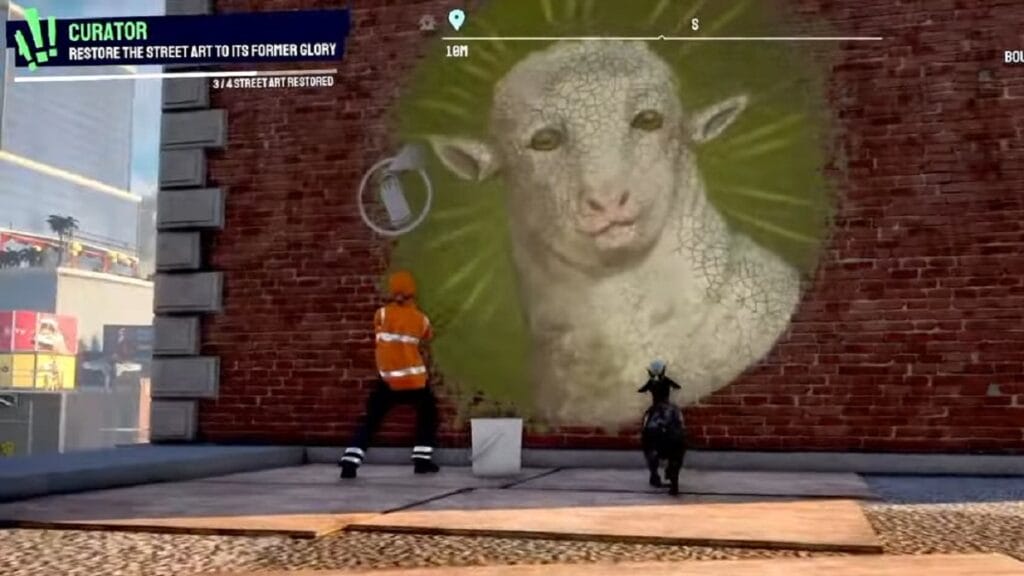
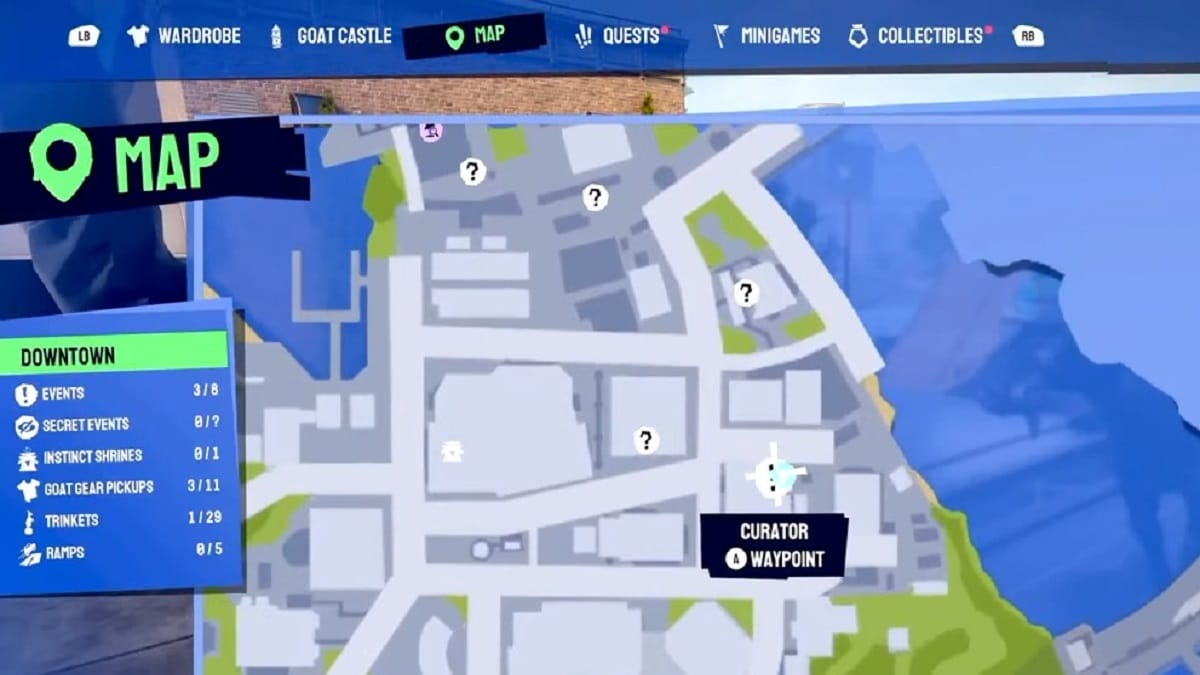
Completing the Curator quest in Goat Simulator 3 requires spray painting four different walls in the city. The real challenge is to find the location of these walls where you can paint the art you want.

The very first spray paint you do is where you pick up the Curator quest. Simply get close to the wall and press the action button on your controller or keyboard for Goat to paint the wall. In case it doesn’t work, remove all the items from your selected inventory and only leave the Baanksy spray can.
The Second Painting
Image Source: Coffee Stain North via GrubMagnet Gaming Screenshot

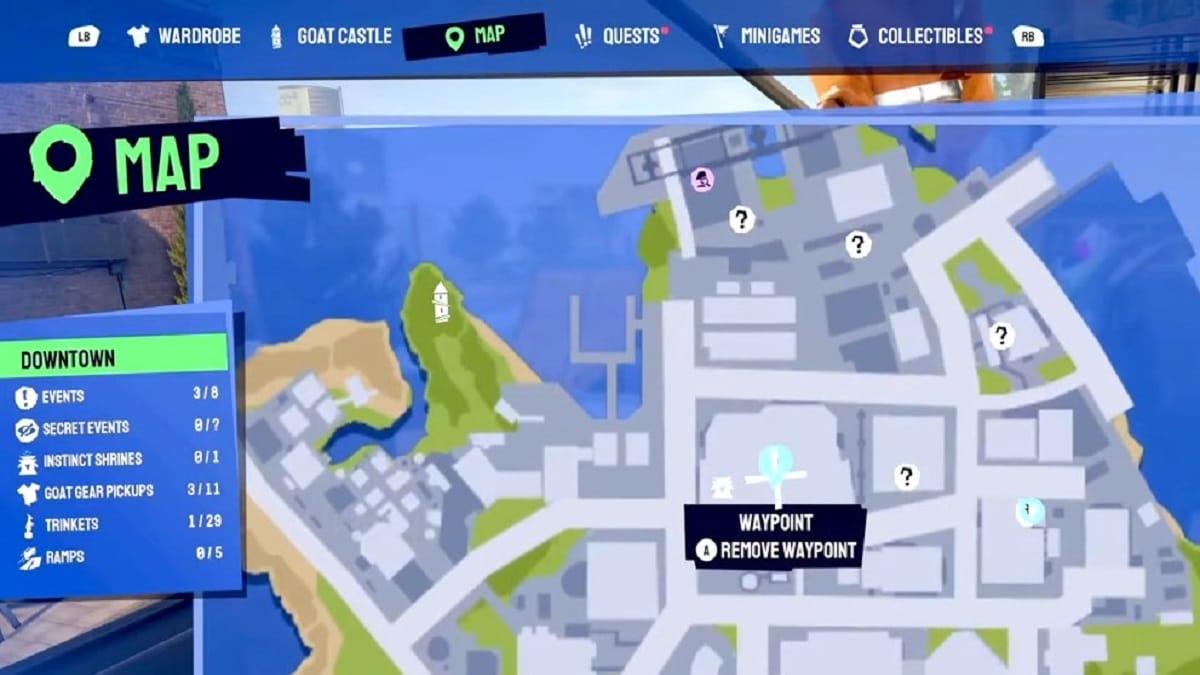
In the image above you can see the location of the next spray paint location. There should be some construction going on where you can use the ladder to climb up. Then in the front, you will see a bouncing platform that will take you to the next rooftop. Walk straight then turn right and finally jump down. Turn around and you will see the painting you can spray on it.
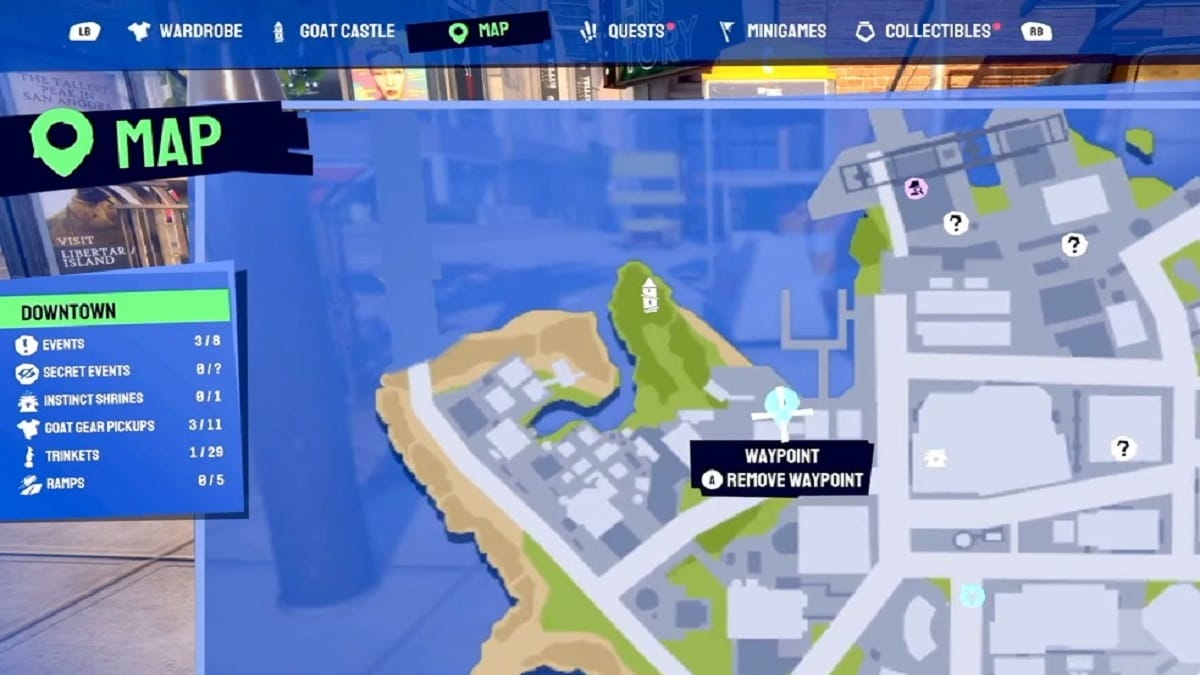
Painting 3 - Curator Quest in Goat Simulator 3
Image Source: Coffee Stain North via GrubMagnet Gaming Screenshot

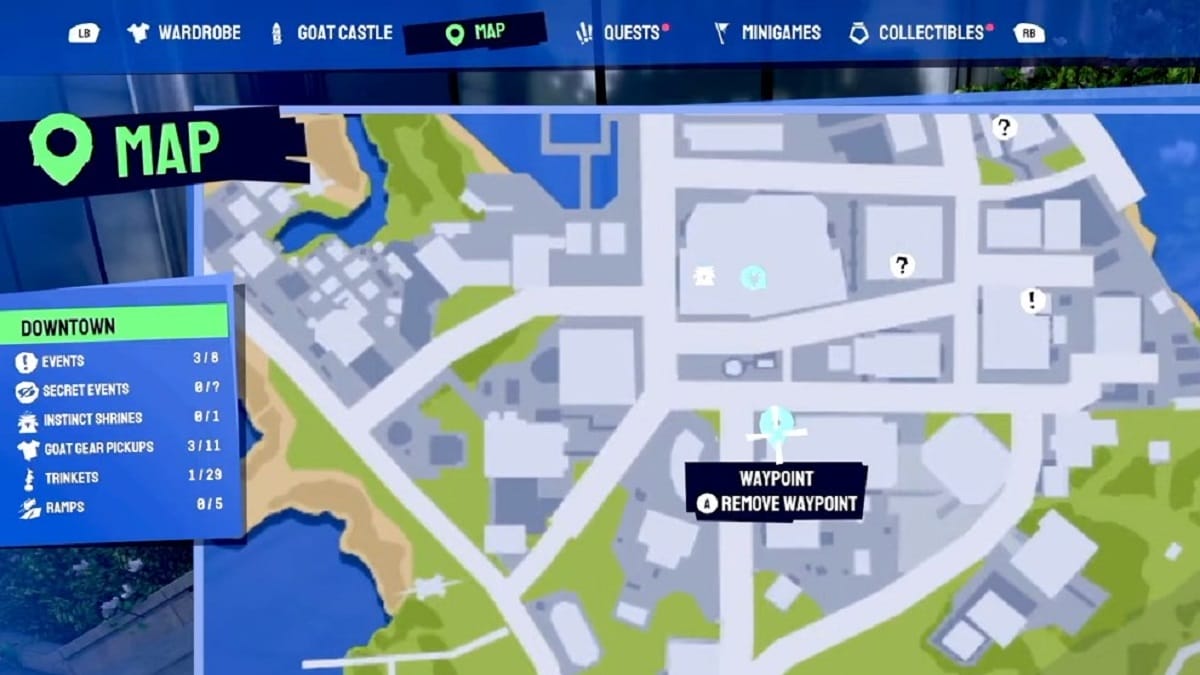
Now let’s head to the next location. It isn’t that far from the previous one and it is on a brick wall. You can use the fire escape to climb and then spray paint on top of the blossom.
Final Paniting Piece
Image Source: Coffee Stain North via GrubMagnet Gaming Screenshot

The last one is near the Comedy Club which is a bit further so you have to do some walking. Once you’ve reached the Club, turn right and walk a bit until you see a set of stairs that you can climb. Walk straight and you will see a bouncing platform. Use something to jump on the next rooftop on the left side and walk straight and you will see a goat painting that you must spray on top of it.

Goat Simulator 3 - Event - Curator - How to Restore the street art to it’s former glory

And that’s how you can finish the Curator quest in Goat Simulator 3. In case you need further guidance, we recommend watching the Trophy Tom video embedded above.

Goat Simulator 3 is available for PC, PlayStation 5, Xbox Series X|S, iOS, and Android devices.

Related Topics
Goat Simulator 3 Guide
Share. Facebook Twitter LinkedIn Reddit Email
Masoud Kazemi
  • Website
  • X (Twitter)

I don't care about the real world. I cared only about the world of fiction. -Woody Allen

SUGGESTED READS

Minecraft Accused of Mocking Lonely Kids, Sparking Mental Health Backlash: 'One of the Ickiest Things I've Seen'
Features

Minecraft Accused of Mocking Lonely Kids, Sparking Mental Health Backlash: ‘One of the Ickiest Things I’ve Seen’

Destiny 2 Renegades PS5 Review
8.5
Features

Destiny 2: Renegades Review – The Shooter Strikes Back

Clair Obscur: Expedition 33 Loses GOTY, Other Award from Indie Game Awards Over Generative AI: 'Some Weird Performative BS'
Game News

GOTY Stripped Over AI?: Clair Obscur: Expedition 33 Loses Awards at Indie Game Awards, ‘Some Weird Performative BS’

Sony Patents Real-time AI Game Censorship Tech That Could Even Make GTA 6 Kid-Friendly
Game News

Sony Patents Real-Time AI Game Censorship Tech That Could Even Make GTA 6 Kid-Friendly

Zenless Zone Zero Version 2.5 Announcement
Game News

Zenless Zone Zero Version 2.5 Is Ready To Wrap Up the Year With Two New Agents and a Free Outfit

PC Gamers Can't Catch a Break as Nvidia Plans 40% GeForce GPU Production Cuts, Report: 'Who Needs a PC Anyways'
Game News

PC Gamers Can’t Catch a Break as Nvidia Reportedly Plans 40% GeForce GPU Production Cuts: ‘Who Needs a PC Anyways’

Trending
Minecraft Accused of Mocking Lonely Kids, Sparking Mental Health Backlash: 'One of the Ickiest Things I've Seen'

Minecraft Accused of Mocking Lonely Kids, Sparking Mental Health Backlash: ‘One of the Ickiest Things I’ve Seen’

Destiny 2 Renegades PS5 Review
8.5

Destiny 2: Renegades Review – The Shooter Strikes Back

Clair Obscur: Expedition 33 Loses GOTY, Other Award from Indie Game Awards Over Generative AI: 'Some Weird Performative BS'

GOTY Stripped Over AI?: Clair Obscur: Expedition 33 Loses Awards at Indie Game Awards, ‘Some Weird Performative BS’

Sony Patents Real-time AI Game Censorship Tech That Could Even Make GTA 6 Kid-Friendly

Sony Patents Real-Time AI Game Censorship Tech That Could Even Make GTA 6 Kid-Friendly

The Nerd Stash
Facebook X (Twitter) Instagram YouTube LinkedIn
  • About Us
  • Join Our Team
  • Meet the Team
  • Privacy Policy
  • DMCA Policy
  • Contact Us
  • Terms of Use
  • Sitemap
  • Editorial Guidelines
  • Advertising Policy
© 2025 The Nerd Stash. All Rights Reserved.

Type above and press Enter to search. Press Esc to cancel.