Close Menu
  • Gaming
    • Game Guides
    • Codes
    • Game News
    • Game Previews
    • Game Reviews
    • Game Features
    • Game Lists
    • Platforms
      • Nintendo
      • PC
      • PlayStation
      • Xbox
      • Mobile
  • Entertainment
    • Movies
    • Movie Features
    • Movie Reviews
    • TV
    • Reality TV
    • Royals
  • Celebrity
    • Hollywood
  • Human Interest
  • Astrology
  • Videos
  • More
    • Anime
    • Lists
    • Podcasts
    • Reviews
Facebook X (Twitter) Instagram LinkedIn YouTube
  • About Us
  • Join Our Team
  • Meet the Team
  • Privacy Policy
  • DMCA Policy
  • Contact Us
  • Terms of Use
  • Sitemap
  • Editorial Guidelines
  • Advertising Policy
The Nerd Stash
  • Gaming
  • Celebrity
    • Hollywood
  • Human Interest
  • Videos
The Nerd Stash
Home»Game Guides»How To Fix the Disarming Presence Mission Bug in DMZ Warzone 2

How To Fix the Disarming Presence Mission Bug in DMZ Warzone 2

The Disarming Presence DMZ bug prevents the players from completing a mission in Warzone 2. In the assignment, you aim to put 10 ISO Hemlock…

Amir NaseriBy Amir NaseriJuly 4, 20233 Mins Read
Disarming Presence DMZ Bug Fix
Image Source: Activision via The Nerd Stash
This article is over 2 years old and may contain outdated information.

The Disarming Presence DMZ bug prevents the players from completing a mission in Warzone 2. In the assignment, you aim to put 10 ISO Hemlock weapons in the Vondel dead drops. However, when players do the objective, they end up with a screen showing that their mission is not complete. We have several solutions to resolve this bug! Here are the Disarming Presence DMZ Bug fix methods.

Disarming Presence DMZ Bug Fix Methods
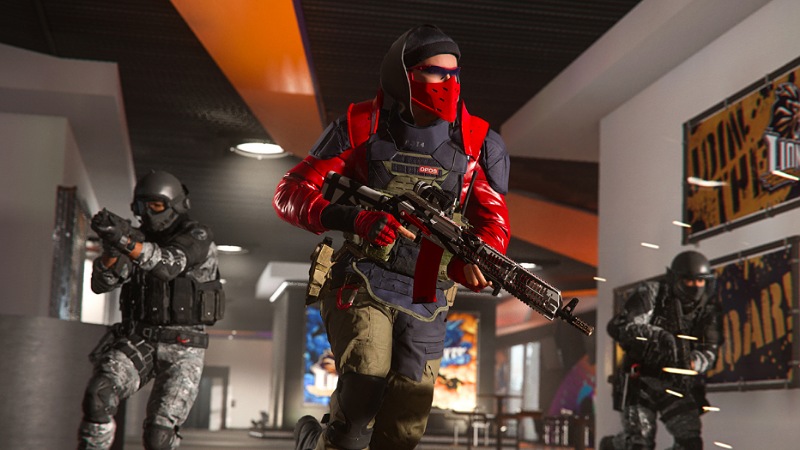
Vobdel dead drops bug
Image Source: Activision

This bug usually annoys PC players, but some console players have also witnessed this issue with Warzone 2 DMZ mode. However, the following methods apply to all platforms.

Completing the Mission Solo

This method currently works in Season 4. It’s unclear what sort of glitch causes the game to not submit the objective results after the mission. But you can still bypass the Warzone 2 DMZ’s Disarming Presence bug by doing the mission solo. This might make the assignment a little bit harder to complete while granting you a better chance of marking it as complete.

Restarting the Game

This method works, but it’s not 100% guaranteed to end Disarming Presence DMZ bug’s nightmare on the map of Vondel. When you restart the game, many of its files get refreshed while logging in again. This will keep your game updated with the latest small patches. You might be able to accomplish your mission without a problem next time. Also, always check for the game’s latest updates on your consoles or launchers on your PC. If you’re a PC player, you should also check if your graphics card’s driver is up-to-date.

Disabling Anti-Virus and Whitelisting Warzone 2 in Windows Firewall

Sometimes, there is a problem with the game files. It doesn’t mean you didn’t properly install the game. However, your anti-virus or Windows Firewall might have prevented specific files from being read. The Disarming Presence DMZ bug is mainly for PC players and might have something to do with the Vondel map and its dead drop locations. We suggest you whitelist Call of Duty: Warzone 2 and Modern Warfare 2 for an hour and run the mission once more.

Remember that none of the methods above is the definitive solution here. But the solo infill tactic has been tested and is more likely to fix your game’s bug. Once you pass this mission, you shouldn’t face any other notable bugs in DMZ as of writing in Season 4.

Call of Duty: Warzone 2 and Modern Warfare 2 are available to play on PlayStation 5, PlayStation 4, Xbox Series X|S, Xbox One, and PC via Steam and Battle.Net.

Related Topics
Guide Warzone 2
Share. Facebook Twitter LinkedIn Reddit Email
Amir Naseri
  • Website

Amir is an absolute Call of Duty nerd, preferring shooter games more than everything. However, he does like to do uppercuts in Mortal Kombat and feel the NOS going through the engines in Need For Speed games.

SUGGESTED READS

AI That Plays Games for You? Sony and Other Gaming Giants Filed 49 Gen AI-Related Patents in the Last Three Months
Game News

AI That Plays Games for You? Sony and Other Gaming Giants Filed 49 Gen AI-Related Patents in the Last Three Months

Clair Obscur: Expedition 33 Becomes Second Most Awarded Game Ever With 330+ GOTY Wins, But Which One Is Still No. 1?
Features

Clair Obscur: Expedition 33 Becomes Second Most Awarded Game Ever With 330+ Industry Awards, But Which Game Still Holds the No. 1 Spot?

StarRupture Unlock Recipes
Game Guides

How To Unlock New Recipes in StarRupture

StarRupture Data Points Farm
Game Guides

How To Earn Data Points in StarRupture

StarRupture Corporation Leveling Guide
Game Guides

Best Corporation to Level Up First in StarRupture

StarRupture Opening Underground Caves
Game Guides

How To Enter Underground Caves in StarRupture

Trending
AI That Plays Games for You? Sony and Other Gaming Giants Filed 49 Gen AI-Related Patents in the Last Three Months

AI That Plays Games for You? Sony and Other Gaming Giants Filed 49 Gen AI-Related Patents in the Last Three Months

Clair Obscur: Expedition 33 Becomes Second Most Awarded Game Ever With 330+ GOTY Wins, But Which One Is Still No. 1?

Clair Obscur: Expedition 33 Becomes Second Most Awarded Game Ever With 330+ Industry Awards, But Which Game Still Holds the No. 1 Spot?

StarRupture Unlock Recipes

How To Unlock New Recipes in StarRupture

StarRupture Data Points Farm

How To Earn Data Points in StarRupture

The Nerd Stash
Facebook X (Twitter) Instagram YouTube LinkedIn
  • About Us
  • Join Our Team
  • Meet the Team
  • Privacy Policy
  • DMCA Policy
  • Contact Us
  • Terms of Use
  • Sitemap
  • Editorial Guidelines
  • Advertising Policy
© 2026 The Nerd Stash. All Rights Reserved.

Type above and press Enter to search. Press Esc to cancel.