Close Menu
  • Gaming
    • Game Guides
    • Codes
    • Game News
    • Game Previews
    • Game Reviews
    • Game Features
    • Game Lists
    • Platforms
      • Nintendo
      • PC
      • PlayStation
      • Xbox
      • Mobile
  • Entertainment
    • Movies
    • Movie Features
    • Movie Reviews
    • TV
    • Reality TV
    • Royals
  • Celebrity
    • Hollywood
  • Human Interest
  • Astrology
  • Videos
  • More
    • Anime
    • Lists
    • Podcasts
    • Reviews
Facebook X (Twitter) Instagram LinkedIn YouTube
  • About Us
  • Join Our Team
  • Meet the Team
  • Privacy Policy
  • DMCA Policy
  • Contact Us
  • Terms of Use
  • Sitemap
  • Editorial Guidelines
  • Advertising Policy
The Nerd Stash
  • Gaming
  • Celebrity
    • Hollywood
  • Human Interest
  • Videos
The Nerd Stash
Home»Game Guides»How To Fix the Seneschal Brazier Glitch in Diablo 4 (Drums of the Vault)

How To Fix the Seneschal Brazier Glitch in Diablo 4 (Drums of the Vault)

When You See a Glitch, Improvise, Adapt, and Overcome

Masoud KazemiBy Masoud KazemiJanuary 24, 20242 Mins Read
How to Fix Seneschal Brazier in Diablo 4
Image Source: Blizzard
This article is over 2 years old and may contain outdated information.

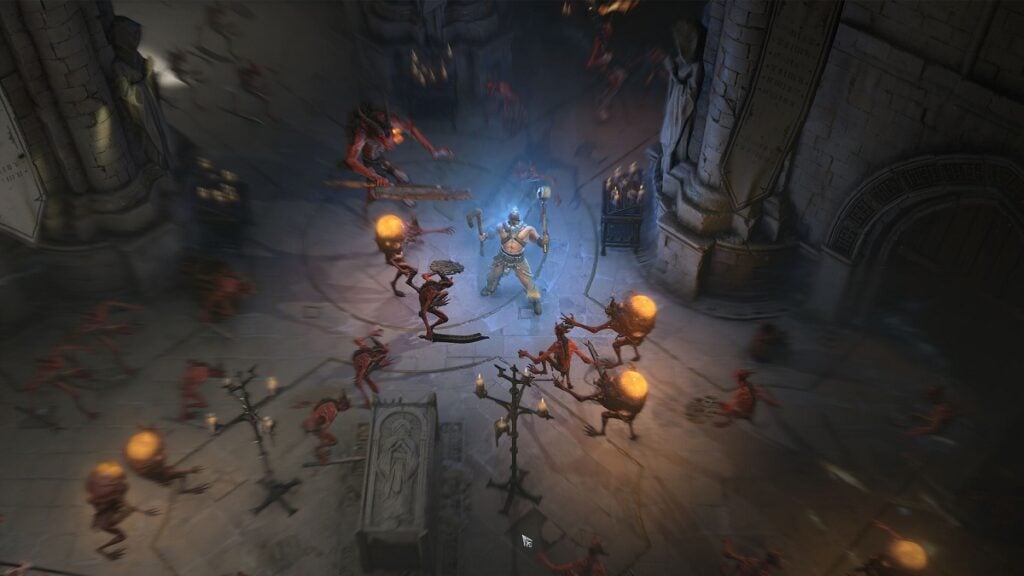
There seems to be an issue with one of the main quests in Diablo 4 called Drums of the Vault that prevents players from progressing through the quest. Thankfully, there is an official workaround that players can use to fix the Seneschal Brazier glitch in Diablo 4, and here is how it is done.

Fixing the Seneschal Brazier Glitch in Diablo 4

Fixing Seneschal Brazier in Diablo 4
Image Source: Blizzard via Manugames92 Screenshot

In the Drums of the Vault quest in Diablo 4 players will eventually see the Seneschal Brazier to get their construct upgrade. But it seems there is a glitch that prevents the majority of players from progressing.

Marcus Kretz, the community manager of Diablo 4 has confirmed that the team is working on an official. Marcus Kretz has stated that “the issue is being investigated by the team” but in the meantime “players should attempt the workaround until the issue is fully resolved.”

Related:

5 Biggest Changes Coming to Diablo 4 in Season of the Construct

The workaround is quite simple. Use a teleport from the Gatehall hub, log out, and then log in again. Then exit through the door back to the hub. When you do that, you will be in a new instance and now can use the Brazier in Diablo 4 to continue the quest. It is important to use the Gatehall hub since using a town portal won’t put you in a different instance.

In situations like this, it will take at least a few days for Blizzard to release a patch that will fully fix the issue. So it is best to use the workaround and pass the Seneschal Braziera and not wait for an official fix. Also, make sure to check our website for more Diablo 4 content and guide as well.

Diablo 4 is available for PC, PS4, PS5, Xbox One, and Xbox Series X|S.

Related Topics
Diablo 4 Guide
Share. Facebook Twitter LinkedIn Reddit Email
Masoud Kazemi
  • Website
  • X (Twitter)

I don't care about the real world. I cared only about the world of fiction. -Woody Allen

SUGGESTED READS

Destiny 2 Shadow and Order Delay
Game News

‘At This Point, I Don’t Think It’s Enough to Save the Game,’ Destiny 2 Players Heartbroken After Shadow and Order Delay

How to Spectate a Trade in Adopt Me on Roblox
Game Guides

How to Spectate a Trade in Adopt Me on Roblox

People of Note Release Date
Game News

Musical RPG, People of Note, Announces Its Release Date and Launches Public Demo

People of Note Demo Hands-on Impressions
Game Previews

People of Note Demo Hands-On Impressions – Embrace the Beat

Blender Bee Swarm Simulator
Game Guides

Where Is the Blender in Bee Swarm Simulator on Roblox? Answered

How to Get Blue Extract in Bee Swarm Simulator on Roblox
Game Guides

How to Get Blue Extract in Bee Swarm Simulator on Roblox

The Nerd Stash
Facebook X (Twitter) Instagram YouTube LinkedIn
  • About Us
  • Join Our Team
  • Meet the Team
  • Privacy Policy
  • DMCA Policy
  • Contact Us
  • Terms of Use
  • Sitemap
  • Editorial Guidelines
  • Advertising Policy
© 2026 The Nerd Stash. All Rights Reserved.

Type above and press Enter to search. Press Esc to cancel.