Close Menu
  • Gaming
    • Game Guides
    • Codes
    • Game News
    • Game Previews
    • Game Reviews
    • Game Features
    • Game Lists
    • Platforms
      • Nintendo
      • PC
      • PlayStation
      • Xbox
      • Mobile
  • Entertainment
    • Movies
    • Movie Features
    • Movie Reviews
    • TV
    • Reality TV
    • Royals
  • Celebrity
  • Human Interest
  • Astrology
  • Videos
  • More
    • Anime
    • Lists
    • Podcasts
    • Reviews
Facebook X (Twitter) Instagram LinkedIn YouTube
  • About Us
  • Join Our Team
  • Meet the Team
  • Privacy Policy
  • DMCA Policy
  • Contact Us
  • Terms of Use
  • Sitemap
  • Editorial Guidelines
  • Advertising Policy
The Nerd Stash
  • Gaming
  • Celebrity
  • Human Interest
  • Videos
The Nerd Stash
Home»Game Guides»How To Fix the “Your Account Is Currently Locked” Error in Diablo 4

How To Fix the “Your Account Is Currently Locked” Error in Diablo 4

Any fix is possible with enough patience

Nat CollazoVictor TanBy Nat Collazo and Victor TanAugust 25, 20242 Mins Read
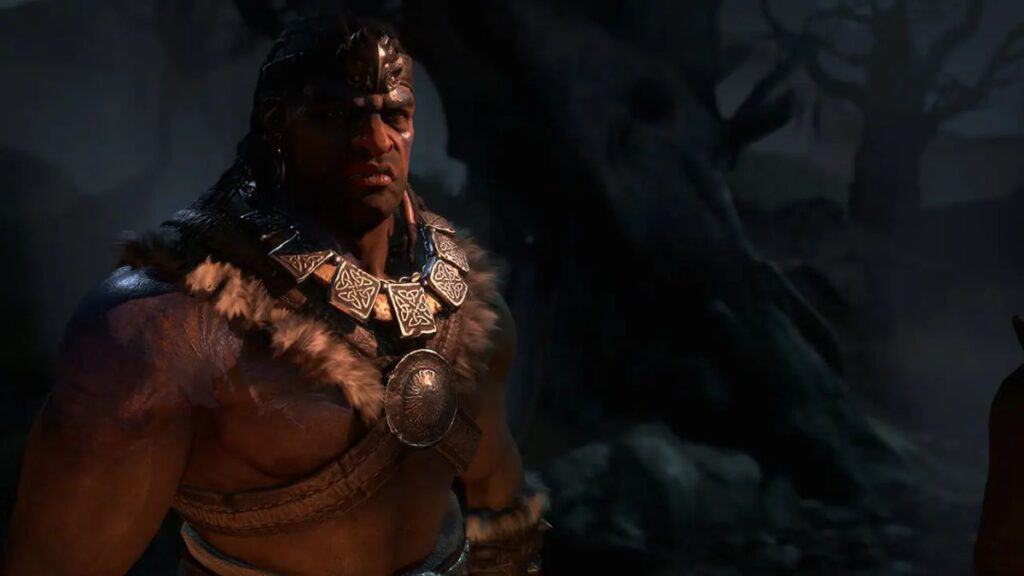
How To Fix the “Your Account Is Currently Locked” Error in Diablo 4
Imago Source: Blizzard Entertainment

Skip To...

  • Fixing “Your Account Is Currently Locked” Error
  • What To Do If the Error Persists

There are certain things a gamer never wants to have happen to them in their lifetime. For Diablo IV players, it’s experiencing the “Your Account is Currently Locked” error. Blizzard took great care to ensure that players stay protected in the event of hackers attempting to get into their accounts. Unfortunately, this has led to some issues where unassuming players get their accounts locked.

Fixing “Your Account Is Currently Locked” Error

[Updated on August 15, 2024 – (changes made)]

How To Fix the “Your Account Is Currently Locked” Error in Diablo 4
Imago Source: Blizzard Entertainment

To be specific, the “Your Account is Currently Locked” error code in question within Diablo 4 is Code 395002. As long as this is the one you’re dealing with, then you have a good chance at easily recovering your account. This error is typically presented to those whose accounts attempted to enter a server that was too busy. Follow these instructions to bypass the issue and gain access to your account again:

  1. Log out of the Battle.net account.
  2. Restart the device you are using the play the game.
  3. Wait about ten seconds before turning your PC or console back on.
  4. When the device has been turned back on, log back into the Battle.net account.
  5. Reopen the game.

What To Do If the Error Persists

Because the error code doesn’t relate to the account actually being locked for hacking reasons, the primary fix at this point is to wait. If there are any processes that force the game to delay when trying to play, then the error will persist.

I would also recommend checking to see if there are any other devices you might have that are turned in and logged into the game. This would definitely prevent you from playing. Otherwise, your best bet would be to wait another ten to fifteen minutes before attempting to log back into Diablo 4 if your account is locked.

Related:

Is Diablo 4 Playable on Steam Deck? Answered

Diablo IV is now available on PC, Xbox, and PlayStation consoles.
Related Topics
Diablo 4 Guide
Share. Facebook Twitter LinkedIn Reddit Email
Nat Collazo, Victor Tan
  • Website
  • X (Twitter)
  • Instagram

I am a game journalist and guide writer with ten years of experience as well as the CEO/ Founder of Frowns Marketing, a marketing company that caters to indie games, tabletop games, and board games to help developers get more wishlists, backers, and players!

Nat Collazo, Victor Tan
  • Website
  • X (Twitter)
  • Instagram

I am a game journalist and guide writer with ten years of experience as well as the CEO/ Founder of Frowns Marketing, a marketing company that caters to indie games, tabletop games, and board games to help developers get more wishlists, backers, and players!

SUGGESTED READS

Players Struggle In Black Ops 7 Zombies Season 1 Ashes of the Damned
Game Features

‘YouTubers Ruined It’: Players Say Black Ops 7 Zombies Is Now Harder After Season 1 Changes

Valve's Cancelled Stars of Blood Game Reappears Online as Half-Life 3 Rumor Intensifies: 'Games aren't Released at Valve, They Escape'
Game News

Valve’s Cancelled Stars of Blood Game Reappears Online as Half-Life 3 Rumor Intensifies: ‘Games aren’t Released at Valve, They Escape’

Bungie’s Smash Bros-like MOBA Gummy Bears May Be Nearing Major Testing, According to a PlayStation Job Listing
Game News

Bungie’s Smash Bros-like MOBA Gummy Bears May Be Nearing Major Testing Phase, According to a PlayStation Job Listing

Astra Malorum main easter egg quest guide
Game Guides

Astra Malorum Zombies Full Easter Egg Guide – Black Ops 7 Zombies

Astra Malorum Zombies easter egg song
Game Guides

Where To Find Astra Malorum Easter Egg Song In Black Ops 7 Zombies

Path of Exile 2 The Last of the Druids Update Preview
Features

One Of the Most Unique Druid Archetypes Is Ready to Land on Path of Exile 2: The Last of the Druids

Trending
Players Struggle In Black Ops 7 Zombies Season 1 Ashes of the Damned

‘YouTubers Ruined It’: Players Say Black Ops 7 Zombies Is Now Harder After Season 1 Changes

Valve's Cancelled Stars of Blood Game Reappears Online as Half-Life 3 Rumor Intensifies: 'Games aren't Released at Valve, They Escape'

Valve’s Cancelled Stars of Blood Game Reappears Online as Half-Life 3 Rumor Intensifies: ‘Games aren’t Released at Valve, They Escape’

Bungie’s Smash Bros-like MOBA Gummy Bears May Be Nearing Major Testing, According to a PlayStation Job Listing

Bungie’s Smash Bros-like MOBA Gummy Bears May Be Nearing Major Testing Phase, According to a PlayStation Job Listing

Astra Malorum main easter egg quest guide

Astra Malorum Zombies Full Easter Egg Guide – Black Ops 7 Zombies

The Nerd Stash
Facebook X (Twitter) Instagram YouTube LinkedIn
  • About Us
  • Join Our Team
  • Meet the Team
  • Privacy Policy
  • DMCA Policy
  • Contact Us
  • Terms of Use
  • Sitemap
  • Editorial Guidelines
  • Advertising Policy
© 2025 The Nerd Stash. All Rights Reserved.

Type above and press Enter to search. Press Esc to cancel.