
Close Menu
  • Gaming
    • Game Guides
    • Codes
    • Game News
    • Game Previews
    • Game Reviews
    • Game Features
    • Game Lists
    • Platforms
      • Nintendo
      • PC
      • PlayStation
      • Xbox
      • Mobile
  • Entertainment
    • Movies
    • Movie Features
    • Movie Reviews
    • TV
    • Reality TV
    • Royals
  • Celebrity
    • Hollywood
  • Human Interest
  • Astrology
  • Videos
  • More
    • Anime
    • Lists
    • Podcasts
    • Reviews
Facebook X (Twitter) Instagram LinkedIn YouTube
  • About Us
  • Join Our Team
  • Meet the Team
  • Privacy Policy
  • DMCA Policy
  • Contact Us
  • Terms of Use
  • Sitemap
  • Editorial Guidelines
  • Advertising Policy
The Nerd Stash
  • Gaming
  • Celebrity
    • Hollywood
  • Human Interest
  • Videos
The Nerd Stash
Home»Game Guides»How To Get Friendship Bar in Adopt Me (& What It’s For)

How To Get Friendship Bar in Adopt Me (& What It’s For)

Want to know how to get Friendship Bar in Adopt Me? No matter how much you play Adopt Me, you will always want to get even more cute…

Artur NovichenkoBy Artur NovichenkoJuly 15, 20233 Mins Read
How To Get Friendship Bar in Adopt Me
Image Source: Roblox Adopt Me via The Nerd Stash

Skip To...

  • What Is Friendship Bar in Adopt Me
  • How To Increase Friendship Bar
This article is over 2 years old and may contain outdated information.

Want to know how to get Friendship Bar in Adopt Me? No matter how much you play Adopt Me, you will always want to get even more cute pets, but sooner or later, you will face a problem. For your new pets to mature, you must meet all their needs and complete tasks for them. But in this case, you must sacrifice time spent with your adult pets. Fortunately, the developers found a solution in a recent update by adding the Friendship Bar to the game. Let’s go over Friendship Bar mechanics and tell you how to get it in Adopt Me.

What Is Friendship Bar in Adopt Me
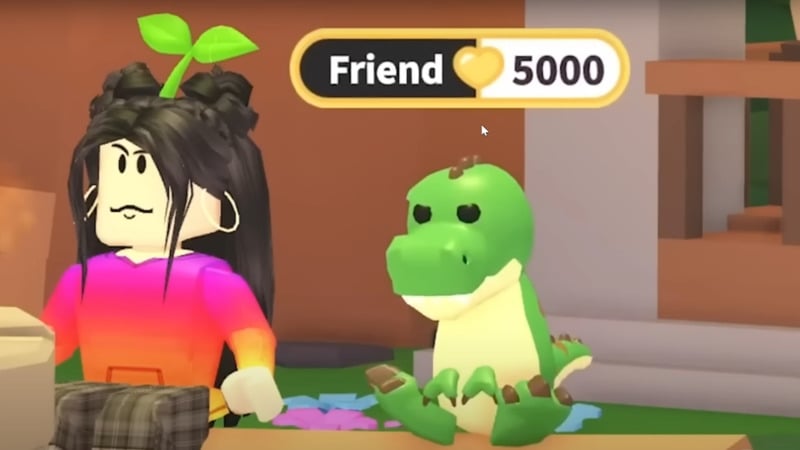
Friendship Bar Adopt Me
Image Source: Roblox via YouTube Cookie Cutter

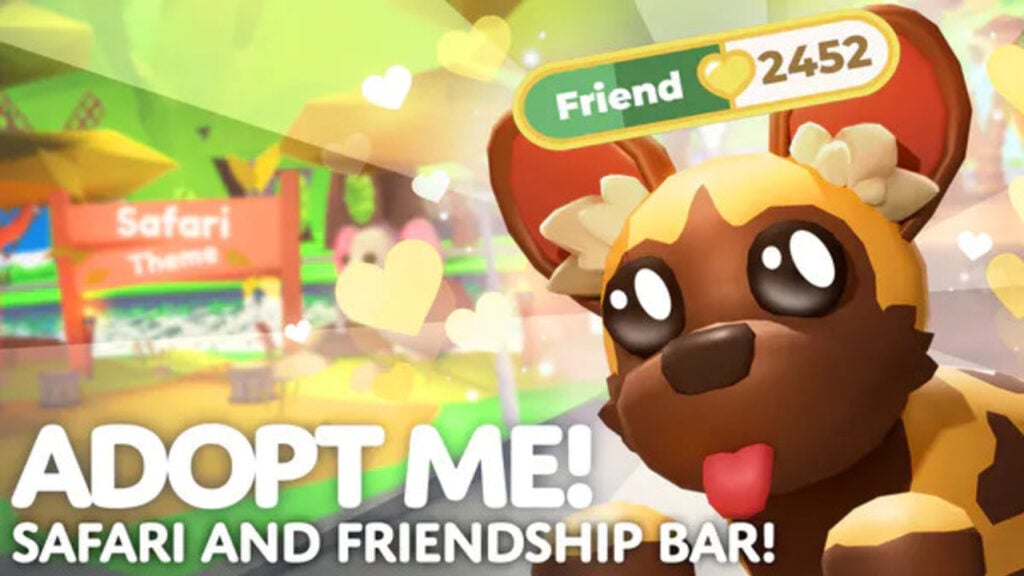
Friendship Bar is a new mechanic in Adopt Me added to the game on July 13, 2023. Thanks to this mechanic, you can increase your friendship level with your mature pets by completing tasks for these. In addition, your pet does not have to be Neon or Mega. The Friendship mechanic is available to all fully matured pets of any rarity.

As you might guess, to get Friendship Bar in Adopt Me, all you need is for your pet to mature. And after you complete at least one task with your pet, it will have a Friendship Bar that you can improve.

How To Increase Friendship Bar

To increase Friendship Bar, you only have to keep meeting all pets’ needs and complete tasks for them, just like you did when they were younger. At the same time, there are several features of this mechanic that you should be aware of:

  • For each new level of the Friendship Bar, you will receive an Age-Up Potion for free. In turn, you can use this potion on any pet that is not fully grown to add 30 pets to it.
  • Also, Age-Up Potion cannot be bought or sold.
  • The required number of pets to level up is 30 pets. So you are just spending time with your favorite pet and can transfer the experience you earn to any other pet.
  • Pets do not have the boundary level of the Friendship Bar. So you can level up indefinitely. In addition, combining pets into Mega or Neon sums up all the Friendship levels of these pets.
  • Once you reach a certain Friendship level, it will never decrease. But if you sell a pet, its current Friendship level drop to zero.

Related:

How To Get Beach Balls in Adopt Me

Roblox Adopt Me is available for PC, iOS, Android, and Xbox One.

Related Topics
Guide Roblox
Share. Facebook Twitter LinkedIn Reddit Email
Artur Novichenko
  • Website

Artur is a copywriter and SEO specialist, as well as a small business owner. In his free time, he loves to play computer games and is glad that he was able to connect his professional career with his hobby.

SUGGESTED READS

Minecraft Accused of Mocking Lonely Kids, Sparking Mental Health Backlash: 'One of the Ickiest Things I've Seen'
Features

Minecraft Accused of Mocking Lonely Kids, Sparking Mental Health Backlash: ‘One of the Ickiest Things I’ve Seen’

Destiny 2 Renegades PS5 Review
8.5
Features

Destiny 2: Renegades Review – The Shooter Strikes Back

Clair Obscur: Expedition 33 Loses GOTY, Other Award from Indie Game Awards Over Generative AI: 'Some Weird Performative BS'
Game News

GOTY Stripped Over AI?: Clair Obscur: Expedition 33 Loses Awards at Indie Game Awards, ‘Some Weird Performative BS’

Sony Patents Real-time AI Game Censorship Tech That Could Even Make GTA 6 Kid-Friendly
Game News

Sony Patents Real-Time AI Game Censorship Tech That Could Even Make GTA 6 Kid-Friendly

Zenless Zone Zero Version 2.5 Announcement
Game News

Zenless Zone Zero Version 2.5 Is Ready To Wrap Up the Year With Two New Agents and a Free Outfit

PC Gamers Can't Catch a Break as Nvidia Plans 40% GeForce GPU Production Cuts, Report: 'Who Needs a PC Anyways'
Game News

PC Gamers Can’t Catch a Break as Nvidia Reportedly Plans 40% GeForce GPU Production Cuts: ‘Who Needs a PC Anyways’

Trending
Minecraft Accused of Mocking Lonely Kids, Sparking Mental Health Backlash: 'One of the Ickiest Things I've Seen'

Minecraft Accused of Mocking Lonely Kids, Sparking Mental Health Backlash: ‘One of the Ickiest Things I’ve Seen’

Destiny 2 Renegades PS5 Review
8.5

Destiny 2: Renegades Review – The Shooter Strikes Back

Clair Obscur: Expedition 33 Loses GOTY, Other Award from Indie Game Awards Over Generative AI: 'Some Weird Performative BS'

GOTY Stripped Over AI?: Clair Obscur: Expedition 33 Loses Awards at Indie Game Awards, ‘Some Weird Performative BS’

Sony Patents Real-time AI Game Censorship Tech That Could Even Make GTA 6 Kid-Friendly

Sony Patents Real-Time AI Game Censorship Tech That Could Even Make GTA 6 Kid-Friendly

The Nerd Stash
Facebook X (Twitter) Instagram YouTube LinkedIn
  • About Us
  • Join Our Team
  • Meet the Team
  • Privacy Policy
  • DMCA Policy
  • Contact Us
  • Terms of Use
  • Sitemap
  • Editorial Guidelines
  • Advertising Policy
© 2025 The Nerd Stash. All Rights Reserved.

Type above and press Enter to search. Press Esc to cancel.





