
Close Menu
  • Gaming
    • Game Guides
    • Codes
    • Game News
    • Game Previews
    • Game Reviews
    • Game Features
    • Game Lists
    • Platforms
      • Nintendo
      • PC
      • PlayStation
      • Xbox
      • Mobile
  • Entertainment
    • Movies
    • Movie Features
    • Movie Reviews
    • TV
    • Reality TV
    • Royals
  • Celebrity
    • Hollywood
  • Human Interest
  • Astrology
  • Videos
  • More
    • Anime
    • Lists
    • Podcasts
    • Reviews
Facebook X (Twitter) Instagram LinkedIn YouTube
  • About Us
  • Join Our Team
  • Meet the Team
  • Privacy Policy
  • DMCA Policy
  • Contact Us
  • Terms of Use
  • Sitemap
  • Editorial Guidelines
  • Advertising Policy
The Nerd Stash
  • Gaming
  • Celebrity
    • Hollywood
  • Human Interest
  • Videos
The Nerd Stash
Home»Game Guides»How To Get Kitsune Mask in Blox Fruits

How To Get Kitsune Mask in Blox Fruits

Want to become elusive like a fox?

Alina NovichenkoBy Alina NovichenkoDecember 21, 20233 Mins Read
How To Get Kitsune Mask in Blox Fruits
Image source: Gamer Robot Inc via The Nerd Stash

Skip To...

  • Where To Find Kitsune Mask
  • Kitsune Mask Stats
This article is over 2 years old and may contain outdated information.

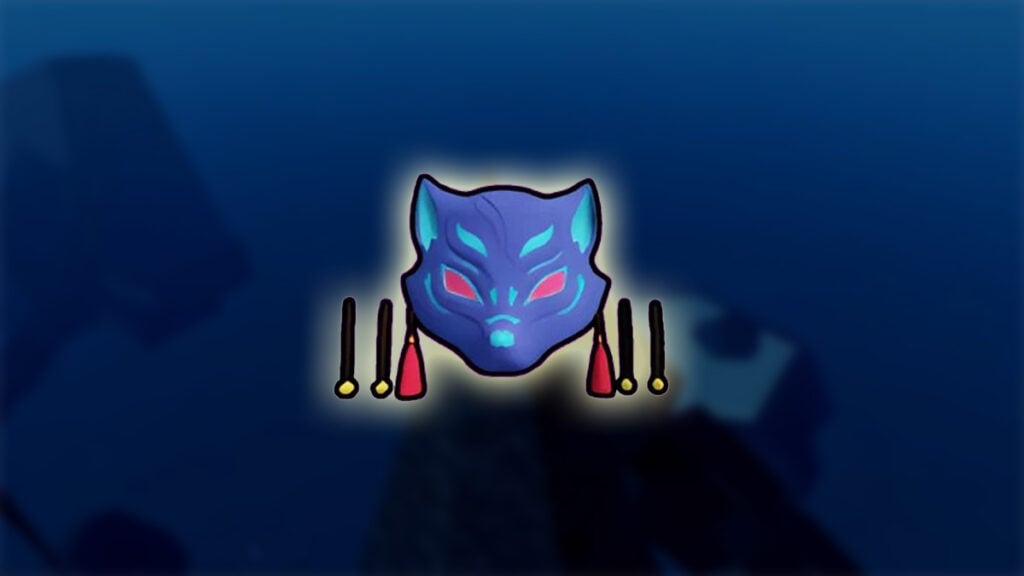
With each update, more and more items appear in Blox Fruits that will improve your build. If you use Fruits like Kitsune, Dragon, Venom, or Shadow, you need to get the Kitsune Mask in Blox Fruits. This accessory significantly boosts regen speed on Passive Fruit meters and damage. However, as with other accessories added to the game with Update 21, you will need a lot of luck to get this Mask.

Where To Find Kitsune Mask

Where To Find Kitsune Mask
Image source: Gamer Robot Inc via Slash Roblox screenshot

Kitsune Mask is a Legendary accessory in Blox Fruits. It has good stats, which will be useful for players with Fruit builds. However, even though the method of obtaining looks simple at first glance, your success depends entirely on luck.

So, to get a Kitsune Mask in Blox Fruits, you need to collect and exchange Azure Embers on Kitsune Island. In other words, you first have to get to the Third Sea and then explore the Danger Level 6 Zone to find Kitsune Island.

Since Kitsune Island is a sea event, finding it can be difficult. It only spawns with a small chance at night during a full moon in the Danger Level 6 Zone. And after 15 minutes it will despawn.

After this, you must interact with the Kitsune Shrine in the center of the island so that Azure Embers begin to spawn throughout the location. Then, within 5 minutes, you must collect Azure Embers and exchange them for various rewards in the Kitsune Shrine, among which will be the Kitsune Mask. However, players cannot have more than 25 Azure Embers in their inventory. Therefore, once you have collected max amount, take it to the Shrine as quickly as possible.

Unfortunately, Kitsune Shrine gives out rewards randomly. For this reason, obtaining the Kitsune Mask accessory in Blox Fruits can be time-consuming. But at the same time, you can also receive other valuable rewards from the Shrine, including a Fox Lamp or even a Kitsune Fruit.

Related:

Blox Fruits Trading Value Tier (December 2023)

Kitsune Mask Stats

As we said earlier, Kitsune Mask is perfect for Fruit builds in Blox Fruits. In addition, it is very useful for exploring the Sea Danger Level 6 Zone. And these are not all the bonuses that players will receive:

  • +2 Instinct Dodges
  • +750 Health
  • +50% Clear Vision in Sea Danger Level 6 Zone
  • +15% Regen Speed on Passive Fruit Meters (Except Fruit Sound)
  • +10% Blox Fruits Damage

That’s all you need to know about how to get Kitsune Mask in Blox Fruits. You may spend a lot of time, but its stats are worth your effort. Here is a summary of how you can get this Fruit:

  1. Explore Sea Danger Level 6 Zone during the Full Moon and find Kitsune Island.
  2. Interact with Kitsune Shrine.
  3. Collect Azure Embers and exchange them for rewards.

Roblox is available for Android, iOS, PC, Xbox, and PlayStation.

Related Topics
Guide Roblox
Share. Facebook Twitter LinkedIn Reddit Email
Alina Novichenko
  • Website

Alina is a professional freelance game guides writer, with 2 years experience in this industry. She joined TheNerdStash in 2022 and is glad to be part of a friendly team of writers.

SUGGESTED READS

The Expanse Osiris Reborn Romance
Game News

The Expanse: Osiris Reborn Is Not Forgetting Its Sci-Fi Drama Roots With Romance and Tough Choices

Avowed, Grounded 2, and Towerborne Updates
Game News

Xbox Kicks Off 2026 By Announcing Huge Updates to 3 Of Its Games

The Blood of the Dawnwalker New Game Plus Show
Game News

The Blood of Dawnwalker Unveils More Gameplay and Lore Details

Warner Bros. Games Lays Off Team Behind Free-to-Play Projects Amid Netflix Acquisition
Game News

Warner Bros Games Lays Off Team Behind Free-to-Play Projects Amid Netflix Acquisition

Persona 4 Revival Announcements
Game News

Persona Producer Just Confirmed Persona 4 Revival Is Progressing Steadily, and Teased New Announcements for The Series’ 30th Anniversary

The Witcher 3 Getting Massive Surprise Desert DLC in 2026? Polish Reports Claim It's Happening
Game News

The Witcher 3 Getting a Massive Surprise Desert DLC in 2026? Polish Reports Claim It’s Happening

Trending
The Expanse Osiris Reborn Romance

The Expanse: Osiris Reborn Is Not Forgetting Its Sci-Fi Drama Roots With Romance and Tough Choices

Avowed, Grounded 2, and Towerborne Updates

Xbox Kicks Off 2026 By Announcing Huge Updates to 3 Of Its Games

The Blood of the Dawnwalker New Game Plus Show

The Blood of Dawnwalker Unveils More Gameplay and Lore Details

Warner Bros. Games Lays Off Team Behind Free-to-Play Projects Amid Netflix Acquisition

Warner Bros Games Lays Off Team Behind Free-to-Play Projects Amid Netflix Acquisition

The Nerd Stash
Facebook X (Twitter) Instagram YouTube LinkedIn
  • About Us
  • Join Our Team
  • Meet the Team
  • Privacy Policy
  • DMCA Policy
  • Contact Us
  • Terms of Use
  • Sitemap
  • Editorial Guidelines
  • Advertising Policy
© 2026 The Nerd Stash. All Rights Reserved.

Type above and press Enter to search. Press Esc to cancel.





