
Close Menu
  • Gaming
    • Game Guides
    • Codes
    • Game News
    • Game Previews
    • Game Reviews
    • Game Features
    • Game Lists
    • Platforms
      • Nintendo
      • PC
      • PlayStation
      • Xbox
      • Mobile
  • Entertainment
    • Movies
    • Movie Features
    • Movie Reviews
    • TV
    • Reality TV
    • Royals
  • Celebrity
    • Hollywood
  • Human Interest
  • Astrology
  • Videos
  • More
    • Anime
    • Lists
    • Podcasts
    • Reviews
Facebook X (Twitter) Instagram LinkedIn YouTube
  • About Us
  • Join Our Team
  • Meet the Team
  • Privacy Policy
  • DMCA Policy
  • Contact Us
  • Terms of Use
  • Sitemap
  • Editorial Guidelines
  • Advertising Policy
The Nerd Stash
  • Gaming
  • Celebrity
    • Hollywood
  • Human Interest
  • Videos
The Nerd Stash
Home»Game Guides»How To Get Microsecond Regulators in Starfield

How To Get Microsecond Regulators in Starfield

Crafting is an integral part of the gameplay in Starfield. And while you can get Lead or Adhesive by exploring the vastness of most planets,…

Artur NovichenkoBy Artur NovichenkoSeptember 7, 20233 Mins Read
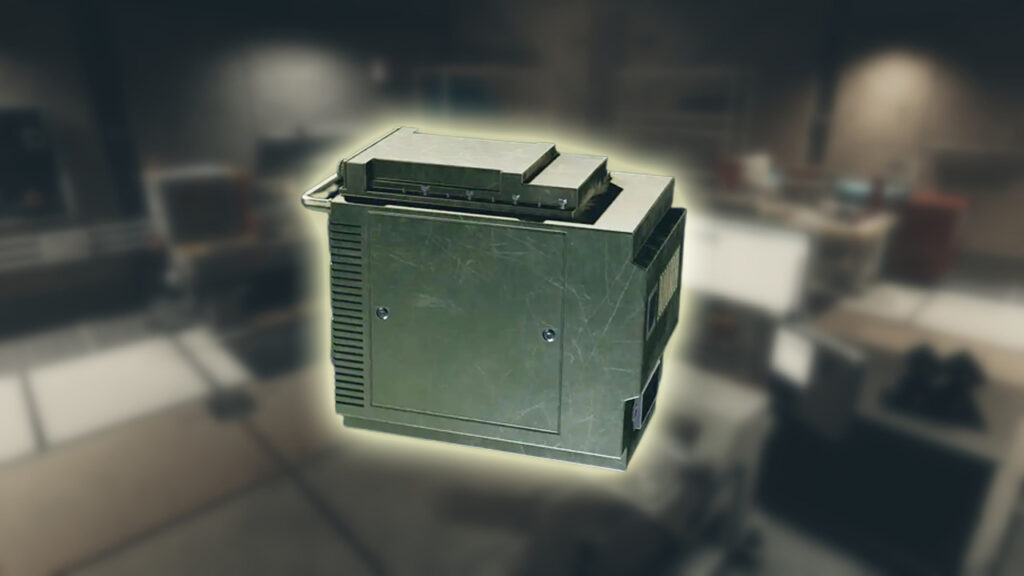
Microsecond Regulators Starfield
Image Source: Bethesda via The Nerd Stash
This article is over 2 years old and may contain outdated information.

Crafting is an integral part of the gameplay in Starfield. And while you can get Lead or Adhesive by exploring the vastness of most planets, Microsecond Regulators are a much more valuable resource. Unlike simple minerals or substances, this item is a high-tech device created by scientists of the future and an essential ingredient for crafting and improving weapons. Logically, you can buy this material from some merchants, but this is far from the only way. So, we are here to help you and tell you about all the methods of getting Microsecond Regulators in Starfield.

Starfield: All Ways To Get Microsecond Regulators
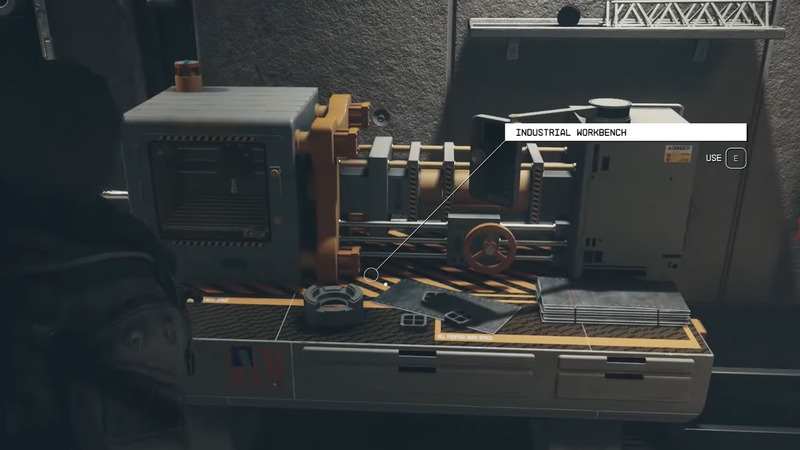
How to Get Microsecond Regulator in Starfield
Image Source: Bethesda via YouTube DibuckTV

First of all, it is worth noting that you can get Microsecond Regulators in Starfield in three ways:

  • First, as we said earlier, you can buy these devices from NPC vendors.
  • Secondly, you can find Microsecond Regulators on corpses or in various crates as a rare drop.
  • Finally, you can craft this material yourself at the Industrial Workbench.

Buying is the best way to refill your stock if you need a few Microsecond Regulators. The average cost of this item is about 200 Credits but may vary depending on the seller. And if you haven’t explored the Starfield market so far, here are a few places you should check out:

  • Dietrich Sieghart – Neon
  • Apex Electronics – The Well
  • Trade Authority stores
  • Jemison Mercantile – New Atlantis

You can often buy just one Microsecond Regulator in one visit to the store. However, sometimes you will not see this product in the assortment. Either way, sit in the nearest chair and wait 24 hours. The store assortment will be updated, and you can buy more desired items.

The second way depends more on your luck than your efforts. You can find Microsecond Regulators as a rare drop when visiting abandoned labs, outposts, and other structures or fighting enemies. But you should not regard this method as a working source. Given this item’s rarity, this method is more of a nice bonus to your adventures.

Finally, if you have invested a lot of experience points in the Science skill tree, you can create Microsecond Regulators on the Industrial Workbench. To do this, you must upgrade the Special Projects skill to the third rank. This method will take a lot of time to upgrade. But it’s a great alternative to shops if you are looking for a stable supply of Microsecond Regulators in the late game.

Related:

How To Get Polymer in Starfield

Starfield is available on Xbox Series X|S and PC.

Related Topics
Guide Starfield
Share. Facebook Twitter LinkedIn Reddit Email
Artur Novichenko
  • Website

Artur is a copywriter and SEO specialist, as well as a small business owner. In his free time, he loves to play computer games and is glad that he was able to connect his professional career with his hobby.

SUGGESTED READS

007 first light system requirements
Game News

Gamers Lose It After 007 First Light Demands Hardware That Doesn’t Exist in System Requirements: ‘Remember When Games Were Optimized?’

AI That Plays Games for You? Sony and Other Gaming Giants Filed 49 Gen AI-Related Patents in the Last Three Months
Game News

AI That Plays Games for You? Sony and Other Gaming Giants Filed 49 Gen AI-Related Patents in the Last Three Months

Clair Obscur: Expedition 33 Becomes Second Most Awarded Game Ever With 330+ GOTY Wins, But Which One Is Still No. 1?
Features

Clair Obscur: Expedition 33 Becomes Second Most Awarded Game Ever With 330+ Industry Awards, But Which Game Still Holds the No. 1 Spot?

StarRupture Unlock Recipes
Game Guides

How To Unlock New Recipes in StarRupture

StarRupture Data Points Farm
Game Guides

How To Earn Data Points in StarRupture

StarRupture Corporation Leveling Guide
Game Guides

Best Corporation to Level Up First in StarRupture

Trending
007 first light system requirements

Gamers Lose It After 007 First Light Demands Hardware That Doesn’t Exist in System Requirements: ‘Remember When Games Were Optimized?’

AI That Plays Games for You? Sony and Other Gaming Giants Filed 49 Gen AI-Related Patents in the Last Three Months

AI That Plays Games for You? Sony and Other Gaming Giants Filed 49 Gen AI-Related Patents in the Last Three Months

Clair Obscur: Expedition 33 Becomes Second Most Awarded Game Ever With 330+ GOTY Wins, But Which One Is Still No. 1?

Clair Obscur: Expedition 33 Becomes Second Most Awarded Game Ever With 330+ Industry Awards, But Which Game Still Holds the No. 1 Spot?

StarRupture Unlock Recipes

How To Unlock New Recipes in StarRupture

The Nerd Stash
Facebook X (Twitter) Instagram YouTube LinkedIn
  • About Us
  • Join Our Team
  • Meet the Team
  • Privacy Policy
  • DMCA Policy
  • Contact Us
  • Terms of Use
  • Sitemap
  • Editorial Guidelines
  • Advertising Policy
© 2026 The Nerd Stash. All Rights Reserved.

Type above and press Enter to search. Press Esc to cancel.





