Close Menu
  • Gaming
    • Game Guides
    • Codes
    • Game News
    • Game Previews
    • Game Reviews
    • Game Features
    • Game Lists
    • Platforms
      • Nintendo
      • PC
      • PlayStation
      • Xbox
      • Mobile
  • Entertainment
    • Movies
    • Movie Features
    • Movie Reviews
    • TV
    • Reality TV
    • Royals
  • Celebrity
    • Hollywood
  • Human Interest
  • Astrology
  • Videos
  • More
    • Anime
    • Lists
    • Podcasts
    • Reviews
Facebook X (Twitter) Instagram LinkedIn YouTube
  • About Us
  • Join Our Team
  • Meet the Team
  • Privacy Policy
  • DMCA Policy
  • Contact Us
  • Terms of Use
  • Sitemap
  • Editorial Guidelines
  • Advertising Policy
The Nerd Stash
  • Gaming
  • Celebrity
    • Hollywood
  • Human Interest
  • Videos
The Nerd Stash
Home»Game Guides»How To Get the Jellyfish Pet in Adopt Me

How To Get the Jellyfish Pet in Adopt Me

Get an adorable pet.

Vladyslav PetrenkoBy Vladyslav PetrenkoJanuary 5, 20243 Mins Read
How To Get the Jellyfish Pet in Adopt Me
Image Source: Roblox via MeganPlays Screenshot
This article is over 2 years old and may contain outdated information.

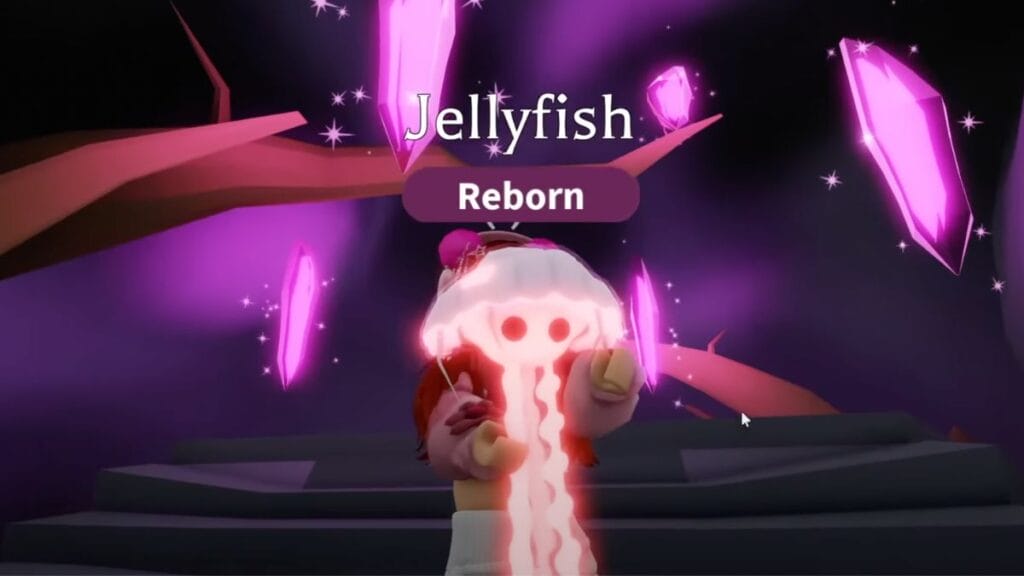
Jellyfish is one of three new Aussie pets that have been added to the game since the last update. This pet immediately captured the attention of fans and many want to get it as soon as possible. And here, we’ll take a look at how to get the Jellyfish pet in Adopt Me. This is an Ultra-Rare pet and there is only one method to get it, which may not appeal to the community.

Adopt Me: How to Obtain Jellyfish Pet
Adopt Me: the Accessory Shop
Image Source: Roblox via MeganPlays Screenshot

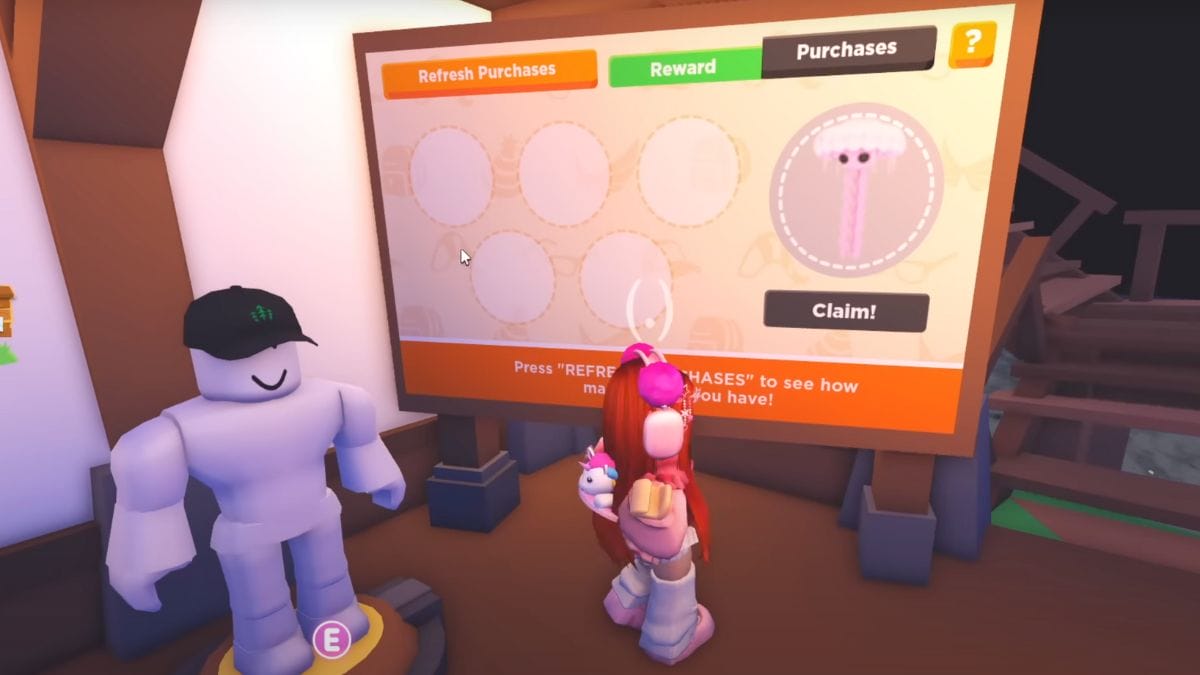
Jellyfish is one of the UGC pets, so unfortunately, you can’t get it by purchasing it with regular currency or as a reward for completing a quest. Instead, to get it, you’ll need to buy five UGC items from the Accessory Shop. 

This task won’t take you much time, but it requires you to spend precious Robux, a premium currency that can only be bought with real money. So, if you’re ready to spend Robux to add Jellyfish to your collection, you’ll need to head to the Accessory Shop. You can find this shop on Adoption Island. It’s not hard to spot it among other buildings because it’s literally a ship on the ground. You will identify it by the blue color of its hull and the wooden plank leading to the entrance. 

Once you’re inside, you’ll see the store’s board with a green Start button. When you interact with it, you will see the Jellyfish icon on the board and the Claim button below it. As mentioned above, you can’t get a pet right away, instead, you’ll need to buy five UGC items. To do this, pay attention to the top of the board, there will be several tabs. Among them, select the one that says Purchases. Here, you’ll see the available products and can buy the ones you like the most.

Items in the store have different prices, from 59 to 100 Robux. Based on this, if you want to save money, you will need a total of 295 Robux to unlock Jellyfish, which is 59 for each UGC item. When you have finally purchased the items you want, go back to the Reward tab and click the Claim button to get Jellyfish. It’s worth noting that this pet is limited, and you can only claim it for a certain amount of time until it is replaced by another new pet on the store board.

In addition, you can also get Jellyfish by trading with other players. In this case, you’ll need to offer something valuable in exchange because this is a new limited Ultra-Rare pet, and other players will not want to trade it for junk.

Related:

How To Get a Trading License in Adopt Me

Roblox is available for PC, PlayStation 4, Xbox One, iOS, and Android.

Related Topics
Guide Roblox
Share. Facebook Twitter LinkedIn Reddit Email
Vladyslav Petrenko
  • Website
  • Facebook

Vladyslav Petrenko is a freelance contributor for TNS.

SUGGESTED READS

Metroid Prime Producer Retires After MP4, 40 Years at Nintendo: 'A Sequel Remains Uncertain'
Features

Metroid Prime Producer Retires After MP4, 40 Years at Nintendo: ‘A Sequel is Still Uncertain’

Prince of Persia The Sands of Time Remake Canceled
Game News

Say Goodbye to the Prince of Persia: The Sands of Time Remake, Because Ubisoft Has Officially Canceled It

Crimson Desert Goes Gold
Features

Crimson Desert Has Gone Gold, Bringing Us Closer to One of the Biggest Open-World Experiences of Recent Memory

Final Fantasy 7 Remake Xbox Series X|S & Switch 2 Review
9.5
Features

Final Fantasy 7 Remake Xbox Series X|S/Nintendo Switch 2 Review – Classic Tale, New Platforms

Fatal Fury City of the Wolves Kim Jae Hoon Preview
Features

Fatal Fury City of the Wolves Kim Jae Hoon Hands-On Impressions – Fiery Kicks, Fast Combos

Steam's New AI Policy Separates AI-Generated Content From 'AI Powered Tools' Used for 'Efficiency Gains'
Features

Steam’s New AI Policy Separates AI-Generated Content From ‘AI Powered Tools’ Used for ‘Efficiency Gains’

The Nerd Stash
Facebook X (Twitter) Instagram YouTube LinkedIn
  • About Us
  • Join Our Team
  • Meet the Team
  • Privacy Policy
  • DMCA Policy
  • Contact Us
  • Terms of Use
  • Sitemap
  • Editorial Guidelines
  • Advertising Policy
© 2026 The Nerd Stash. All Rights Reserved.

Type above and press Enter to search. Press Esc to cancel.