

Close Menu
  • Gaming
    • Game Guides
    • Codes
    • Game News
    • Game Previews
    • Game Reviews
    • Game Features
    • Game Lists
    • Platforms
      • Nintendo
      • PC
      • PlayStation
      • Xbox
      • Mobile
  • Entertainment
    • Movies
    • Movie Features
    • Movie Reviews
    • TV
    • Reality TV
    • Royals
  • Celebrity
    • Hollywood
  • Human Interest
  • Astrology
  • Videos
  • More
    • Anime
    • Lists
    • Podcasts
    • Reviews
Facebook X (Twitter) Instagram LinkedIn YouTube
  • About Us
  • Join Our Team
  • Meet the Team
  • Privacy Policy
  • DMCA Policy
  • Contact Us
  • Terms of Use
  • Sitemap
  • Editorial Guidelines
  • Advertising Policy
The Nerd Stash
  • Gaming
  • Celebrity
    • Hollywood
  • Human Interest
  • Videos
The Nerd Stash
Home»Game Guides»How to Get Unlimited Self-Revives in MW3 Zombies – MWZ

How to Get Unlimited Self-Revives in MW3 Zombies – MWZ

Who’s a good boy?

Patrick ArmstrongAmir NaseriBy Patrick Armstrong and Amir NaseriNovember 20, 20233 Mins Read
Unlimited Self-Revives in MW3 Zombies
Image Source: Activision via The Nerd Stash
This article is over 2 years old and may contain outdated information.

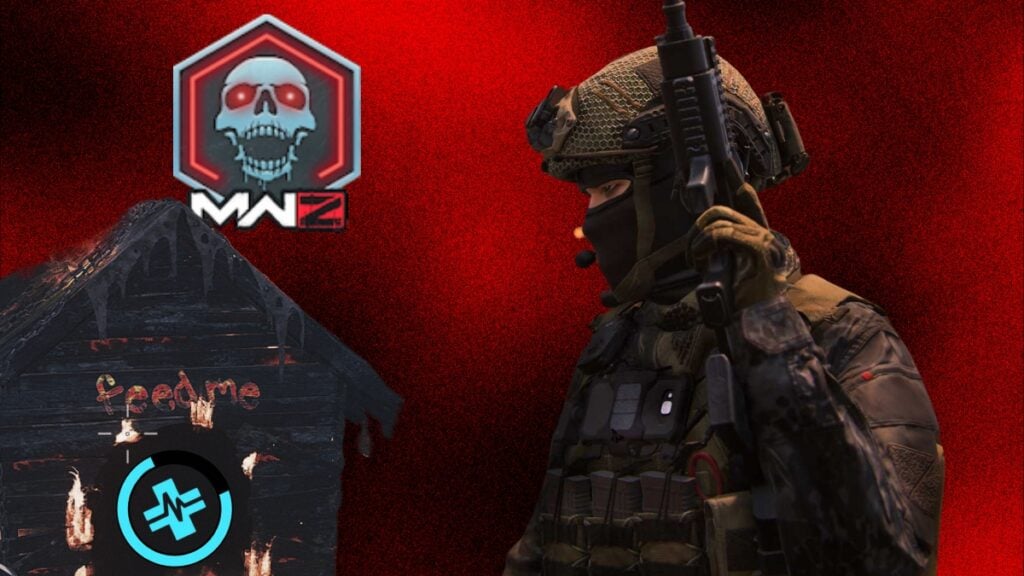
You can actually pet a hellhound in MW3 Zombies to befriend it! This dog becomes your best friend until the end of the match, and he’ll spawn beside you wherever you go. One of the most important perks that befriending a hellhound allows for players is that they give you unlimited self-revives in MW3 Zombies, allowing you to farm schematics and do anything you want in the level 3 threat zone! But taming a hellhound has some steps, and you need to find some items first.

How to Pet A Hellhound And Get Unlimited Self-Revives in MW3 Zombies – MWZ

(Updated on September 25, 2024 – updated links and format)

Pet Hellhounds in MWZ - MW3 Zombies
Image Source: Activision via The Nerd Stash

To pet a hellhound in MW3 Zombies, you’ll need to find some items called the Chunk of Flesh. These items are totally random to appear, and you can obtain them by killing enemies. I’ve mostly found zombies dropping this item after the kills, but even mercenary kills might also drop a Chunk of Flesh. This is the hellhound’s food; if you feed him flesh, he’ll join you in the battle. However, not all hellhounds are so friendly to take the flesh and identify you as their ally.

Where Are The Hellhound Houses in MWZ

Befriend Hellhound houses in MWZ - MW3 Zombies
Image Source: Activision via The Nerd Stash

There are three zones in the game, which means you’ll be able to find three levels of hellhounds to tame in MW3 Zombies. If you go to a MWZ match, you’ll find three dog house logos on the map, which spawn in random locations every game. These are the locations of dog houses, and if you feed them with enough flesh, they’ll join you.

Related:

10 MW3 Zombies Easter Eggs You Didn’t Know About

Remember, not all three hellhounds will give you unlimited self-revive in MW3 Zombies. The level 1 and 2 hellhounds are just there to help you fight zombies and mercenaries. And they never die and stay with you till the end of the match. The level 3 hellhound, however, can revive you whenever you go down on any threat zone. This is the unlimited self-revive easter egg in MW3 Zombies, and you’ll need to feed four chunks of flesh to it.

Chunk of Flesh in MWZ
Image Source: Activision via The Nerd Stash

Remember that reaching the level 3 hellhound’s house in the high-threat zone is a risky threat. Bring a vehicle with you, and always have some Decoy Grenades in your backpack to distract zombies. Then, go exactly to the marked location in the high-threat zone. Once you’re there, deposit three chunks of flesh in the hellhound’s house, and a good doggy arrives to give you unlimited self-revives and befriend you in MW3 Zombies MWZ mode.


Related Topics
Guide Modern Warfare 3
Share. Facebook Twitter LinkedIn Reddit Email
Patrick Armstrong, Amir Naseri
  • Website

Artist and writer with a lifelong love of video games. Their favorite games include Dead by Daylight, Meet Your Maker, and Project Zomboid.

Patrick Armstrong, Amir Naseri
  • Website

Artist and writer with a lifelong love of video games. Their favorite games include Dead by Daylight, Meet Your Maker, and Project Zomboid.

SUGGESTED READS

AI That Plays Games for You? Sony and Other Gaming Giants Filed 49 Gen AI-Related Patents in the Last Three Months
Game News

AI That Plays Games for You? Sony and Other Gaming Giants Filed 49 Gen AI-Related Patents in the Last Three Months

Clair Obscur: Expedition 33 Becomes Second Most Awarded Game Ever With 330+ GOTY Wins, But Which One Is Still No. 1?
Features

Clair Obscur: Expedition 33 Becomes Second Most Awarded Game Ever With 330+ Industry Awards, But Which Game Still Holds the No. 1 Spot?

StarRupture Unlock Recipes
Game Guides

How To Unlock New Recipes in StarRupture

StarRupture Data Points Farm
Game Guides

How To Earn Data Points in StarRupture

StarRupture Corporation Leveling Guide
Game Guides

Best Corporation to Level Up First in StarRupture

StarRupture Opening Underground Caves
Game Guides

How To Enter Underground Caves in StarRupture

Trending
AI That Plays Games for You? Sony and Other Gaming Giants Filed 49 Gen AI-Related Patents in the Last Three Months

AI That Plays Games for You? Sony and Other Gaming Giants Filed 49 Gen AI-Related Patents in the Last Three Months

Clair Obscur: Expedition 33 Becomes Second Most Awarded Game Ever With 330+ GOTY Wins, But Which One Is Still No. 1?

Clair Obscur: Expedition 33 Becomes Second Most Awarded Game Ever With 330+ Industry Awards, But Which Game Still Holds the No. 1 Spot?

StarRupture Unlock Recipes

How To Unlock New Recipes in StarRupture

StarRupture Data Points Farm

How To Earn Data Points in StarRupture

The Nerd Stash
Facebook X (Twitter) Instagram YouTube LinkedIn
  • About Us
  • Join Our Team
  • Meet the Team
  • Privacy Policy
  • DMCA Policy
  • Contact Us
  • Terms of Use
  • Sitemap
  • Editorial Guidelines
  • Advertising Policy
© 2026 The Nerd Stash. All Rights Reserved.

Type above and press Enter to search. Press Esc to cancel.




