Street Fighter 6 is now available for everyone to purchase and play. Like every major game, Street Fighter 6 also has various editions and pre-order bonuses that we’ve already covered. Each of those editions has various content, mostly different outfits and colors. Most players, especially PlayStation users, seem to have trouble getting their pre-orders or additional content they have paid for in Deluxe and Ultimate Editions. If you have the same issue, then here is the guide on how to redeem pre-order colors and additional bonuses in Street Fighter 6.
Redeeming Pre-Order Bonuses in Street Fighter 6
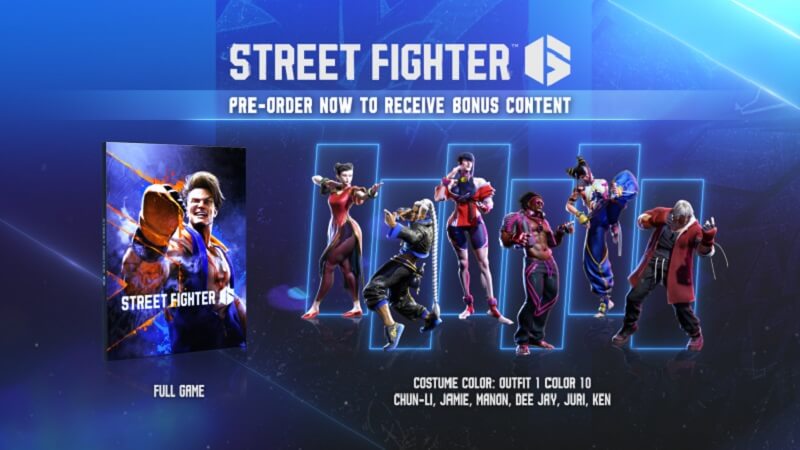
Usually, when you pre-order a game for the bonus or additional content, the contents will be added to the game when you start the game. Not only in Street Fighter 6, but the majority of games work this way. Players that have pre-ordered the game on PlayStation are having issues with getting the items they have paid for. This is because of a bug or glitch that prevents the game from recognizing which version you’ve bought and whether you’ve pre-ordered the game or not.
Luckily, a Reddit user named Gunkokoko has found a trick to make the content available in the game. You need to download the PlayStation App on your mobile device first if you don’t have it. Then turn on your PlayStation and log in to your account on the console and mobile.
Then go to the Game Library on the PlayStation App, find Street Fighter 6, and select it. On that page, you should see the game saying purchased. Select the game and then press the Play on Console button. Luckily this method and trick will work for you.
There is also another trick that some users have stated helped them get the bonus content. All you have to do is go to the PlayStation Store, find a free application, start downloading, and then cancel it after a few seconds. It seems this will make the PlayStation Store recognize you’ve paid for a Deluxe or Ultimate Edition or if you’ve pre-ordered the game, and the content will be available for you.
Related:
How to Taunt in Street Fighter 6
Still, it is essential to know that none of these methods are official or guaranteed to work. These issues are usually from the store servers, especially when a big game like Street Fighter 6 comes out, and many players want to purchase and play the game as quickly as possible.
Street Fighter 6 is now available for PC, PS4, PS5, and