
Close Menu
  • Gaming
    • Platforms
      • Nintendo
      • PC
      • PlayStation
      • Xbox
  • Entertainment
    • Movies
    • TV
    • Royals
  • Celebrity
    • Hollywood
  • Human Interest
  • Astrology
  • More
    • Anime
    • Reviews
Facebook X (Twitter) Instagram LinkedIn YouTube
  • About Us
  • Join Our Team
  • Meet the Team
  • Privacy Policy
  • DMCA Policy
  • Contact Us
  • Terms of Use
  • Sitemap
  • Editorial Guidelines
  • Advertising Policy
The Nerd Stash
  • Gaming
  • Celebrity
  • Hollywood
  • Human Interest
The Nerd Stash
Home»Gaming»How To Revive in My Hero Ultra Rumble

How To Revive in My Hero Ultra Rumble

Death is not an option, Plus Ultra!

Alina NovichenkoBy Alina NovichenkoSeptember 29, 20232 Mins Read
How To Revive in My Hero Ultra Rumble
Image Source: Bandai Namco via Globku
This article is over 2 years old and may contain outdated information.

[Updated on August 17, 2024, to revise outdated formatting and improve readability.]

My Hero Ultra Rumble lets players can take on the role of their favorite Heroes or Villains from My Hero Academia. In addition, the game is free-to-play, making it even more accessible. However, some gameplay mechanics can be a little confusing, such as Reviving. So, read on to find out how to Revive in My Hero Ultra Rumble.

Let’s start with the fact that players can be in three states:

  • Alive – This is your regular state when you run around the map and fight with other players.
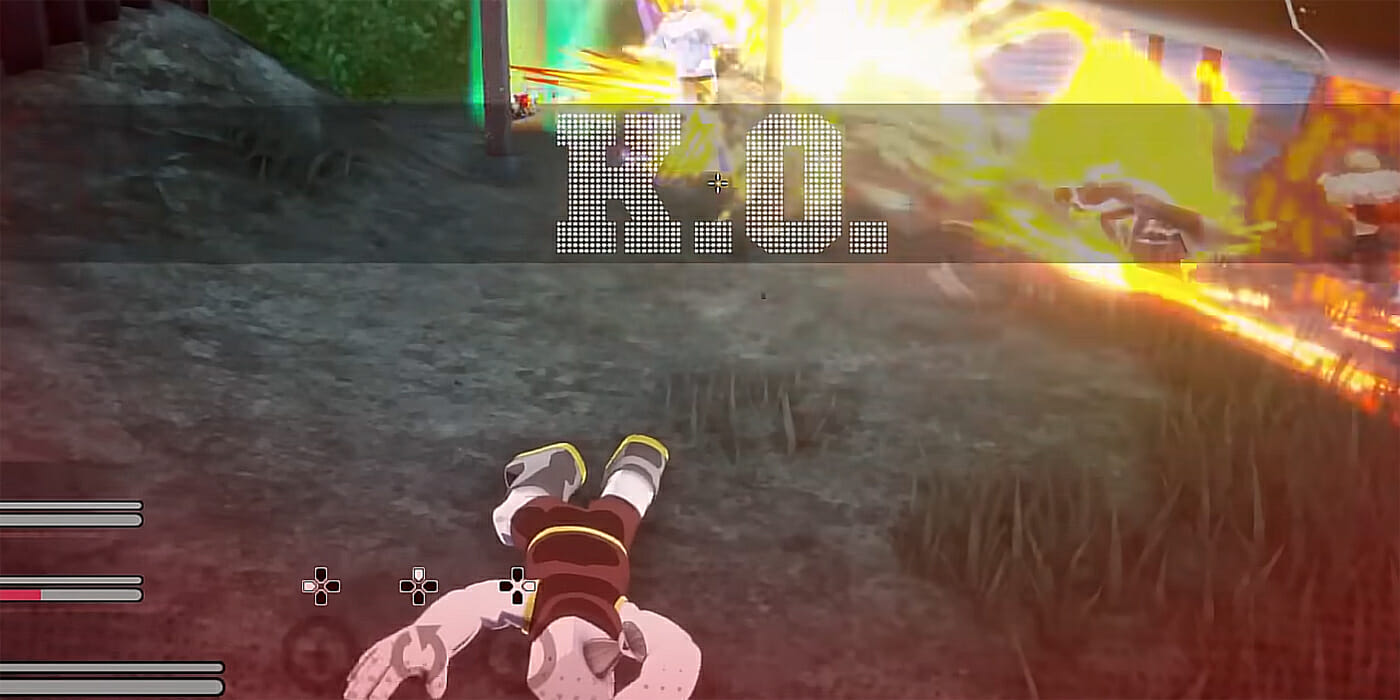
  • Down – You enter this state when your health drops to zero, and you can only crawl.
  • Knockout – If you are finished off when you have zero health, you actually die.

Luckily, you can revive in My Hero Ultra Rumble. When you are down, you must avoid damage for 20 seconds to revive automatically. But this is quite hard to do since your opponents will probably want to finish you off.
My Hero Ultra Rumble Reviving Explained
Image Source: Bandai Namco via Globku

Therefore, you and your friends must collect gray Revival Cards during the match. You can find them in chests, near the bodies of enemies, or obtain by helping or scaring civilians. When you collect three of these Cards, they will get a Pink Revival Card, which can be used to bring your teammate back to the game.

Also, you must have the Badge of the character you want to revive. They drop when the character dies. When you have a teammate’s Badge, you just need to select the Pink Revival Card from your inventory and use it to revive a friend in My Hero Ultra Rumble.

Related:

My Hero Ultra Rumble Agency Points Explained

However, the revived player will lose all previously found items and will be level 1 again. While this is not a problem in the early stages of the game, it can be fatal in the later stages. Therefore, protect your teammates when they are down to avoid a penalty.

That’s all you need to know about how to Revive in My Hero Ultra Rumble. This mechanic may seem complicated at first glance, but in reality, everything is very simple. Just collect a Revival Card, and you will be able to survive until the end of the match.


Related Topics
Guide My Hero Ultra Rumble
Share. Facebook Twitter LinkedIn Reddit Email
Alina Novichenko
  • Website

Alina is a professional freelance game guides writer, with 2 years experience in this industry. She joined TheNerdStash in 2022 and is glad to be part of a friendly team of writers.

SUGGESTED READS

MindsEye Layoffs 2026
Gaming

Studio Behind GTA-like Game, MindsEye, Hit With More Layoffs, and Nobody is Surprised: ‘Shocked There’s Even a Janitor Working There’

Princess Peach Spin-Off Movie May Already Be in Development, Job Listing Suggests
Gaming

Princess Peach Spin-Off Movie May Already Be in Development, Job Listing Suggests

Xbox's New CEO Wants to Reconnect With the 'Community,' Yet Brings In More CoreAI Leaders
Gaming

Xbox’s New CEO Wants to Reconnect With the ‘Community,’ Yet Brings In More CoreAI Leaders

Diablo 4 Season 13 Tier List
Gaming

Class Tier List for Diablo 4 Season 13 (Best Classes for Endgame & Leveling)

Take-Two Boss Finally Explains Why GTA 6 Is Skipping PC at Launch: 'We'll See How It Works Out'
Gaming

Take-Two Boss Finally Explains Why GTA 6 Is Skipping PC at Launch: ‘We’ll See How It Works Out’

Rockstar Employee Review Claims 'Unrealistic' Crunch as GTA 6 Development Intensifies: 'Had to Work Till 3AM'
Gaming

Rockstar Employee Review Claims ‘Unrealistic’ Crunch as GTA 6 Development Intensifies: ‘Had to Work Till 3AM’

The Nerd Stash
Facebook X (Twitter) Instagram YouTube LinkedIn
  • About Us
  • Join Our Team
  • Meet the Team
  • Privacy Policy
  • DMCA Policy
  • Contact Us
  • Terms of Use
  • Sitemap
  • Editorial Guidelines
  • Advertising Policy
© 2026 The Nerd Stash. All Rights Reserved.

Type above and press Enter to search. Press Esc to cancel.




