
Close Menu
  • Gaming
    • Platforms
      • Nintendo
      • PC
      • PlayStation
      • Xbox
  • Entertainment
    • Movies
    • TV
    • Royals
  • Celebrity
    • Hollywood
  • Human Interest
  • Astrology
  • More
    • Reviews
Facebook X (Twitter) Instagram LinkedIn YouTube
  • About Us
  • Join Our Team
  • Meet the Team
  • Privacy Policy
  • DMCA Policy
  • Contact Us
  • Terms of Use
  • Sitemap
  • Editorial Guidelines
  • Advertising Policy
The Nerd Stash
  • Gaming
  • Celebrity
  • Hollywood
  • Human Interest
The Nerd Stash
Home»Gaming»How to Scrap & Dismantle Junk Items in Starfield

How to Scrap & Dismantle Junk Items in Starfield

No matter how many companions you have, when you have too much in your inventory weighing you down in Starfield, you’ll notice that your O2…

Nat CollazoBy Nat CollazoSeptember 2, 20233 Mins Read
How to Scrap & Dismantle Junk Items in Starfield
Image Source: Bethesda via The Nerd Stash
This article is over 2 years old and may contain outdated information.

No matter how many companions you have, when you have too much in your inventory weighing you down in Starfield, you’ll notice that your O2 levels drain and you’re CO2 levels go up. As you travel around planets, and are not overburdened, you’ll notice that walking around becomes a little easier. If you don’t already know how to scrap and dismantle junk items in Starfield, then keep reading so that you can craft more items and have more room.

Scrap & Dismantle Junk Items in Starfield
How to Scrap & Dismantle Junk Items in Starfield
Image Source: Bethesda via The Nerd Stash

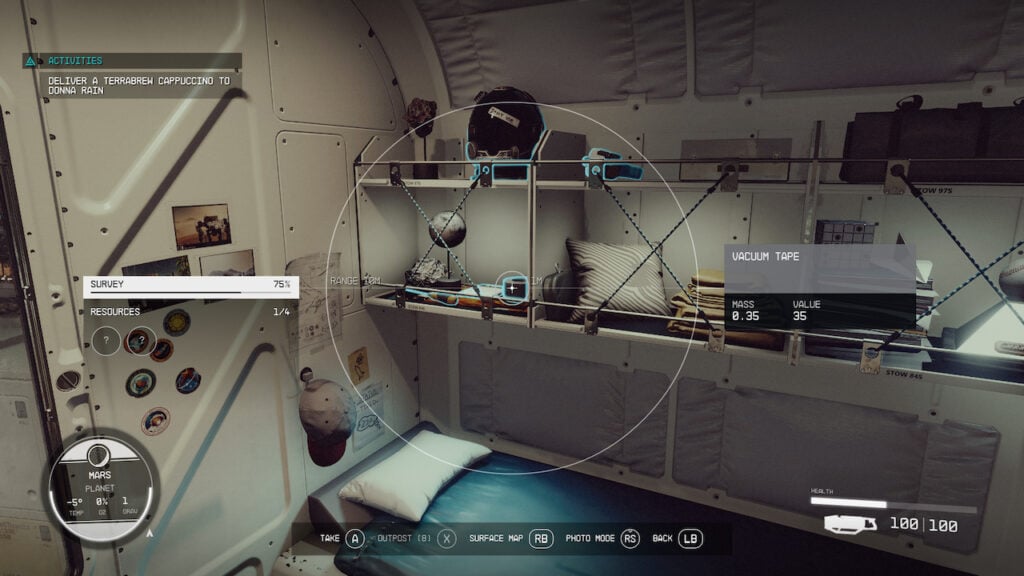
You don’t necessarily scrap and dismantle anything in Starfield, as the items that you’re able to acquire are usually broken down to their base form. However, you are able to scrap items by tossing them out of your inventory. You’re able to do this by pressing the X button on your Xbox controller or the R key on your keyboard in order to drop items from your inventory. All this will do is quite literally drop the item on the floor in front of you once you exit the menu. Junk itself can be found anywhere so long as you’re willing to search for it. You can even find some junk around your spaceship if you take a moment to look around. If you want to dismantle these items so that you can use them in crafting, that’s also an incredibly easy thing to do.

How To Craft Items In Starfield

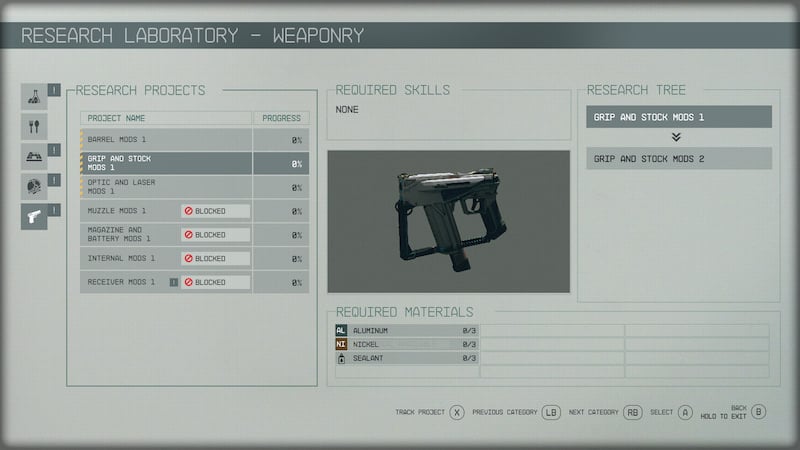
If you go to the Research Laboratory and look up different research projects to complete, you’ll see which ones you are and aren’t able to complete. With the ones you are able to complete, you’ll see what materials they require at the bottom. At that point, you’ll be able to dismantle the junk items that you do have in order to use them and create something else. Some projects will require you to have different skills beforehand, but you’ll know what those are if you look at the top of the Research Projects window. You’ll even be able to see how much progress is left in the project after you’ve decided to start it. Once you’ve figured out which one you want to do, just press the A button on your Xbox controller or the E key on your keyboard.

Related:

How To Dock and Board Enemy Ships in Starfield

Starfield will be available on Xbox Series X|S and PC on September 6.

Related Topics
Guide Starfield
Share. Facebook Twitter LinkedIn Reddit Email
Nat Collazo
  • Website
  • X (Twitter)
  • Instagram

Nat is a journalist with over ten years of online publishing experience. They are a massive fan of hanging out with both their wife and cat which would ideally be all the time. Nat received an undergraduate degree in English Literature from Florida International University, then returned to complete a graduate degree in Mass Communications before moving across the country to settle in New England.

SUGGESTED READS

Zenless Zone Zero Version 3.1 Anniversary
Gaming

Zenless Zone Zero Celebrates Its 2-Year Milestone With Free S-Rank Agents and a Crossover Announcement

All Black Marketeer Locations in Palworld
Gaming

All Black Marketeer Locations in Palworld

Gaming

A New Wolverine Trailer Playing in Front of the Odyssey is Getting Obliterated by PlayStation Fans: ‘Can’t wait for my PHYSICAL COPY’

Pal Awakening Guide - Palworld
Gaming

Complete Palworld Pal Awakening Guide

How to get Radiant Gems In Palworld 1.0
Gaming

How to get Radiant Gems In Palworld 1.0

gamescom dev 2026 Adds Subnautica 2 Creative Director as Keynote Speaker, Reveals New Awards
Gaming

gamescom dev 2026 Adds Subnautica 2 Creative Director as Keynote Speaker, Reveals New Awards

The Nerd Stash
Facebook X (Twitter) Instagram YouTube LinkedIn
  • About Us
  • Join Our Team
  • Meet the Team
  • Privacy Policy
  • DMCA Policy
  • Contact Us
  • Terms of Use
  • Sitemap
  • Editorial Guidelines
  • Advertising Policy
© 2026 The Nerd Stash. All Rights Reserved.

Type above and press Enter to search. Press Esc to cancel.