


Do you want to know how to start San Andreas Mercenaries missions in GTA 5? The title’s massive content update has been available for some time now and especially, and the inclusion of new missions was met with plenty of excitement from the committee. At the call of ex-military operative Charlie Reed, you urgently need to be involved in Project Overthrow, a multi-pronged attack. Are you excited to be a part of this plan but don’t know how to get involved? No worries; below, this guide will show you how to start San Andreas Mercenaries missions in GTA 5 (GTA Online).
How To Start San Andreas Mercenaries Missions in GTA 5?
The most significant handicap of DLCs like this is that the missions that arrive with it are pretty tricky to start. However, this doesn’t apply to the GTA 5 San Andreas Mercenaries update. To start the Mercenaries missions, you must have the latest version of GTA Online and be located in Los Santos. Once you’ve done these, you’ll get a call from Charlie Reed, an ex-military operator with significant experience assisting in various Heists around Los Santos over the years.
In your phone call with Charlie, he will tell you about a team he has just set up called Los Santos Angels and ask you to be the team leader. The first step to start the Mercenaries is to go to the www.eyefind.info website on your smartphone. Next, you must purchase a Mammoth Avenger from Warstock Cache & Carry and upgrade it with Operations Terminal. This will cost you approximately 5.000.000$. Also, you won’t need any hangars to store the Mammoth Avenger.
After purchasing the stuff you need, follow the Services > Avenger > Request Avenger steps from the Interaction Menu. This will place an icon on the map, and you can quickly navigate to the near Avenger by ticking it. After doing this, direct your character to the blue waiting point behind the Avenger. When you enter inside, you will see a notification on the top left; this will give you some directions about starting the plan. To keep up with this, you must log in to the Operations Terminal to begin Project Overthrow for Charlie Reed.
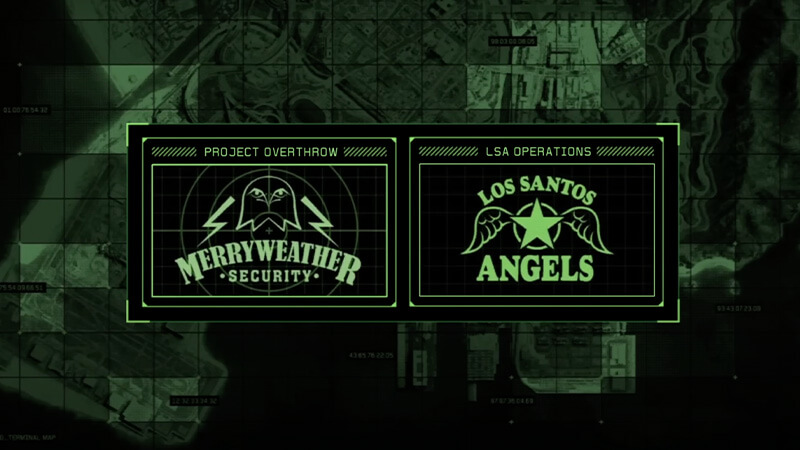
You should register as CEO or MC President to log into Operations Terminal. Once you’ve done this, you’ll get in and see on the left side Project Overthrow, which is the update’s story missions, and on the right side, LSA Operations offering three private contracts. Lastly, you can also start the second one by calling Charlie. So select one and dive into the adventure.
GTA Online is available on PC, PS4, PS5,
What do you think about GTA 5 San Andreas Mercenaries update?






