

Close Menu
  • Gaming
    • Platforms
      • Nintendo
      • PC
      • PlayStation
      • Xbox
  • Entertainment
    • Movies
    • TV
    • Royals
  • Celebrity
    • Hollywood
  • Human Interest
  • Astrology
  • More
    • Reviews
Facebook X (Twitter) Instagram LinkedIn YouTube
  • About Us
  • Join Our Team
  • Meet the Team
  • Privacy Policy
  • DMCA Policy
  • Contact Us
  • Terms of Use
  • Sitemap
  • Editorial Guidelines
  • Advertising Policy
The Nerd Stash
  • Gaming
  • Celebrity
  • Hollywood
  • Human Interest
The Nerd Stash
Home»Gaming»How to Start a New Game in Dragon’s Dogma 2

How to Start a New Game in Dragon’s Dogma 2

There’s nothing wrong with starting over.

Brady Klinger-MeyersBy Brady Klinger-MeyersMarch 22, 20242 Mins Read
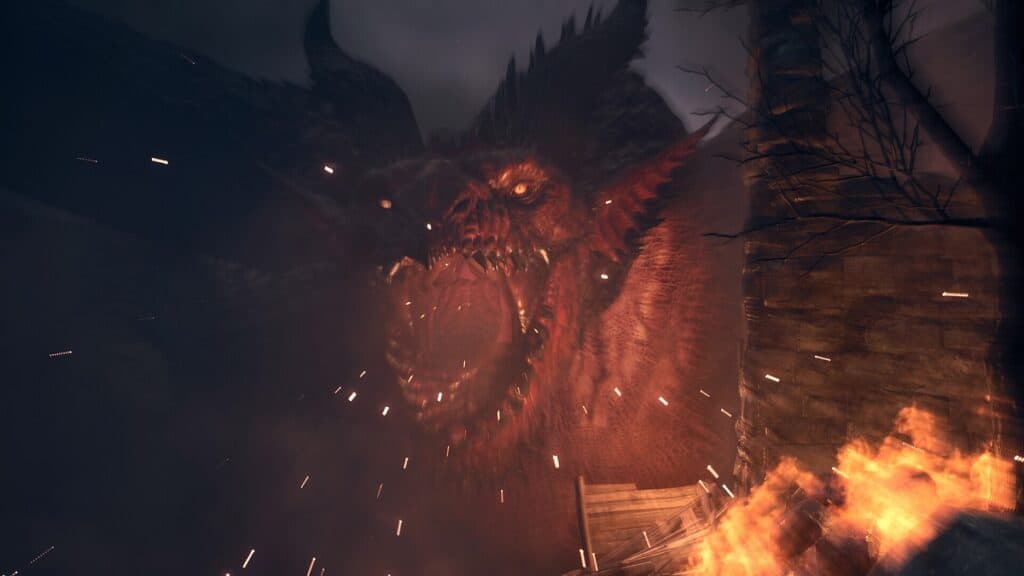
how to delete save data to start a new game in dragon's dogma 2
Image Source: Capcom
This article is over 2 years old and may contain outdated information.

In every game there’s always that one feature or setting that’s bizarrely implemented and for Dragon’s Dogma 2, it has to do with your save file. Like the first game, you can only have one character at a time; you can’t create multiple characters on a single account. Now, you could create a second account, but then you miss out on using your friend’s Pawns. You don’t have to jump through hoops like that to start a new game in Dragon’s Dogma 2.

How to Delete Save Data to Start a New Game on Xbox & PlayStation

If you played for a bit and realized your character isn’t as great as you thought it was, I say that calls for a redo. To start a new game in Dragon’s Dogma 2, you’ll have to manually delete your save file on PS5 and Xbox Series X|S.

deleting dragon's dogma 2 save data on ps5
Image Source: Sony via The Nerd Stash

On PlayStation, you’ll find the save data by going into Settings > Saved Data and Game/App Settings > Saved Data (PS5). From there, choose Upload or Delete From Console Storage. Afterwards, go back and choose Download or Delete From Cloud Storage and delete the save data for Dragon’s Dogma 2 from there as well. You wouldn’t want to accidentally download your old save data from the cloud because it’ll overnight your new character.

Related:

All Stats in Dragon’s Dogma 2, Explained

For Xbox Series X|S, it’s more straightforward. Hover over Dragon’s Dogma 2 and press the Menu button > Manage game and add-ons > Saved Data. If there’s more than one person with a character, choose your account and delete the save data. If it’s only you, just select Delete All at the top.

How to Start a New Game in Dragon’s Dogma 2 on PC

Now, starting a new game in Dragon’s Dogma 2 on PC follows a similar path. Since Steam saves your files in the cloud, you have to first delete Steam Cloud saves.

Related:

How To Delete Steam Cloud Saves for Dragon’s Dogma 2

Once that’s out of the way, simply right-click Dragon’s Dogma 2 > Manage > Browse Local Files, then delete the win64_save folder. Afterwards, it’s just a matter of booting up Dragon’s Dogma 2 and onto a new game!

Related Topics
Dragon's Dogma 2 Guide
Share. Facebook Twitter LinkedIn Reddit Email
Brady Klinger-Meyers
  • Website

Brady has been writing about video games for the better part of four years. When he isn't obsessing over RPGs or games from his childhood, there's a good chance he's working on another short story.

SUGGESTED READS

Marvel's Wolverine Cut 'A Lot' of Content, Including Adaptive Trigger Combat and Nightcrawler, Leak Reveals
Gaming

Marvel’s Wolverine Cut ‘A Lot’ of Content, Including Adaptive Trigger Combat and Nightcrawler, Leak Reveals

Fortnite Leak Reveals Sonic Is Finally Coming Alongside Mega Man, Roblox, and Other 'Gaming Legends'
Gaming

Fortnite Leak Reveals Sonic Is Finally Coming Alongside Mega Man, Roblox, and Other ‘Gaming Legends’

8
Gaming

Madden NFL 27 Review – The Buffalo Bills Of the Series

One of GTA Online's Biggest Roleplay Servers Is Officially Launching on Rockstar Launcher This September
Gaming

One of GTA Online’s Biggest Roleplay Servers Is Officially Launching on Rockstar Launcher This September

Marvel Tokon Fighting Souls PS5 Review
9.5
Gaming

Marvel Tōkon: Fighting Souls Review – Taking the Genre to New Heights

GTA 6's $100 Preorder Is Outselling the $80 Edition Amid Fans' Backlash, Confirms Take-Two: 'We Want People to be Thrilled'
Gaming

GTA 6’s $100 Preorder Is Outselling the $80 Edition Amid Fans’ Backlash, Confirms Take-Two: ‘We Want People to be Thrilled’

The Nerd Stash
Facebook X (Twitter) Instagram YouTube LinkedIn
  • About Us
  • Join Our Team
  • Meet the Team
  • Privacy Policy
  • DMCA Policy
  • Contact Us
  • Terms of Use
  • Sitemap
  • Editorial Guidelines
  • Advertising Policy
© 2026 The Nerd Stash. All Rights Reserved.

Type above and press Enter to search. Press Esc to cancel.



