Close Menu
  • Gaming
    • Game Guides
    • Codes
    • Game News
    • Game Previews
    • Game Reviews
    • Game Features
    • Game Lists
    • Platforms
      • Nintendo
      • PC
      • PlayStation
      • Xbox
      • Mobile
  • Entertainment
    • Movies
    • Movie Features
    • Movie Reviews
    • TV
    • Reality TV
    • Royals
  • Celebrity
    • Hollywood
  • Human Interest
  • Astrology
  • Videos
  • More
    • Anime
    • Lists
    • Podcasts
    • Reviews
Facebook X (Twitter) Instagram LinkedIn YouTube
  • About Us
  • Join Our Team
  • Meet the Team
  • Privacy Policy
  • DMCA Policy
  • Contact Us
  • Terms of Use
  • Sitemap
  • Editorial Guidelines
  • Advertising Policy
The Nerd Stash
  • Gaming
  • Celebrity
    • Hollywood
  • Human Interest
  • Videos
The Nerd Stash
Home»Game Guides»How To Strengthen The Flame in Enshrouded

How To Strengthen The Flame in Enshrouded

Keep your flame burning through strengthening it!

Nat CollazoBy Nat CollazoJanuary 24, 20242 Mins Read
How to Strengthen the Flame in Enshrouded
Image Source: Keen Games via The Nerd Stash
This article is over 1 years old and may contain outdated information.

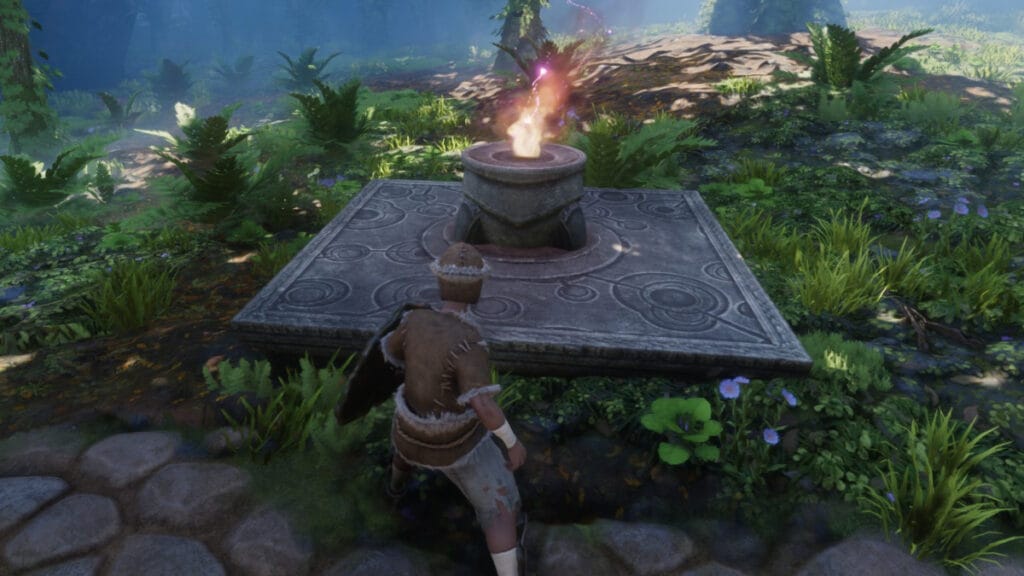
The Flame is where you can build your home base and teleport back to after you die. When you first place down the Flame Altar, you’ll only be able to put down two anywhere in the world. You can strengthen the Flame so that you can put more of them as you travel to areas that don’t have Spires or other fast travel points. It’s in your best interest to try and strengthen the Flame as much as you can to make travelling a little less painful. Let’s take a dive into how to strengthen the Flame in Enshrouded!

Upgrading The Flame in Enshrouded, Explained
How to Strengthen the Flame in Enshrouded
Image Source: Keen Games via The Nerd Stash

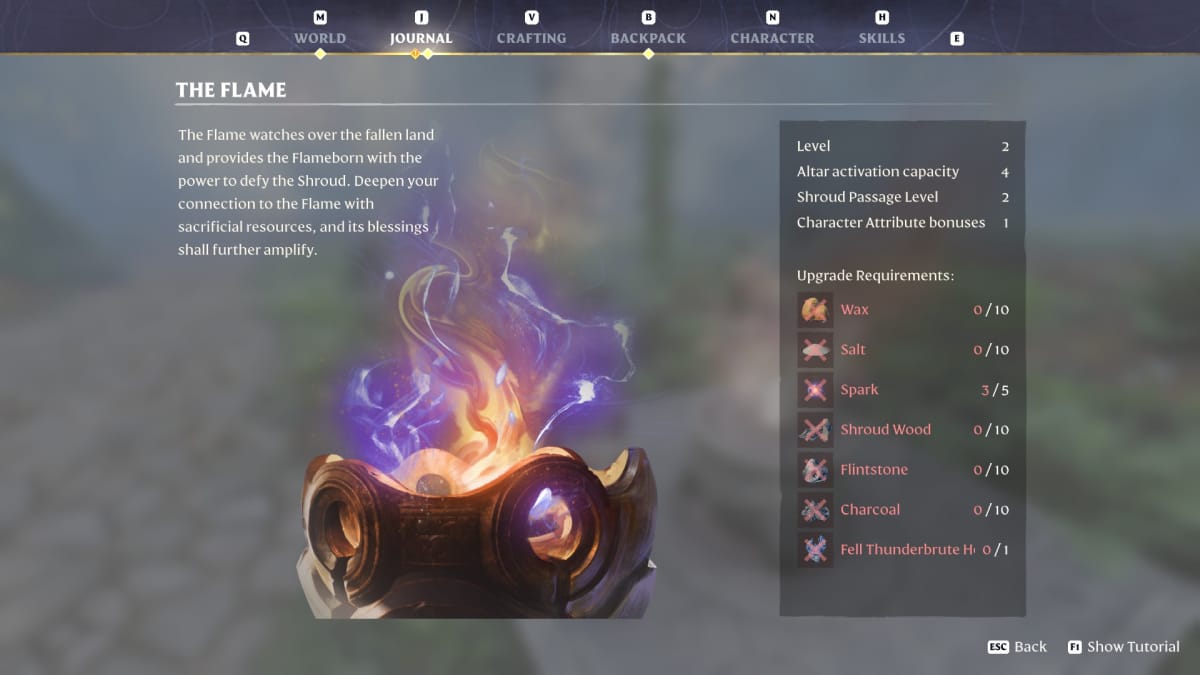
Regardless of which Flame Altar you’re at, to strengthen the Flame, you’ll need to select the Flame. It has an option to enhance the Flame with all of the sacrificial offerings you’ll need. Alternatively, you can open up your Journal by pressing J on your keyboard or going to the option in the game’s menu by pressing the Menu button on your Xbox controller. In this window, you can select the Flame and also see all of the necessary offerings. From this window, you aren’t able to upgrade the Flame and will need to be next to a physical one.

Related:

5 Items to Craft First in Enshrouded

In strengthening the Flame, you will be able to get an additional 2 Altar activations per level, an extra Shroud Passage level that removes Deadly Shrouds, and an extra Character Attribute bonus. Many of the offerings are things you can find or craft very easily, including Resin, String, and Sparks. As you journey through Embervale and fight corrupted enemies, you’ll find these offerings in no time.

Enshrouded is available in early access on Steam.

Related Topics
Enshrouded Guide
Share. Facebook Twitter LinkedIn Reddit Email
Nat Collazo
  • Website
  • X (Twitter)
  • Instagram

I am a game journalist and guide writer with ten years of experience as well as the CEO/ Founder of Frowns Marketing, a marketing company that caters to indie games, tabletop games, and board games to help developers get more wishlists, backers, and players!

SUGGESTED READS

Metroid Prime Producer Retires After MP4, 40 Years at Nintendo: 'A Sequel Remains Uncertain'
Features

Metroid Prime Producer Retires After MP4, 40 Years at Nintendo: ‘A Sequel is Still Uncertain’

Prince of Persia The Sands of Time Remake Canceled
Game News

Say Goodbye to the Prince of Persia: The Sands of Time Remake, Because Ubisoft Has Officially Canceled It

Crimson Desert Goes Gold
Features

Crimson Desert Has Gone Gold, Bringing Us Closer to One of the Biggest Open-World Experiences of Recent Memory

Final Fantasy 7 Remake Xbox Series X|S & Switch 2 Review
9.5
Features

Final Fantasy 7 Remake Xbox Series X|S/Nintendo Switch 2 Review – Classic Tale, New Platforms

Fatal Fury City of the Wolves Kim Jae Hoon Preview
Features

Fatal Fury City of the Wolves Kim Jae Hoon Hands-On Impressions – Fiery Kicks, Fast Combos

Steam's New AI Policy Separates AI-Generated Content From 'AI Powered Tools' Used for 'Efficiency Gains'
Features

Steam’s New AI Policy Separates AI-Generated Content From ‘AI Powered Tools’ Used for ‘Efficiency Gains’

The Nerd Stash
Facebook X (Twitter) Instagram YouTube LinkedIn
  • About Us
  • Join Our Team
  • Meet the Team
  • Privacy Policy
  • DMCA Policy
  • Contact Us
  • Terms of Use
  • Sitemap
  • Editorial Guidelines
  • Advertising Policy
© 2026 The Nerd Stash. All Rights Reserved.

Type above and press Enter to search. Press Esc to cancel.