Close Menu
  • Gaming
    • Game Guides
    • Codes
    • Game News
    • Game Previews
    • Game Reviews
    • Game Features
    • Game Lists
    • Platforms
      • Nintendo
      • PC
      • PlayStation
      • Xbox
      • Mobile
  • Entertainment
    • Movies
    • Movie Features
    • Movie Reviews
    • TV
    • Reality TV
    • Royals
  • Celebrity
  • Human Interest
  • Astrology
  • Videos
  • More
    • Anime
    • Lists
    • Podcasts
    • Reviews
Facebook X (Twitter) Instagram LinkedIn YouTube
  • About Us
  • Join Our Team
  • Meet the Team
  • Privacy Policy
  • DMCA Policy
  • Contact Us
  • Terms of Use
  • Sitemap
  • Editorial Guidelines
  • Advertising Policy
The Nerd Stash
  • Gaming
  • Celebrity
  • Human Interest
  • Videos
The Nerd Stash
Home»Game Guides»How to Use the Baldur’s Gate 3 Character Builder

How to Use the Baldur’s Gate 3 Character Builder

While many players have already started their journey in the Forgotten Realms world, others are just planning the concept of their first or next character.…

Artur NovichenkoBy Artur NovichenkoAugust 21, 20233 Mins Read
Baldur’s Gate 3 Character Builder
Image Source: Baldur’s Gate 3 Character Builder via The Nerd Stash

Skip To...

  • What Is Baldur’s Gate 3 Character Builder
  • How to Create a Character in Baldur’s Gate 3 Character Builder
This article is over 2 years old and may contain outdated information.

While many players have already started their journey in the Forgotten Realms world, others are just planning the concept of their first or next character. Perhaps you haven’t installed Baldur’s Gate 3 yet or are planning your next playthrough. But anyway, the Character Builder will come in handy. Using this simple but handy tool, you can create a new character without resetting your playthrough. And although the functionality of Baldur’s Gate 3 Character Builder is inferior to a similar function in the full version of the BG3, here we will tell you how to use it.

What Is Baldur’s Gate 3 Character Builder

(Updated on October 11, 2024 – updated links and format)
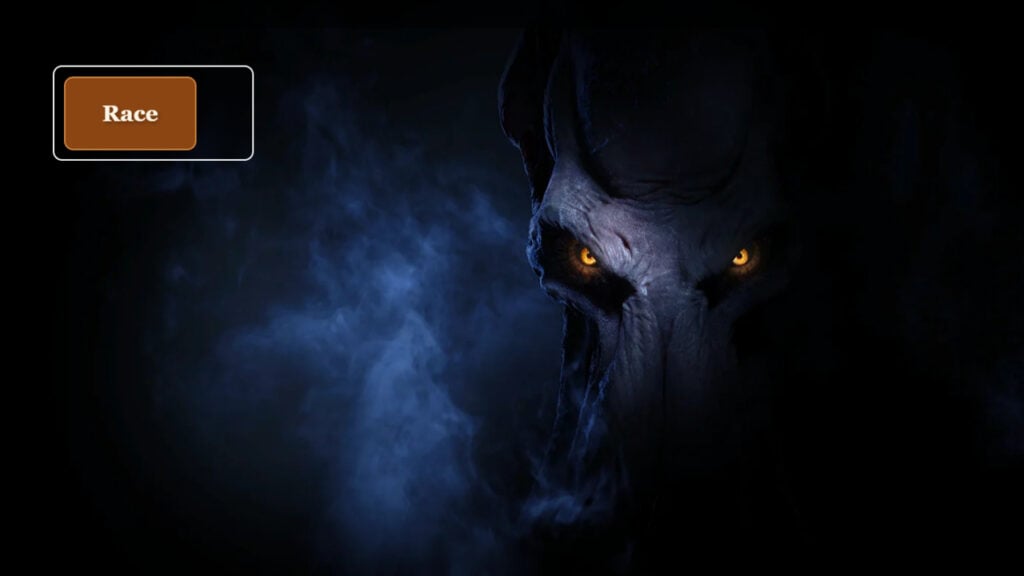
BG3 Character Builder
Image Source: BG3 Character Builder via The Nerd Stash

As we said earlier, Baldur’s Gate 3 Character Builder is a helpful third-party website created and published by Reddit user SmokkeHearb. Thanks to this website, you can easily create your character concept for the new Baldur’s Gate 3 playthrough by choosing a race, class, stat, and class skills.

Unfortunately, this tool does not have the functionality to customize the character’s appearance, so you will have to do this after you start a new playthrough in the game. But on the other hand, you can select all the characteristics in advance so that later you can quickly transfer them to a new character.

How to Create a Character in Baldur’s Gate 3 Character Builder
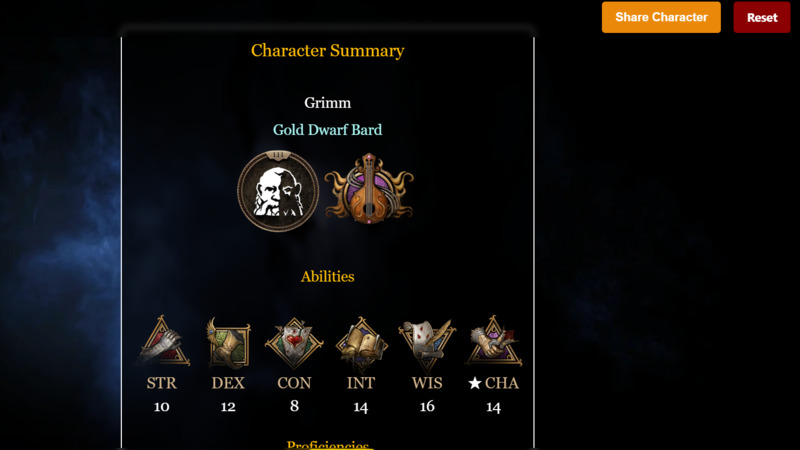
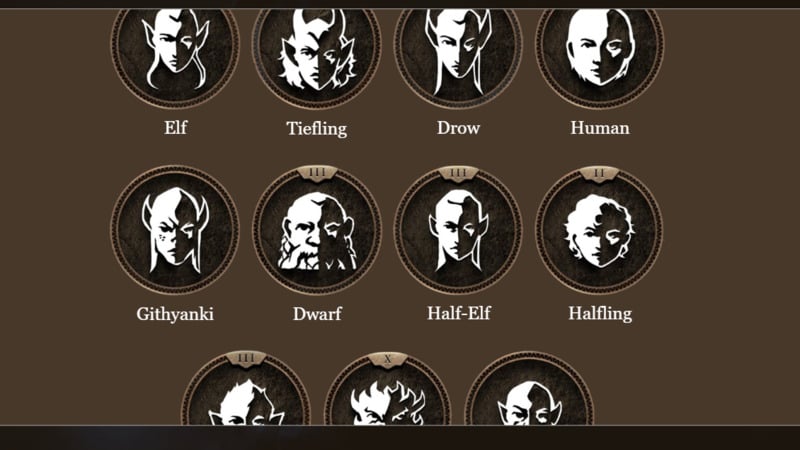
Character Builder in Baldur’s Gate 3
Image Source: BG3 Character Builder via The Nerd Stash

Although Baldur’s Gate 3 Character Builder has fallen out of favor since the full BG3 release, it is still helpful in some situations. For example, you can share your build with friends or create some character concepts so you don’t forget to play them later. In addition, Mac players are still waiting for the release, and this tool can become a faithful assistant for them. Regardless of the reason, here’s how you can use this tool:

  • To get started, go to the official Baldur’s Gate 3 Character Builder website and click the Race button to select your character’s race and subrace.
  • Select Character Name, Background, and Class.
  • Next, depending on the selected class, select a subclass and configure all the necessary characteristics.
  • Below you will see the final card with a description of all the characteristics, as well as the strengths and weaknesses of your character.
  • After that, you can click Share Character to share the build with your friends or save it for later.
  • You can also press Reset if you decide to create another character.
Related Topics
Baldur's Gate 3 Guide
Share. Facebook Twitter LinkedIn Reddit Email
Artur Novichenko
  • Website

Artur is a copywriter and SEO specialist, as well as a small business owner. In his free time, he loves to play computer games and is glad that he was able to connect his professional career with his hobby.

SUGGESTED READS

Astra Malorum Zombies easter egg song
Game Guides

Where To Find Astra Malorum Easter Egg Song In Black Ops 7 Zombies

Path of Exile 2 The Last of the Druids Update Preview
Features

One Of the Most Unique Druid Archetypes Is Ready to Land on Path of Exile 2: The Last of the Druids

Avatar TLA Fans Are Finally Getting the Open-World Game They've Been Waiting For: 'We Got Avatar's Creed Before GTA 6'
Game News

Avatar TLA Fans Are Finally Getting the Open-World Game They’ve Been Waiting For: ‘We Got Avatar’s Creed Before GTA 6’

Best Augments in Black Ops 7 Zombies
Game Guides

Best Augments You Need To Fully Research In Call of Duty: Black Ops 7 Zombies

All Steps in the Destiny 2 Renegades Campaign
Game Guides

How To Complete the Renegades Campaign in Destiny 2

Octopath Traveler 0 PS5 Review
9
Features

Octopath Traveler 0 Review – A Tale of Revenge and Restoration

Trending
Astra Malorum Zombies easter egg song

Where To Find Astra Malorum Easter Egg Song In Black Ops 7 Zombies

Path of Exile 2 The Last of the Druids Update Preview

One Of the Most Unique Druid Archetypes Is Ready to Land on Path of Exile 2: The Last of the Druids

Avatar TLA Fans Are Finally Getting the Open-World Game They've Been Waiting For: 'We Got Avatar's Creed Before GTA 6'

Avatar TLA Fans Are Finally Getting the Open-World Game They’ve Been Waiting For: ‘We Got Avatar’s Creed Before GTA 6’

Best Augments in Black Ops 7 Zombies

Best Augments You Need To Fully Research In Call of Duty: Black Ops 7 Zombies

The Nerd Stash
Facebook X (Twitter) Instagram YouTube LinkedIn
  • About Us
  • Join Our Team
  • Meet the Team
  • Privacy Policy
  • DMCA Policy
  • Contact Us
  • Terms of Use
  • Sitemap
  • Editorial Guidelines
  • Advertising Policy
© 2025 The Nerd Stash. All Rights Reserved.

Type above and press Enter to search. Press Esc to cancel.