Close Menu
  • Gaming
    • Platforms
      • Nintendo
      • PC
      • PlayStation
      • Xbox
  • Entertainment
    • Movies
    • TV
    • Royals
  • Celebrity
    • Hollywood
  • Human Interest
  • Astrology
  • More
    • Anime
    • Reviews
Facebook X (Twitter) Instagram LinkedIn YouTube
  • About Us
  • Join Our Team
  • Meet the Team
  • Privacy Policy
  • DMCA Policy
  • Contact Us
  • Terms of Use
  • Sitemap
  • Editorial Guidelines
  • Advertising Policy
The Nerd Stash
  • Gaming
  • Celebrity
  • Hollywood
  • Human Interest
The Nerd Stash
Home»Gaming»NBA 2K24: How To Fix Error Code 4b538e50

NBA 2K24: How To Fix Error Code 4b538e50

Are you trying out all the online features of the NBA 2K24 but can’t because of the infamous error code 4b538e50? The error has persisted…

Nikola PajticBy Nikola PajticSeptember 9, 20233 Mins Read
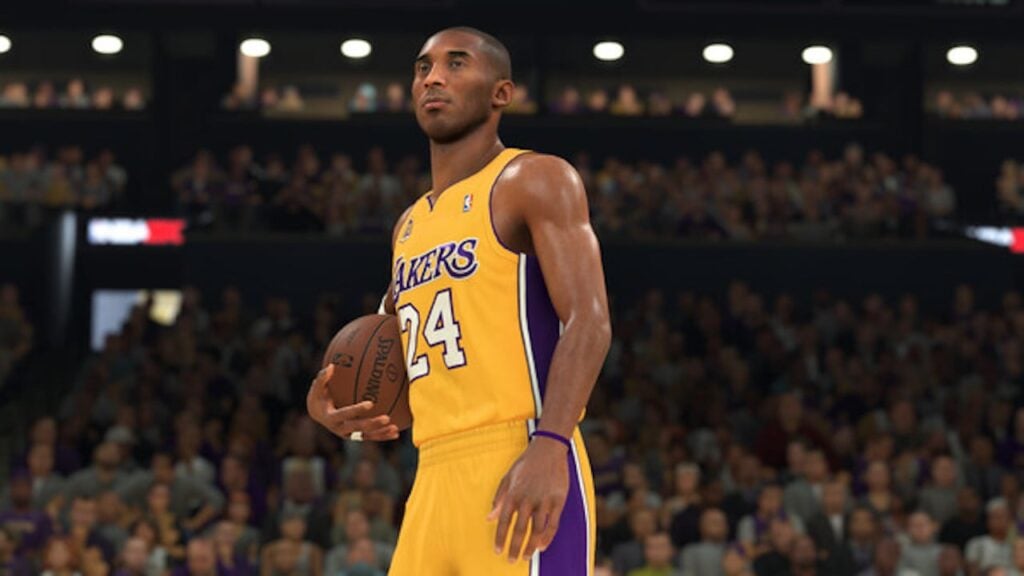
NBA 2K24: How To Fix Error Code 4b538e50 Featured Image
Image Source: 2K Games
This article is over 2 years old and may contain outdated information.

Are you trying out all the online features of the NBA 2K24 but can’t because of the infamous error code 4b538e50? The error has persisted no matter how hard you slam dunk it. It is a common error from the previous installments and it can pop up whenever you try to enjoy all the goodies that NBA 2K online offers. A message on your screen will read, “There is a problem with your connection to our online servers.” Luckily, there is a quick and easy fix for this, as you might be missing some essential NBA 2K24 data.

NBA 2K24 4b538e50 Error Code Fix Guide
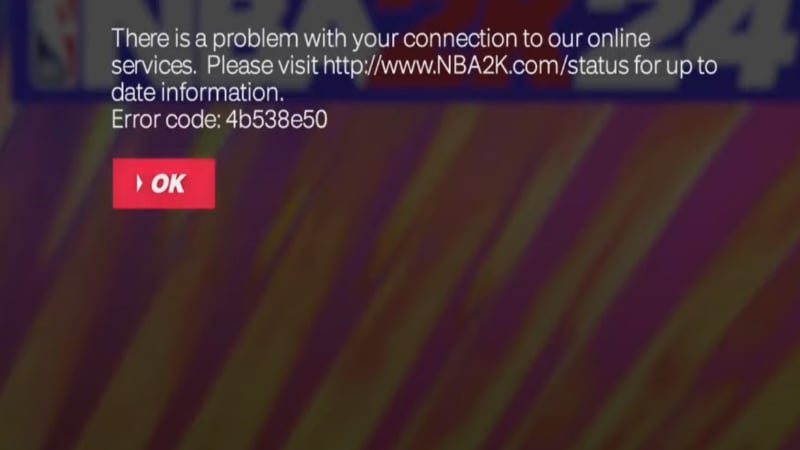
NBA 2K24 error
Image Source: 2K Games via How To Guys YouTube Screenshot

In NBA 2K24, the error code 4b538e50 can appear when the game data is not completed. Either see if there is a new patch or check that the download is at 100% before launching the game.
The most straightforward fix for the 2K24 4b538e50 error is to install the latest patch for NBA 2K24 on your platform:

  • Xbox: Navigate to My Games & Apps, select Updates, and trigger the NBA 2K24 update installation.
  • PlayStation: Find NBA 2K24 in your library, select ‘Check for updates,’ and install available updates.
  • Nintendo Switch: Locate the NBA 2K24 game icon on your home screen, press the + button, and select Software update via the internet.
  • PC (Steam): Open Steam, find NBA 2K24, and choose Check for updates from the main menu.

Related:

How To Fix Face Scan Not Working In NBA 2K24

If installing the latest patch doesn’t work, consider these alternative solutions:

  • Confirm Your MyPLAYER Account: Visit the sign-in page of the NBA 2K website, enter your MyPLAYER account details, and successfully log in will automatically verify your account.
  • Account Limit: NBA 2K enforces a limit of five accounts per device. If you exceed this limit, consider using one of the existing accounts to play.
  • Firewall or Anti-Virus Blockage: Ensure that your firewall or anti-virus software isn’t blocking the game. Adjust settings if necessary.
  • Sync Game Data: Avoid deleting the game’s reserved space on your hard drive, as this space is crucial for updates and patches. Play a game in Play Now mode and wait for the update message to re-sync your game data. This is often a go-to solution for many players as reported by the community.
  • Reinstalling the Game: If all else fails, you may need to reinstall the game. However, this should be a last resort.
  • Check NBA 2K24 Server Status: Check the official server status page, 2K’s Twitter account (@NBA2K), Reddit NBA 2K, or Down Detector for real-time updates on server status. Server issues often lead to the 4b538e50 error code in NBA 2K24.

Resolving the 4b538e50 error code will help you get back on the court and enjoy NBA 2K24 to the fullest.

NBA 2K24 is available on PS5, PS4, Xbox Series X|S, Xbox One, Switch, and PC.

Related Topics
Guide NBA 2K24
Share. Facebook Twitter LinkedIn Reddit Email
Nikola Pajtic
  • Website

Nikola has been a gamer his whole life, and you can find him playing AAA titles but also unknown indie games.

SUGGESTED READS

Path of Exiles 2 Build Planner Guide
Gaming

How To Use the Build Planner in Path of Exile 2

Adopt Me Kicks Off Summer With Journey to Summer Camp Update, Here's All The New Week 1 Pets & Rewards
Gaming

Roblox Adopt Me Launches Journey to Summer Camp Update, Here’s All the Week 1 Pets & Rewards

LEGO Batman Legacy of the Dark Knight PC Review
9
Gaming

LEGO Batman: Legacy of the Dark Knight Review – A Hero Rises

Call of Duty: Modern Warfare 4 Launching This October on Next-Gen Consoles & Switch 2, But Not Game Pass
Gaming

Call of Duty: Modern Warfare 4 Launching This October on Next-Gen Consoles & Switch 2, But Not Game Pass

Hideo Kojima Teams Up With Prada for an AI Film, And Fans Aren't Happy: 'Beyond Incredibly Disappointing'
Gaming

Hideo Kojima Teams Up With Prada for an AI Film, And Fans Aren’t Happy: ‘Beyond Incredibly Disappointing’

The Witcher 3 Songs of the Past expansion
Gaming

A Witcher 3 Leak Just Forced CD Projekt Red to Announce a Brand-New Expansion: Songs of the Past

The Nerd Stash
Facebook X (Twitter) Instagram YouTube LinkedIn
  • About Us
  • Join Our Team
  • Meet the Team
  • Privacy Policy
  • DMCA Policy
  • Contact Us
  • Terms of Use
  • Sitemap
  • Editorial Guidelines
  • Advertising Policy
© 2026 The Nerd Stash. All Rights Reserved.

Type above and press Enter to search. Press Esc to cancel.