

Close Menu
  • Gaming
    • Game Guides
    • Codes
    • Game News
    • Game Previews
    • Game Reviews
    • Game Features
    • Game Lists
    • Platforms
      • Nintendo
      • PC
      • PlayStation
      • Xbox
      • Mobile
  • Entertainment
    • Movies
    • Movie Features
    • Movie Reviews
    • TV
    • Reality TV
    • Royals
  • Celebrity
    • Hollywood
  • Human Interest
  • Astrology
  • More
    • Anime
    • Lists
    • Podcasts
    • Reviews
Facebook X (Twitter) Instagram LinkedIn YouTube
  • About Us
  • Join Our Team
  • Meet the Team
  • Privacy Policy
  • DMCA Policy
  • Contact Us
  • Terms of Use
  • Sitemap
  • Editorial Guidelines
  • Advertising Policy
The Nerd Stash
  • Gaming
  • Celebrity
  • Hollywood
  • Human Interest
The Nerd Stash
Home»Game News»PlayStation VR2’s Steam App Finally Has a Release Date

PlayStation VR2’s Steam App Finally Has a Release Date

Good hardware in more hands

Danish TaleefBy Danish TaleefJuly 25, 20242 Mins Read
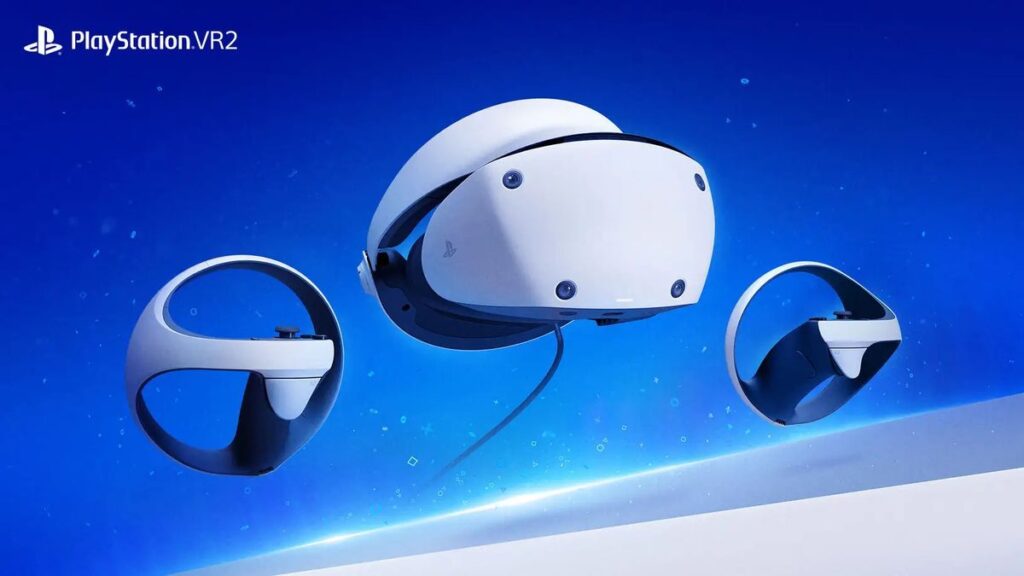
playstation headset ps vr 2 steam app
Image Source: Sony
This article is over 1 years old and may contain outdated information.

Sony announced that it was planning on bringing the PS VR 2 headset to the PC via Steam to expand its user base, but we didn’t know when exactly that would happen. Now, Sony has confirmed that the PS VR 2 Steam app is finally coming out on August 7 of this year. 

The app will let the PS VR 2 function fully without the need for a PlayStation 5 and can be used as a standalone VR headset. The PS VR 2 Steam app will allow players do the following:

  • Play VR games and apps on Steam using your PlayStation VR2 headset and PlayStation VR2 Sense controllers.
  • Set up your PlayStation VR2 on your PC.
  • Update the firmware for your PlayStation VR2 headset and PlayStation VR2 Sense controllers.
  • Adjust settings for your PlayStation VR2 from the SteamVR dashboard, including setting your play area and screen brightness.
  • The PlayStation VR2 headset PC adapter will be required.

Along with the PS VR 2 Steam app, the adapter will also come out on August 7, which is necessary to plug the headset into a PC. It will cost $59.99 and will be available at multiple retailers.

Besides the adapter and the Steam app, you will also need a DisplayPort cable that supports DP 1.4 and a beefy PC that is powerful enough to run VR games at the required settings. The headset will not support many of its hallmark features like HDR, headset feedback, eye tracking, and more. This is not because Sony wants the experience to be worse, it is simply up to the developers to include these things in features in their games.

Related:

New PlayStation Plus Game Catalog Titles Announced & This Month is Big

Sony had been slowing down PS VR 2 production because the demand wasn’t there. Bringing PC support will be the first step in increasing the headset’s sales in the long run.


Related Topics
playstation
Share. Facebook Twitter LinkedIn Reddit Email
Danish Taleef
  • Website
  • X (Twitter)

A passionate gamer and Street Fighter nut, often found with a controller in close proximity. When I'm not playing games, I'm probably writing about them.

SUGGESTED READS

how to make gunpowder Windrose
Game Guides

How to Make Gunpowder in Windrose

Best Server Settings Windrose
Game Guides

Best Server Settings for Windrose

Skate Nike SB Limited-time Event
Game News

Skate. Kicks Off a Limited-time Event With Nike SB, and It’s Free For All

All Materials in Windrose
Game Guides

Windrose: All Materials (& How to Obtain Them)

Bloodborne Anime Announced, Sony Keeps It R-Rated to Stay 'True' to the Game
Game News

Bloodborne Anime Movie Announced, Sony Keeps It R-Rated to Stay ‘Very True’ to the Game

Pragmata PS5 Review
9.5
Game Features

Pragmata Review – Bold, Beautiful, and Unforgettable

The Nerd Stash
Facebook X (Twitter) Instagram YouTube LinkedIn
  • About Us
  • Join Our Team
  • Meet the Team
  • Privacy Policy
  • DMCA Policy
  • Contact Us
  • Terms of Use
  • Sitemap
  • Editorial Guidelines
  • Advertising Policy
© 2026 The Nerd Stash. All Rights Reserved.

Type above and press Enter to search. Press Esc to cancel.



