Close Menu
  • Gaming
    • Platforms
      • Nintendo
      • PC
      • PlayStation
      • Xbox
  • Entertainment
    • Movies
    • TV
    • Royals
  • Celebrity
    • Hollywood
  • Human Interest
  • Astrology
  • More
    • Anime
    • Reviews
Facebook X (Twitter) Instagram LinkedIn YouTube
  • About Us
  • Join Our Team
  • Meet the Team
  • Privacy Policy
  • DMCA Policy
  • Contact Us
  • Terms of Use
  • Sitemap
  • Editorial Guidelines
  • Advertising Policy
The Nerd Stash
  • Gaming
  • Celebrity
  • Hollywood
  • Human Interest
The Nerd Stash
Home»Gaming»Roblox: Airplane Simulator Codes (May 2024)

Roblox: Airplane Simulator Codes (May 2024)

Pass with flying colors with the latest codes!

Dylan ChaundyBy Dylan ChaundyMay 9, 20242 Mins Read
Airplane Simulator, Roblox
Image Source: Roblox
This article is over 1 years old and may contain outdated information.

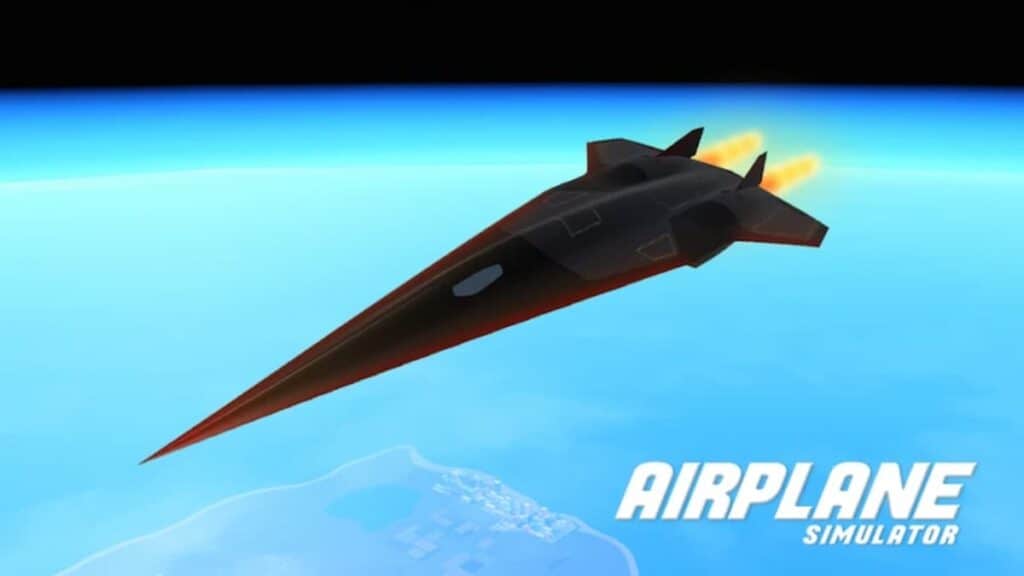
Few things in life are as enjoyable as taking to the skies in your very own airplane. Thing is, that pleasure can be quite expensive IRL. Fortunately, Airplane Interactive’s free flight sim on Roblox has got your back as it offers an expansive suite of flying aircraft and gameplay modes. However, if you’re looking to net yourself a helping hand on your flying endeavours, then you may looking for the latest Airplane Simulator codes. If so, then you’re in the right place. Let’s depart, shall we?

All Working Airplane Simulator Codes

Here are all the valid codes you can redeem right now for free in-game money:

  • VULCAN – 25,000 Cash
  • YF23 – 50,000 Cash
  • EASTER – 50,000 Cash
  • AS2 – 70,000 Cash
  • B1 – 50,000 Cash
  • XMAS – 50,000 Cash

How to Redeem Codes in Airplane Simulator
Airplane Simulator codes, Roblox
Image Source: Roblox via The Nerd Stash

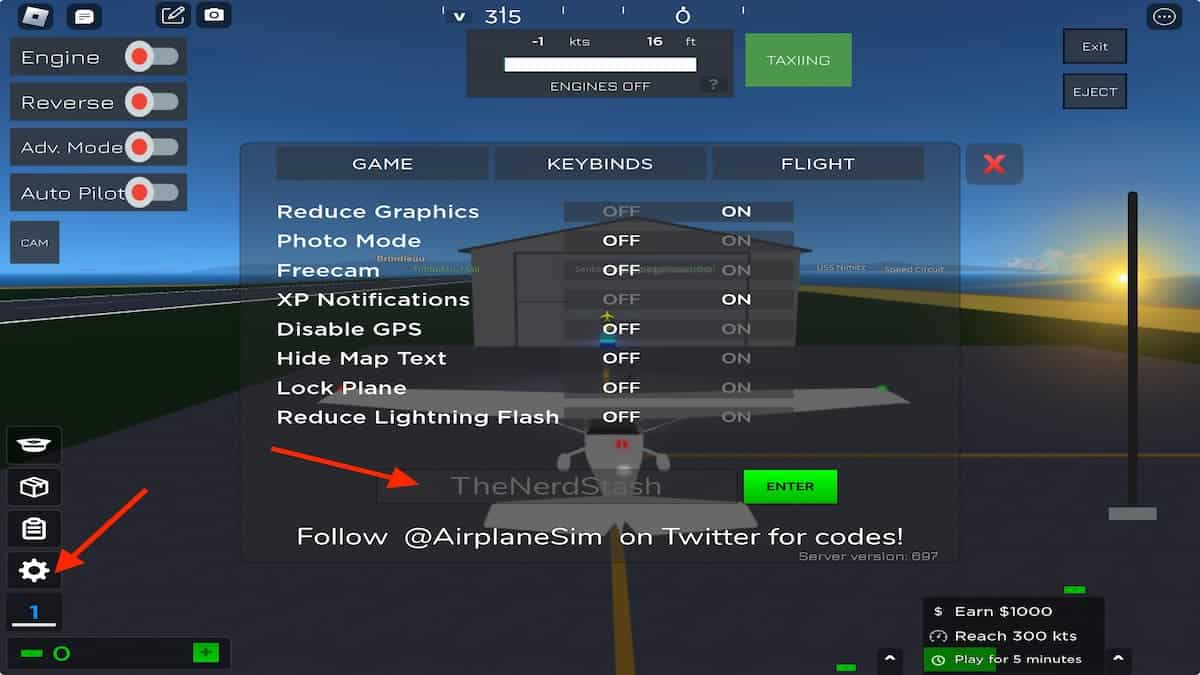
Much like the other thousands of games on Roblox, redeeming codes is quite straightforward. Still, if you’re unsure how to do it, simply follow the steps below:

  • Firstly, boot up Airplane Simulator on Roblox.
  • Next, once you’ve spawned into the game, tap on the white cog icon on the lower left side of your screen (highlighted in the image above).
  • This will bring up the game’s settings and a text box near the bottom. In the text box, simply type in a code from the list above. Do note that Airplane Simulator‘s redemption system is case-sensitive so make sure that the code is 100% accurate and is in all capital letters, otherwise the code won’t work properly.
  • Last of all, hit the green Enter button to add the in-game money to your account.

The extra cash will help you buy new, faster airplanes to fly, so enjoy the extra moolah!

Related:

Top 10 Best Scariest Horror Games on Roblox That Will Scare You Half to Death

And, that’s a wrap! We hope these Airplane Simulator codes help you hit the ground running and give you the flying start you need. For more Roblox-related content, you’re in the perfect place at The Nerd Stash.


Related Topics
Guide Roblox
Share. Facebook Twitter LinkedIn Reddit Email
Dylan Chaundy
  • Website
  • X (Twitter)

Dylan is an Editor at The Nerd Stash and has been writing about video games, TV, and movies for over a decade now. He typically covers horror, RPGs, shooters, Roblox, indie titles, and movies. He loves reading, pizza and skateboarding -- ideally, at the same time. He has a degree in English Literature from Aberystwyth University, Wales. He thinks FTL may be the most perfect game ever created.

SUGGESTED READS

Vampire Survivors Developer Goes Wild With Over 15 New Games, Expands to Japan and Italy: 'Profit Is Not a Priority'
Gaming

Vampire Survivors Developer Goes Wild With Over 15 New Projects, Expands to Japan and Italy: ‘Profit Is Not a Priority’

Gaming

The Expanse: Osiris Reborn Is Owlcats Most Ambitious Leap Yet ‘A stunning jump forward’

World of Tanks HEAT Closed Beta Preview
Features

World of Tanks HEAT Hands-On Preview – Faster, Flashier, and Just as Tactical

Where to Find the Secret Fall Shop in Roblox Adopt Me
Gaming

Where to Find the Secret Fall Shop in Roblox Adopt Me

Diablo 4 Lord of Hatred Review
10
Features

Diablo 4: Lord of Hatred Review – Breaking the Cycle

Shuhei Yoshida Says He Was Fired From Playstation Studios for Saying 'No' to Jim Ryan: 'He Asked For Ridiculous Things'
Gaming

Shuhei Yoshida Says He Was Fired From Playstation Studios for Saying ‘No’ to Jim Ryan: ‘He Asked For Ridiculous Things’

The Nerd Stash
Facebook X (Twitter) Instagram YouTube LinkedIn
  • About Us
  • Join Our Team
  • Meet the Team
  • Privacy Policy
  • DMCA Policy
  • Contact Us
  • Terms of Use
  • Sitemap
  • Editorial Guidelines
  • Advertising Policy
© 2026 The Nerd Stash. All Rights Reserved.

Type above and press Enter to search. Press Esc to cancel.