

Close Menu
  • Gaming
    • Game Guides
    • Codes
    • Game News
    • Game Previews
    • Game Reviews
    • Game Features
    • Game Lists
    • Platforms
      • Nintendo
      • PC
      • PlayStation
      • Xbox
      • Mobile
  • Entertainment
    • Movies
    • Movie Features
    • Movie Reviews
    • TV
    • Reality TV
    • Royals
  • Celebrity
    • Hollywood
  • Human Interest
  • Astrology
  • Videos
  • More
    • Anime
    • Lists
    • Podcasts
    • Reviews
Facebook X (Twitter) Instagram LinkedIn YouTube
  • About Us
  • Join Our Team
  • Meet the Team
  • Privacy Policy
  • DMCA Policy
  • Contact Us
  • Terms of Use
  • Sitemap
  • Editorial Guidelines
  • Advertising Policy
The Nerd Stash
  • Gaming
  • Celebrity
    • Hollywood
  • Human Interest
  • Videos
The Nerd Stash
Home»Game Guides»Roblox: Dragon Blox Codes (July 2024)

Roblox: Dragon Blox Codes (July 2024)

And these codes, is to go even further beyond!

Sidharta F. RasidiTunahan KarakisBy Sidharta F. Rasidi and Tunahan KarakisJuly 9, 20242 Mins Read
Roblox: Dragon Blox Codes
Image source: G RBLX GAMES, Roblox via The Nerd Stash

Skip To...

  • Are There Working Roblox Dragon Blox Gift Codes? July 2024 Edition
  • How Do I Redeem the Codes?

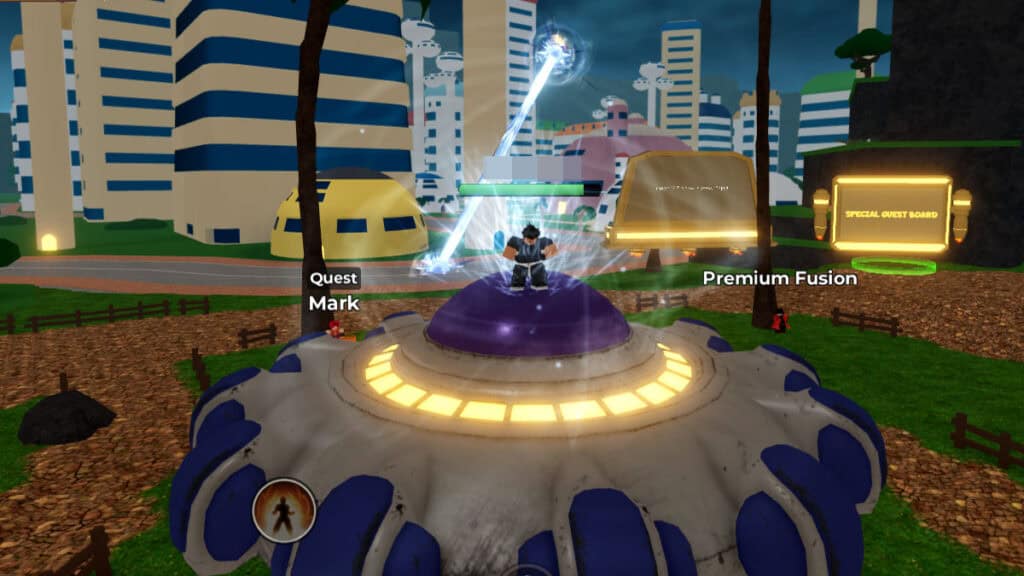
G RBLX Games, famously known for the Super Saiyan Simulator 2, also made another Dragon Ball Z-inspired game. In this experience, players get to immerse themselves in the world of the Saiyans and compete to become the most powerful of them all. Nevertheless, training and drinking plenty of juices will only go so far. At some point, you will want to increase your strength and wealth even further through Roblox Dragon Blox gift codes.

Are There Working Roblox Dragon Blox Gift Codes? July 2024 Edition

[Updated on July 9th – Removed expired codes and added new image]

It is unfortunate that currently, there are no active or working codes in the game. Even though the Roblox page said it was last updated this July, developer G RBLX GAMES has yet to post new codes. We will update this article as soon as a redemption code appears in the wild. You might want to keep a close eye on Dragon Blox‘s official Discord server. For new players, you can try joining the game’s Roblox Group to get a permanent XP Boost free of charge.

How Do I Redeem the Codes?
How Do I Redeem the Codes?
Image source: G RBLX GAMES, Roblox via The Nerd Stash

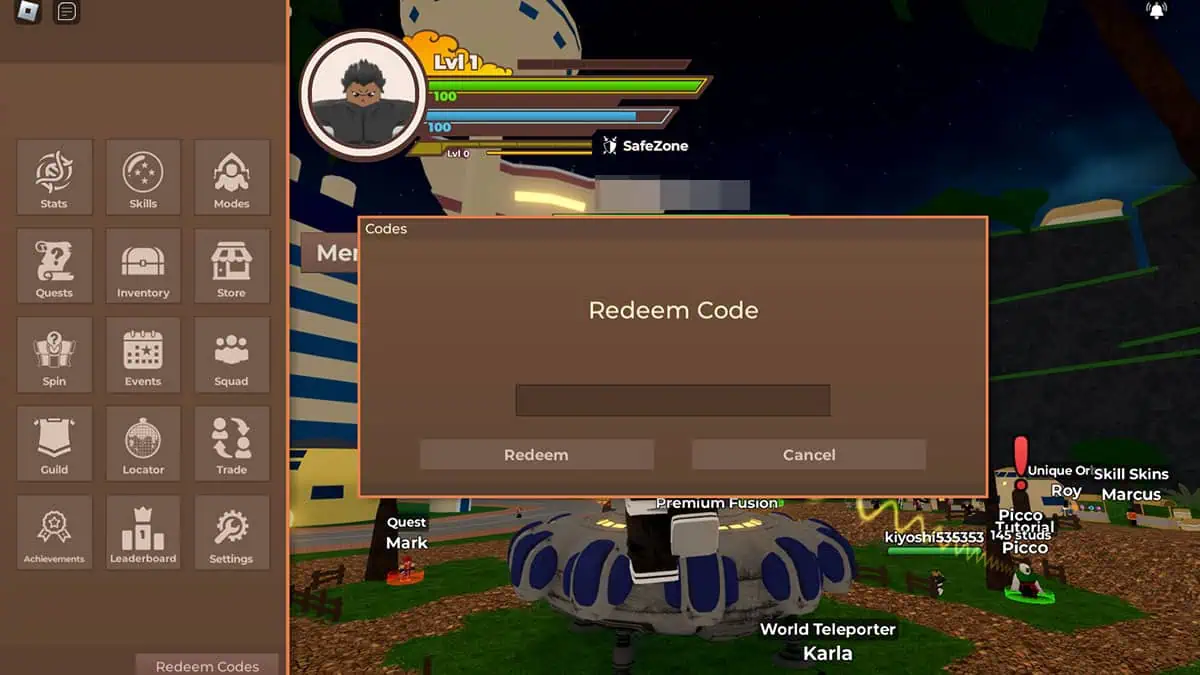
    Similar to most Roblox games, Dragon Blox redemption gift codes can be claimed quickly and easily via the in-game menu:

    Related:

    How To Get Dragon Balls in Roblox Anime Roulette
    • Boot up Dragon Blox.
    • Click the “Menu” button on the left side of the screen.
    • Press the “Redeem Codes” button at the bottom-most part of the Menu window.
    • Type in or copy a code from the list above and paste it into the text field.

    Code rewards will be automatically added to your character’s inventory. Meanwhile, if you tried using expired or wrong codes, the “Code not found” error message will appear.

    Roblox Dragon Blox is available for PC, Mobile, Xbox, and PlayStation.

    Related Topics
    Codes Roblox
    Share. Facebook Twitter LinkedIn Reddit Email
    Sidharta F. Rasidi, Tunahan Karakis
    • Website

    An ordinary Indonesian who enjoys playing and talking about video games. His favorite games are Monster Hunter: World, Space Invader Extreme 2, THE iDOLM@STER SP, Road Trip Adventure, Halo series, and KOEI Tecmo's Warriors series.

    Sidharta F. Rasidi, Tunahan Karakis
    • Website

    An ordinary Indonesian who enjoys playing and talking about video games. His favorite games are Monster Hunter: World, Space Invader Extreme 2, THE iDOLM@STER SP, Road Trip Adventure, Halo series, and KOEI Tecmo's Warriors series.

    SUGGESTED READS

    Minecraft Accused of Mocking Lonely Kids, Sparking Mental Health Backlash: 'One of the Ickiest Things I've Seen'
    Features

    Minecraft Accused of Mocking Lonely Kids, Sparking Mental Health Backlash: ‘One of the Ickiest Things I’ve Seen’

    Destiny 2 Renegades PS5 Review
    8.5
    Features

    Destiny 2: Renegades Review – The Shooter Strikes Back

    Clair Obscur: Expedition 33 Loses GOTY, Other Award from Indie Game Awards Over Generative AI: 'Some Weird Performative BS'
    Game News

    GOTY Stripped Over AI?: Clair Obscur: Expedition 33 Loses Awards at Indie Game Awards, ‘Some Weird Performative BS’

    Sony Patents Real-time AI Game Censorship Tech That Could Even Make GTA 6 Kid-Friendly
    Game News

    Sony Patents Real-Time AI Game Censorship Tech That Could Even Make GTA 6 Kid-Friendly

    Zenless Zone Zero Version 2.5 Announcement
    Game News

    Zenless Zone Zero Version 2.5 Is Ready To Wrap Up the Year With Two New Agents and a Free Outfit

    PC Gamers Can't Catch a Break as Nvidia Plans 40% GeForce GPU Production Cuts, Report: 'Who Needs a PC Anyways'
    Game News

    PC Gamers Can’t Catch a Break as Nvidia Reportedly Plans 40% GeForce GPU Production Cuts: ‘Who Needs a PC Anyways’

    Trending
    Minecraft Accused of Mocking Lonely Kids, Sparking Mental Health Backlash: 'One of the Ickiest Things I've Seen'

    Minecraft Accused of Mocking Lonely Kids, Sparking Mental Health Backlash: ‘One of the Ickiest Things I’ve Seen’

    Destiny 2 Renegades PS5 Review
    8.5

    Destiny 2: Renegades Review – The Shooter Strikes Back

    Clair Obscur: Expedition 33 Loses GOTY, Other Award from Indie Game Awards Over Generative AI: 'Some Weird Performative BS'

    GOTY Stripped Over AI?: Clair Obscur: Expedition 33 Loses Awards at Indie Game Awards, ‘Some Weird Performative BS’

    Sony Patents Real-time AI Game Censorship Tech That Could Even Make GTA 6 Kid-Friendly

    Sony Patents Real-Time AI Game Censorship Tech That Could Even Make GTA 6 Kid-Friendly

    The Nerd Stash
    Facebook X (Twitter) Instagram YouTube LinkedIn
    • About Us
    • Join Our Team
    • Meet the Team
    • Privacy Policy
    • DMCA Policy
    • Contact Us
    • Terms of Use
    • Sitemap
    • Editorial Guidelines
    • Advertising Policy
    © 2025 The Nerd Stash. All Rights Reserved.

    Type above and press Enter to search. Press Esc to cancel.




