
Close Menu
  • Gaming
    • Platforms
      • Nintendo
      • PC
      • PlayStation
      • Xbox
  • Entertainment
    • Movies
    • TV
    • Royals
  • Celebrity
    • Hollywood
  • Human Interest
  • Astrology
  • More
    • Anime
    • Reviews
Facebook X (Twitter) Instagram LinkedIn YouTube
  • About Us
  • Join Our Team
  • Meet the Team
  • Privacy Policy
  • DMCA Policy
  • Contact Us
  • Terms of Use
  • Sitemap
  • Editorial Guidelines
  • Advertising Policy
The Nerd Stash
  • Gaming
  • Celebrity
  • Hollywood
  • Human Interest
The Nerd Stash
Home»Gaming»Valorant: How to Install Skin Changer

Valorant: How to Install Skin Changer

Valorant is a 5v5 shooter made by the famous Riot Games that brought League of Legends to PC players. Like their previous game, Valorant is also free-to-play, but some…

Masoud KazemiBy Masoud KazemiJanuary 20, 20232 Mins Read
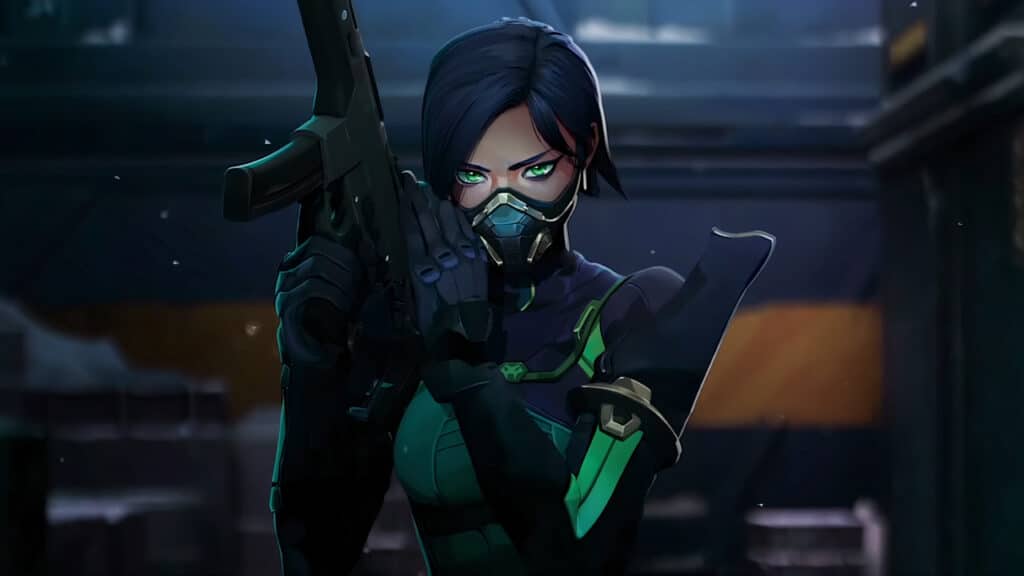
how to install skin changer in valorant
This article is over 3 years old and may contain outdated information.

Valorant is a 5v5 shooter made by the famous Riot Games that brought League of Legends to PC players. Like their previous game, Valorant is also free-to-play, but some cosmetic items can only be obtained by buying them with real money. While many players, especially professional players and streamers, tend to buy them, there are a lot of gamers who aren’t happy with spending real money on cosmetics in a game. Therefore, the skin-changer application has become popular, and here is how to install it in Valorant.

How to Install Skin Changer in Valorant

If you have played Valorant for a little bit, then you have probably heard of Valorant Skin Changer or Weapon Skin Changer from other players or on social media. As the name suggests, players use this app to change the skin of their weapons and knives in the game without paying any money.

There are many applications provided, but Pro Swapper and skinchanger.app because of their ability to bypass Valorant servers without detection. You can find their website by simply searching their name on Google.

how to install skin changer in valorant

The installation instruction isn’t complicated. Usually, the application is compressed in a zip file that you have to unzip first. Then simply run the .exe file and then open the game and select the skin you want to obtain. In some cases, it is also required to turn off the Windows Defense system to allow the application to work properly.

Bear in mind that if you use these applications, you will put your account in danger of getting banned. This is because Valorant is a free-to-play game, and the only way the studio behind the game makes a profit is by microtransactions.

Related:

How to Get the Kitty/Cat Crosshair in Valorant

Also, using a third-party application is against the policies of Riot Games, therefore, there is also a chance of a person using this app facing legal action. Therefore we strongly recommend players not use these applications to support the developing team and also prevent them from getting banned or, even worse, facing legal action from the studio.


Related Topics
Guide Valorant
Share. Facebook Twitter LinkedIn Reddit Email
Masoud Kazemi
  • Website
  • X (Twitter)

I don't care about the real world. I cared only about the world of fiction. -Woody Allen

SUGGESTED READS

Honkai Star Rail Version 4.3 Announcements
Gaming

Honkai: Star Rail Version 4.3 Unveils Blade’s New Form and More Fate Collab Characters

Take-Two CEO Reveals Fans Will Be Forced To Wait a Bit Longer for GTA 6 News 'This Summer,' But Insiders Disagree
Gaming

Take-Two CEO Reveals Fans Will Be Forced To Wait a Bit Longer for GTA 6 News ‘This Summer,’ But Insiders Disagree

007 First Light Launch Trailer
Gaming

007 First Light Celebrates the Long-Awaited Return of James Bond With Its Launch Trailer

Destiny 2 Final Update
Features

Destiny 2 Is Dead: Bungie’s Divisive Franchise Going on Maintenance Mode With Its Last Update Launching on June 9

GTA Studio's Secrets Stay Buried Forever as Rockstar Reportedly Enforces 'Lifetime NDAs' on Ex-Developers
Gaming

GTA Studio’s Secrets Stay Buried Forever as Rockstar Reportedly Enforces ‘Lifetime NDAs’ on Ex-Developers

Warhammer 40,000 Boltgun 2 Hands-On Preview
Features

Warhammer 40,000: Boltgun 2 Hands-On Preview – Retro-Shooting for the Emperor

The Nerd Stash
Facebook X (Twitter) Instagram YouTube LinkedIn
  • About Us
  • Join Our Team
  • Meet the Team
  • Privacy Policy
  • DMCA Policy
  • Contact Us
  • Terms of Use
  • Sitemap
  • Editorial Guidelines
  • Advertising Policy
© 2026 The Nerd Stash. All Rights Reserved.

Type above and press Enter to search. Press Esc to cancel.




